AI marketing agents that work your social media — not just write it
Hire from a gallery of task-specific agents: a support agent that drafts customer replies, a sales agent that captures leads, a moderator that hides scams, a ghostwriter, a carousel designer, a repurposer, a trend scout. Each one is configured in minutes, learns from your corrections, and works on rails you control.
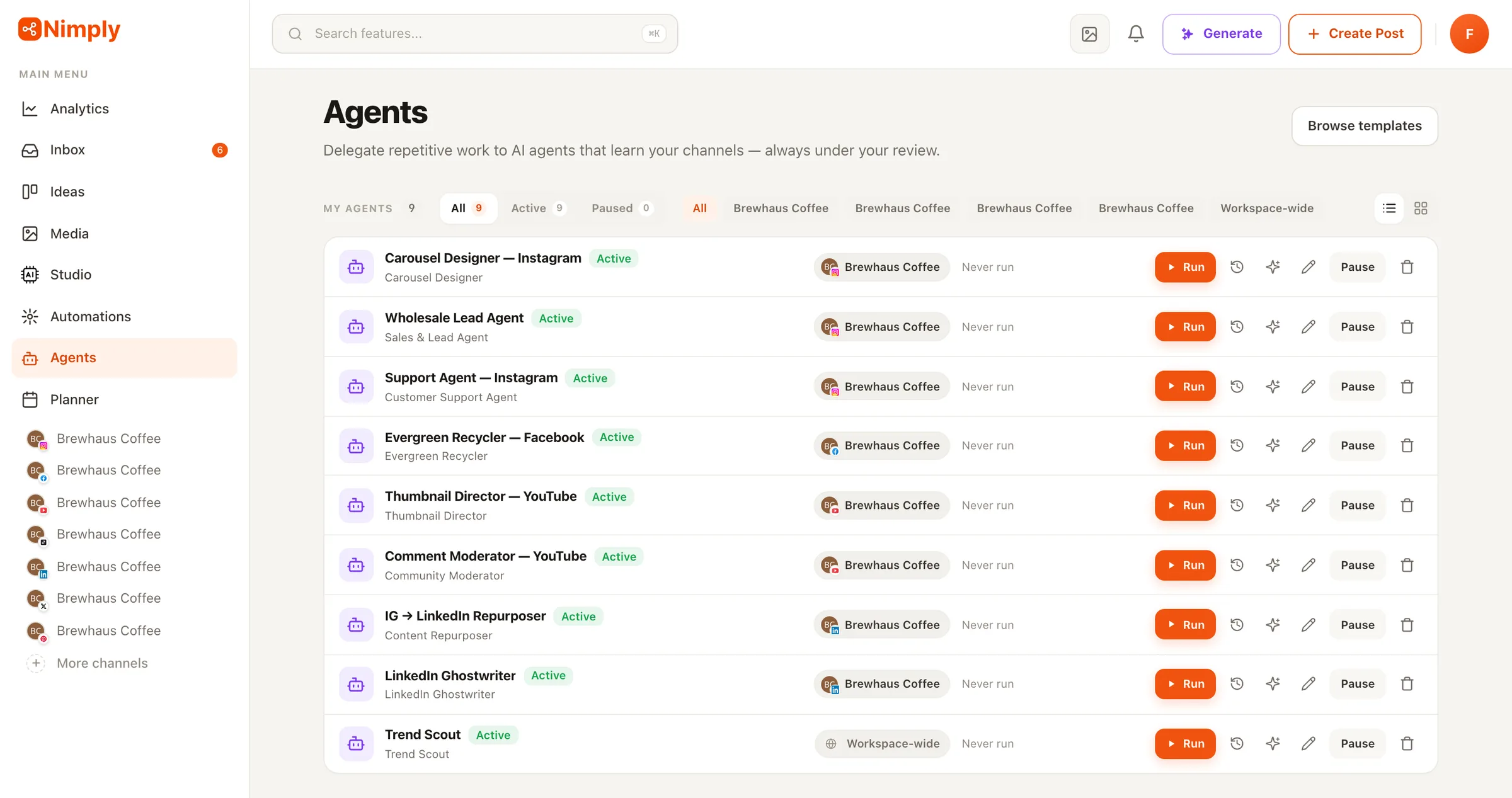
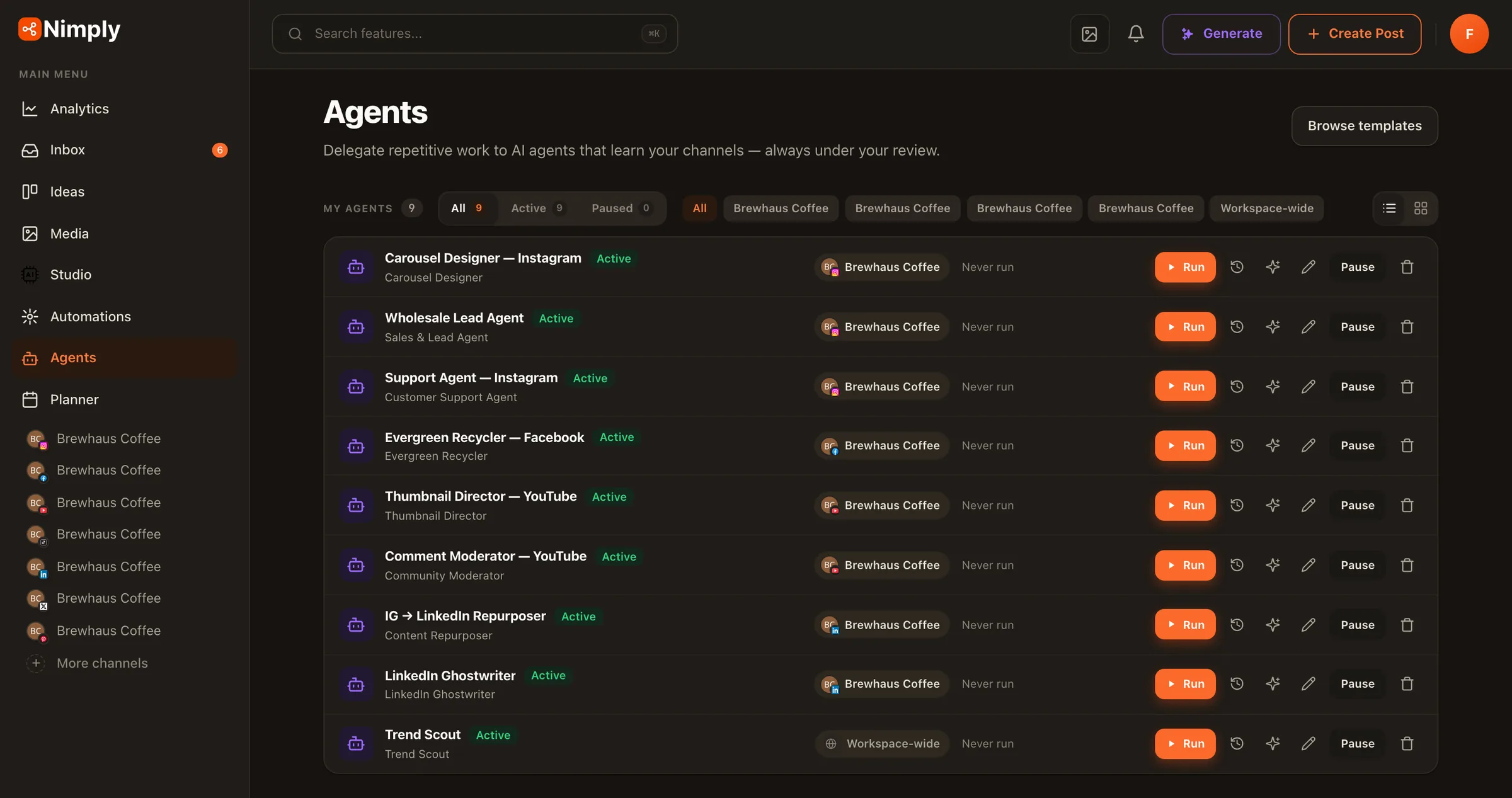
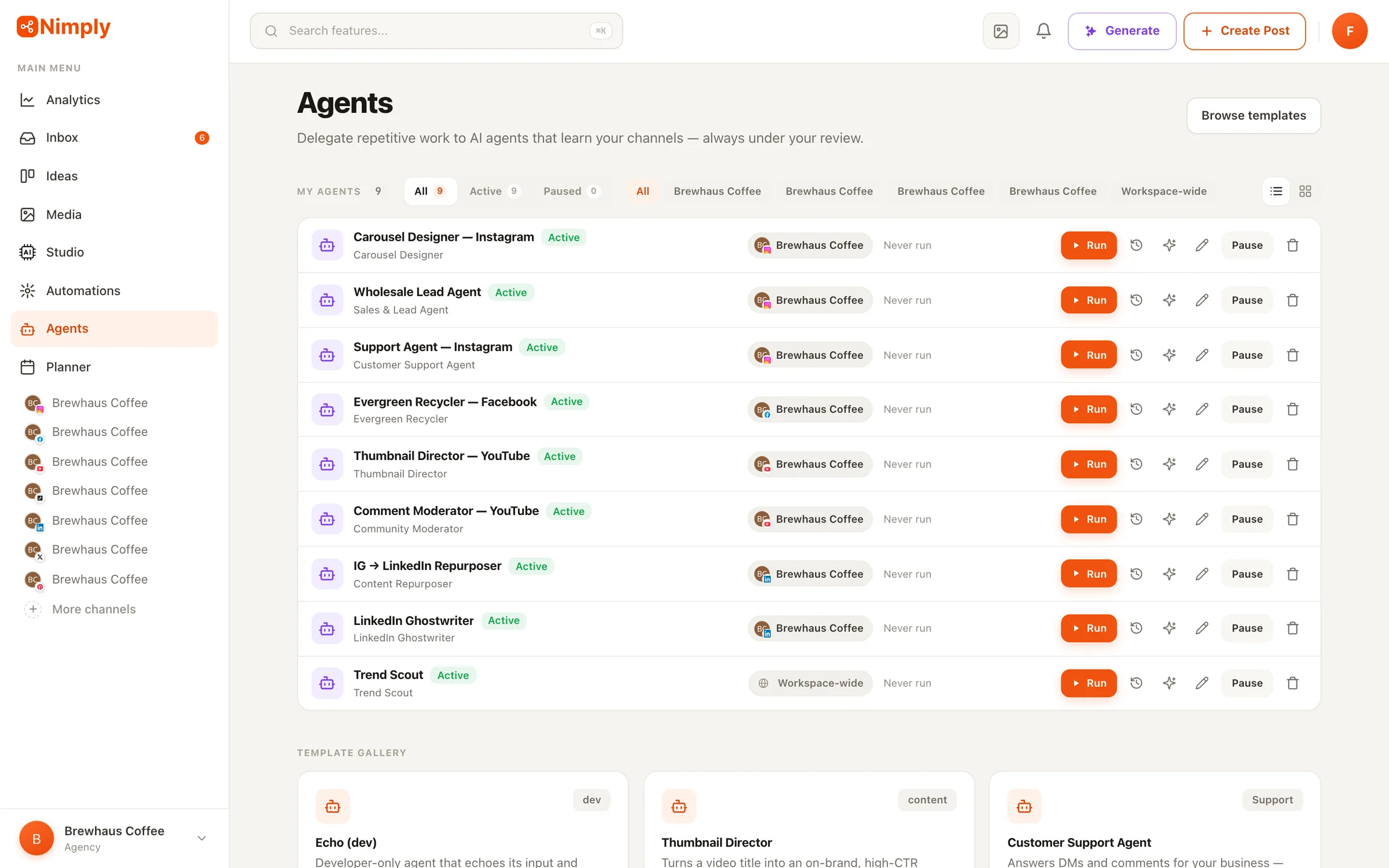
A real workspace: nine agents live, each bound to its channel, with run history and one-click pause.
The rails
Autonomy you can actually trust
The reason most teams don’t let AI near their audience is simple: no guardrails. Nimply’s agents are built rails-first —
Drafts by default, never direct publishing
Content agents create drafts that enter the same draft → approval → scheduled pipeline as everything else. There is no code path for an agent to publish a post directly.
Human takeover, automatic stand-down
Reply agents pause for hours whenever a teammate answers a conversation, and you can mute an agent on any single thread with one click.
Every action is visible
Run history shows each step an agent took, each tool it called, and exactly what it cost in credits. Moderation actions leave audit notes on the thread.
Learning you can inspect
Agents remember preferences and lessons from your corrections — and you can read, edit, or delete every memory.
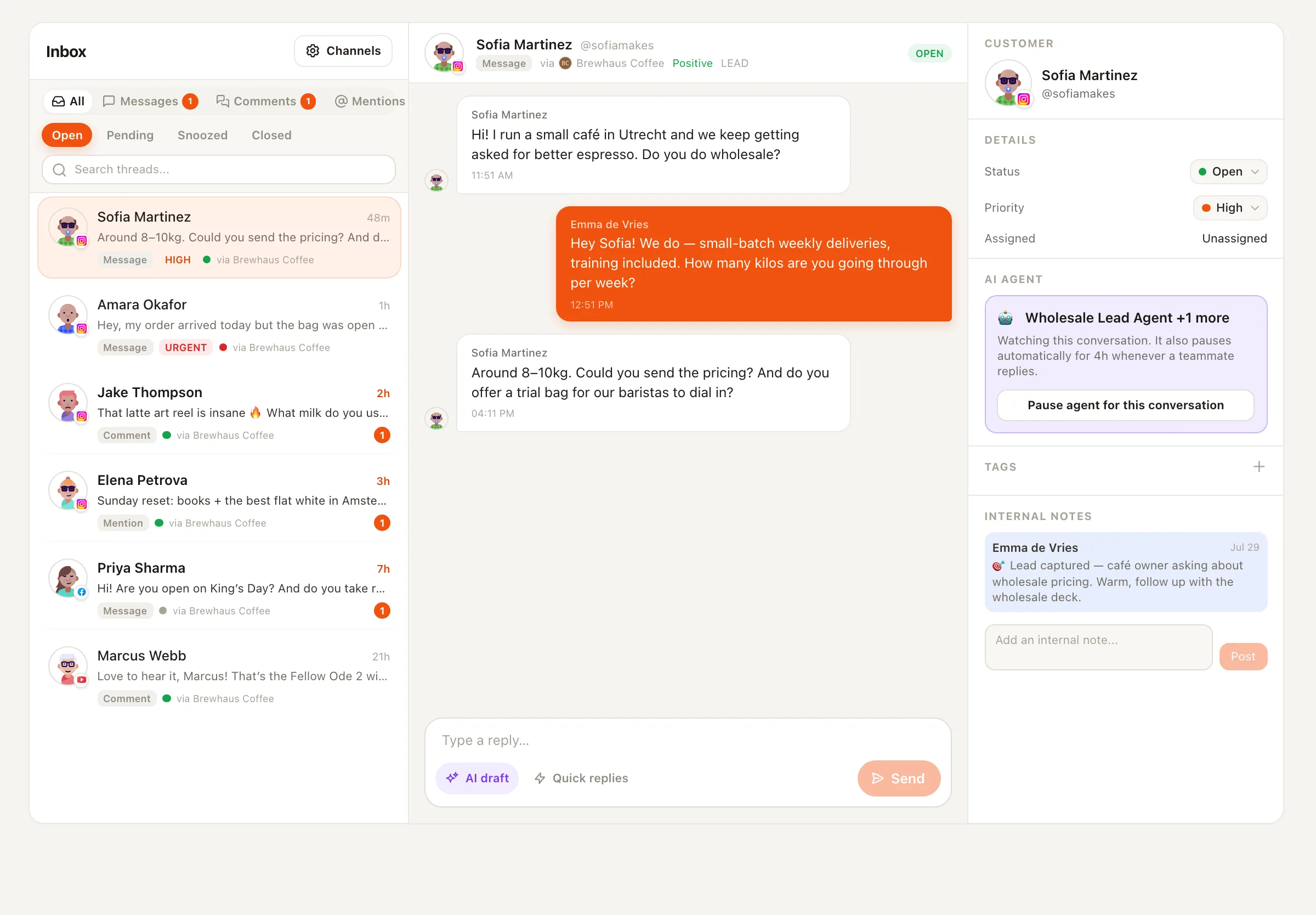
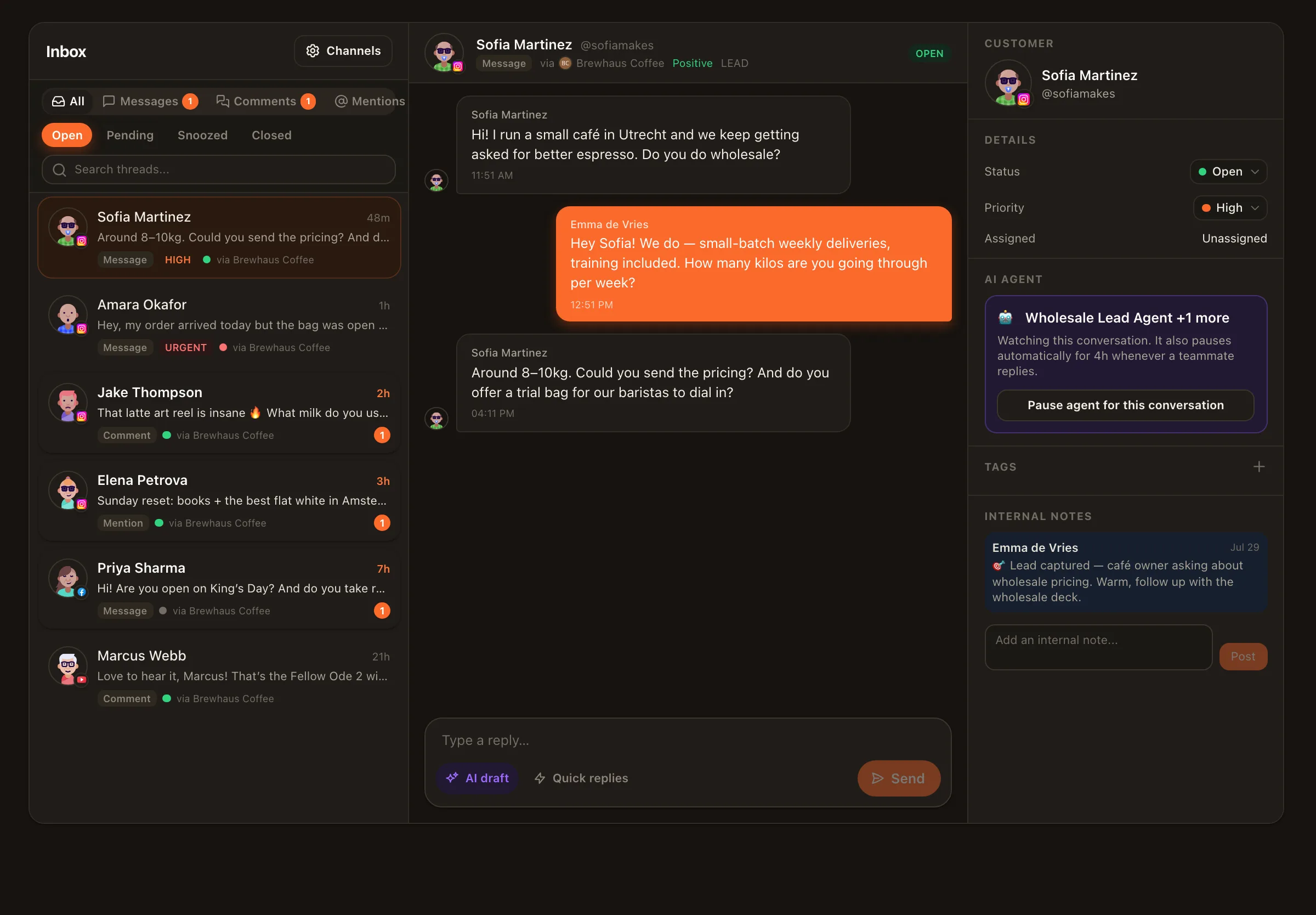
The agent panel on a live conversation — watching, note left for the team, pause anytime.
The directory
Seventeen agents, one job each
Specialists beat generalists. Every agent is built, prompted, and guard-railed for exactly one job — and does it with your context.
On-brand carousels, images, pins, stories and video thumbnails
Designs from a topic or your own text in your brand kit — original layouts or your templates — and drafts the result for your approval. Start from a preset: Carousel Designer for multi-slide carousels, or Thumbnail Director for three editable thumbnails sized for YouTube, Shorts, Reels, TikTok, podcasts or link previews.
Cuts one long video into captioned vertical shorts
Finds the moments worth keeping in a long video, cuts them to vertical, burns in captions, and drafts each short for your approval — so one recording becomes a week of posts.
📣Your own accounts, across platforms
Syndication Manager
One video, a distinct edit for each account you own
Turns a single video into a native, captioned short for every account in your own network — one genuinely different edit per identity, not the same file reposted — each waiting for approval before it goes out.
📨Telegram channels
Telegram Channel Editor
Keeps your Telegram channel posted, in Telegram's own format
Turns links, videos and notes into Telegram-native posts with buttons, mirrors what you publish on other networks, and writes weekly digests. Always as drafts you approve.
🎟️Telegram, WhatsApp and Messenger
Community Concierge
Answers membership questions in DMs, without handing out access
Explains your tiers, gives each person their own join link, and tells them truthfully where their membership stands. It never grants access itself — the membership engine does that, so a persuasive message can't talk its way in.
📌Pinterest
Affiliate Pin Studio
Turns the products you recommend into Pinterest pin drafts
Reads each product page and uses only the real name, price and details it finds, designs on-brand pins, and adds your affiliate link and disclosure. Every pin is saved as a draft for your approval — it never posts on its own.
🧲Any channel, or none
Ad Creative Studio
A set of on-brand static ads from your product photo and offer
Designs several ad angles in square, portrait and story sizes, with text kept clear of the ad buttons, and saves them to your media library for you to upload to your own ad manager. Nimply never runs or pays for ads.
📘Any channel
Lead Magnet Builder
Turns a topic or blog post into a downloadable PDF guide
Designs a checklist, guide or cheat sheet as a PDF in your brand kit, plus promo graphics and a draft post, and suggests an email sign-up download for your Nimply Page. Nothing goes live until you approve it.
Coming soon: Caption Writer · Hook & Script Writer · Performance Analyst · Triage Concierge — we ship agents when they’re genuinely useful, not as roadmap decoration.
Setup
Hiring an agent takes minutes, not onboarding weeks
Business context, tone, boundaries, which channel it works on, and which AI model to use — with per-run cost shown up front.
03
Choose the rails
Draft or auto mode, reply scope (comments, DMs, or both), allow/block lists, and a schedule if the agent runs on one — provisioned as a visible automation you can extend.
04
Review the work
Drafts land in your approval queue; replies appear as notes; every run logs its steps, tools, and credit cost.
Connected to your business
Agents that answer with facts, not guesses
A support reply is only useful if it’s true. Connect your business systems as MCP servers — order management, booking, docs, anything that speaks the Model Context Protocol — and your agents can look up real answers mid-conversation.
API key or OAuth sign-in
Connect servers with a header key, or sign in through the full OAuth flow — tokens are stored encrypted and refreshed automatically.
Per-agent permissions
Each agent only sees the connections you grant it. Your sales agent doesn't need your order system; your support agent might.
Tools in the run log
Every external lookup an agent makes is recorded in its run history — you can see exactly what it asked and what came back.
Example — a real support run
Customer DM
“My order arrived damaged — order #2481. Can you help?”
Agent → your order system (MCP)
lookup_order(#2481) → shipped Mon, batch 240-C
Agent → drafts for your team
Apology + replacement offer + asks for the batch number photo
Your team
Reviews, tweaks one line, sends. The agent learns from the edit.
AI agents — frequently asked questions
What is an AI marketing agent?
An AI marketing agent is a task-specific AI worker configured for one job — answering support questions, capturing leads, moderating comments, ghostwriting posts — that runs repeatedly with your context: your business facts, your tone, your boundaries. Unlike a chat assistant you have to prompt every time, an agent is set up once and then works on its own schedule or reacts to events, always within the limits you set.
Will agents post or reply without my approval?
Not unless you explicitly enable it. Content agents (Ghostwriter, Recycler, Designer, Repurposer, Affiliate Pin Studio, Lead Magnet Builder) only ever create drafts that go through your normal approval and scheduling workflow. Conversational agents (Support, Sales, Personal DM) default to draft mode, where suggested replies appear as internal notes; auto mode is opt-in, rate-limited, and pauses automatically when a human teammate replies. You can also pause any agent on a single conversation with one click.
How do the agents learn my brand and voice?
Three ways. During setup you give each agent its context — business facts, tone, off-limits topics. Writing agents study your actual published posts to match your voice. And agents learn from corrections: when you edit a drafted reply before sending, the agent compares your version to its own and saves durable lessons it applies next time. Everything an agent has learned is visible and editable.
Can agents access my business data or external tools?
Yes — through MCP (Model Context Protocol) connections. Connect your order system, booking tool, docs, or any MCP server (API key or OAuth sign-in), and agents like Customer Support can look up real answers — order status, availability, policy details — instead of guessing. You choose exactly which connections each agent can use.
How much do agent runs cost?
Agents use the same AI credits as the rest of Nimply, with a per-run estimate shown before you hire one and the exact spend recorded on every run in its history. There's no separate agent add-on or per-seat AI fee.
Do the agents work on every platform?
Publishing agents work everywhere Nimply publishes: Instagram, Facebook, X, LinkedIn, TikTok, YouTube, Pinterest, Threads, and Telegram. Conversational agents ride on the unified inbox, which is rolling out per network as platforms grant access — WhatsApp Business chats, Facebook Page DMs and comments, X DMs and mentions, YouTube and TikTok comments, Threads replies, Telegram comments and DMs, and Instagram DMs and comments are live today.
Your first agent can be working today
Start free, connect a channel, and hire from the gallery. Draft mode by default — nothing ships without you.