

Approve from the push notification
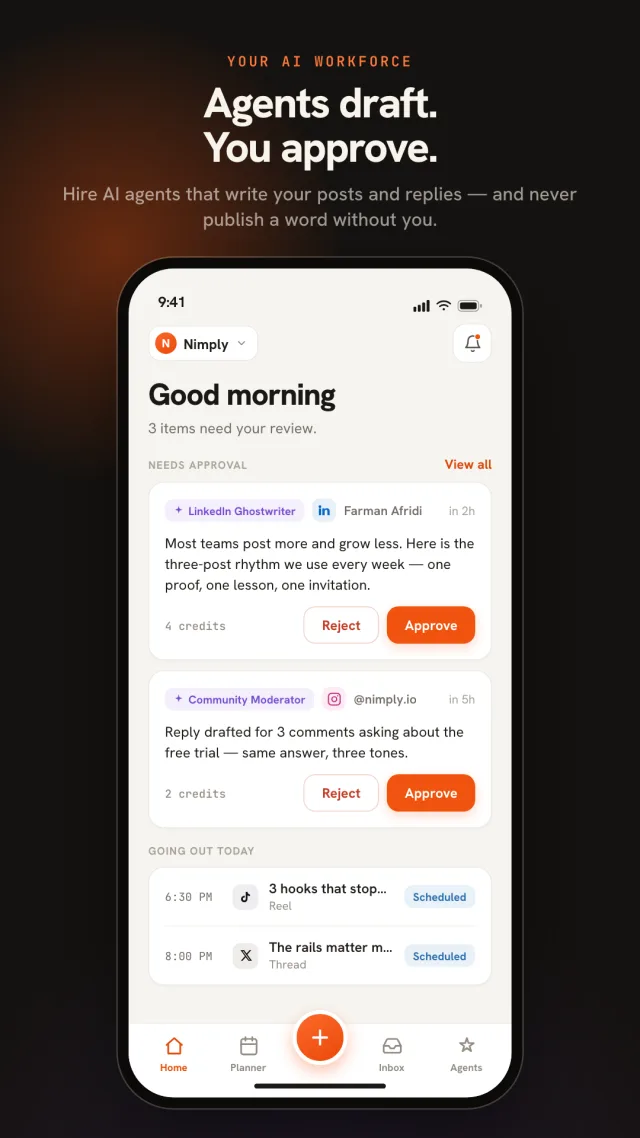
Agent and teammate drafts arrive as a push — approve or reject without opening the app. The approval loop finally moves at your speed.
📱 Now on the App Store & Google Play
Most social media apps let you post from your phone. Nimply puts your whole operation in your pocket: AI agents draft posts and replies, every draft waits for your approval, and one calendar schedules to Instagram, Facebook, TikTok, LinkedIn, YouTube, Pinterest, Threads, X, and Telegram. You approve from a push notification — the rest happens without you.
Free to download on iPhone and Android · works with every plan · same workspace as the web app
The AI social media app, done honestly
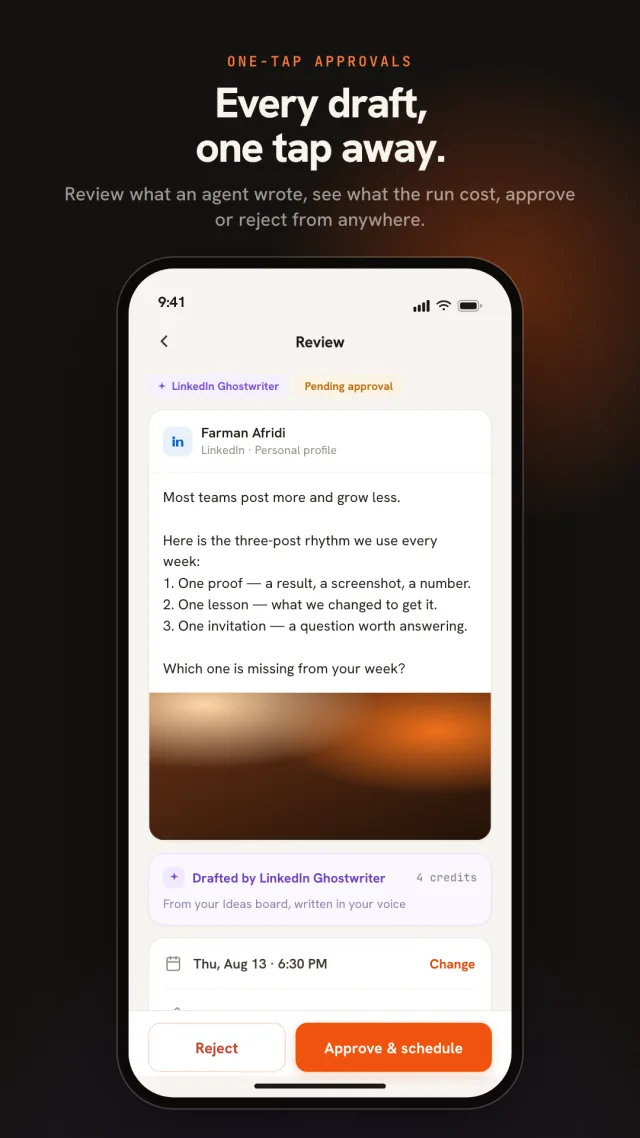
Your AI agents keep working while you’re away from the desk — drafting replies, preparing posts, scouting trends. Every draft lands in your approval queue, and the queue now lands on your phone: a push notification shows you what the agent wrote and what the run cost, and you approve or reject it in one tap. Not one word publishes until you say so.
The same loop covers human teammates: editors submit, owners and admins approve, and rejected drafts come back with the reviewer’s reason attached. The approval workflow that kept your brand safe on the desktop is now the reason your phone makes you faster instead of busier.
Scheduler in your pocket
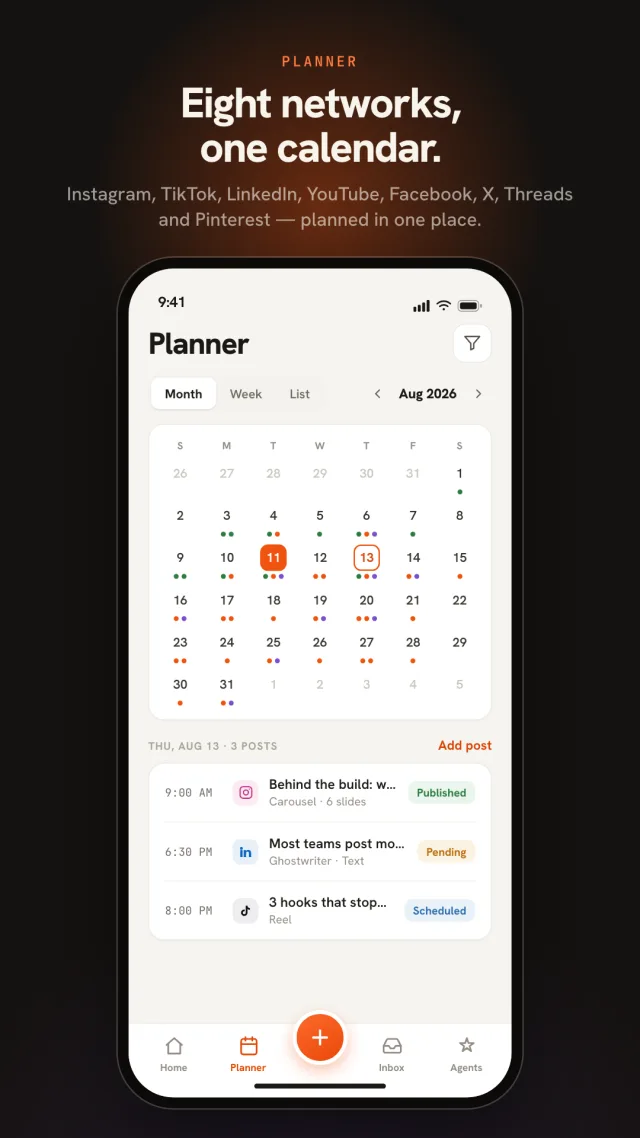
The full social media scheduler travels with you: month and week calendar views, queue slots that fill themselves, best-time suggestions computed from your own audience, and cross-posting that tailors each post per network. Publishing happens from Nimply’s servers at the scheduled time — your phone can be off, in a bag, or on a beach.
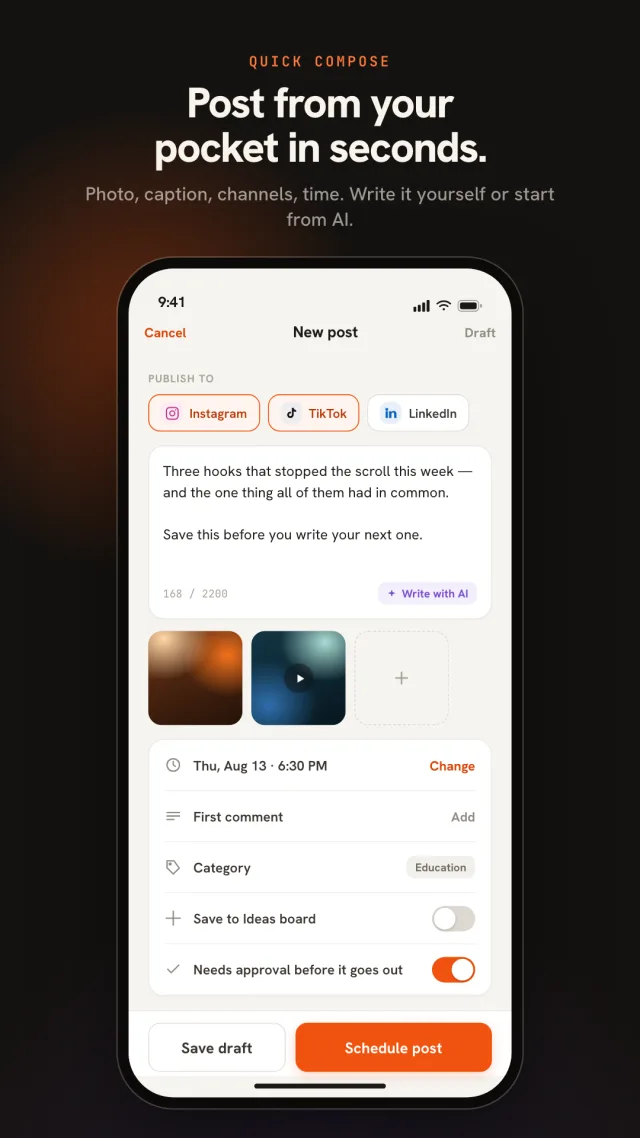
And because Nimply is in your share sheet, the moment of inspiration survives: share a photo, link, or video from any app straight into the composer, caption it (or let the AI assistant draft it), and drop it into the queue in seconds.
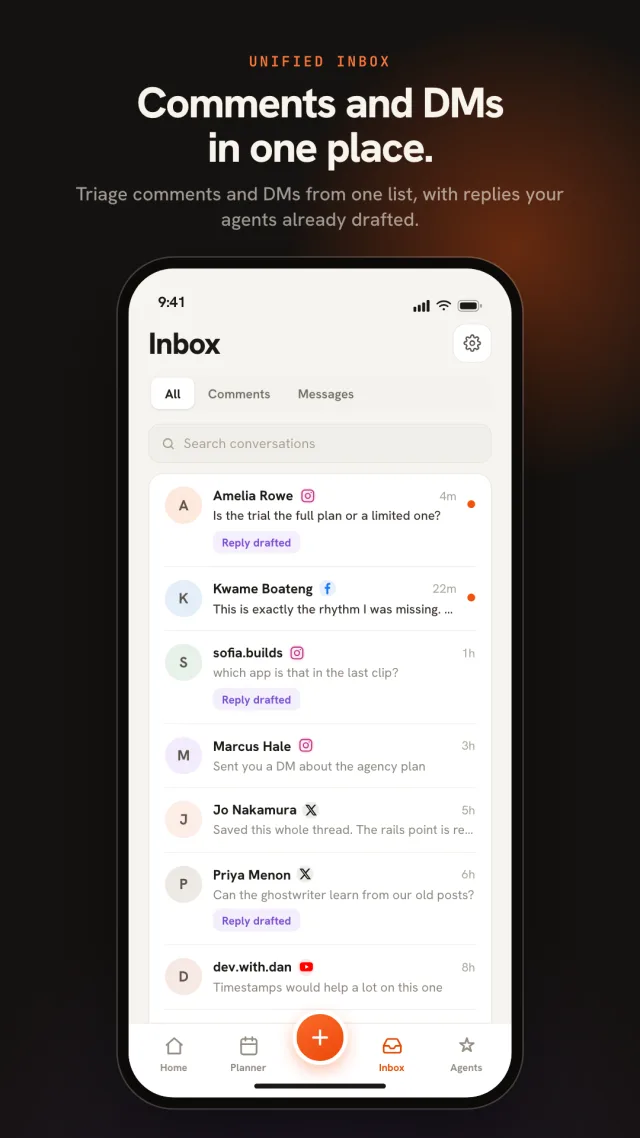
Unified inbox
The unified inbox brings comments and DMs from your connected channels into one stream — assign a conversation to a teammate, use a saved reply for the question you answer every day, or let the AI suggest a reply you edit before sending. The five-minute wait a customer notices no longer requires you to be at a desk.
Your rules, enforced everywhere
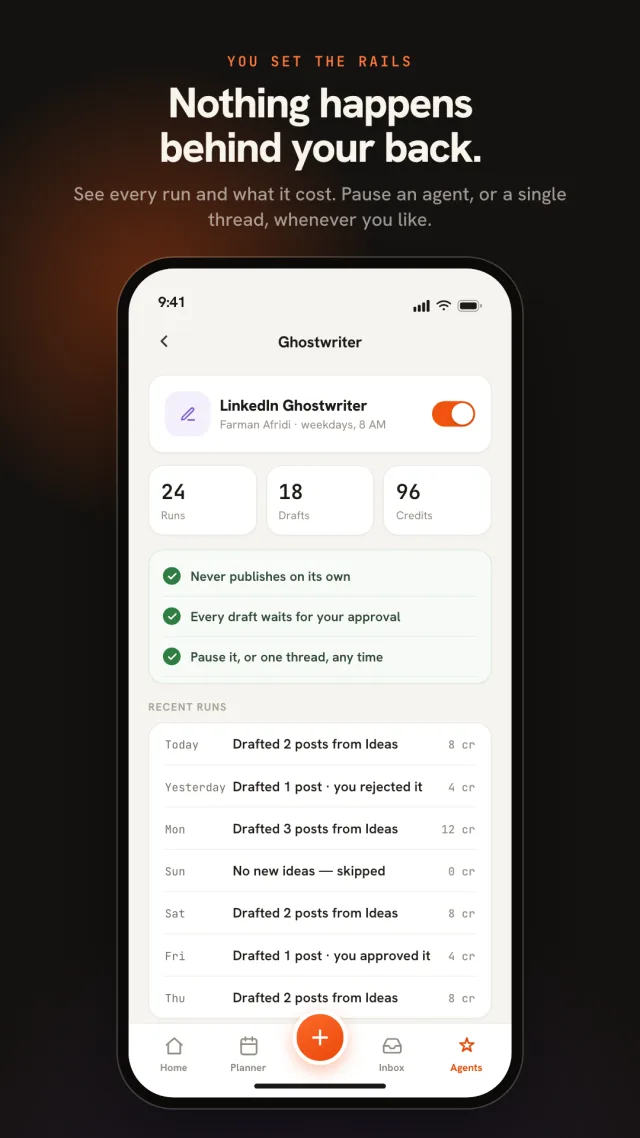
Open any agent and see its full run history — what it did, what each run cost in credits, and a pause switch that stops it instantly. The rails that make Nimply’s AI trustworthy on the web are the same rails in the app, because they’re enforced by the platform, not the screen you happen to be looking at.
What the app does
Agent and teammate drafts arrive as a push — approve or reject without opening the app. The approval loop finally moves at your speed.
Nimply lives in your share sheet: a photo, a link, a video from any app lands in the composer, ready to caption and schedule.
Pick the exact time, or drop the post into your queue and let your posting schedule place it. Per-channel time zones respected.
The unified inbox comes with you — assign, reply, and clear the queue from the couch instead of the desk.
See every agent run, what it cost in credits, and pause any agent with one switch. Nothing happens behind your back.
Follower growth, reach, and per-post performance — with a dark mode that's easy on late-night eyes.
The app signs into the same workspace as the web platform — channels, calendar, agents, and inbox stay in sync. Plan the month at the desk, keep it moving from your pocket.
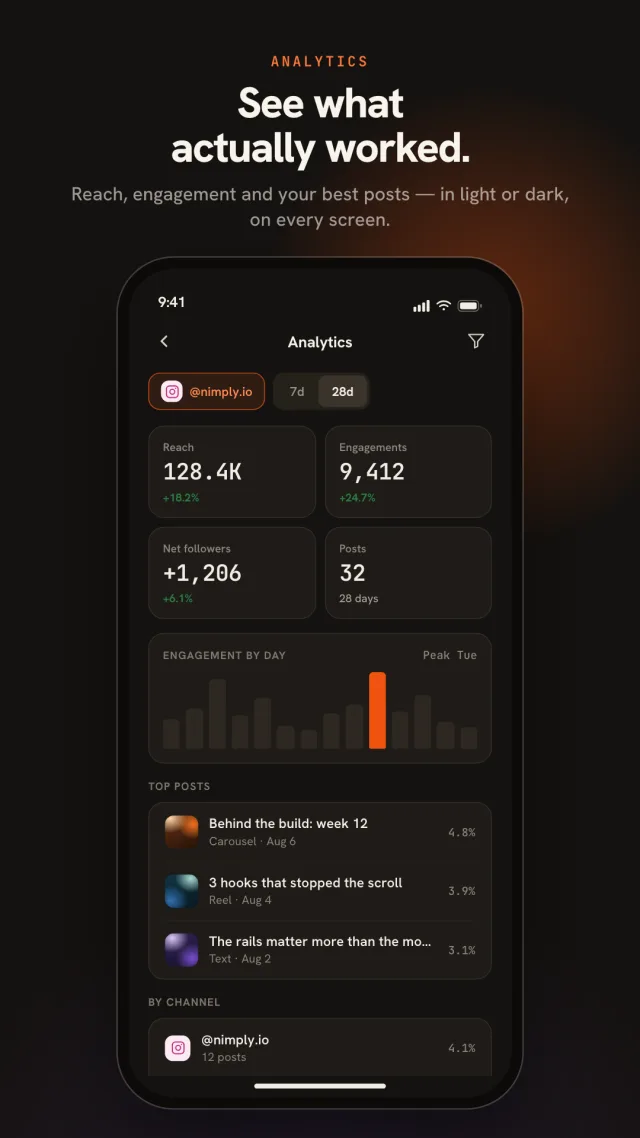
Analytics · dark mode included
Follower growth, reach, engagement, and per-post performance — the numbers that tell you whether the plan is working, readable on a phone without squinting at a spreadsheet. The whole app follows your system theme, so the late-night check-in doesn’t light up the room.
Downloading the app is free, and it works with every Nimply plan — including the free plan and the 7-day trial. Your subscription lives in your workspace, not in the app, so whatever your account can do on the web, it can do on your phone.
The same nine as the web platform: Instagram (professional accounts), Facebook Pages, TikTok, LinkedIn profiles, YouTube, Pinterest, Threads, X (Twitter), and Telegram. Channels you've already connected on the web are ready in the app immediately.
It publishes automatically. Scheduled posts go out from Nimply's servers at their scheduled time whether your phone is on or not — the app is for planning, approving, and replying, not for babysitting a reminder.
No — you can sign up in the app with Apple, Google, or email. If you already use Nimply on the web, sign in with the same account and your workspaces, channels, and scheduled posts are all there.
When an AI agent or a teammate submits a draft, you get a push notification — and you can approve or reject it right from the notification, without opening the app. Nothing publishes until someone with approval rights says so.
Yes. Nimply appears in your phone's share sheet, so you can send a photo from your camera roll, a link from your browser, or a video straight into the composer — the fastest way to turn something you just saw into a scheduled post.
The app is built for phones. It installs on Android tablets but isn't optimized for them, and there's no iPad-specific version — for big-screen work, the web app at app.nimply.io is the better tool.
No. The app contains no ads and no cross-app tracking, and usage analytics is off until you opt in inside the app. The privacy policy at nimply.io/privacy spells out exactly what the app collects and why.
Create your free Nimply workspace on the web today — and run it from your phone with the iOS and Android app.