

Friday · 2 min
You dump raw material
Open the agent, hit Edit, and braindump the week: "shipped the integration after 3 failed attempts", "a customer told me X", a hot take. Bullet points are fine.
✍️ LinkedIn Ghostwriter
You have the stories — the shipped feature, the customer quote, the lesson that cost you a quarter. You just never sit down to write them. This agent studies your published posts, turns your weekly notes into drafts that sound like you, and queues them for your approval. Never generic. Never posted without you.
Learns from your published posts · drafts on your cadence · approval-first, always
The rhythm
Friday · 2 min
Open the agent, hit Edit, and braindump the week: "shipped the integration after 3 failed attempts", "a customer told me X", a hot take. Bullet points are fine.
Monday 9:00 · 0 min
The scheduled run fires. The agent samples your published posts for voice, then drafts each post on a different angle — your notes first, then your topic pillars, then evergreen lessons.
Monday morning · 5 min
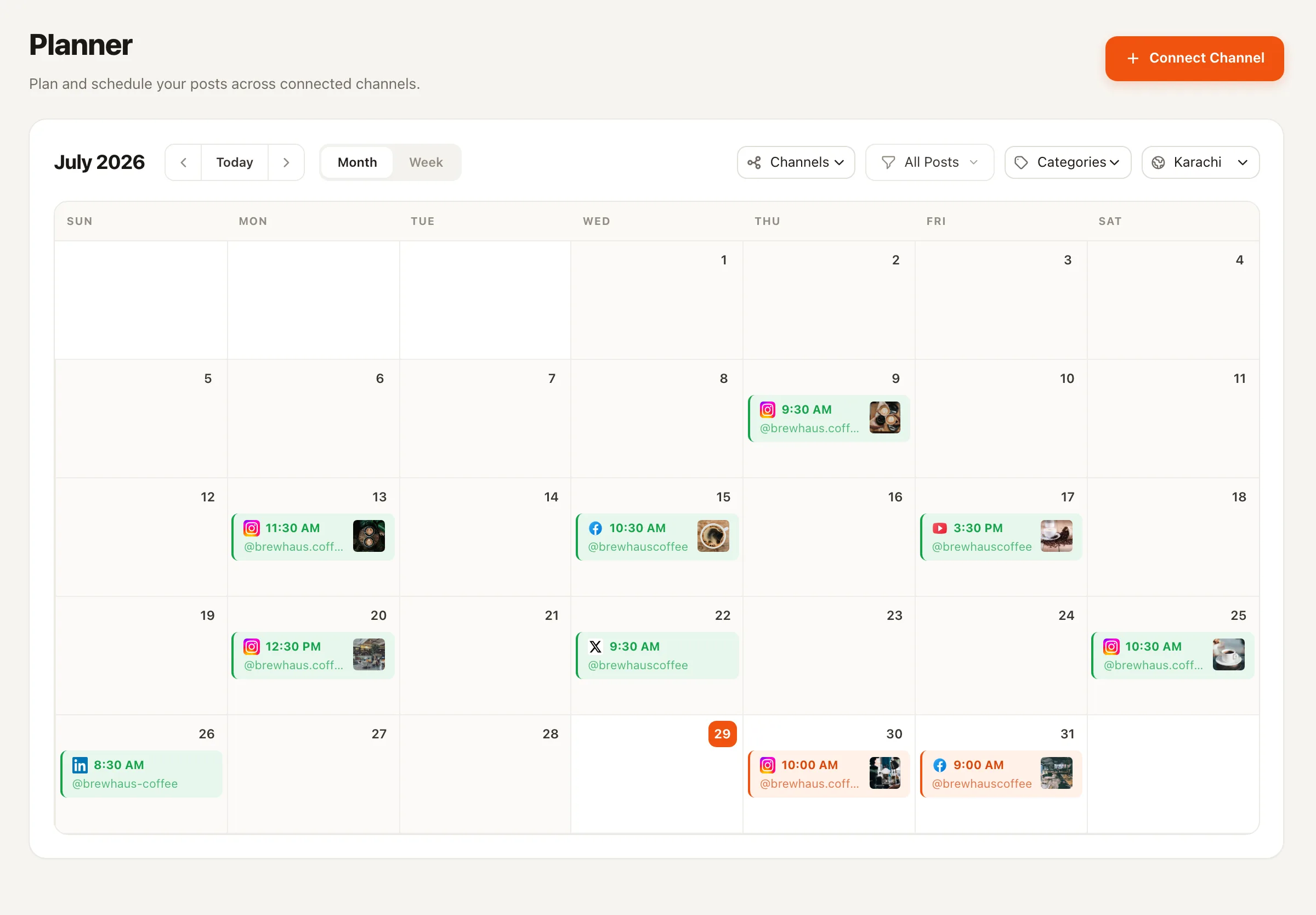
The drafts wait in your Planner's approval queue. Edit a hook, kill a weak one, approve the rest and slot them into the calendar.
All week · 0 min
Approved posts go out on schedule through the same pipeline as everything else you publish — with the full history of who approved what.
Voice, not vibes
The difference between a ghostwriter and a generator is sourcing. This agent’s material comes from three places you control — and nowhere else.
Sampled before every run: hook style, sentence rhythm, formatting habits, emoji or none, typical length. It mirrors what it finds instead of imposing a template.
Who you are on LinkedIn, what you talk about, and what's off-limits — set once in the wizard, refined whenever you like.
Wins, mistakes, customer moments, hot takes. Fresh notes become story-driven posts — the kind that outperform recycled advice.
No fabricated numbers, clients, or stories. If the week's material is thin, it writes fewer, better drafts and says so in its run log.
The craft rules it writes by
The first line earns the click
Every post opens with a hook that stands on its own — no throat-clearing, no "I've been thinking lately…".
One idea per post
Short paragraphs, generous line breaks, concrete beats abstract: numbers, moments, mistakes, before/after.
A natural closer
One question or takeaway at the end — not engagement-bait "Agree?" bolted onto every post.
Restraint by default
At most three hashtags and only when they fit; no links in the body unless your notes ask for one; always within LinkedIn's length limits.
No hidden clockwork
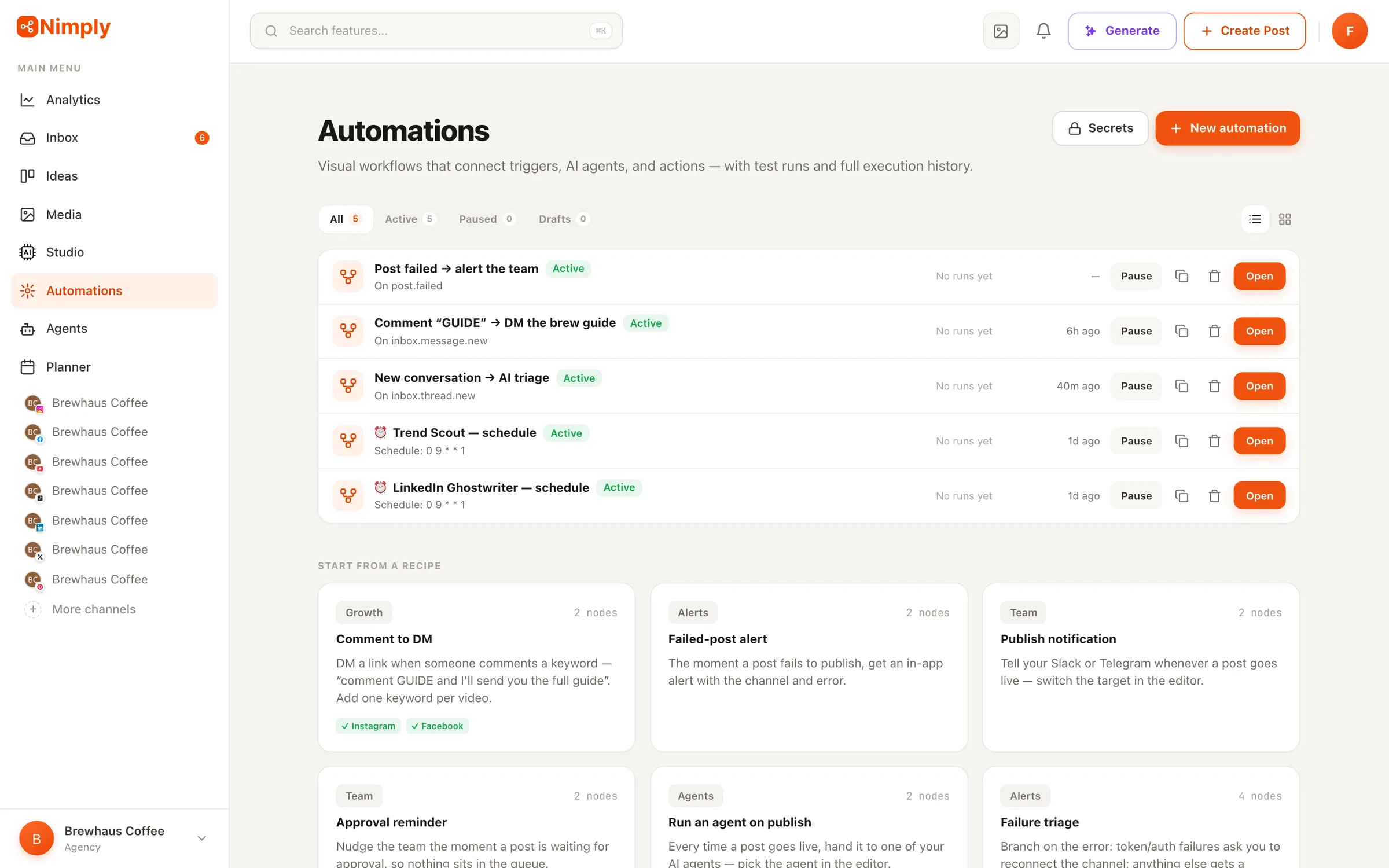
Choosing “Mon / Wed / Fri” in the wizard creates a real automation on your Automations page: a schedule trigger wired to a run-agent step. It’s not buried in a settings panel.
More on the canvas: visual automations in Nimply.
The Ghostwriter is one of a team — repurposers, designers, moderators, and more in the gallery.
The engine behind the Ghostwriter's schedule — triggers, branches, agent runs, and notifications.
While the Ghostwriter builds your presence, the support agent handles the DMs it attracts.
Most generators start from a blank prompt and produce the same interchangeable 'AI voice'. The Ghostwriter starts from you: before every run it samples your actual published posts — hook style, sentence rhythm, formatting habits, emoji or no emoji, typical length — and mirrors what it finds. Your voice notes and topic pillars anchor who you are; your weekly raw-material notes supply the stories.
No — structurally no. The agent's only writing tool creates drafts, which land in your Planner's normal approval pipeline. You review, edit, approve, and schedule; publishing is always a human decision. There is no configuration that lets it publish directly.
You pick a cadence in the setup wizard — weekly on Mondays, Monday/Wednesday/Friday, every weekday, or only when you press Run — and how many drafts per run (1 to 3). Each draft in a run takes a different angle, so three drafts means three distinct posts, not three variants.
As a real, visible automation on your Automations page — a schedule trigger wired to a run-agent step. Nothing hidden: you can see it, pause it, or extend it on the canvas, for example adding a Slack notification when fresh drafts are ready.
A hard rule: it never invents facts, numbers, clients, or stories. Everything factual must come from your configuration, your notes, or your past posts. When the material is thin, it writes fewer, better drafts and tells you so — and it stays away from the topics you marked off-limits.
It binds to a LinkedIn profile or a LinkedIn page. Runs are billed in AI credits, with the estimated cost shown up front before you install and on each run — no surprise burn.
Hire the LinkedIn Ghostwriter free, feed it this week's notes, and review your first drafts in the Planner.