

A professional-personal insight post: hook first line, short paragraphs, a concrete lesson, no more than three hashtags.
🔁 Content Repurposer Agent
A content repurposing tool that translates, not copies
You already made the content — the video, the article, the post that worked. This agent rebuilds its core idea in each platform’s native format, tracks what came from where so nothing repeats, and files every result as a draft you approve. AI content repurposing without the copy-paste smell.
Platform-native rewrites · lineage tracked · drafts only, you approve
Native, per platform
One idea, five different constructions
Audiences can smell a LinkedIn post pasted onto Instagram. The agent knows the target platform before it writes a word, then rebuilds the idea in that platform’s shape, tone, and length — matched to how your target channel already sounds.
A punchy caption — strong first line, line breaks, emojis if your channel uses them, up to five hashtags. List-shaped material can become a rendered branded carousel.
A conversational story post — slightly longer is fine — that ends with a question to start the comments.
X (Twitter)
One tight post under 280 characters: the single sharpest claim from the source, nothing else.
YouTube
A community-post style teaser: hook, two or three lines, and what viewers will learn.
Your voice, everywhere
Before writing, it samples the target channel's real posts — so the LinkedIn version sounds like your LinkedIn, not like a template.
Lineage tracking
It remembers what came from where
The quiet failure of most repurposing workflows: three weeks in, the same article has been turned into the same LinkedIn post twice. Every draft this agent creates carries a cross-channel lineage stamp back to its source — and that record steers every future run.
Never the same target twice
A source post already repurposed to a target channel is flagged and skipped — it's only reused if nothing else exists and your run input explicitly asks for it.
Freshest material first
When pulling from a source channel, it prefers the newest published post that hasn't yet been repurposed to the target.
One draft per run
Quality over volume, by rule. Each run produces exactly one platform-native draft, so review stays light and standards stay high.
Truth stays intact
It never adds facts, numbers, or claims the source didn't contain — repurposing rearranges truth, it doesn't invent it.
Two ways to feed it
From a source channel
Pick a channel to pull from — say, your YouTube community posts feeding your LinkedIn — and the agent works through its published posts on schedule, newest unrepurposed first.
From pasted long-form text
No source channel needed: paste an article, newsletter issue, or video script into the run input and it rebuilds that material for the target platform.
One instance per target
Each repurposer is bound to one target channel, with its own audience notes (“LinkedIn = founders, keep it professional”) and off-limits topics. Run several for several targets.
On rails you can see
Scheduled like an automation, reviewed like a teammate
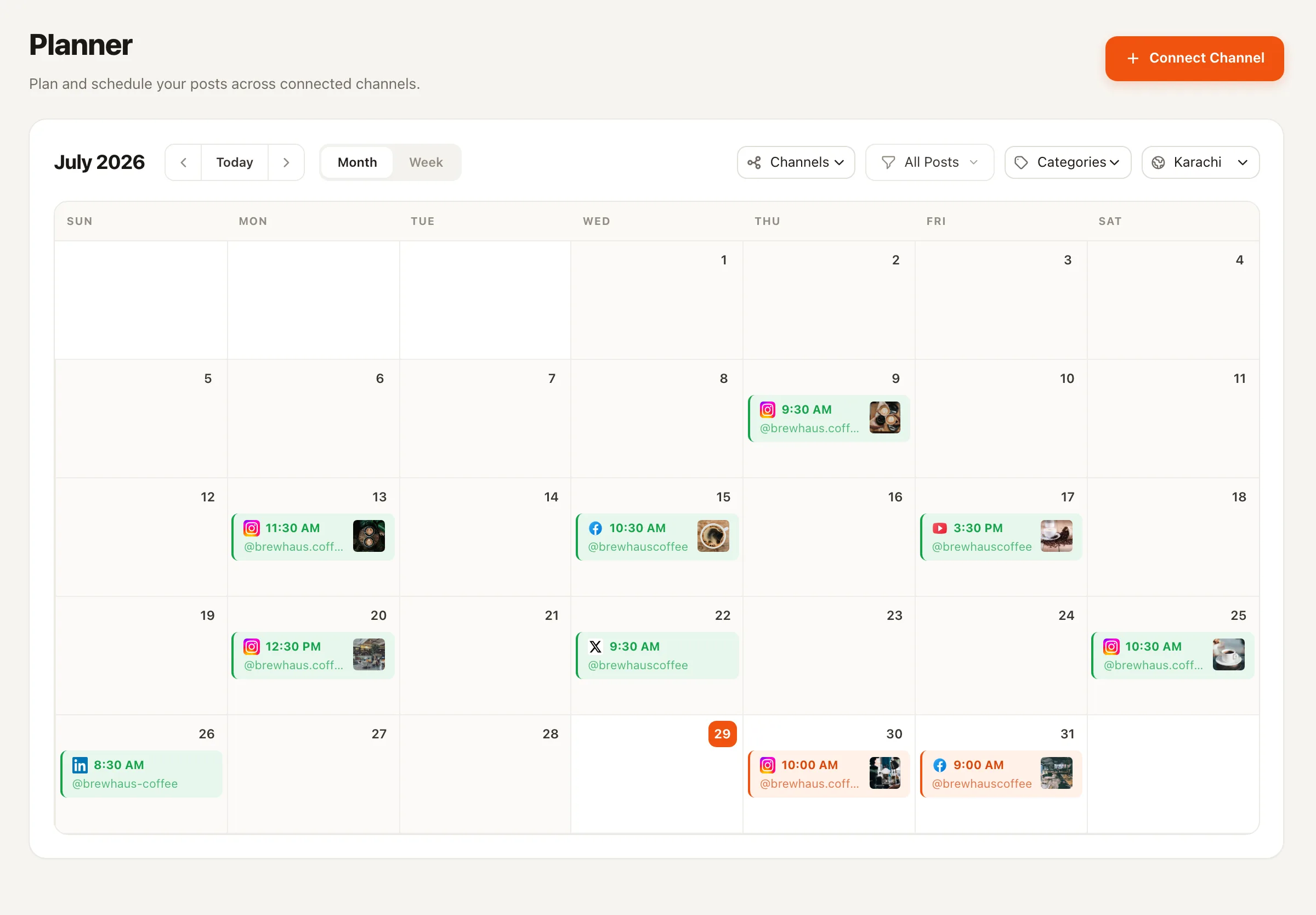
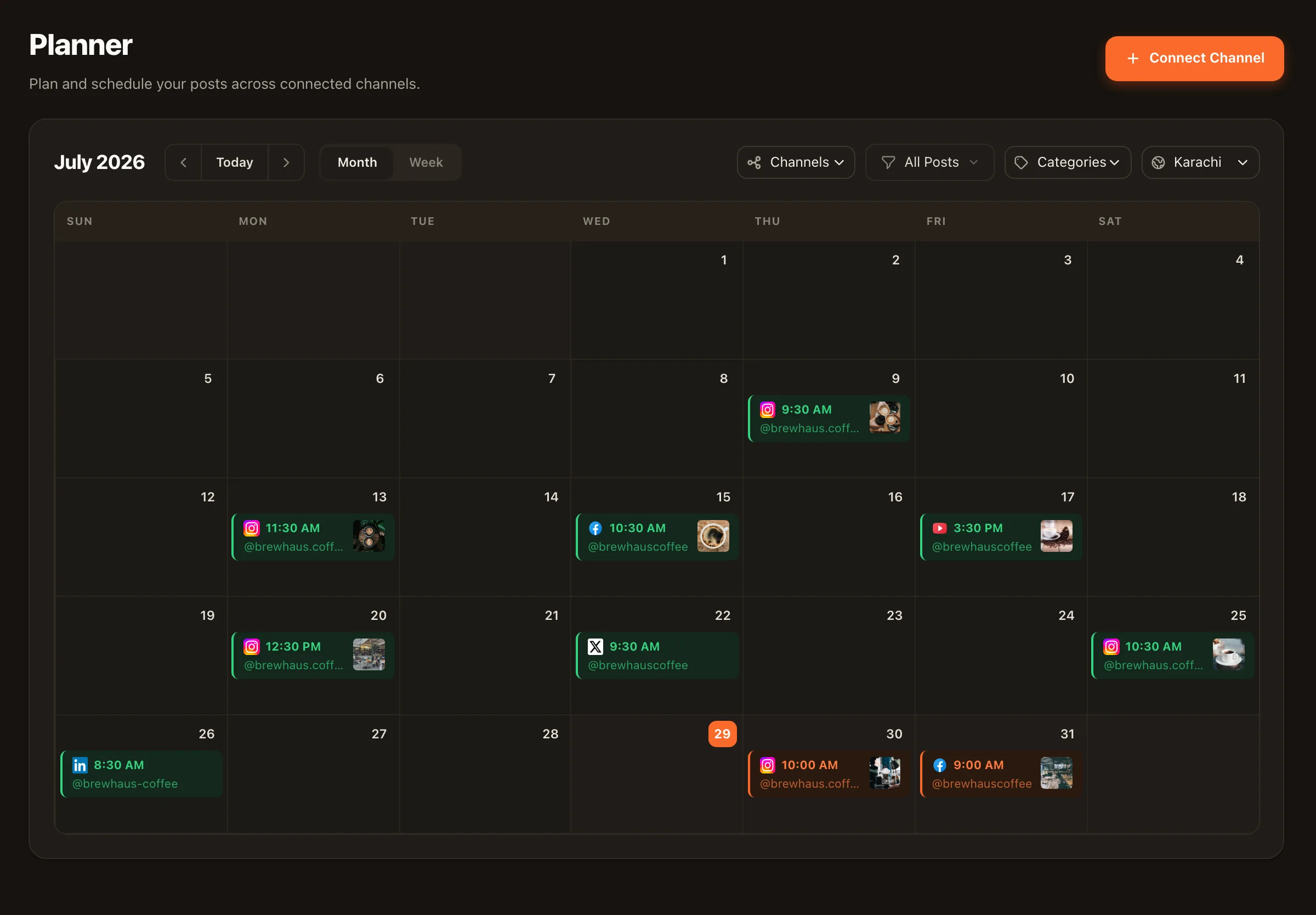
Pick a cadence — weekly, three times a week, or only when you press Run — and Nimply provisions it as a visible automation on the Automations page, open to inspect or extend. Every run shows an upfront credit estimate, every draft waits in the Planner, and approved posts flow into your scheduling calendar like anything else you write.
♻️ Evergreen Recycler
Repurposing rebuilds for a different platform; recycling rewrites winners for the same channel. Run both and your archive works twice.
🎠 Carousel Designer
When you want a carousel on demand — not just when repurposed material happens to be list-shaped.
💡 Trend Scout
Fills your Ideas board with sourced angles worth making — the front end of the same content engine.
Content Repurposer — FAQ
How is this different from cross-posting the same content?
Cross-posting copies; this agent translates. It takes the core idea and rebuilds it in the target platform's native shape — a hook-first insight post for LinkedIn, a punchy line-broken caption for Instagram, a conversational story ending in a question for Facebook, one tight claim under 280 characters for X, a teaser-style community post for YouTube. Same truth, different construction.
What can it repurpose from?
Two sources: a source channel you pick — it pulls from that channel's published posts, preferring the newest one not yet repurposed to the target — or long-form text you paste into the run input, like an article, newsletter, or video script.
How does it avoid repurposing the same thing twice?
Every repurposed draft carries a cross-channel lineage stamp linking it to its source post. Before writing, the agent checks that lineage and skips anything already repurposed to that target — it will only ever reuse a flagged source if nothing else exists and you explicitly ask for it in the run input.
Can it make carousels too?
Yes — when the material is list-shaped and the target is Instagram or LinkedIn, it can render a branded carousel and attach it to the draft. Platform semantics are handled correctly: image slides for Instagram, the single PDF document format for LinkedIn.
Will it add facts the original never said?
No. A hard rule in its instructions: repurposing rearranges truth, it does not add new facts, numbers, or claims. It also respects the off-limits topics you configure — client work, personal stories, whatever you fence off.
Does it publish anything itself?
Never. It produces exactly one repurposed draft per run — quality over volume — and files it in the Planner's approval queue. You review, edit, and schedule. Its cadence (weekly, three times a week, or manual) lives as a visible automation you can inspect anytime.
Make everything you publish work more than once
Hire the Content Repurposer free, point it at a source, and review your first platform-native draft in the Planner.