


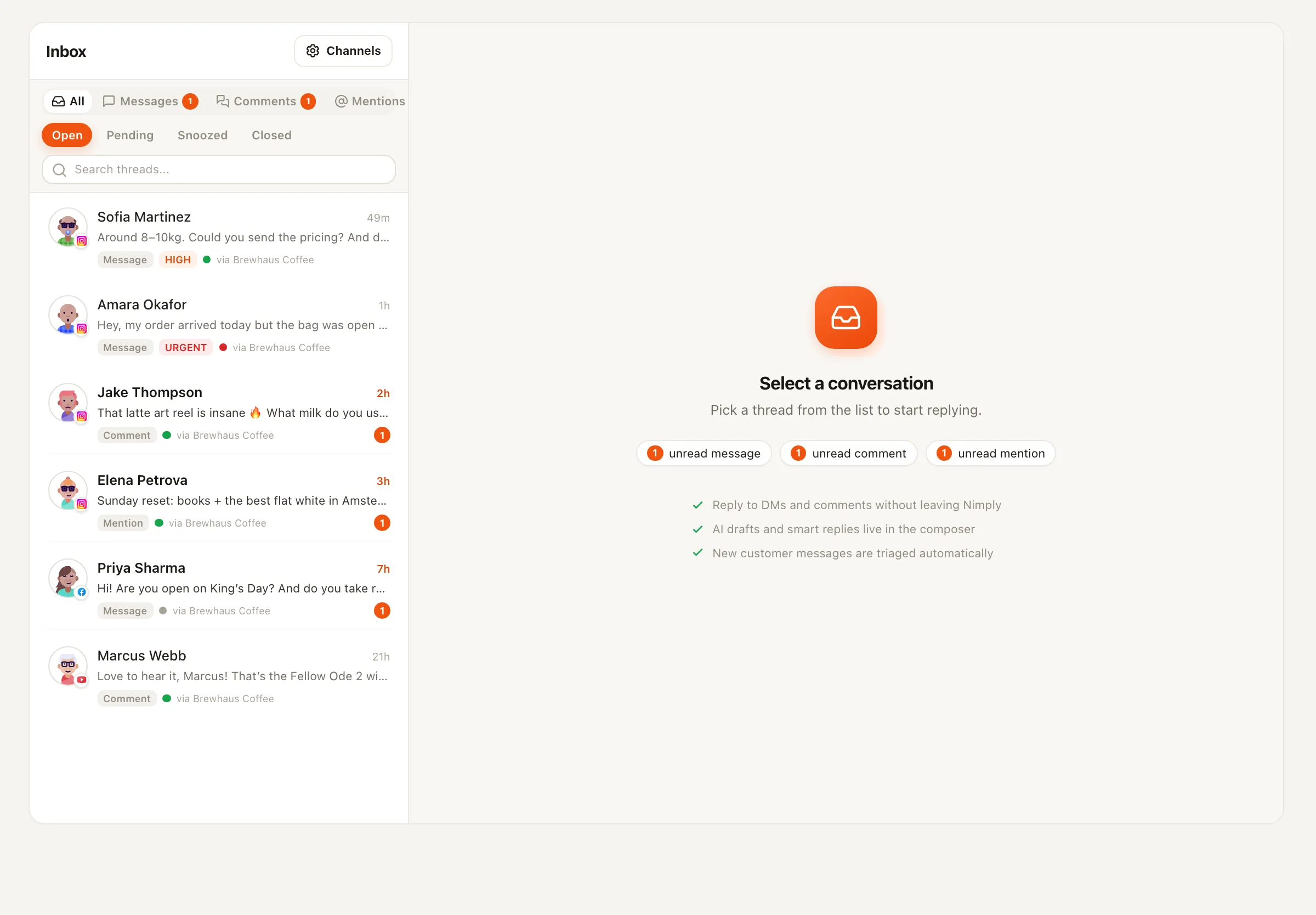
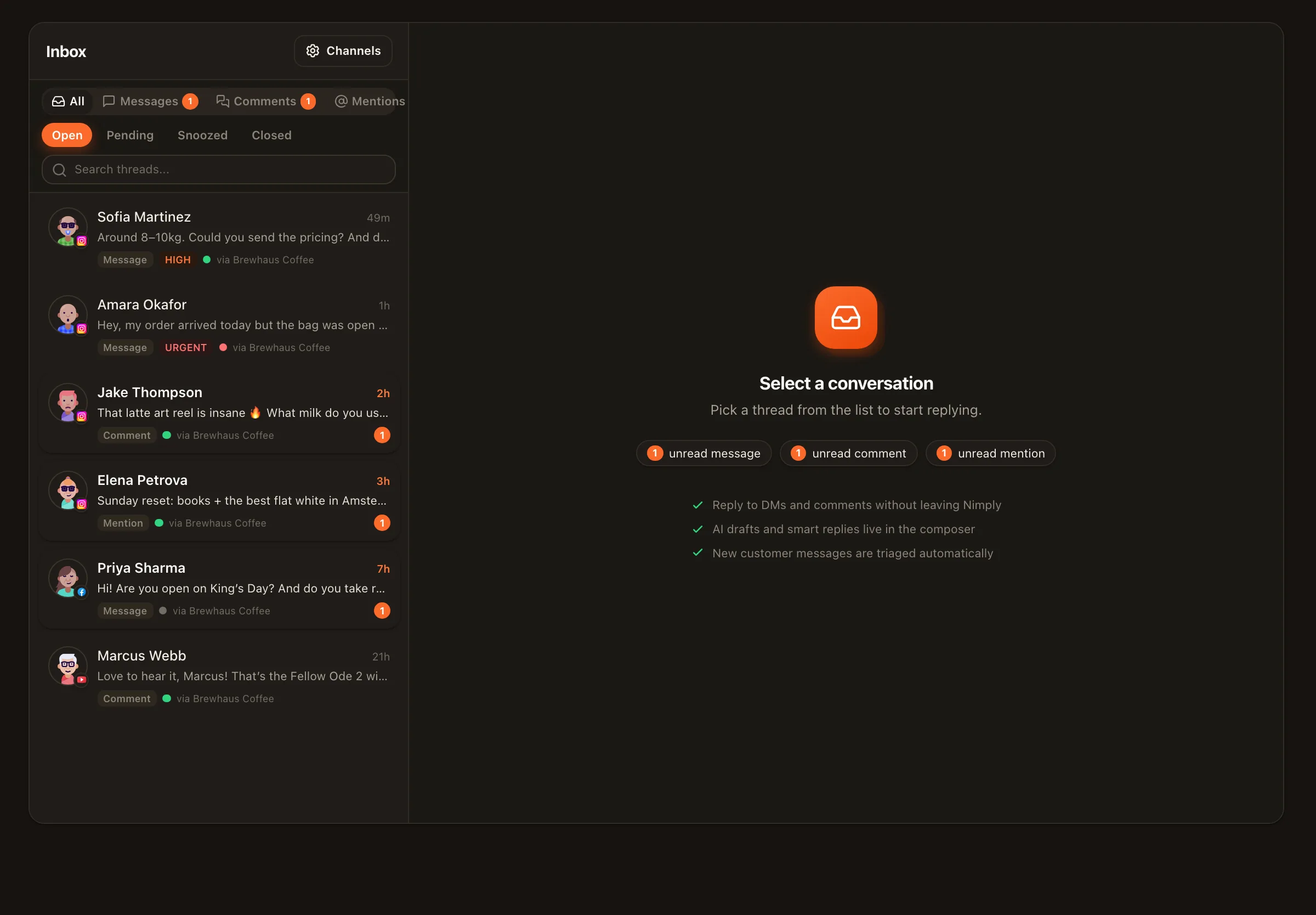
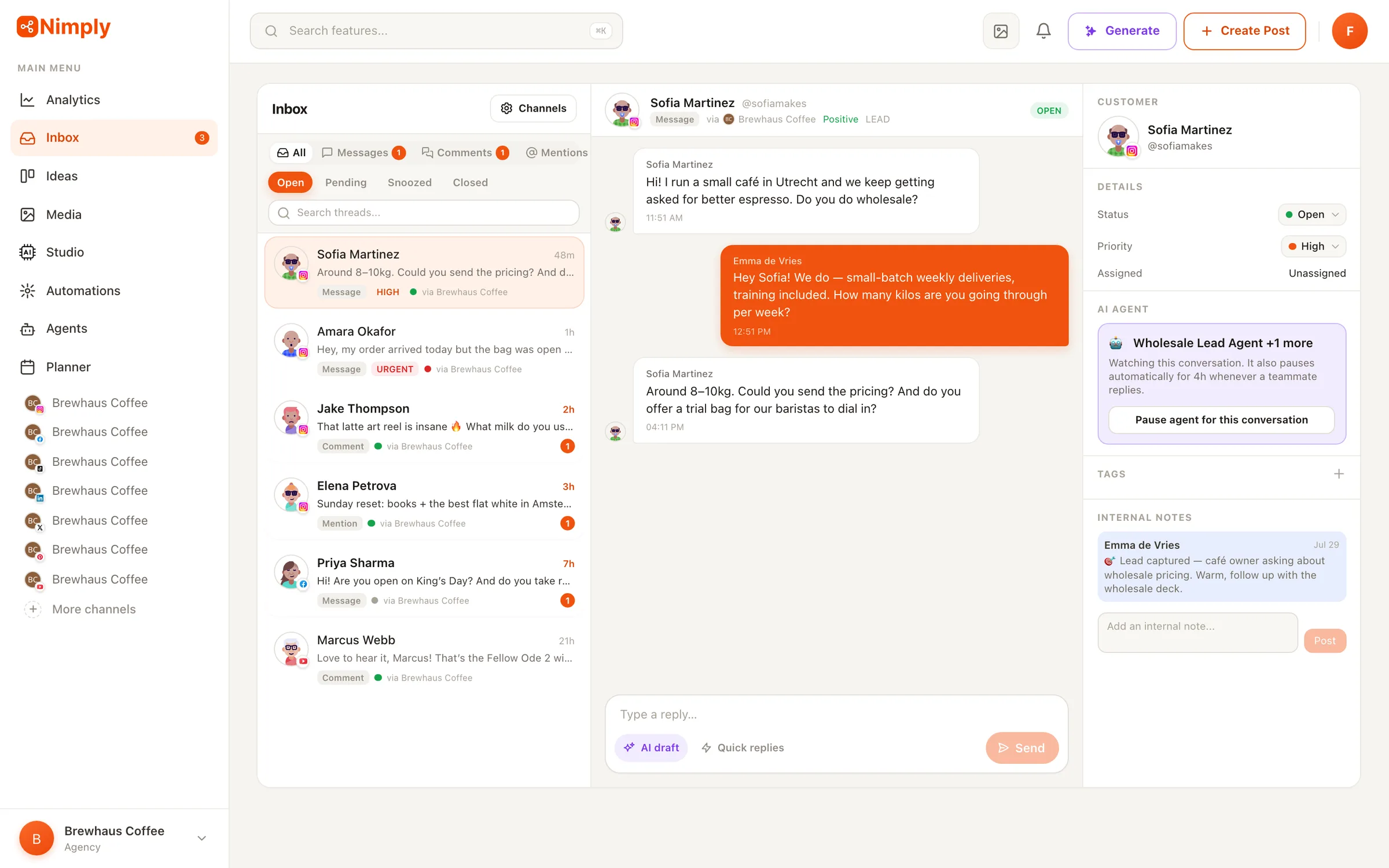
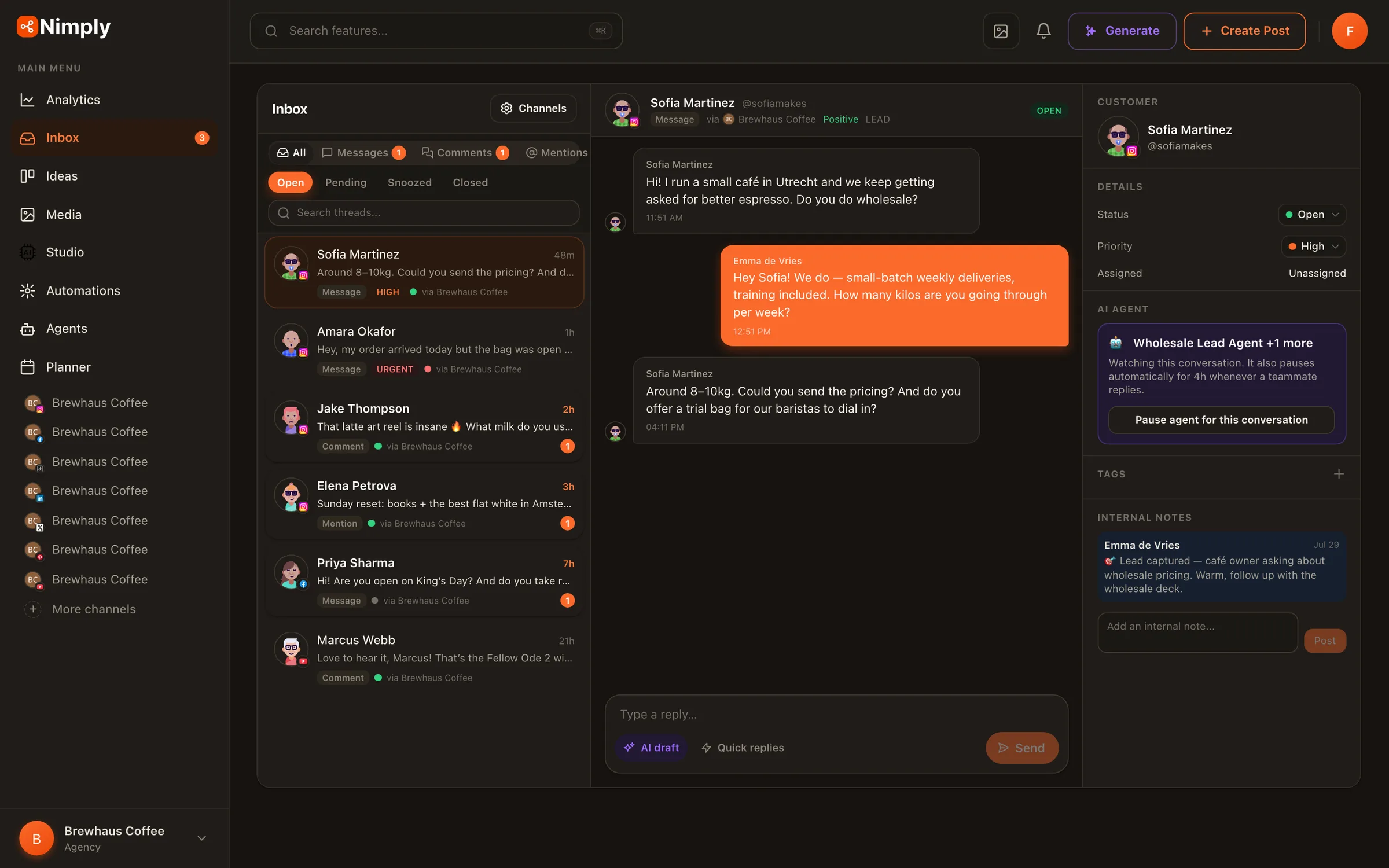
Unified inbox with AI triage
DMs, comments, and mentions in one place — classified by sentiment, intent, and priority on arrival. Opt-in per channel. See the inbox
AI social media manager
AI agents that reply to customers, capture leads, moderate comments, and write your posts — on top of scheduling, a unified inbox, and automations for all 9 major networks. They draft. You approve.

A 72-second tour of Nimply: hire AI agents from the gallery, put them to work on your channels, and approve everything they draft before it goes out.
What is Nimply?
Nimply is an AI social media management platform for creators, small businesses, and agencies. You hire task-specific AI agents — support, sales, moderation, ghostwriting, carousels, repurposing, trend scouting — and they work inside a complete management stack: a visual content calendar with auto-publishing, a unified inbox with AI triage, a node-based automation canvas, an AI content studio, and cross-platform analytics. One affordable subscription instead of a scheduler, a chat tool, a design app, and an agency retainer.
The AI workforce
Pick an agent from the gallery, answer a few setup questions — your business context, your tone, your boundaries — and it gets to work. Every agent learns from your corrections, remembers what matters, and shows its work in a full run history.
Customer Support
Drafts replies to DMs & comments
Sales & Lead
Spots buyers, captures leads
Community Moderator
Hides spam & scams, escalates threats
Personal DM
Auto-replies to DMs in your voice
Restaurant Concierge
Takes bookings and orders for restaurants
Community Concierge
Answers membership questions in DMs
LinkedIn Ghostwriter
Writes posts in your voice
Designer
Carousels, images, pins & thumbnails
Content Repurposer
Rewrites content per platform
Evergreen Recycler
Refreshes your best posts
Clip Director
Cuts long video into captioned shorts
Syndication Manager
One edit per account you own
Telegram Channel Editor
Telegram-native posts and digests
Trend Scout
Turns news into post ideas
Affiliate Pin Studio
Pinterest pin drafts for products you recommend
Ad Creative Studio
Static ads for your own ad manager
Lead Magnet Builder
A PDF guide plus promo graphics
The foundation
Agents are only trustworthy when the rails are solid. Scheduling, inbox, automations, content studio, and analytics — built to work together, not sold as separate add-ons.
DMs, comments, and mentions in one place — classified by sentiment, intent, and priority on arrival. Opt-in per channel. See the inbox
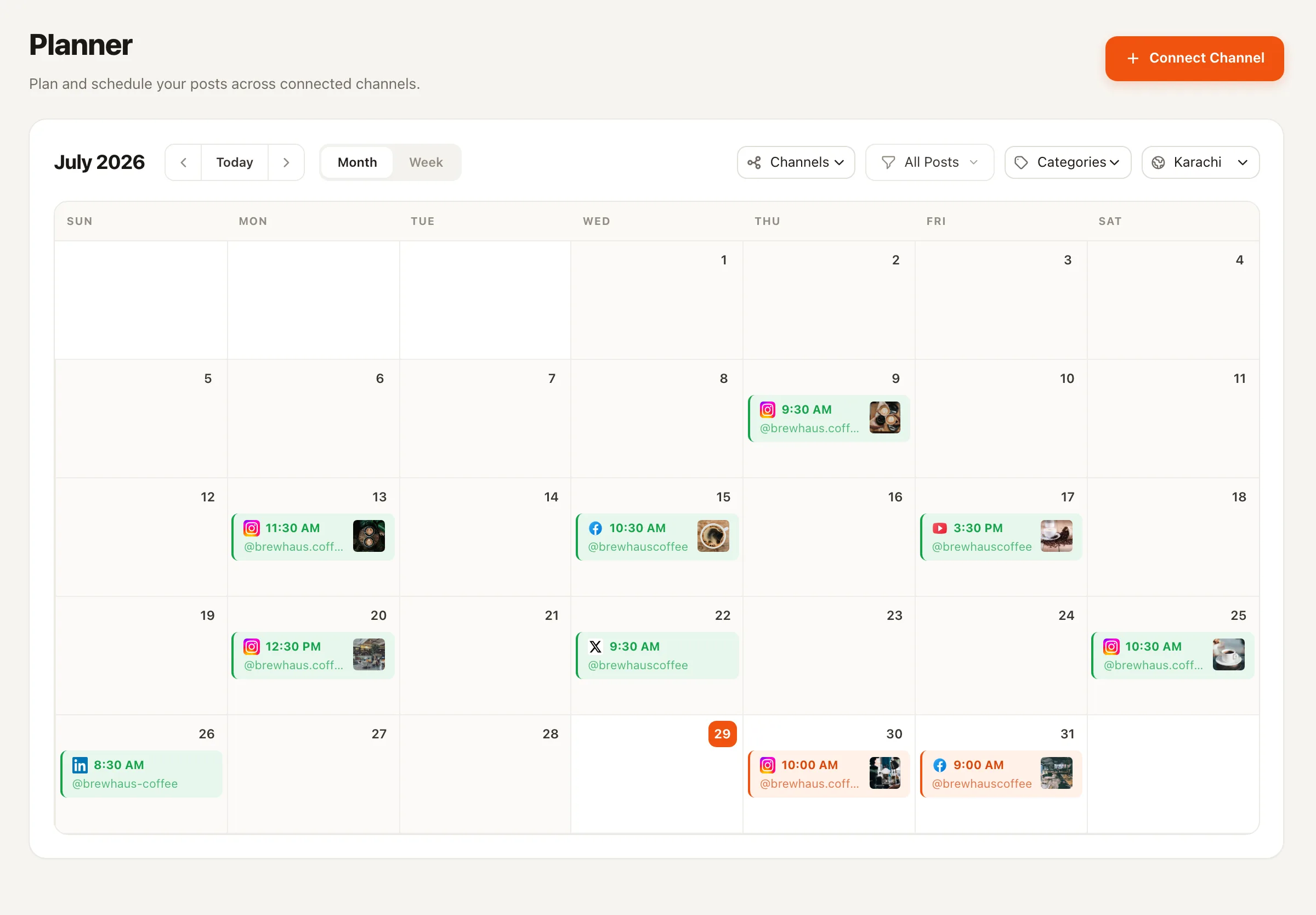
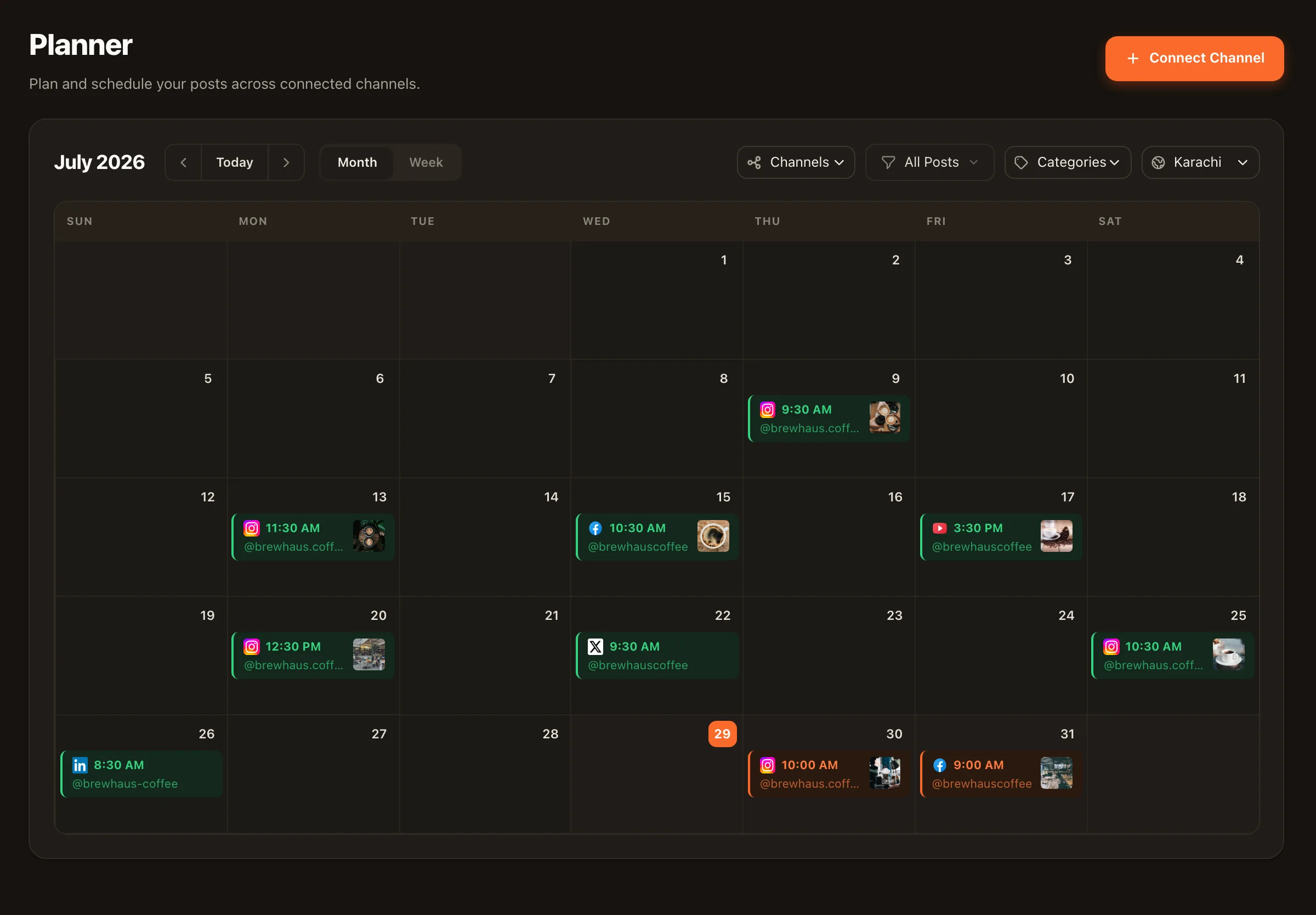
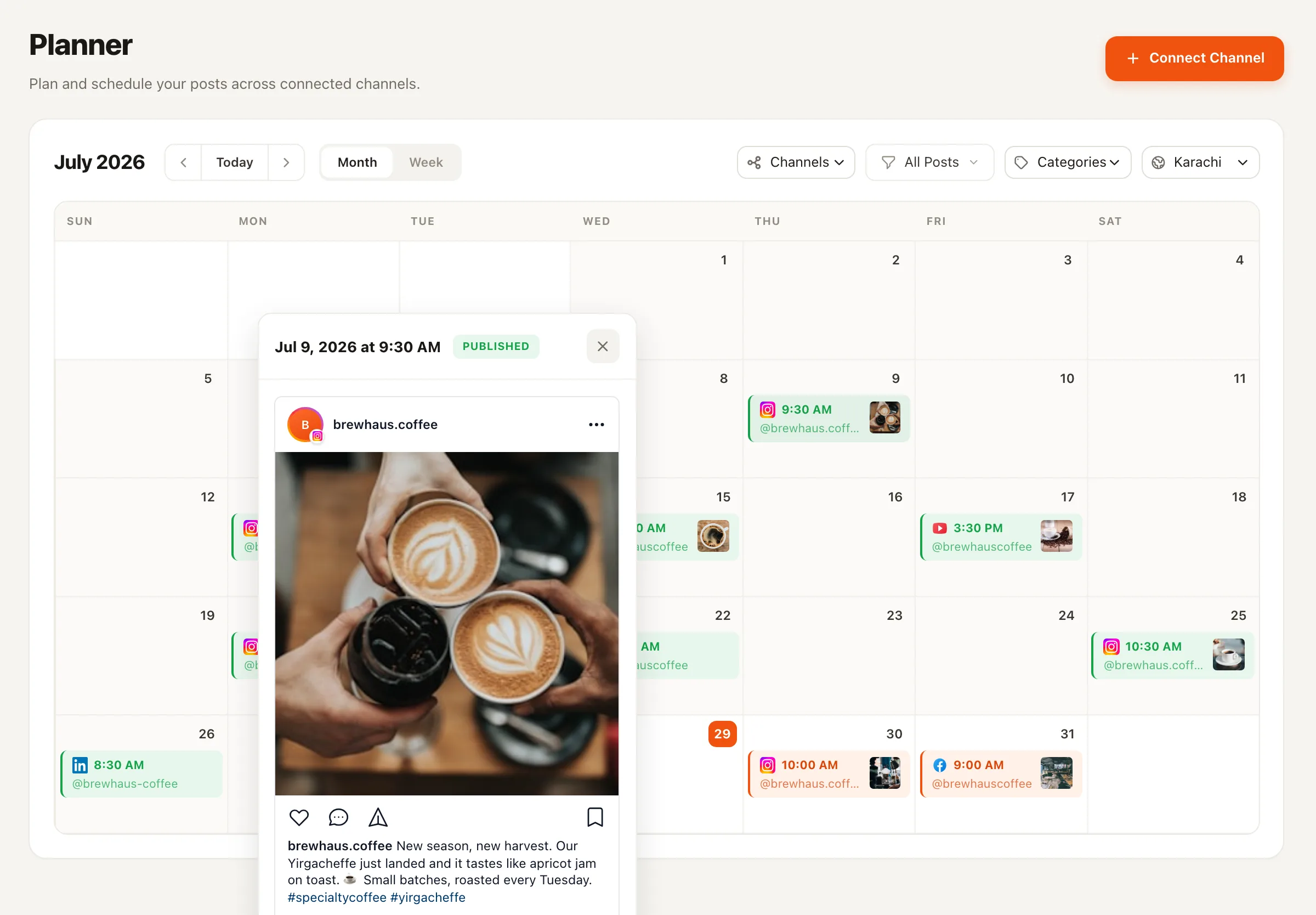
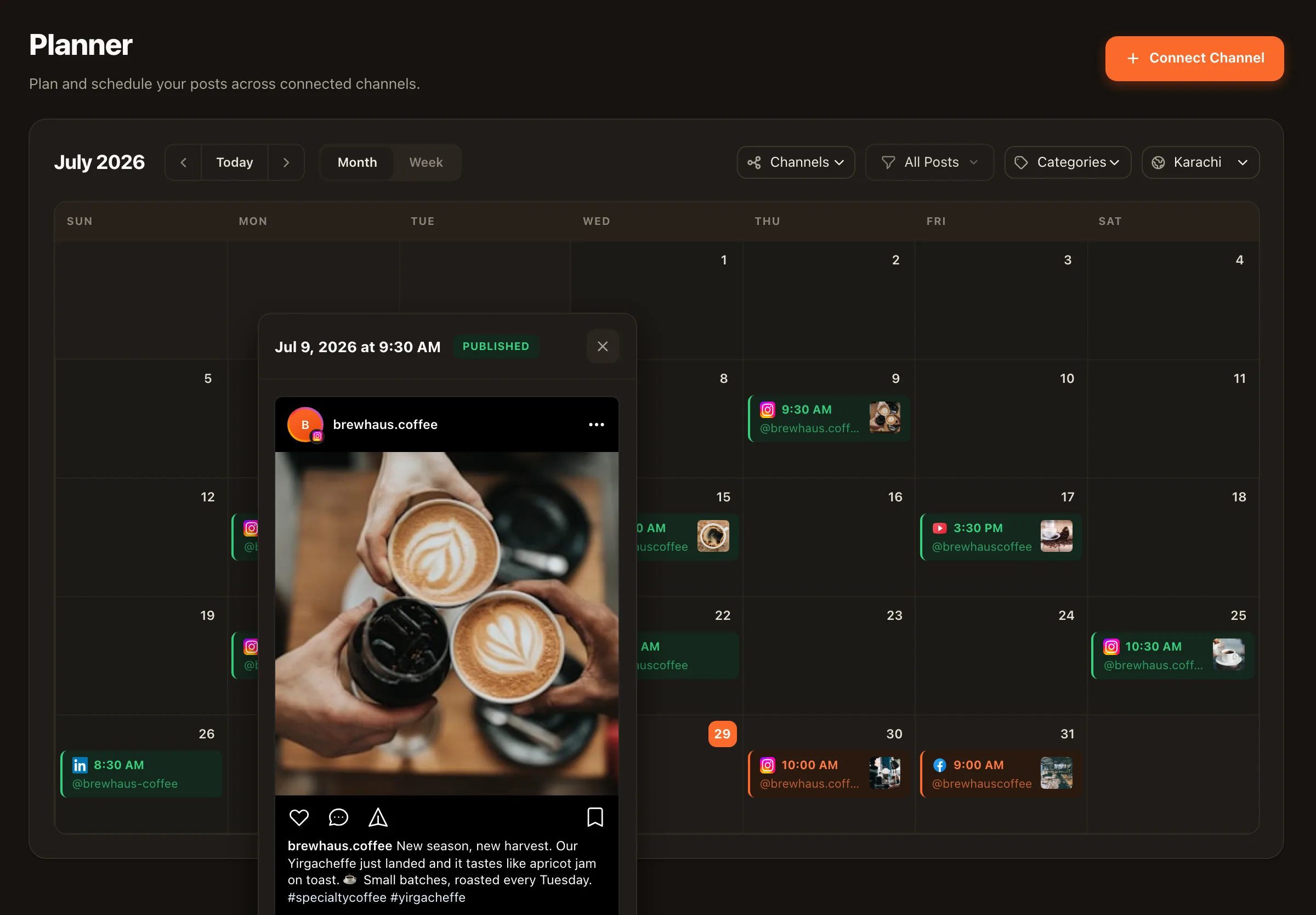
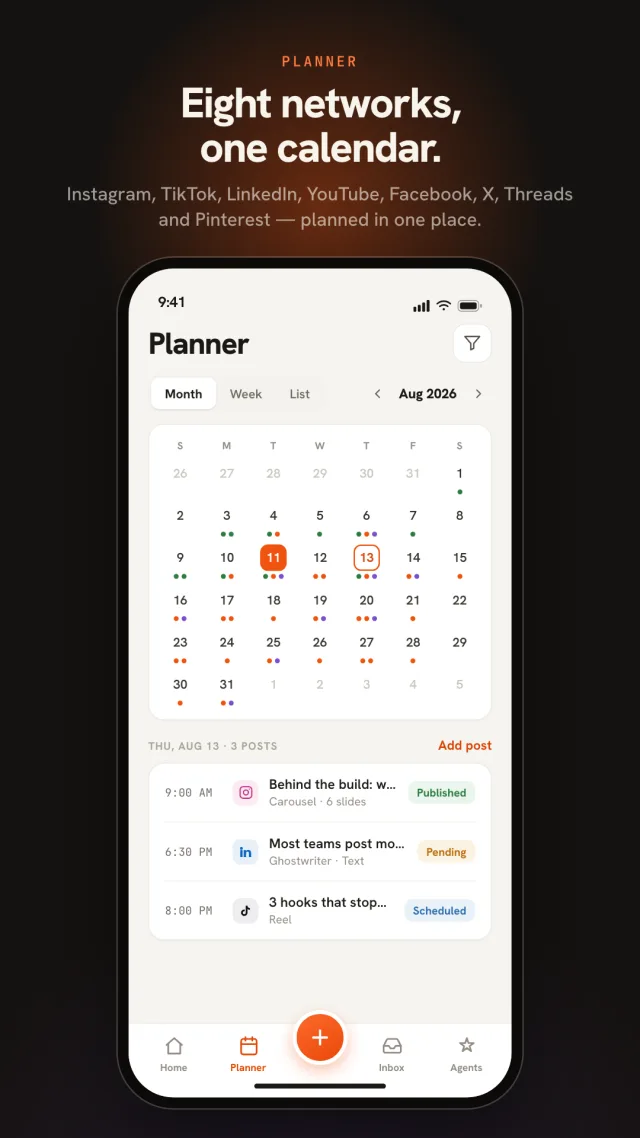
A visual calendar across Facebook, Instagram, X, LinkedIn, TikTok, YouTube, Pinterest, Threads and Telegram — write once, tailor per network, publish on time, route through approvals first. See the planner
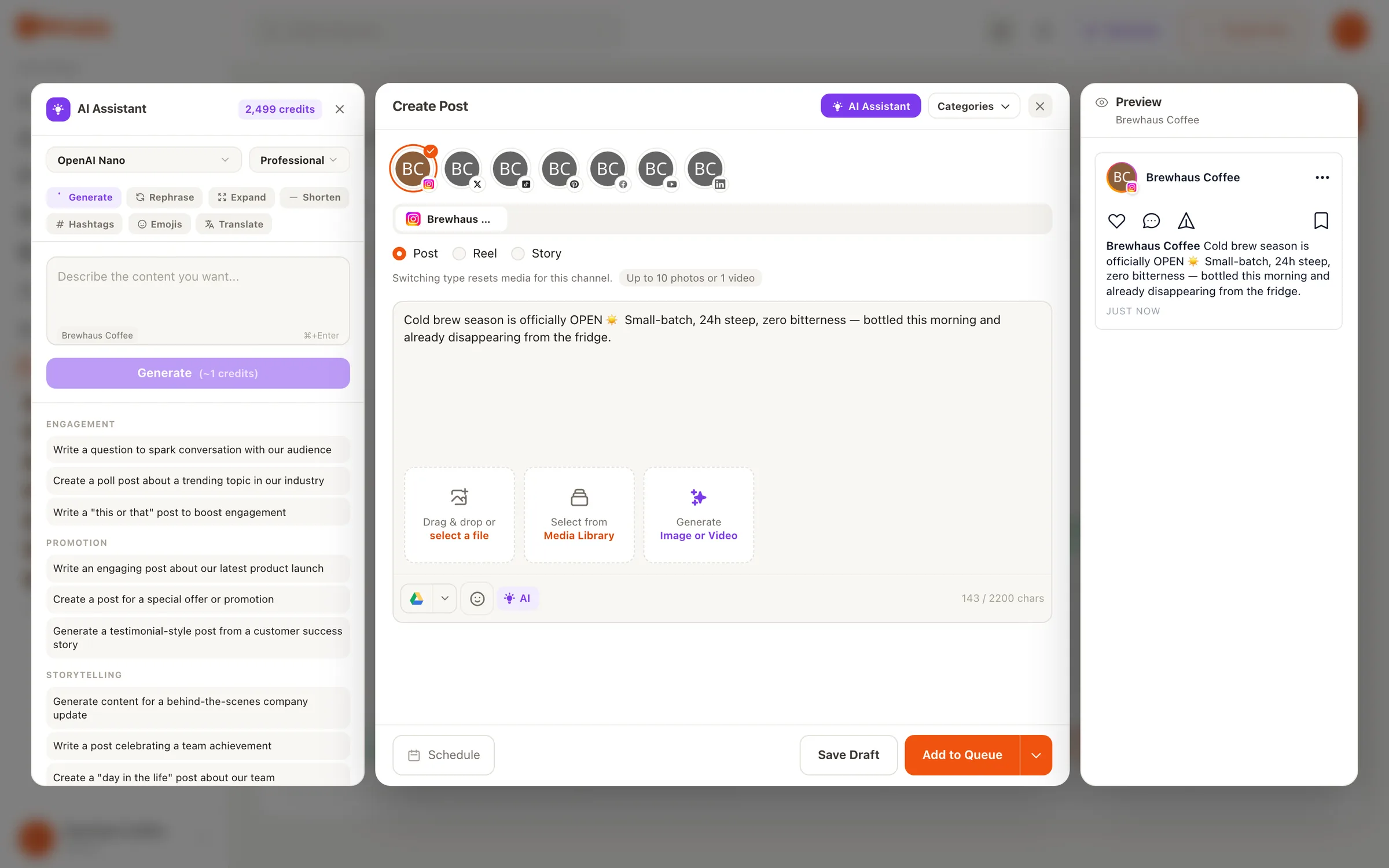
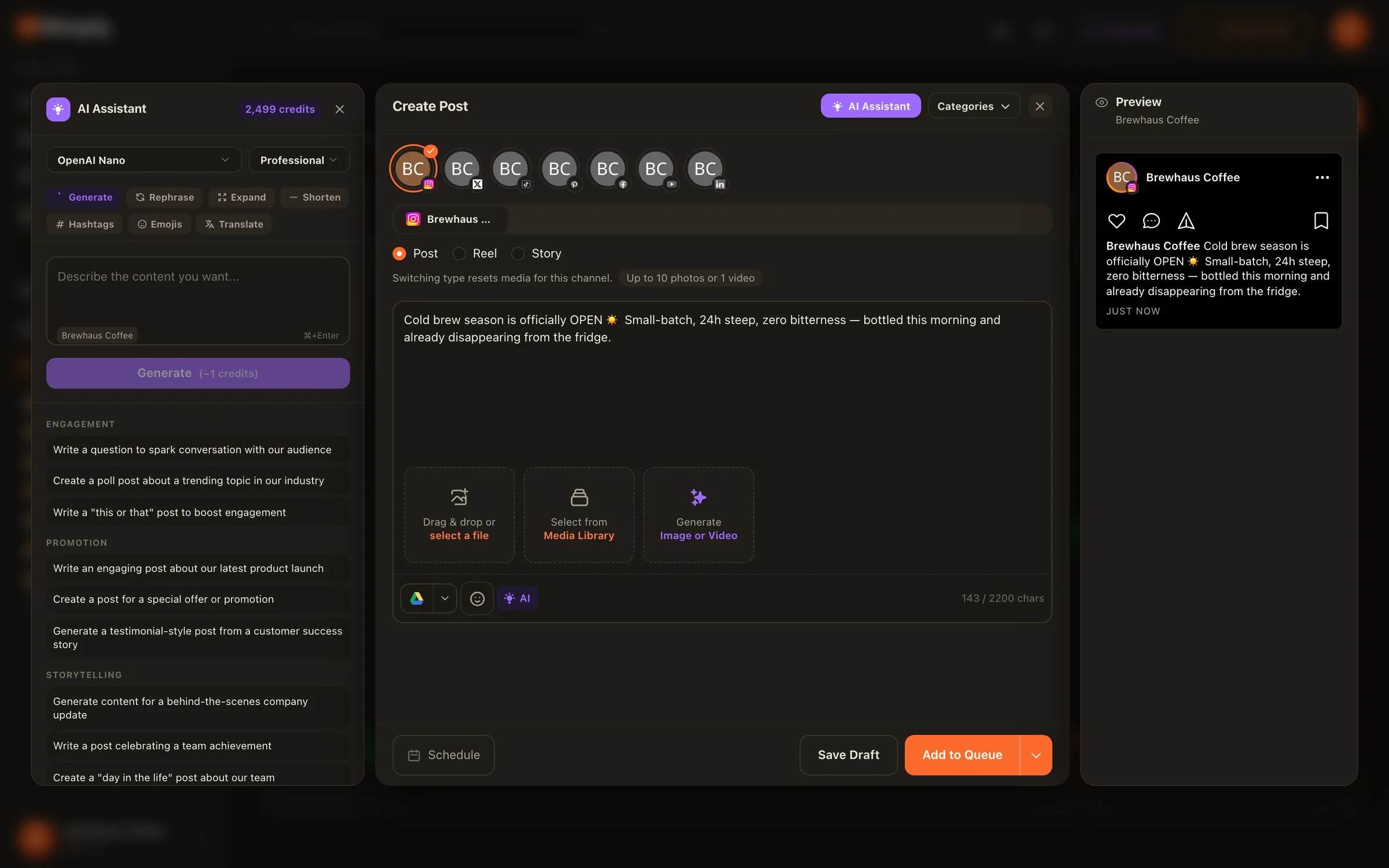
An AI assistant beside the composer for captions and hooks; images, thumbnails, and carousels from the studio. Open the studio
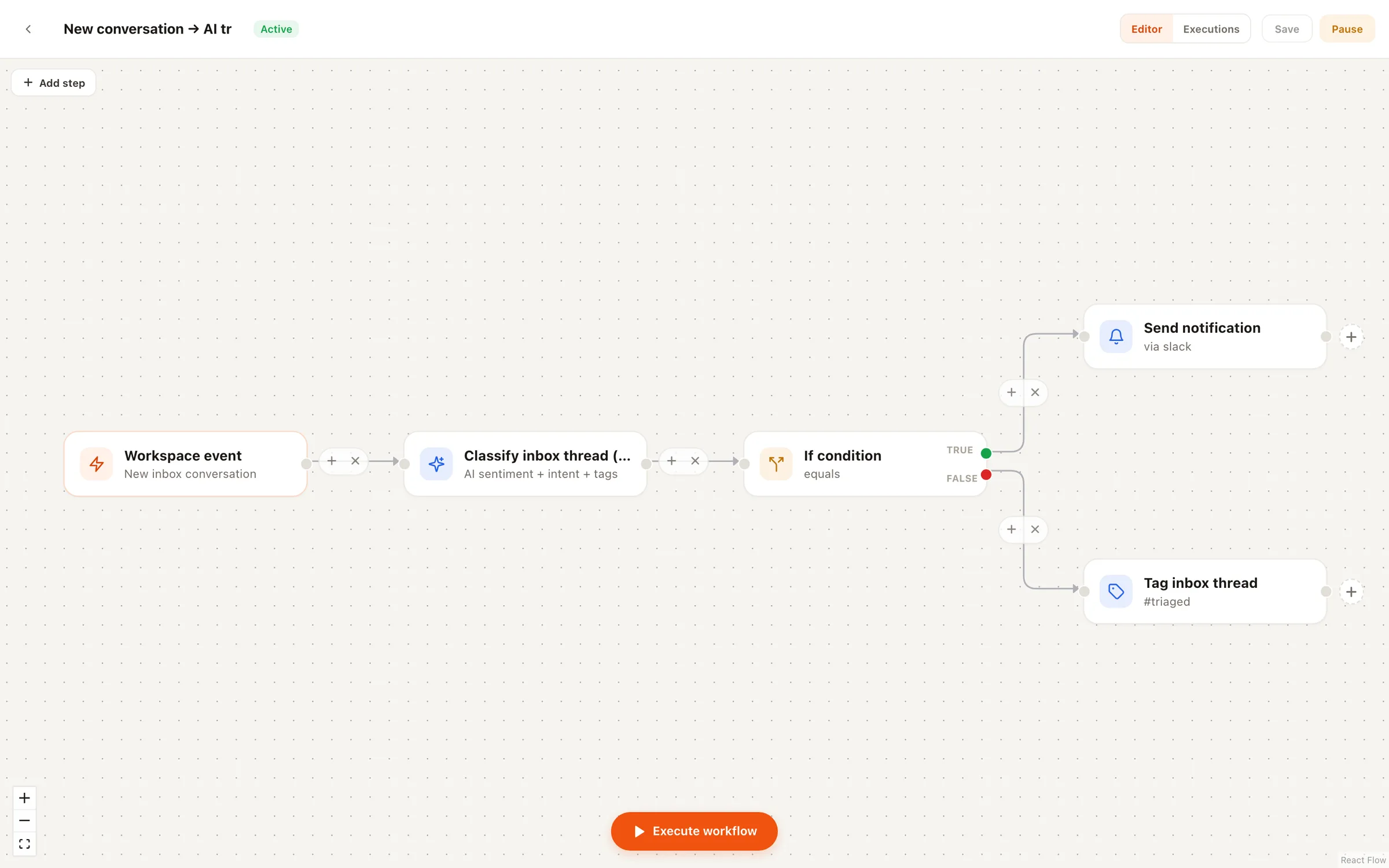
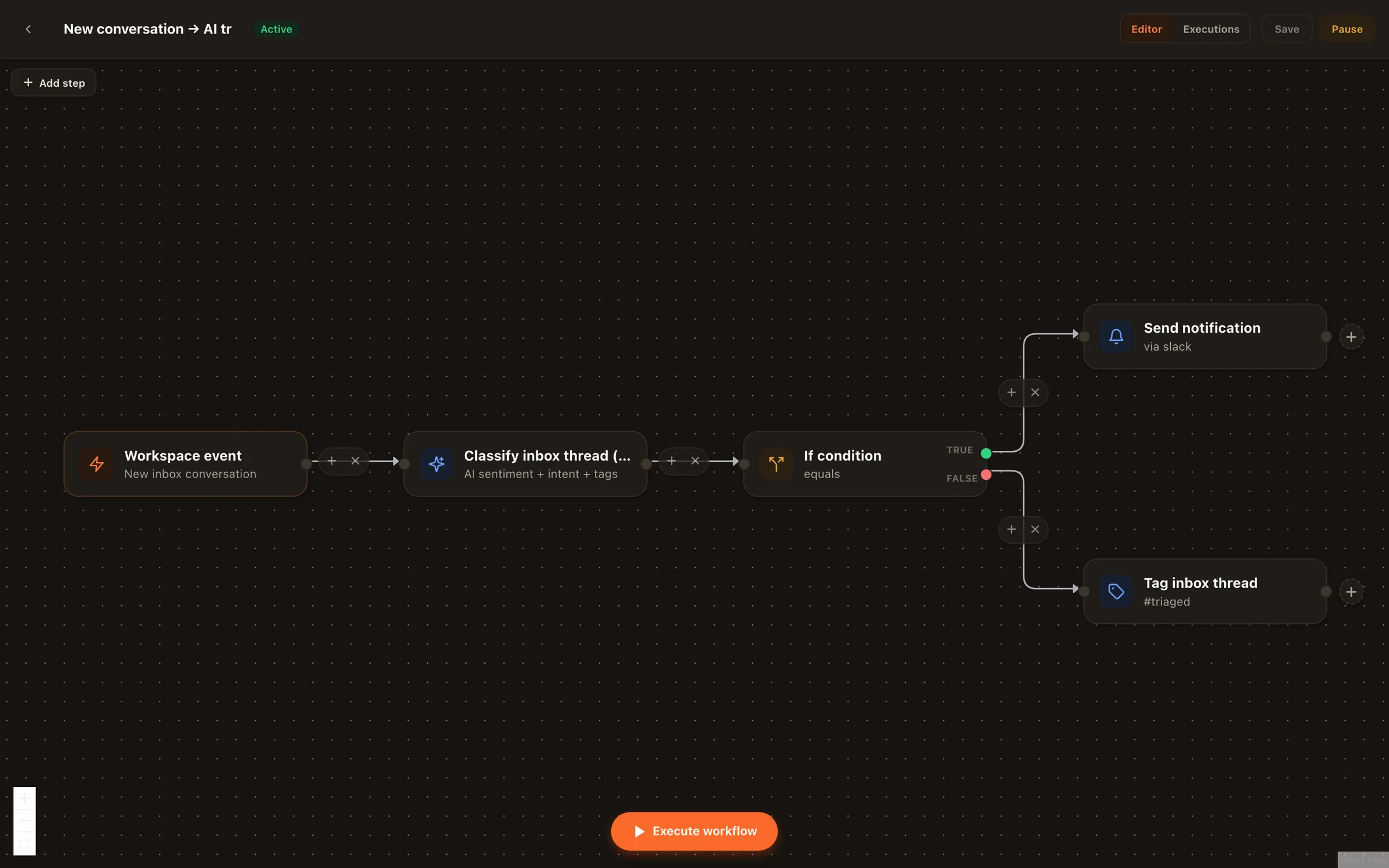
Node-based workflows that react to comments, conversations, and schedules: classify with AI, branch, run agents, ping Slack — with a safe test mode. Explore Automations
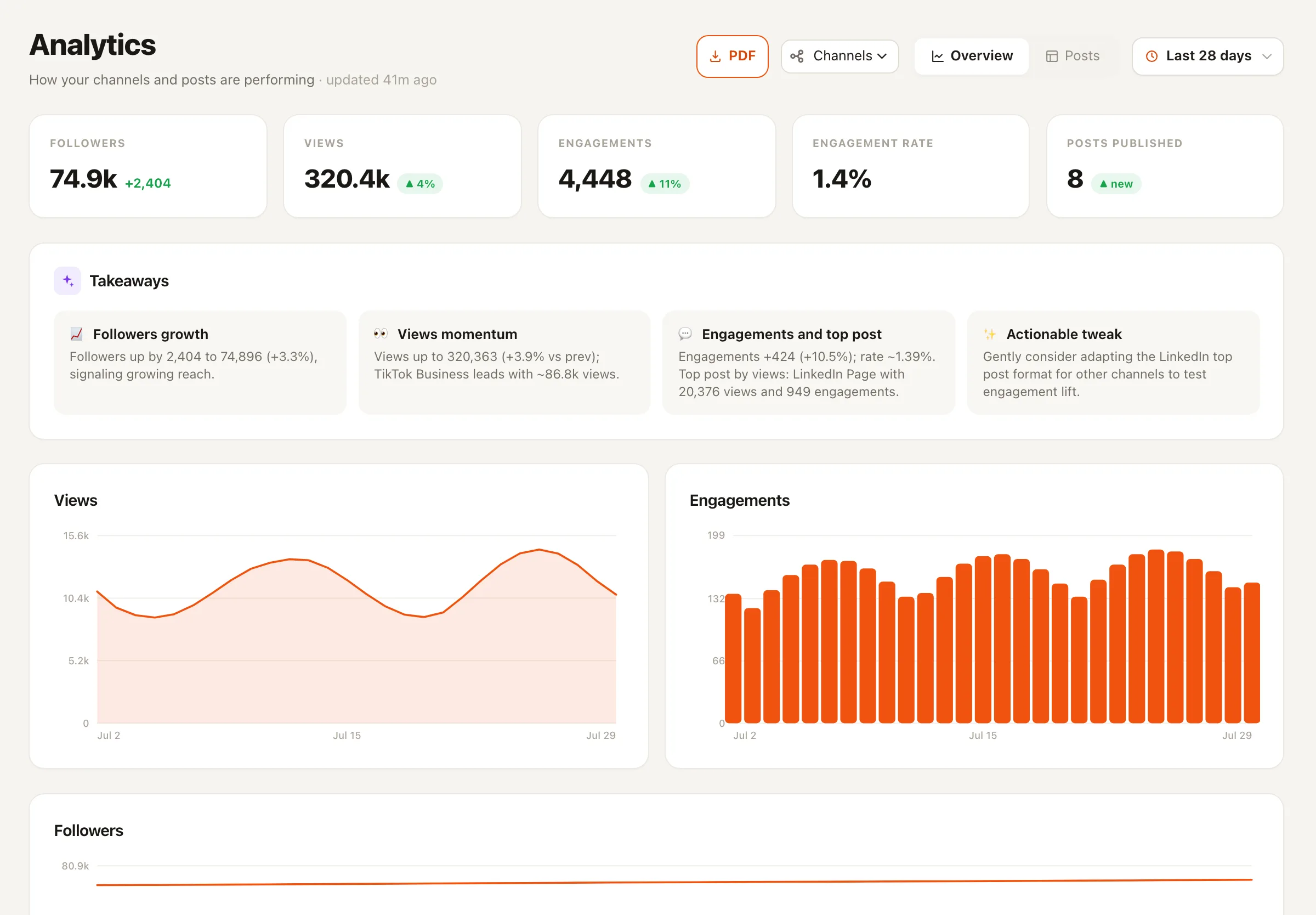
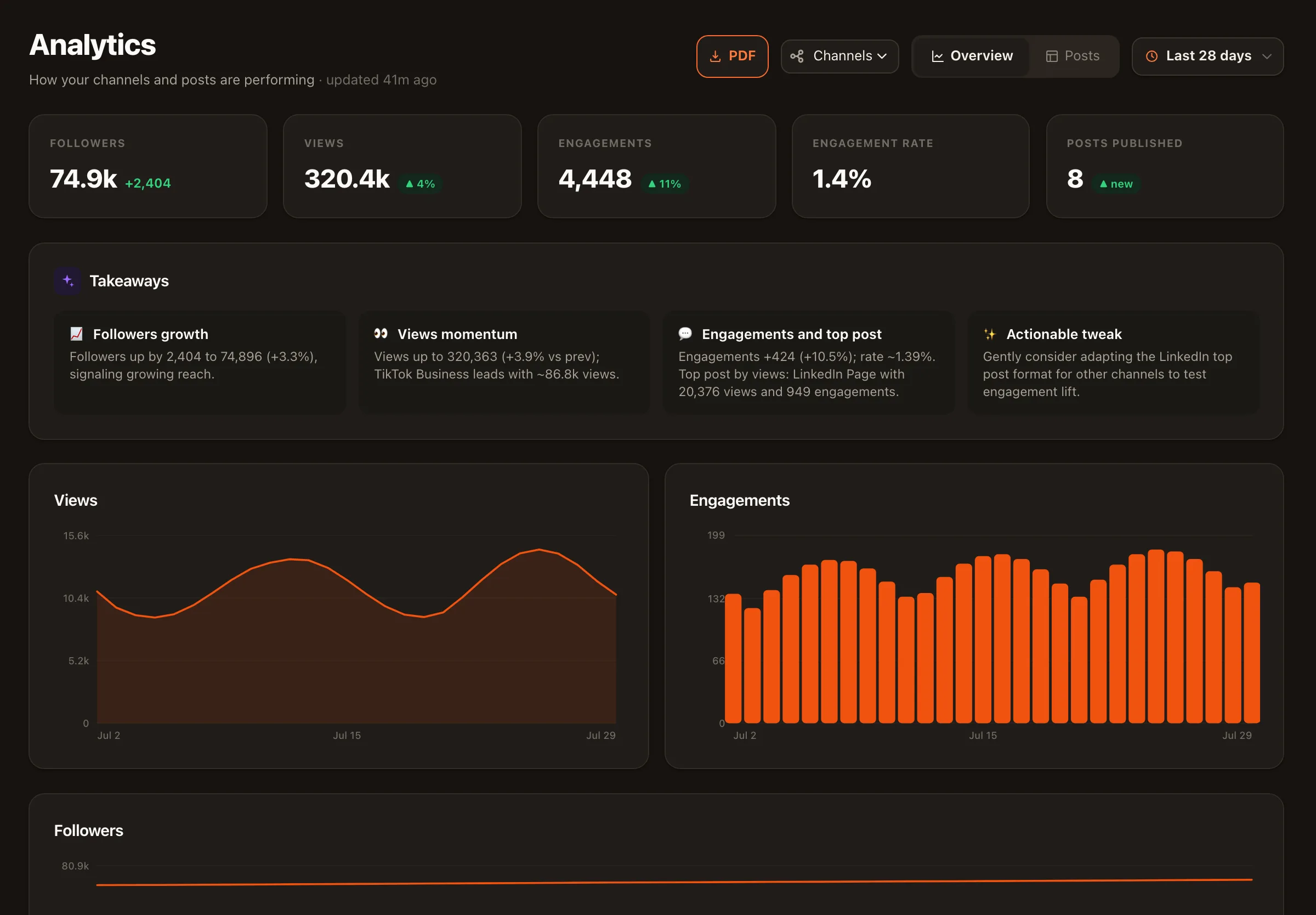
Cross-channel performance with AI-written takeaways that tell you what to try next — not just charts. View analytics
Kanban boards for campaigns, live industry feeds for inspiration, and a Trend Scout agent filing ready-to-use angles.
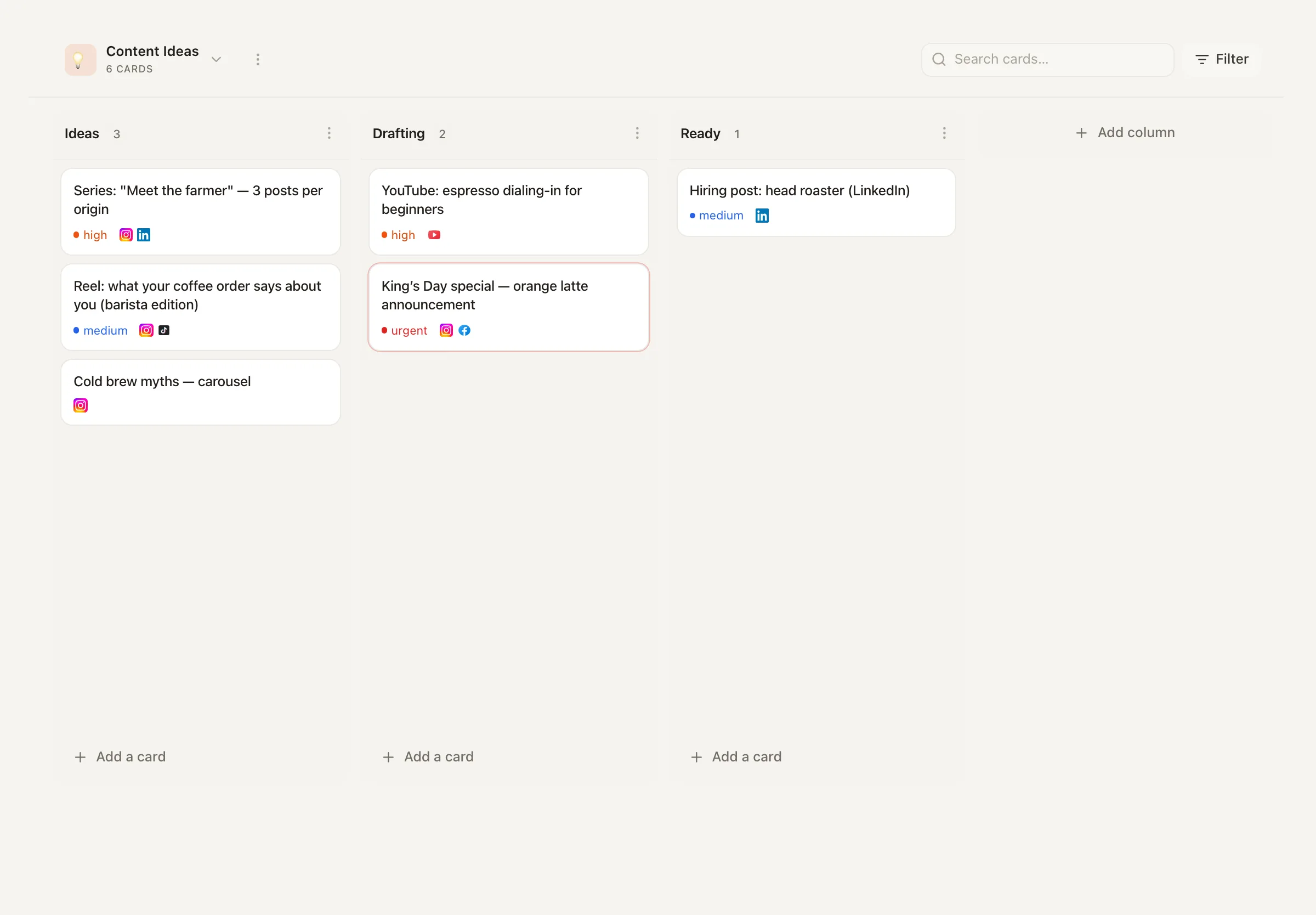
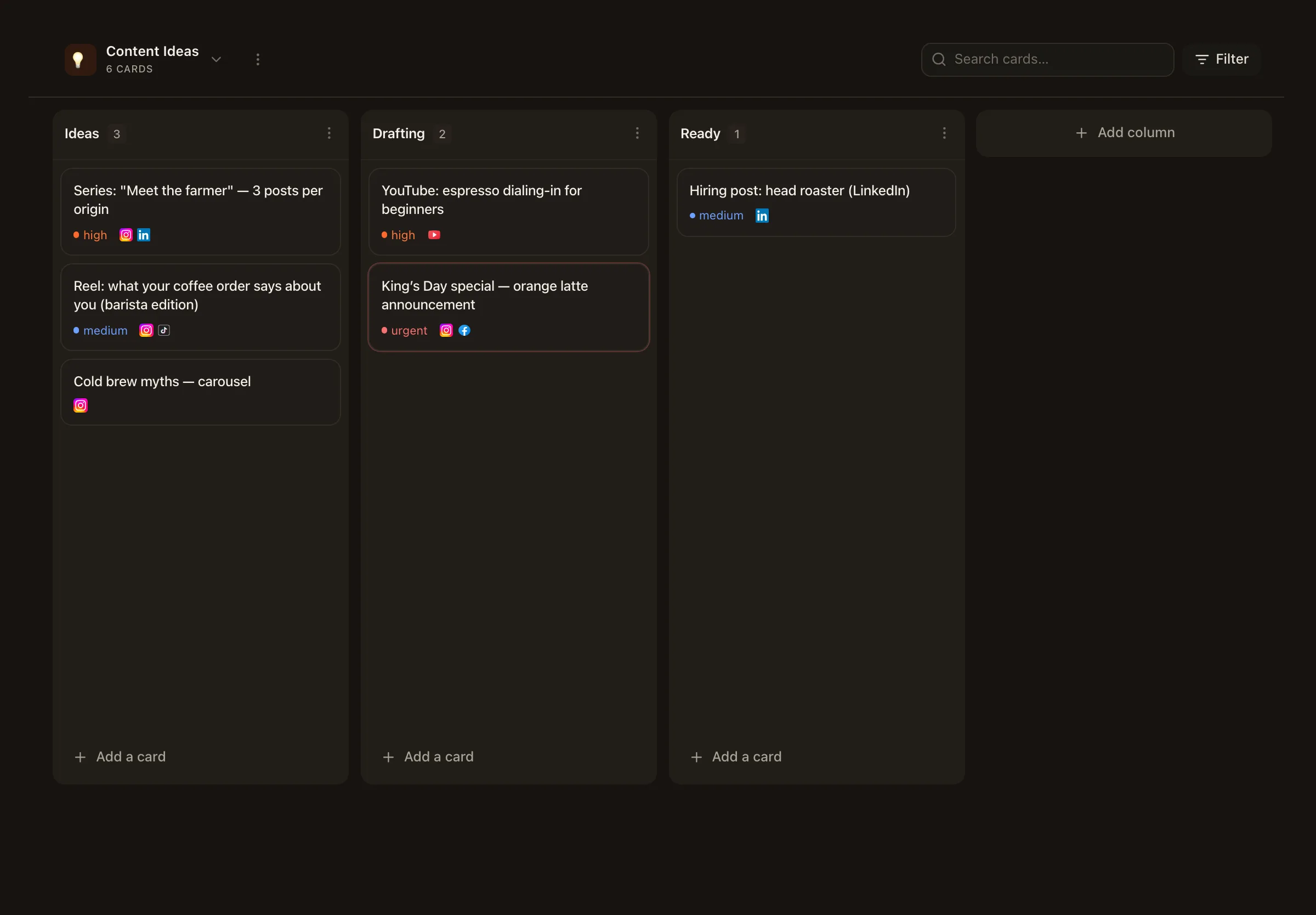
Draft → approval → scheduled, with platform-native previews before anything goes live. Workspaces and roles per brand or client. For teams
A public API, webhooks, an MCP server for AI assistants, and Zapier, n8n, and Make apps — plus WhatsApp Business, Slack, Telegram, Canva, Drive, Dropbox, OneDrive, and Unsplash. Build on Nimply or wire it into the tools you already run. Browse integrations
How it works
Securely link Facebook, Instagram, X, LinkedIn, TikTok, YouTube, Pinterest, Threads and Telegram through each platform's official login — including multiple accounts per platform.
Pick from the gallery, answer a few setup questions — business context, tone, boundaries — and choose draft or auto mode.
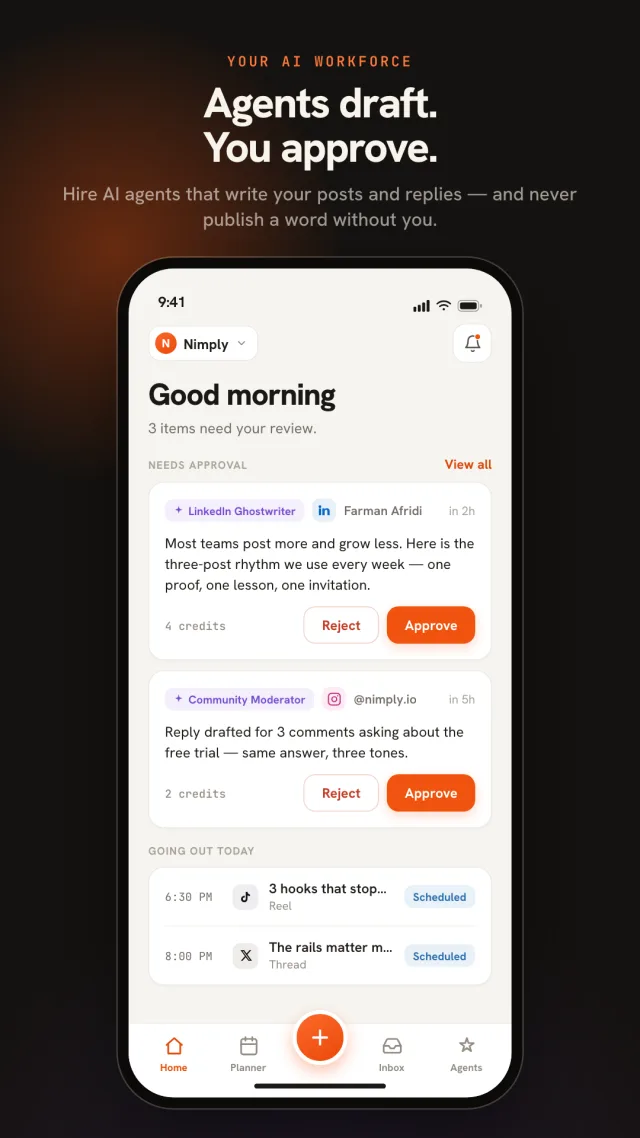
Agent drafts and your own posts flow through the same calendar and approval workflow. Nothing ships without sign-off.
Wire triggers to agents on the automation canvas, watch analytics, and let the agents learn from your corrections.
Why teams switch
Schedulers bill per channel. Chat automation tools cover one network. “AI employee” startups skip the publishing rails entirely. Nimply puts agents, automations, inbox, and scheduling in one flat-priced subscription.
Draft-first by default, per-conversation pause, automatic stand-down when a human replies, and transparent per-run credit costs.
Add a generous number of accounts on every paid plan — no surprise fees for each new channel.
The AI assistant, content studio, inbox triage, and the agent gallery are part of the product — not a premium tier.
Spin up a free workspace, connect 3 accounts, and try the full workflow before you pay.
Built for
A personal DM agent that answers in your style, a ghostwriter for LinkedIn, a recycler for your best posts — the team you couldn't hire, working while you create.
A support agent that drafts replies with your real business context, a sales agent that never misses a lead in the DMs, and a calendar that keeps you visibly active.
Every client in a dedicated workspace with their own agents, approval workflows, shared inbox with assignments and SLAs, and role-based access.
iOS & Android
The Nimply app is on the App Store and Google Play. When an agent or a teammate submits a draft, a push notification lands on your phone — approve or reject it in one tap. The full calendar, composer, unified inbox, and analytics come with you, signed into the same workspace as the web app.
Free to download · works with every plan · See what the app does
Start with our lifetime free plan, scale as you grow.
Get started with social media management at no cost.
Lifetime free
Perfect for individual creators and small businesses.
/month (billed annually)
Ideal for growing businesses and rapidly evolving teams.
/month (billed annually)
Comprehensive solution for agencies and enterprises.
/month (billed annually)
On the roadmap
We’re building Nimply in the open. Here’s what shipped recently and an honest look at what’s still in progress.
Shipped recently
Page analytics — followers, post and page statistics — is built, but LinkedIn keeps our Community Management app on its development tier, so it reaches approved workspaces only until they grant standard access. Personal profiles stay unsupported: LinkedIn attaches no analytics scopes to their tokens at all.
Caption Writer, Hook & Script Writer and Performance Analyst are the three we're building next. Seventeen agents ship today — customer support, sales, moderation, ghostwriting, design, repurposing, video clipping, trend scouting, Pinterest pins, ads, lead magnets and more.
The capture-and-assist extension is live in the Chrome Web Store and on the Mac App Store for Safari. Firefox and Opera builds are ready and waiting on submission; Edge needs a different kind of developer account before it can be listed. It never posts, likes or messages for you.
Everything you need to know about Nimply. Still curious? Get in touch.
Nimply is an AI social media management platform for creators, small businesses, and agencies. You hire AI agents from a template gallery — a support agent that drafts replies to DMs and comments, a sales agent that captures leads, a moderator that hides spam, a LinkedIn ghostwriter, a carousel designer, a content repurposer, a trend scout, and more — and they work on top of a full management foundation: a visual content calendar with auto-publishing to 9 networks, a unified inbox, a node-based automation builder, an AI content studio, and analytics. Everything runs in one affordable subscription.
AI agents are task-specific workers you configure once and they keep working: Customer Support drafts (or sends) replies to DMs and comments using your business context; Sales & Lead spots buying intent and captures leads with tags and priorities; Community Moderator flags and hides spam or scams with a full audit trail; LinkedIn Ghostwriter writes posts in your voice on a schedule; Evergreen Recycler refreshes your best-performing posts; Designer creates on-brand carousels, images, pins and video thumbnails from a topic (its Carousel Designer and Thumbnail Director presets are one click away); Content Repurposer rewrites content natively for other platforms; Trend Scout turns industry news into post ideas; Affiliate Pin Studio drafts Pinterest pins for the products you recommend; Ad Creative Studio makes static ads you upload to your own ad manager; and Lead Magnet Builder turns a topic into a downloadable PDF guide. Each agent learns from your corrections and remembers your preferences.
Not unless you explicitly allow it. By default, every agent works in draft mode: content agents create drafts that go through your normal approval and scheduling workflow, and inbox agents attach suggested replies as internal notes for your team. You can switch conversational agents to auto-reply per agent, pause any agent for a specific conversation with one click, and agents automatically stand down when a human teammate takes over a thread. You always stay in control of what goes out.
You can connect and schedule to Instagram, Facebook, X (Twitter), LinkedIn, TikTok, YouTube, Pinterest, Threads, and Telegram — with multiple accounts per platform for managing several brands or clients. WhatsApp Business connects as an inbox-only channel — customer chats land in the shared inbox and agents answer them, though nothing publishes to WhatsApp. Inbox coverage rolls out per network as platforms approve access: WhatsApp Business chats, Facebook Page DMs and comments (approved by Meta on 7 September — reconnect your Page once to pick up the new permissions), X (Twitter) DMs and mentions, YouTube and TikTok comments, Threads replies and mentions, Telegram comments, reactions and DMs, and Instagram DMs and comments (approved by Meta on 17 September — reconnect your Instagram account once to pick up the new permissions) are live today.
Yes — with rails. The unified inbox brings DMs, comments, and mentions into one place, where AI triage classifies sentiment, intent, and priority. Attach a Customer Support or Sales agent to a channel and it drafts context-aware replies for your team to send, or — if you enable auto mode — replies on its own with rate limits, and pauses whenever a human joins the conversation. The comment-to-DM automation can also DM a link to anyone who comments a keyword on your posts.
Yes — Nimply has a free forever plan with no credit card required. It includes 3 connected accounts, the content calendar, scheduling, the AI Assistant, and Kanban planning so you can try the core workflow before upgrading.
Schedulers like Buffer and Hootsuite manage your calendar; chat tools like ManyChat automate one channel's DMs. Nimply combines both and adds an AI workforce: agents that draft replies, capture leads, moderate, ghostwrite, design carousels, and repurpose content — plus a visual automation canvas connecting triggers, agents, and actions. And it stays affordable: flat pricing with AI included, not sold as an enterprise add-on.
Yes. Automations is a visual, node-based workflow builder inside Nimply. Trigger on new comments, inbox conversations, workspace events (like a post publishing or failing), or a schedule, then run AI agents, classify conversations with AI, branch on conditions, DM commenters by keyword, create drafts, and send Slack, Telegram, or in-app notifications — with a safe test mode and full run history. Automations create drafts that go through your approval workflow; they never publish directly.
Yes. Organize campaigns on Kanban boards, assign work, and route posts through a draft → approval → scheduled workflow so nothing goes live without a sign-off. The shared inbox supports assignments, internal notes, saved replies, and SLA policies. Workspaces with role-based access (Owner, Admin, Editor, Viewer) keep larger teams and agencies organized.
Yes. Create a separate workspace for each brand or client, connect their accounts, hire the right agents for each one, and invite the right people. Higher plans raise the number of accounts and team members, which makes Nimply a fit for agencies.
From the blog
What real estate social media automation can do for agents: which tasks to automate, which to keep human, and a simple weekly workflow to stay visible.
Read more →What a social media approval tool does, which features actually matter, and how to choose approval software for your team or agency.
Read more →An AI TikTok caption generator turns a quick video description into ready-to-post captions. Compare the best free tools and learn what makes captions work.
Read more →Start free, connect your accounts, and hire your first agent today. No credit card, no per-channel fees, cancel anytime.