

Teams & agencies
The social media collaboration tool for your team — and your AI agents
A workspace per client. Owner, Admin, Editor, and Viewer roles. An approval step nothing skips — including your AI agents, whose drafts flow through the same review pipeline as everyone else’s. This is where the whole team’s work, human and AI, stays visible and under control.
Role-based access
Four roles, zero ambiguity
Everyone in a workspace has exactly the access their job needs — publishing rights stay with the right people, and clients get safe, limited visibility.
Owner
Full control of the workspace — billing, members, channels, and everything below.
Admin
Runs the workspace day to day: manages the team, channels, and settings.
Editor
Creates and edits content — drafts flow into the approval workflow for sign-off.
Viewer
Read-only access — ideal for clients and stakeholders who need visibility, not publishing rights.
Roles reach across the whole product — they also gate who can build versus activate automations, so permissions don’t stop at posts.
Workspaces
A workspace per brand or client
The unit of organization agencies actually need: each brand or client lives in its own workspace with its own channels, posts, team, and permissions. No shared logins, no wrong-account accidents, no client seeing another client’s work.
Everything scoped to the client
Channels, content, conversations, and members belong to one workspace — switching clients is switching workspaces, cleanly.
Multiple accounts per platform
Connect several accounts on each platform, so one workspace can cover a brand's whole presence.
Invite exactly the right people
Bring teammates and clients into the workspaces they belong to — and only those — each with a role that fits.
Scales with your roster
Higher plans raise the number of team members and connected accounts as you take on more clients.
Approvals built in
Nothing goes live without sign-off
Pair roles with the draft → approval → scheduled workflow: editors create, approvers review and sign off, and only approved posts reach the calendar. Assign posts and campaigns to teammates so ownership is always clear — and give clients a clean way to approve before anything reaches their audience.
Status at a glance
Everyone sees the same pipeline
Drafts, awaiting approval, scheduled, published — every post wears its status, so “where is that post?” stops being a Slack thread and starts being a glance at the board.
Plan together
A Kanban board for the ideas that aren’t posts yet
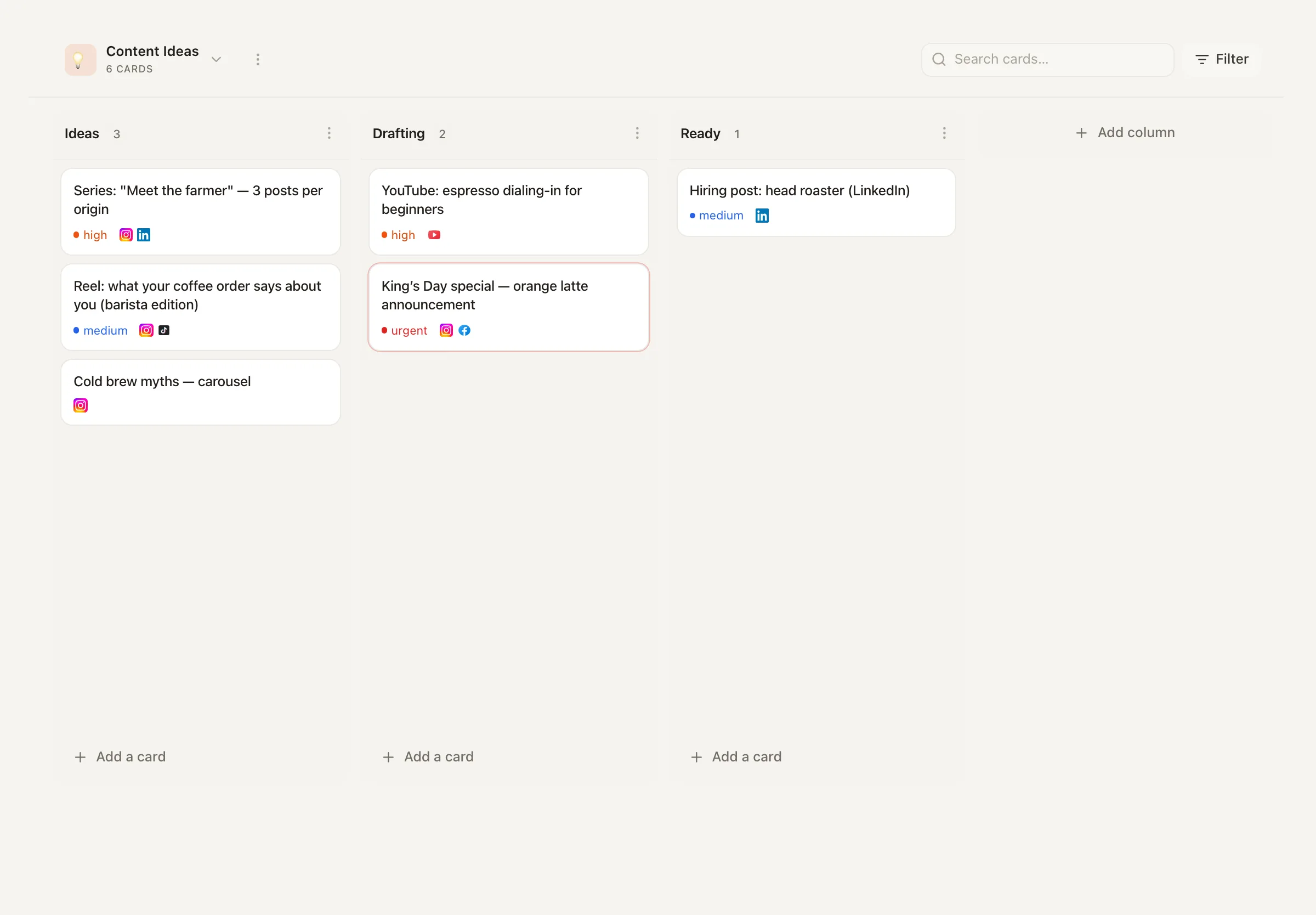
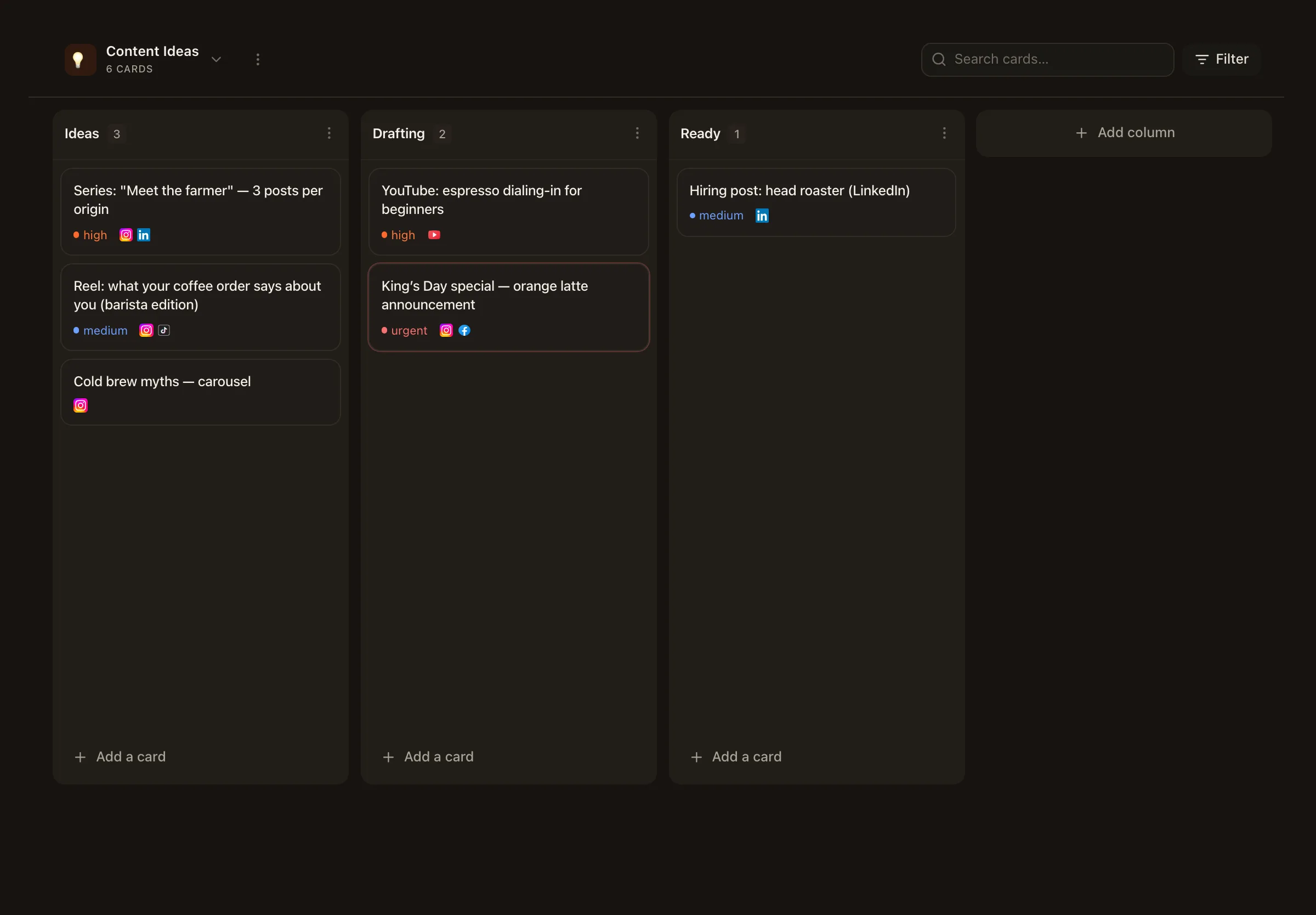
Before content reaches the calendar, it lives on the Ideas board — a shared Kanban the whole workspace works from, instead of a notes doc only one person can find.
Cards with real detail
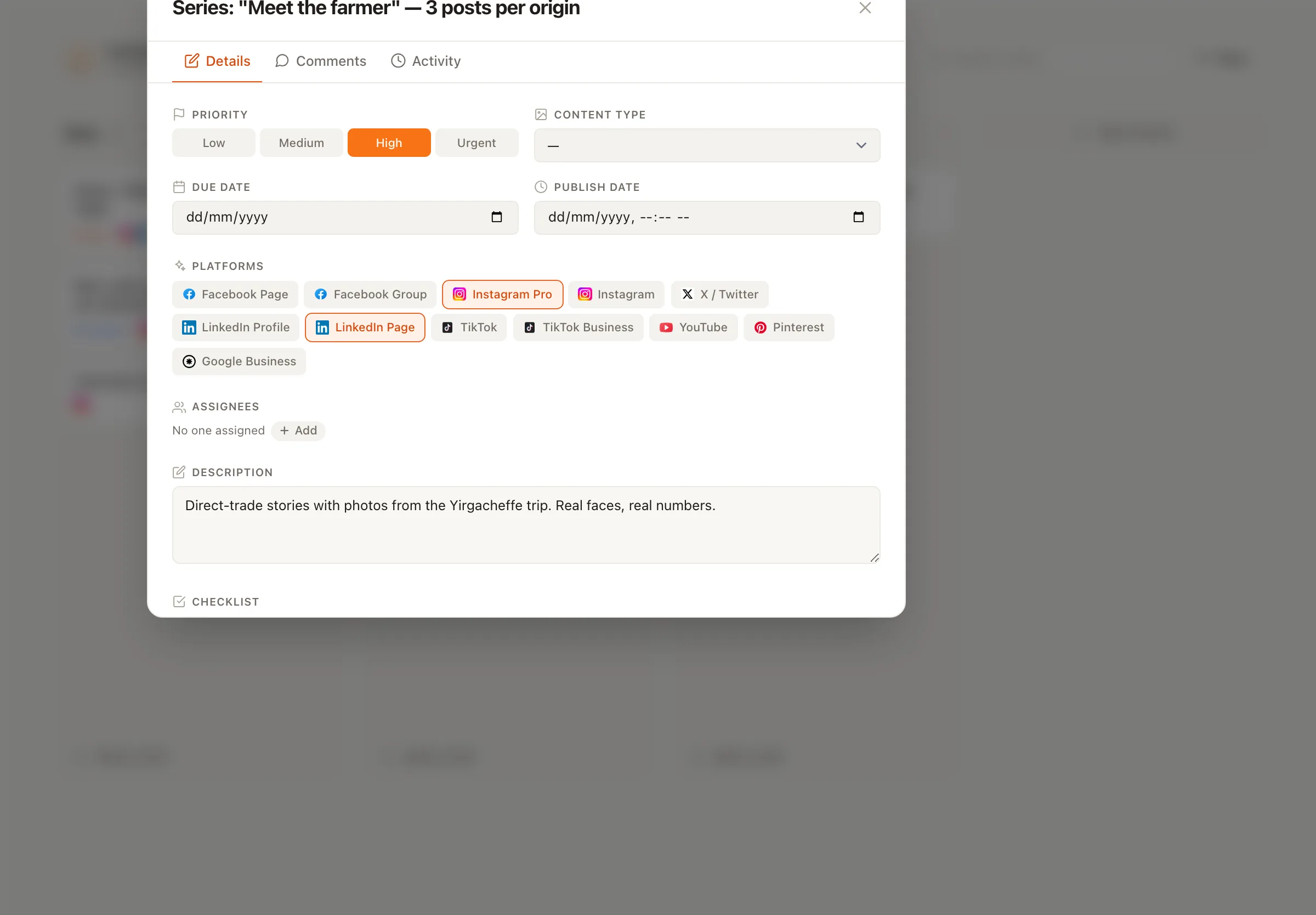
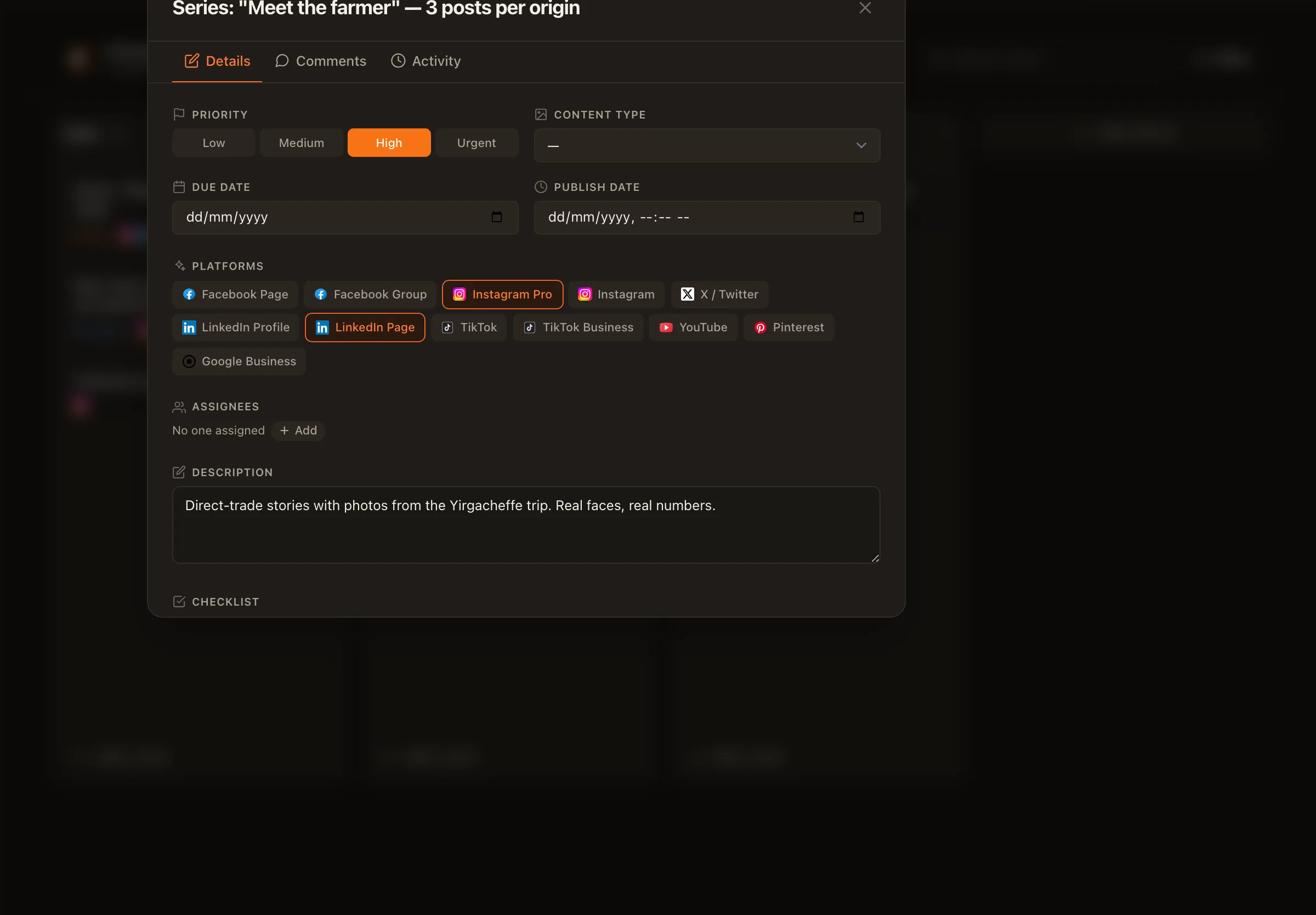
Open any card for its description, target platforms, priority, and a checklist — enough context that anyone on the team can pick it up.
Drag ideas through your stages
Move cards across columns as an idea matures, so the pipeline before the approval pipeline is just as visible.
Conversations, together
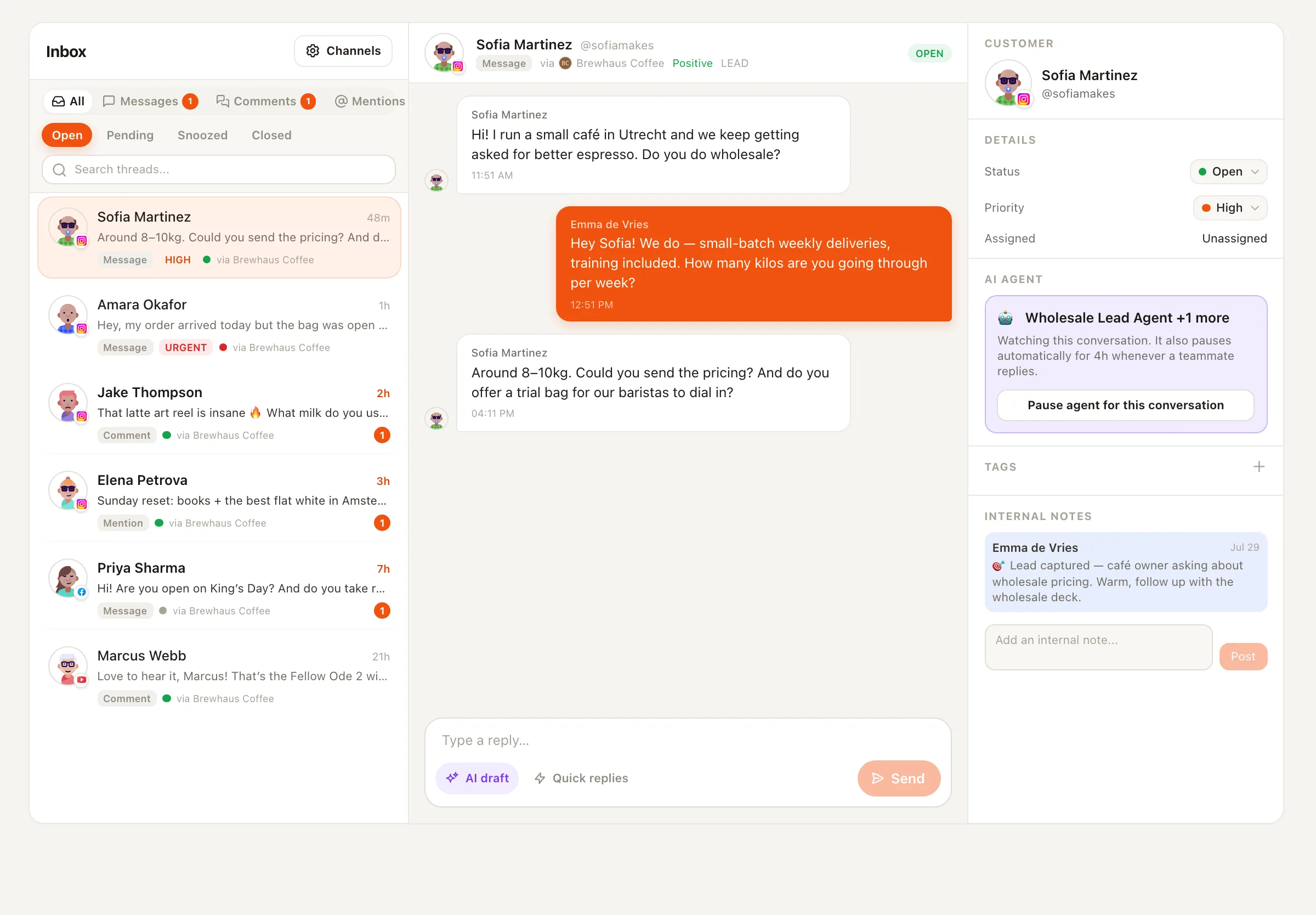
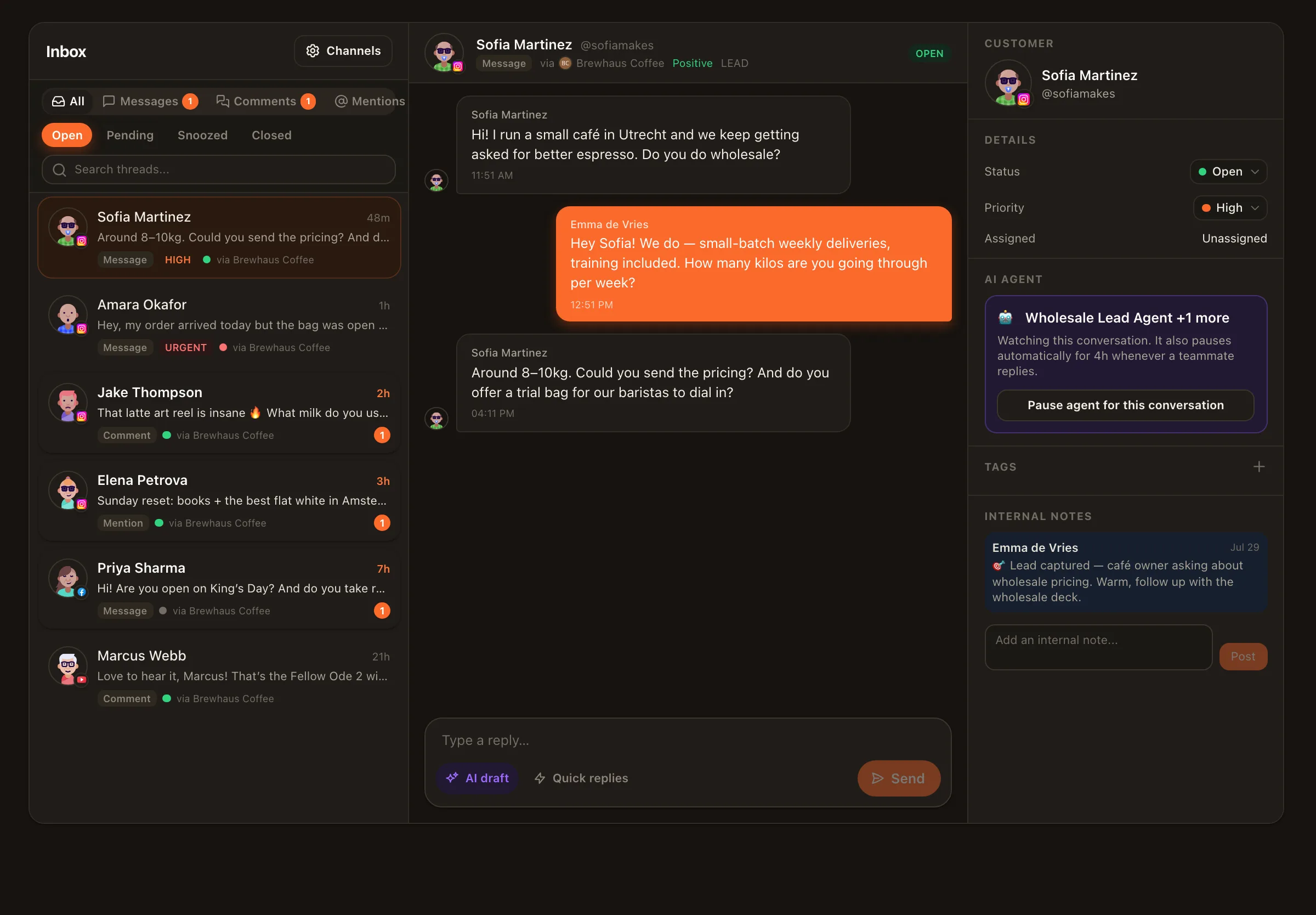
A shared inbox that works like a team
DMs, comments, and mentions from your connected channels land in shared, prioritized threads — so replying is a team sport with rules, not a race to the notification.
Assignments & internal notes
Route a thread to the right teammate and discuss it in notes alongside the conversation — invisible to the customer.
Saved replies & statuses
Answer common questions consistently and track each thread's state, with per-member unread counts so nothing is silently dropped.
SLA timers
Set response-time expectations and see when a conversation is about to breach them — before the client notices.
The new teammates
You manage your AI agents’ work here too
When you hire Nimply’s AI agents — a ghostwriter, a support agent, a content repurposer — they don’t get a separate, unaccountable lane. Their drafts enter the same draft → approval → scheduled workflow your editors use, so reviewers see all pending content in one queue. And in the inbox, an agent can be paused on any individual thread the moment a human wants to take over.
One review process, one set of roles, one calendar — for everyone doing the work, human or AI.
Team collaboration — frequently asked questions
What team roles are available in Nimply?
Every workspace member has a role — Owner, Admin, Editor, or Viewer — controlling what they can do, from full control down to read-only access. Roles also gate sensitive actions elsewhere in the product, like who can build versus activate automations.
How do agencies manage multiple clients?
Create a separate workspace for each brand or client. Each workspace has its own channels, posts, and team, and you can connect multiple accounts per platform — so client content, conversations, and permissions never mix.
Do AI agent drafts go through the same approval workflow?
Yes. Agents never publish directly — their drafts enter the exact same draft → approval → scheduled pipeline as anything a human teammate writes, so one review process covers all your content regardless of who (or what) drafted it.
How does the shared inbox help a team?
Conversations from your connected channels land in shared, prioritized threads. You can assign a thread to a teammate, leave internal notes the customer never sees, reuse saved replies, set statuses, and hold the team to SLA timers — with per-member unread counts so nothing is silently dropped.
Can clients review and approve content without full access?
Yes. Invite a client into their brand's workspace with a role that fits, and route posts through the draft → approval → scheduled workflow — nothing goes live without sign-off, and they never see your other clients' workspaces.
How many team members can I add?
It depends on your plan — higher plans raise the number of team members and connected accounts, so the setup scales from a two-person team to a multi-client agency.
Give every client a workspace, every teammate a role
Start free: create a workspace, connect the channels, invite the team, and route everything — human and AI — through one approval flow.