

AI image generation
Describe what you need and generate original, on-brand images for your posts in seconds — the core of the Studio, and the fastest way to keep a feed cohesive across networks.
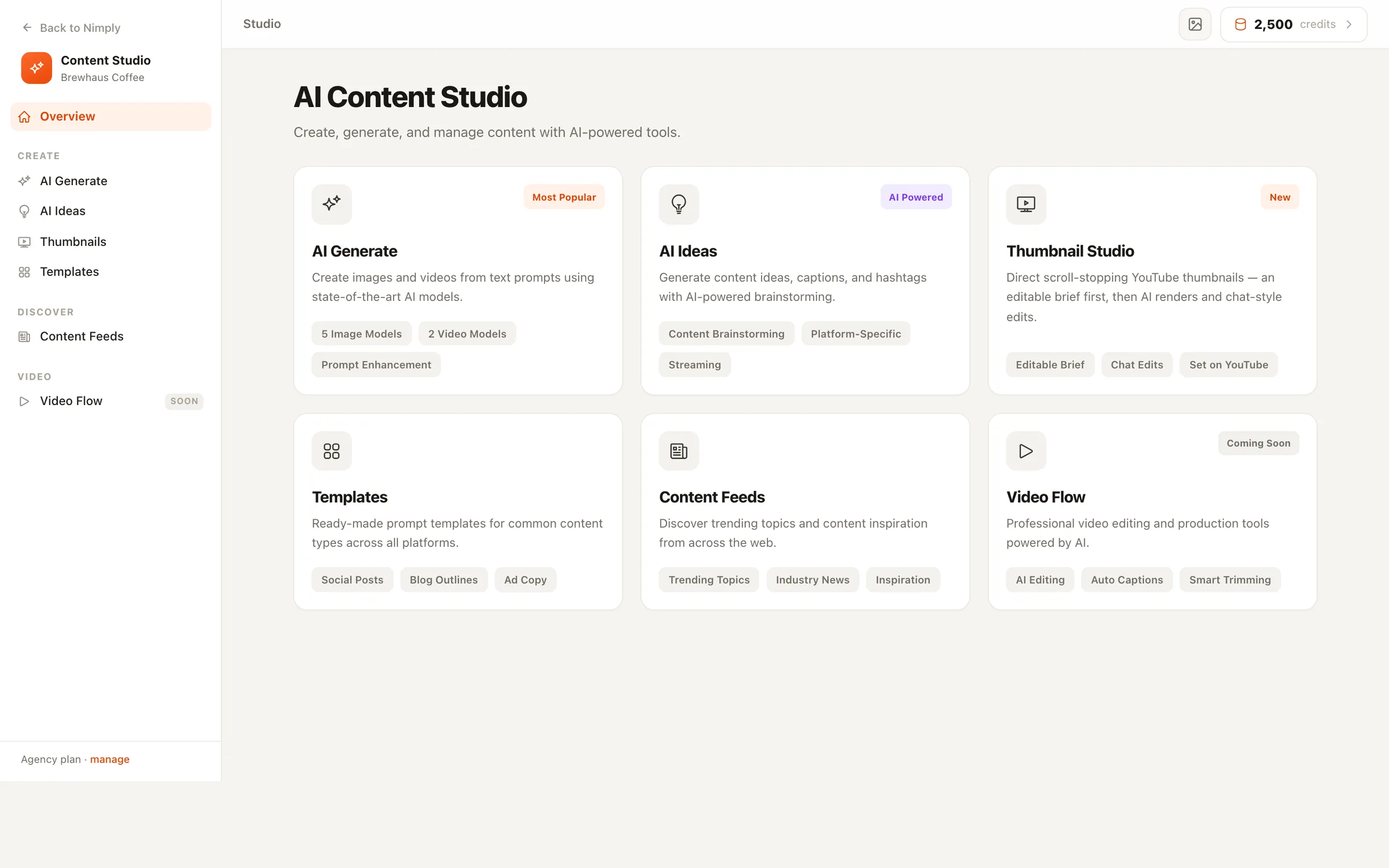
AI Content Studio
Generate original, on-brand images for your posts without leaving Nimply - and when a post needs more than a single image, agent-powered tools handle Instagram and LinkedIn carousels and YouTube thumbnails too. Every visual lands ready to schedule.
From prompt to post
No exporting from a design tool, no re-importing into a scheduler. The distance from “I need an image” to “it’s on the calendar” is three steps.
Tell the Studio what you want to see and the style you're going for — a scene, a mood, your brand's look.
Get original images you can use for your post — on-brand, no stock-photo hunting, no separate design app.
Send the visual straight into the composer, pair it with a caption, and schedule it across your channels.
Captions covered too — pair every visual with copy from the AI writing assistant and schedule the finished post via multi-platform scheduling.
Images, carousels, thumbnails
Single images come straight from the Studio. Carousels and YouTube thumbnails are made by task-specific AI agents that know your brand — all delivering into the same drafting workflow.
Describe what you need and generate original, on-brand images for your posts in seconds — the core of the Studio, and the fastest way to keep a feed cohesive across networks.
The Carousel Designer agent turns one idea into branded slides — image slides for Instagram, and the single PDF document format LinkedIn actually requires for swipeable carousels.
The Thumbnail Director agent studies your channel's niche and brand colors, generates click-worthy thumbnail concepts, and can set the winner directly on your video.
Inside the studio
Each Studio tool has its own deep dive — what it does, what it costs, and how it hands off to your composer and calendar.
Generate images and short videos from text prompts — pick the model, see its credit cost up front, send results straight to the composer.
Explore AI Generate →
Type a topic, get five content ideas with hooks, descriptions, and hashtags — streamed live, one click from idea to post.
Explore AI Ideas →
A brief-first YouTube thumbnail editor: approve the plan, direct renders with chat edits, change titles free, set it on the video.
Explore Thumbnail Studio →
Ready-made AI prompt templates across 15 categories — fill in the bracketed variables, preview live, generate.
Explore Templates →
2,000+ curated industry articles with a one-click Create Post flow — caption angles, tones, and image choices included.
Explore Content Feeds →
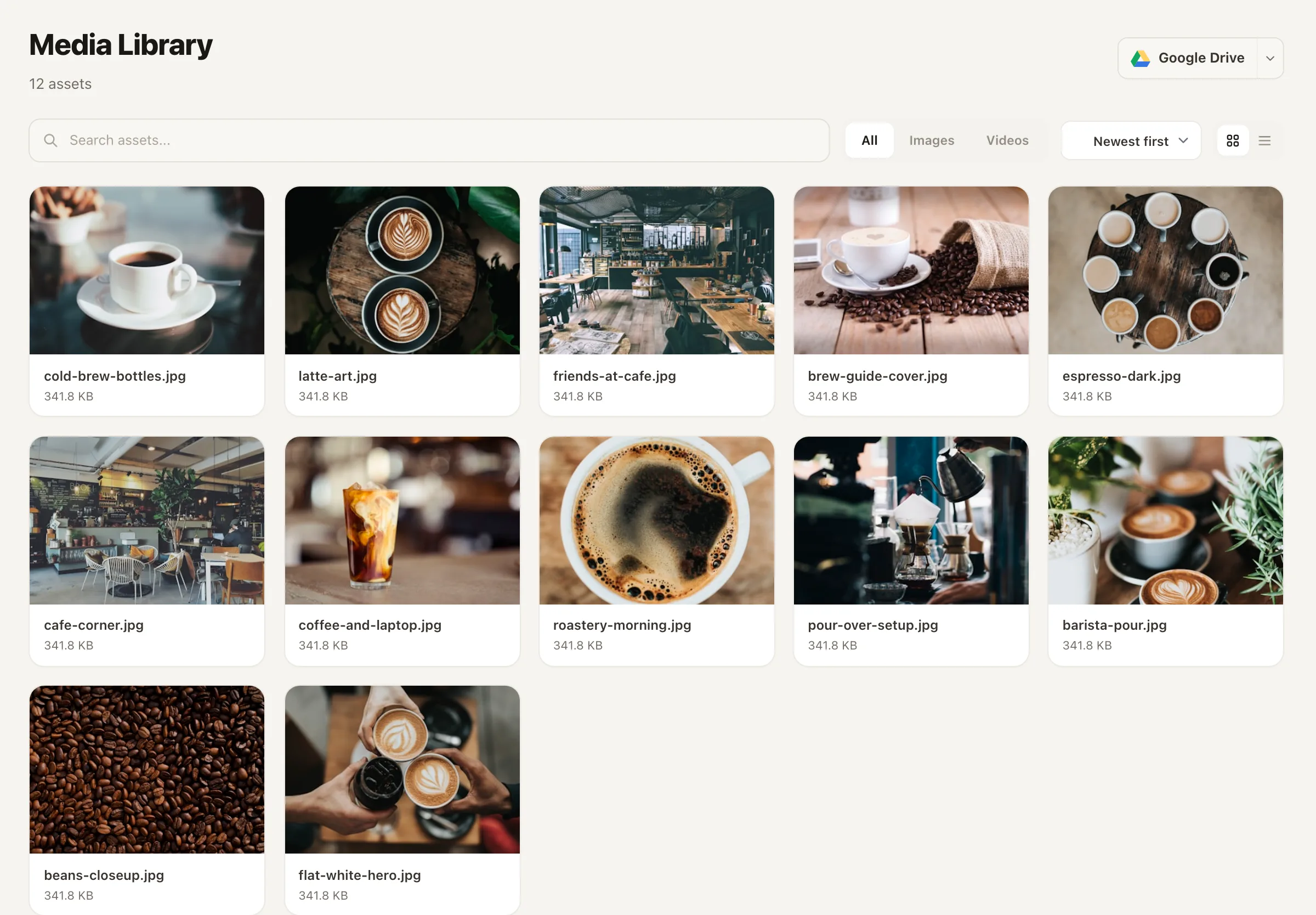
The media library
Generated images, rendered carousel slides, agent-made thumbnails, and everything you upload live together in your workspace’s media library — so attaching a visual to a draft is a pick, not a hunt through downloads folders and design-tool exports.
Reuse an asset across posts and channels, keep your feed consistent, and never re-generate something you already made.
What visuals cost
Visual generation runs on the monthly AI credits included with every plan. Here’s exactly what draws from them — and what doesn’t.
An AI image costs about 42 credits with a typical model, and every model shows its exact cost before you generate — so you always know what a visual costs before your month does.
Slides are typeset by a deterministic renderer onto your brand colors — no image model involved, so rendering slides doesn't consume image-generation credits.
Changing text, placement, or layout on an existing thumbnail re-renders instantly for free — you only spend credits when a new scene is generated.
Every plan includes AI credits that refill each month — 100 on Free, 2,000 on Creator, 10,000 on Growth and 20,000 on Agency. Credit packs and add-ons you buy never expire.
The AI writing assistant uses the same credits, and a caption costs only about 1–3 — see the AI Assistant and pricing for plan details.
It's Nimply's built-in space for creating visuals: generate original, on-brand images for your social posts right inside the app, then drop them into the composer and onto your calendar. No separate design tool, no exporting and re-importing.
Yes. An AI image costs about 42 credits with a typical model, and the exact cost is shown before you generate. Plan credits refill monthly — 100 on Free, 2,000 on Creator, 10,000 on Growth and 20,000 on Agency. Need more? Buy a one-time credit pack from $2.99, or on a paid plan add 1,000 extra credits every month for $2 a month ($24 a year). Pack and add-on credits never expire.
Yes. Send a generated image into the composer, pair it with a caption, and schedule it across your channels. Generated visuals also land in your media library, so they're there when you need them again.
They're made by task-specific AI agents that plug into the same workspace. The Carousel Designer renders branded slide images for Instagram and the single PDF document LinkedIn requires; the Thumbnail Director generates YouTube thumbnail concepts in your channel's style and can set the winner on your video. Both deliver into your normal drafting workflow.
No. Carousel slides come from a deterministic renderer that typesets your copy onto brand-colored backgrounds — no image model is involved, so slides don't consume image-generation credits and the output is consistent every time.
For everyday social visuals, that's the goal: generate the image, write the caption, and schedule the post without leaving Nimply. You can still upload anything you make elsewhere — the media library holds uploaded and generated assets side by side.
Start free, generate your first on-brand visual, and schedule it across your channels — all without leaving Nimply.