

01
Tease
Cropped shots, a countdown, a comment prompt. Schedule the sequence across Instagram and Facebook days ahead — same drop, per-platform captions.
🛍️ Nimply for online stores
Your feed is the storefront window. Your DMs are the counter. Most social media for ecommerce obsesses over the window and abandons the counter — which is exactly where the “restock?” and “where’s my order?” messages pile up. Nimply staffs both: a calendar for the drops, AI agents for the conversations.
Agents draft, you approve · leads tagged automatically · per-thread pause anytime
Instagram DM · launch day
Illustrative conversation — the Sales & Lead Agent answering from a live inventory connection, sharing only the checkout link you configured.
The drop playbook
A product drop isn’t a post — it’s a sequence. Plan all four beats in one sitting on the calendar, route them through approval, and let the schedule fire while you watch the orders instead of the clock.
01
Cropped shots, a countdown, a comment prompt. Schedule the sequence across Instagram and Facebook days ahead — same drop, per-platform captions.
02
The hero post goes out on the minute. A keyword funnel on the comments turns replies into DMs with your checkout link — no manual copy-paste marathon.
03
Customer photos and tags become the second wave. Reposting UGC with permission keeps the drop alive after the announcement energy fades.
04
Every restock question that hit your DMs is a warm list. When units land, the announcement is already drafted and the leads are already tagged.
Beat three runs on UGC reposting; beats one and two lean on your Instagram channel doing what it does best — stopping thumbs.
Launch funnels
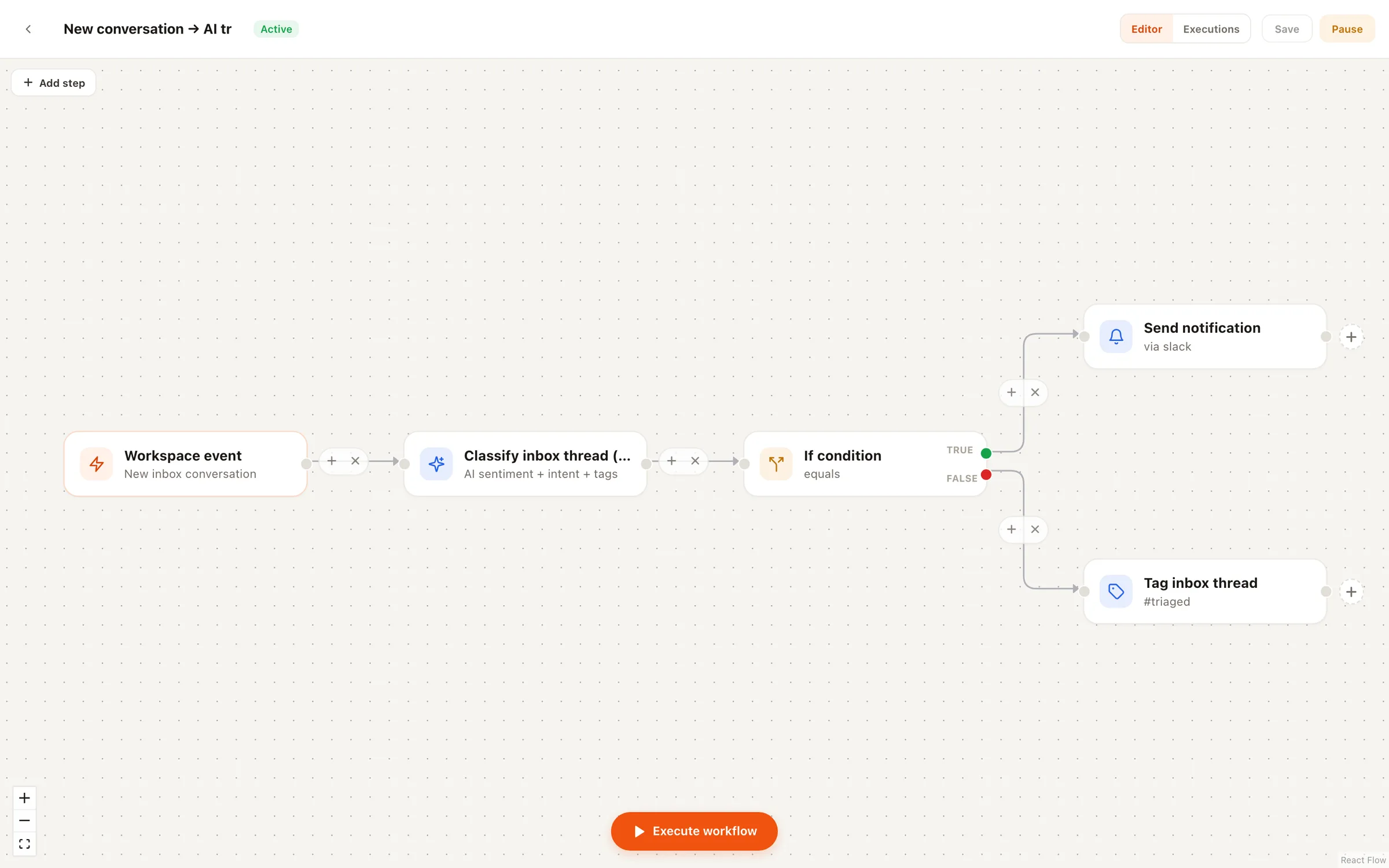
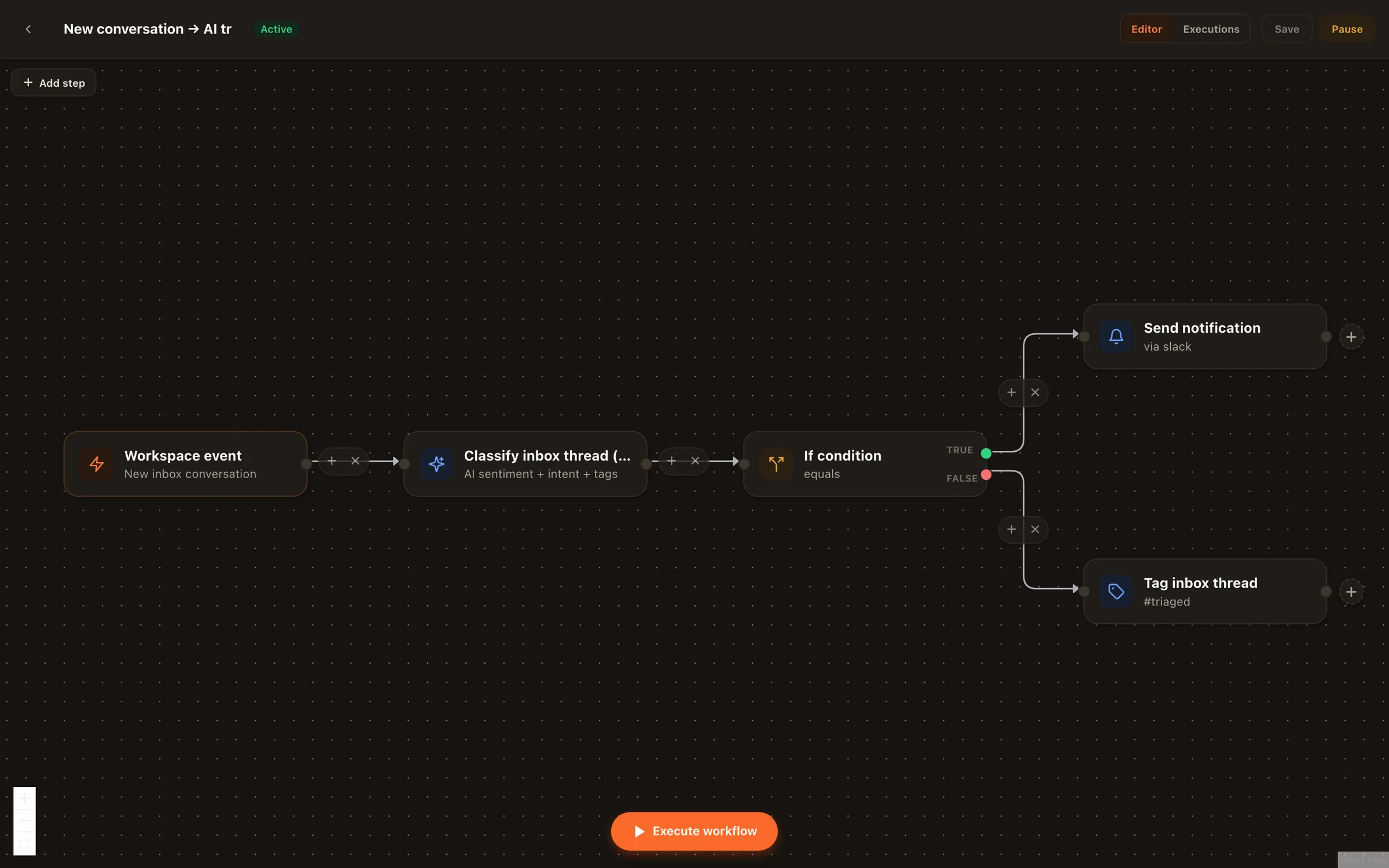
The oldest trick in ecommerce social media marketing is asking people to comment a keyword. The part that breaks is fulfilling it: someone has to sit there DMing three hundred commenters the same link. Nimply’s comment-to-DM automation does it the moment the keyword lands — your message, your link, built visually on the automations canvas so you can see exactly what fires and when.
Pair it with Instagram lead generation and every launch post double-jobs: reach on the feed, captured intent in the DMs.
Your store’s AI staff
Whether you run a Shopify store or your own stack, the pattern is the same: the questions repeat, the answers live in your data, and nobody has time to bridge the two. These agents do — and none of them can publish a thing without your approval.
Qualifies shoppers in DMs one question at a time, captures contact details, tags conversations as leads, and flags hot buyers as urgent. Shares only the checkout and product links you configure.
Answers the where's-my-order and sizing questions from your business profile and FAQ — with live order status via an MCP connection to your store. Draft-first or auto; escalates what it shouldn't touch.
Finds your genuinely best-performing product posts by real engagement and drafts fresh rewrites on a cooldown — so bestsellers keep selling between launches.
How it plays out
Picture a fictional two-person candle brand heading into its December drop. The tease sequence is scheduled a week out. The launch post carries a RESTOCK keyword funnel, so every eager comment gets the checkout link by DM within seconds. The Sales & Lead Agent handles “will this ship by the 24th?” from the configured shipping FAQ, checks stock through the store’s inventory connection, and tags the serious buyers. The Customer Support Agent drafts replies to order-status DMs overnight; the founders approve them over coffee. Nothing went out that they didn’t sign off on — it just went out without them typing it.
Illustrative scenario, not a customer story — but every mechanism in it ships today.
Through MCP connections — you connect your store's live business data (inventory, order status) in Workspace Settings, and agents like Sales & Lead and Customer Support can check it before answering. No connection, no guessing: an agent without inventory access sticks to what's in your configured business profile and FAQ instead of inventing an answer.
No. Agents never publish directly. Anything meant for your feed is a draft that waits for your approval, then goes to the schedule. DM and comment replies run draft-first by default too — you can switch specific agents to auto-reply once you trust them, and pause any single thread to take over yourself.
The conversation agents — Sales & Lead and Customer Support — work on Facebook Pages and Instagram professional accounts today, with inbox access opted in per channel. Comment coverage currently spans Facebook, Instagram, and YouTube. Scheduling and publishing cover the full channel lineup.
Only the ones you configure — your checkout page, a product page, a discount landing page. The agent is not allowed to improvise URLs, so a shopper never gets sent somewhere you didn't approve. It also captures contact details as it qualifies, tags the conversation as a lead, and flags hot buyers as urgent.
You pick a trigger keyword — say RESTOCK — and build the flow on the automations canvas. When someone comments that word on your launch post, the automation opens a DM with the message and link you defined. It's keyword-triggered and scoped to the channels you choose, so your launch post becomes a lead-capture surface instead of a comment graveyard.
No, and it doesn't try to. Nimply runs the social side of your store: the content calendar, the launch funnels, and the conversations in your DMs and comments. Your email platform, ad manager, and storefront stay where they are — the agents just make sure social stops being the channel nobody has time to answer.
Plan the next drop on one calendar, wire the launch funnel, and hire agents that answer from your real store data — free to start.