

🧑💻 For freelancers
The freelance social media manager’s AI team
Every freelance social media manager hits the same wall: the fourth or fifth client, when the calendar-filling, comment answering, and repackaging eat the hours you sold as strategy. Nimply gives each client a sealed workspace with its own AI agent bench — and every draft still waits for your sign-off.
Your client roster · one login
Cedar & Steam Café
Instagram · Facebook
Brightside Dental
Facebook · Instagram
Marlowe Boutique
Instagram · TikTok
Illustrative roster. Each workspace keeps its own channels, agents, credits, and approval queue — fully separated.
The freelancer math
Where a client’s week actually goes
Write down what one retainer really costs you in hours and the pattern is always the same: a thin layer of strategy on top of a thick layer of production and upkeep. The upkeep doesn’t need your taste — it needs to be done, consistently, in the client’s voice.
That thick layer is what the agent bench is for. The thin layer — positioning, ideas worth posting, the final yes — is why the client hired you.
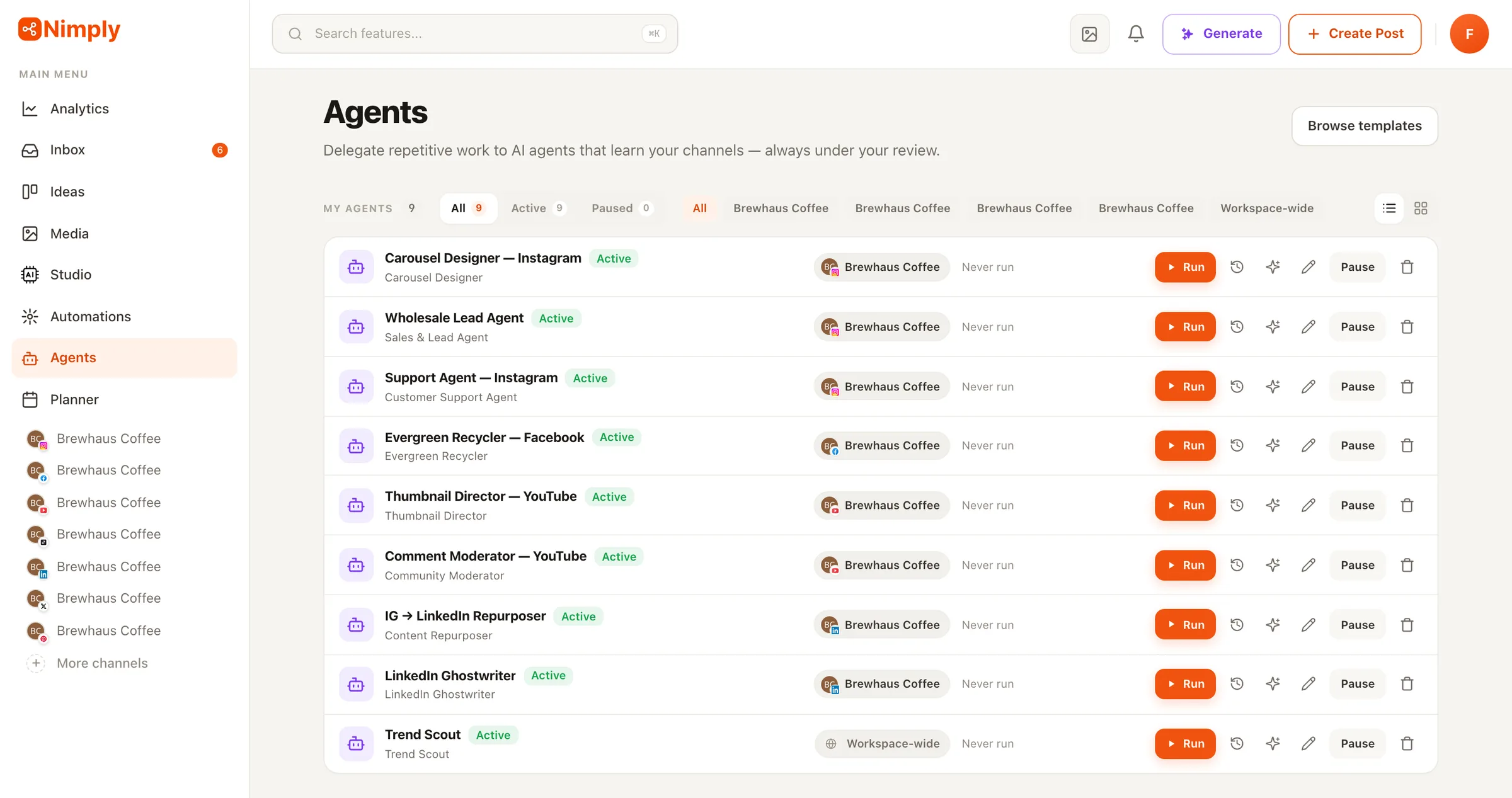
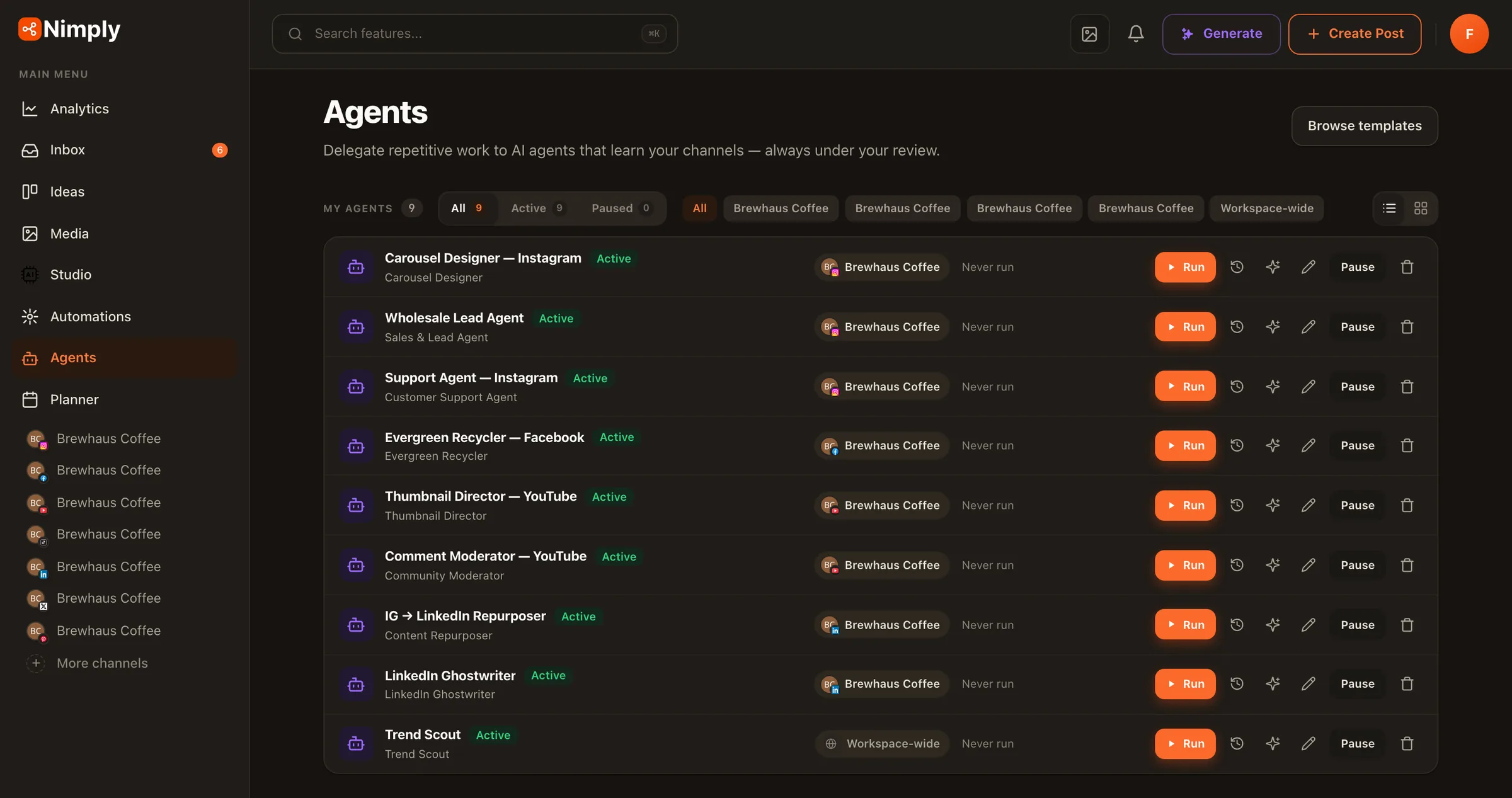
Drafting and scheduling the week's posts
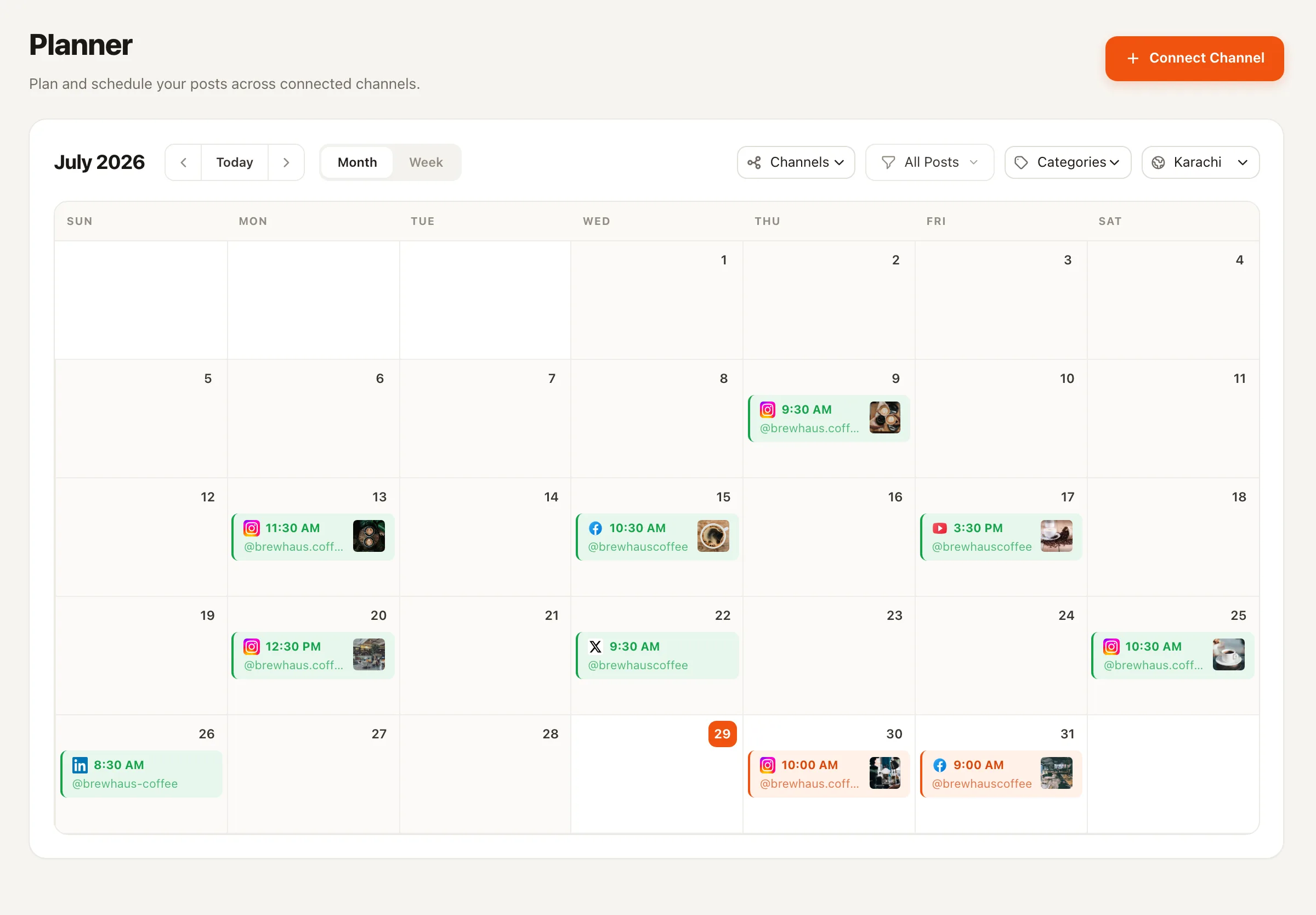
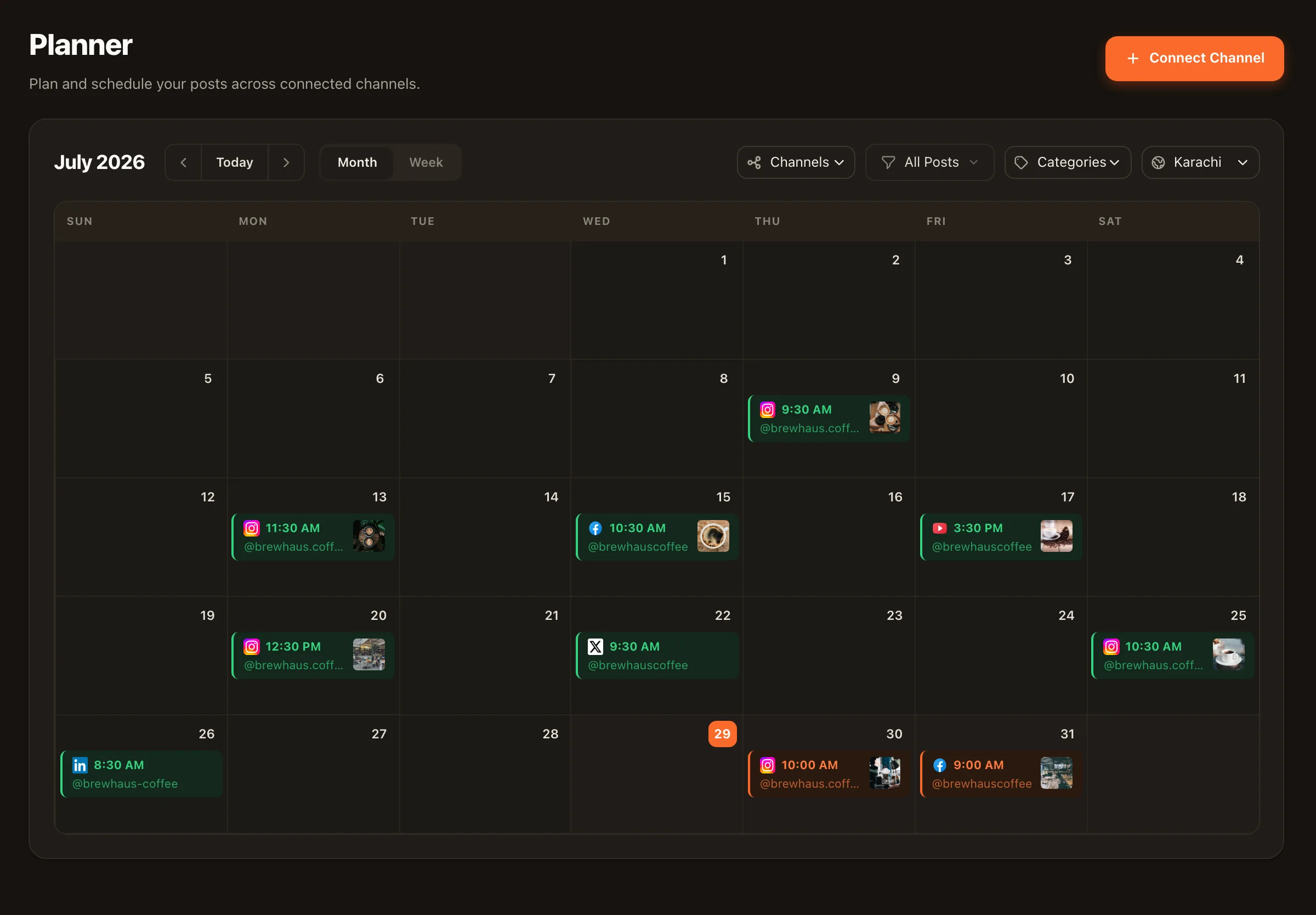
→ Planner with per-client categories, best-time queues, and bulk CSV import. Bulk scheduling
Answering the same comments and DMs
→ Customer Support and Community Moderator agents draft replies for your review. Customer Support agent
Repackaging one good piece for every platform
→ Content Repurposer turns one asset into native drafts per platform. Content Repurposer
Re-promoting proven posts when the calendar runs dry
→ Evergreen Recycler resurfaces what already worked — as drafts. Evergreen Recycler
Chasing the client for sign-off in email threads
→ A pending-approval queue the client reviews inside their workspace. Client approval
The division of labor
Agents do the reps. You stay the taste.
Nothing an agent produces goes live on its own. Every draft rides the same rail — draft, approval, schedule — so scaling your client count never means loosening your grip on quality.
Agents take over
First-draft replies to comments and DMs, moderation flags, recycled evergreen posts, cross-platform repurposing, carousel drafts, trend briefs — the repetitive 80% of every retainer.
You keep
Strategy, the content worth making, client relationships, pricing — and the approval click. Positioning yourself as the strategist (with a production system behind you) is also how freelancers justify better rates than 'the person who posts things'.
The rail neither of you can skip
Drafts move to pending approval, then to scheduled. Per-thread pause lets you take any conversation back from an agent instantly, and every run shows its credit cost.
A week in the system
The freelance week, walked through
Monday
Batch the calendars
Cycle through each client workspace: turn ideas into drafts, drop bulk-imported posts into best-time queues, and fill gaps with recycled evergreen content.
Tuesday–Thursday
Review, don't produce
Agent drafts pile up in each approval queue — replies, repurposed posts, carousels. You approve, tweak, or reject in minutes per client instead of writing from scratch.
Friday
Client sign-off
Clients review their own pending-approval queue in their workspace. No screenshot decks, no 'approved w/ changes v3' email chains.
Ongoing
Inbox on rails
The unified inbox triages comments and DMs per workspace; agents draft responses, you send. Anything sensitive, you pause the thread and take over.
One stack, not five
The tools for social media managers, consolidated
Most freelancers duct-tape a scheduler, a separate inbox tool, an AI writer, a link shortener, and a spreadsheet of hashtags — per client. In Nimply the planner, unified inbox, AI content studio, automations, hashtag sets, and link shortener live inside each client workspace, so onboarding client number six is creating a workspace, not rebuilding a stack.
It also travels across niches: the workflow that runs a restaurant’s Instagram — see how it maps onto restaurants specifically — is the same one that runs the dentist and the boutique, with a different agent bench and voice.
When you outgrow solo
The same structure scales into an agency
Workspace roles (OWNER, ADMIN, EDITOR, VIEWER) mean your first contractor or hire slots into the exact workflow you already run — they draft, you (or the client) approve. When that day comes, read the agencies playbook.
Freelance social media managers — FAQ
How do I keep my clients' accounts and content separate?
Each client lives in its own workspace: its own connected channels, its own calendar, its own agents, its own approval flow, and its own AI credit balance. Nothing crosses over — a caption drafted for the café can never end up in the boutique's queue, and you switch between clients from one login.
Can my client approve posts without learning the whole tool?
Yes. Invite them into their workspace with a limited role and route posts through the approval workflow: your drafts (and any agent drafts) sit in a pending-approval state until someone with approval rights signs off, then they schedule. The client only ever touches the review step.
Do the AI agents post on my clients' accounts by themselves?
No agent in Nimply publishes directly — ever. Agents draft; drafts go through the same draft, approval, schedule rail as your own work. For a freelancer whose reputation rides on every client account, that guardrail is the whole point.
What happens to AI credits across clients?
Credits are tracked per workspace, and every agent run shows its credit cost transparently. That makes per-client costs visible — useful when you're deciding what each retainer actually covers.
I'm at capacity. Is this really different from subcontracting?
Subcontracting means briefing, reviewing, and paying another human whose voice you then have to correct. Agents take the repetitive layer — first-draft replies, recycling proven posts, repackaging content, flagging trends — while every output still lands in your approval queue. You stay the only taste filter your clients are paying for.
When do I outgrow this setup?
When you stop being solo. Workspaces support OWNER, ADMIN, EDITOR, and VIEWER roles, so the same structure carries you into a small team — and at that point you're running an agency workflow. We wrote up that stage separately on the agencies page.
Take on the next client without borrowing hours from sleep
Create a workspace per client, hire an agent bench for each, and keep every draft behind your approval.