

Nimply Studio · Design
Social media graphics, designed where you post them
Start from a template in the right size, fix photos with AI, keep every page on brand, and send the finished design straight into a post for approval and scheduling. Or let the Designer agent make the first draft for you.
Design is in every plan, including Free · AI tools use credits, shown before you run them
- ready-made sizes for every major platform, or any custom size
- 40ready-made sizes for every major platform, or any custom size
- templates, filtered by format, industry and use case
- 440+templates, filtered by format, industry and use case
- Google Fonts, plus your own uploaded fonts
- ~2,000Google Fonts, plus your own uploaded fonts
- export formats: PNG, JPG, WebP, PDF and SVG
- 5export formats: PNG, JPG, WebP, PDF and SVG
Templates
Start from a template that already fits your business
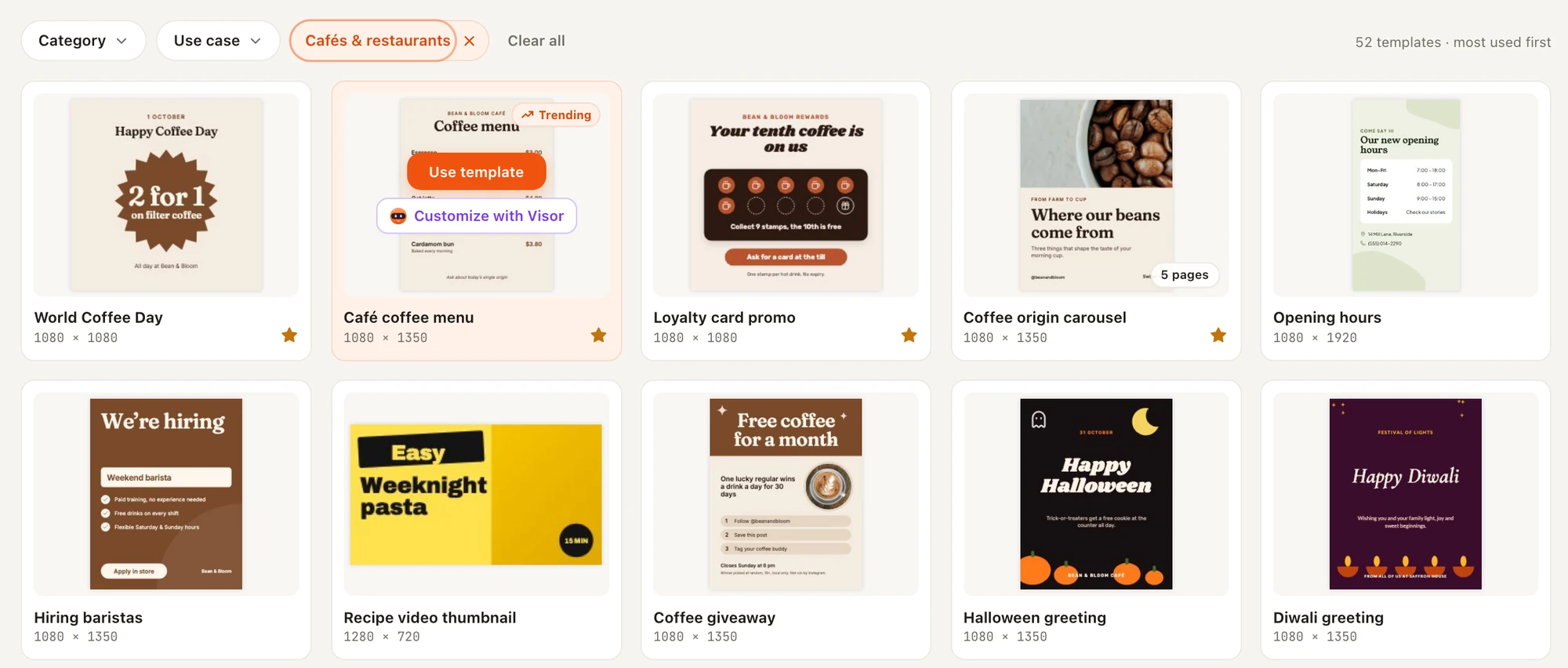
More than 440 templates, each built for a real job: a café menu, a hiring post, an offer, a carousel of tips. Filter by format, industry and use case, star the ones you like, and open any of them as an editable copy.
Know what to post next
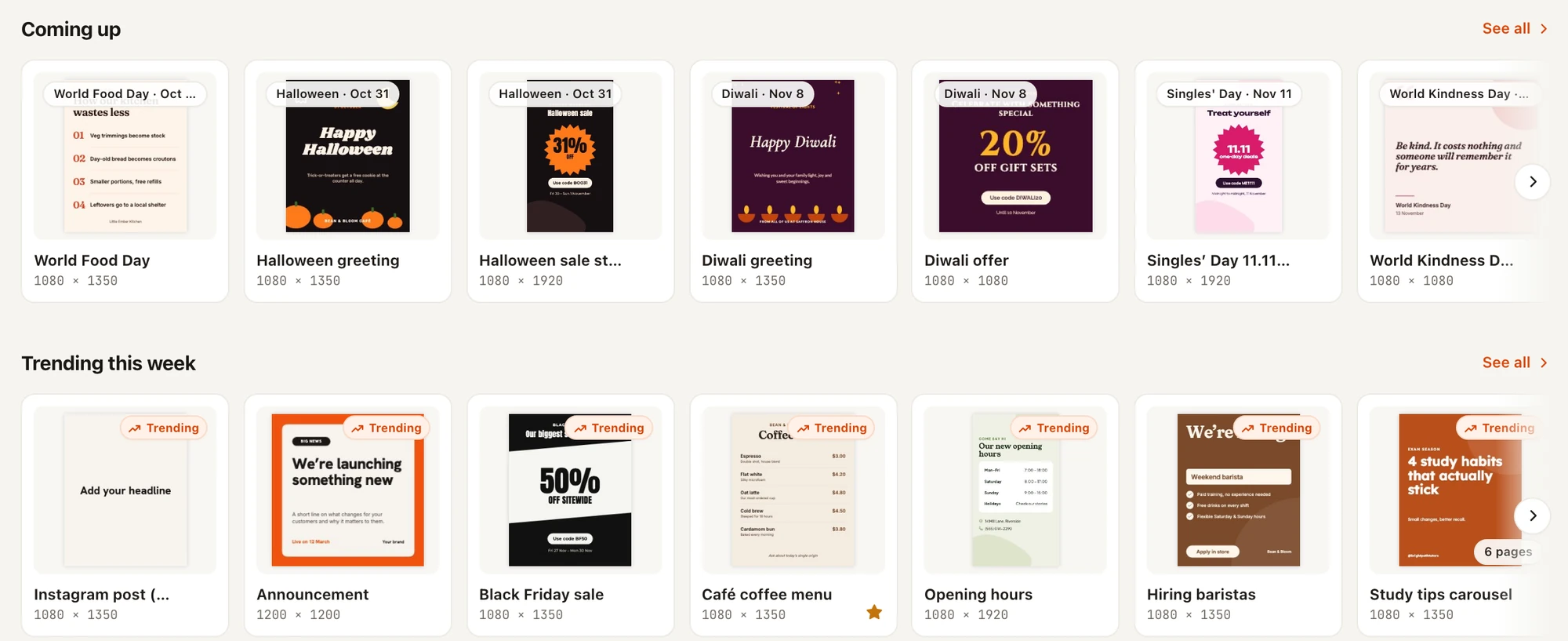
- Coming up suggests templates for dates on the social calendar, like World Food Day or Diwali, before they arrive.
- Trending this week shows what other Nimply workspaces are using right now.
- Favourites and Recently used keep your go-to templates one click away.
- Save any design as a template for your workspace. Only your workspace sees it.
- Made for you: templates our team designs for your business appear in their own row.
Editor
A full design editor in your browser
Everything you need to make a post look finished, without opening another app: type, photos, shapes, charts, layers and pages.
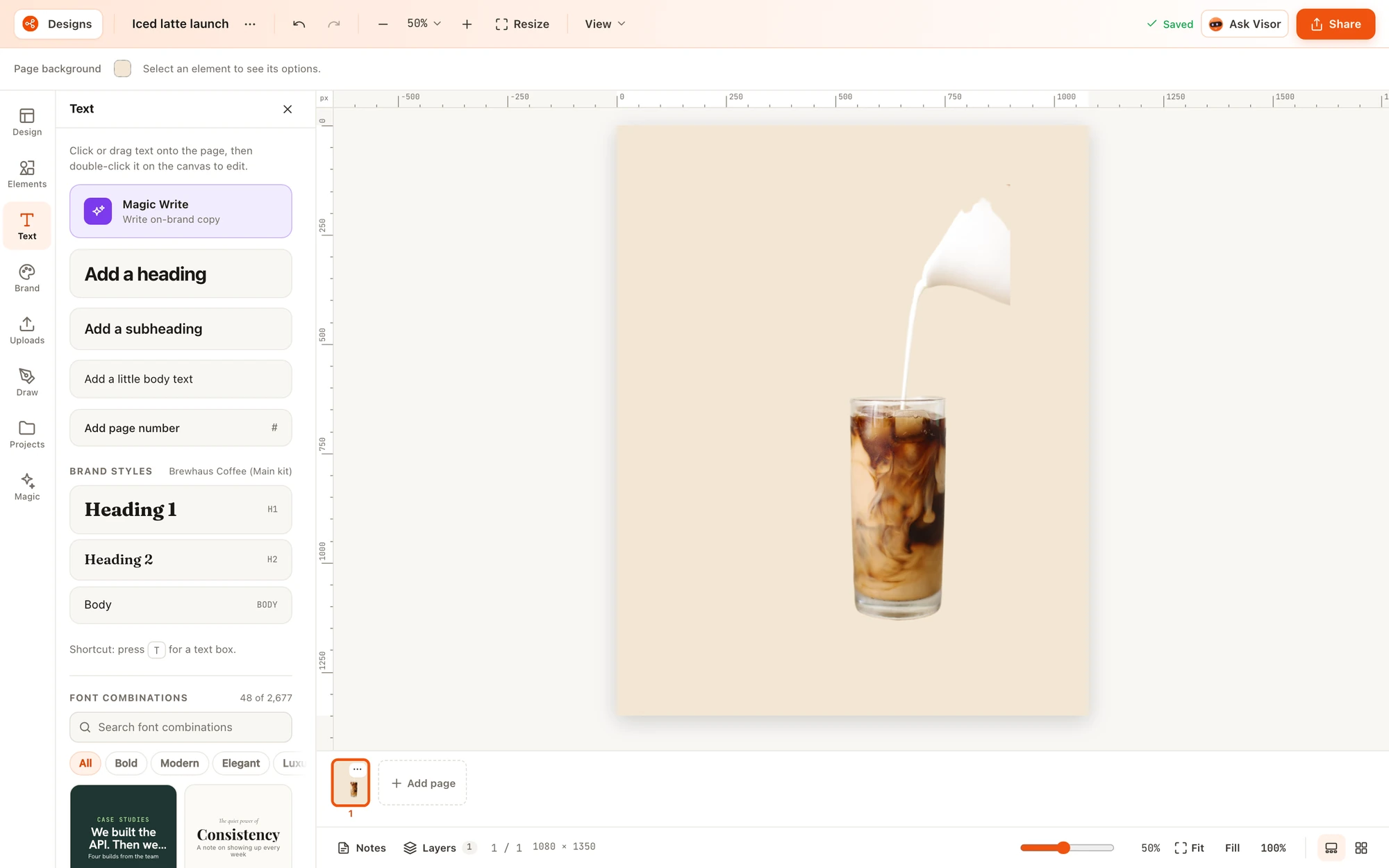
Type that looks designed
- Nearly 2,000 Google Fonts, each previewed in its own typeface.
- More than 2,600 ready-made font pairings for headlines, quotes, offers and lists.
- Text effects like shadow, outline, neon and glitch, plus curved, warped and path text.
- Magic Write drafts, rewrites, shortens or expands the words on the page.
- Translate turns a finished design into another language.
Photos, elements and stock
- Search stock photos and drop them straight onto the page.
- Shapes, lines, frames, photo grids, icons, stickers, emoji, mockups and QR codes.
- 13 chart types and editable tables for numbers posts.
- Draw with a pen, marker or highlighter.
- Import images, recolourable SVGs and Photoshop files with their layers.
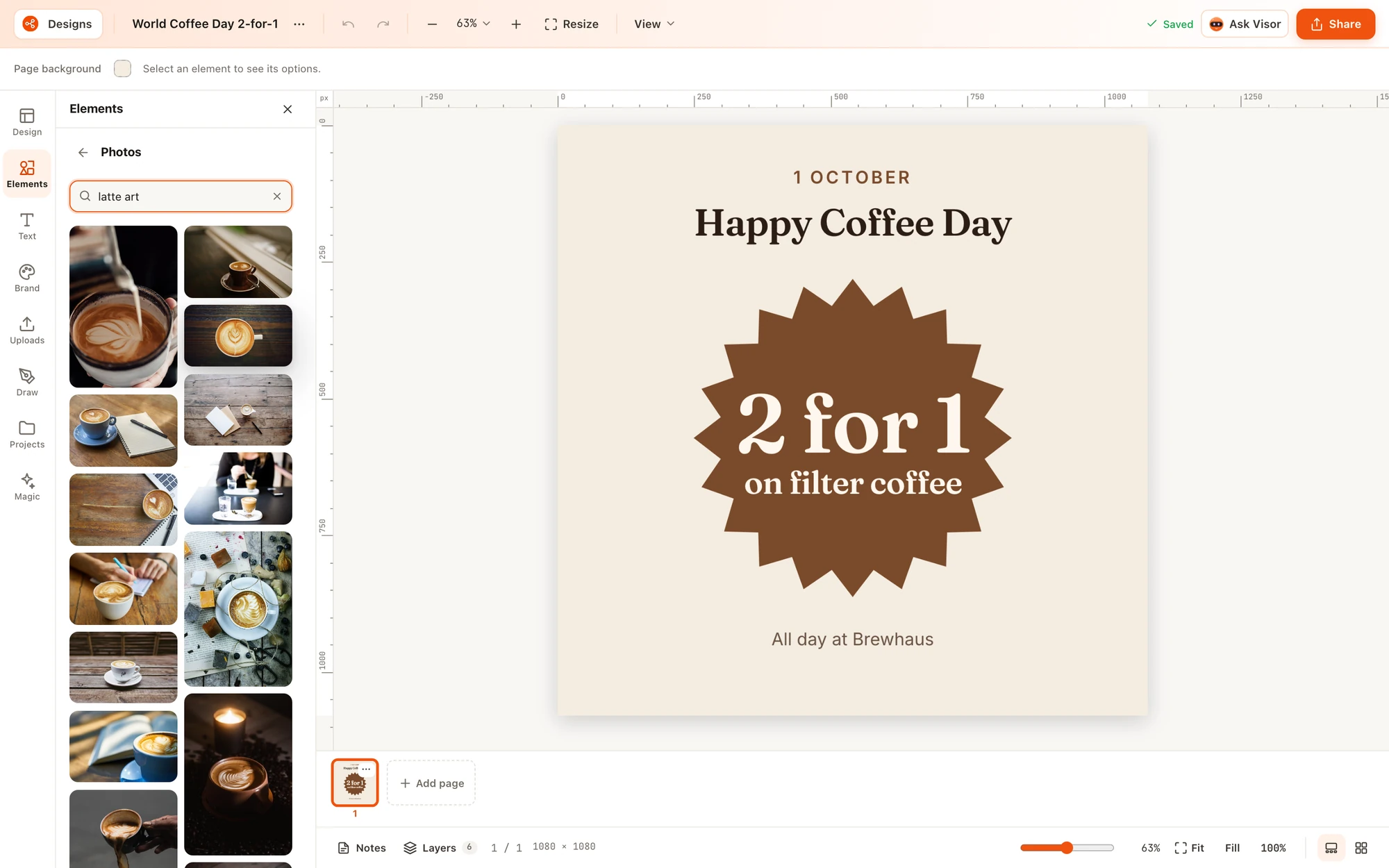
The right size for every platform
- 40 ready-made sizes for Instagram, Facebook, LinkedIn, X, TikTok, YouTube, Pinterest, Threads, web and print, or any custom size.
- Resize a design, or Copy & resize to make versions for several platforms at once.
- Carousels and multi-page designs with a page strip, a grid view and notes per page.
- Layers, smart guides, snapping and safe-area overlays so nothing important gets cropped.
- Version history, and Projects with folders, Starred and Trash.
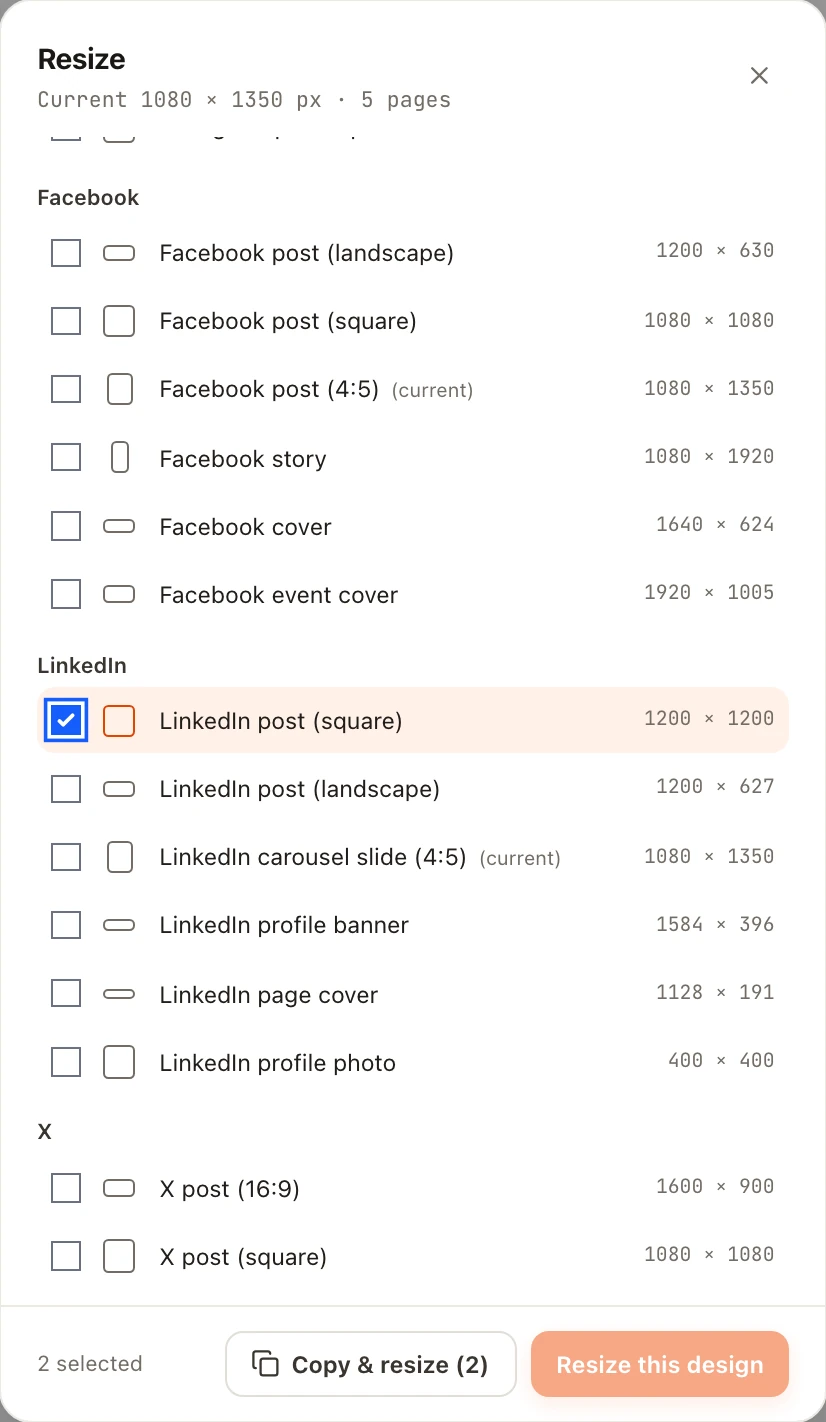
AI photo tools
Fix and reuse photos without leaving the design
Select a photo and the Edit image panel opens with every tool in one place. Each AI tool shows what it costs in credits before you run it.
BG Remover
Cuts the subject out of a photo so it sits cleanly on any background.
Upscale
Makes a small or soft photo sharper and bigger.
Magic Eraser
Brush over something you don't want and it disappears.
Magic Edit
Brush an area and describe what should be there instead.
Magic Expand
Grows a photo past its edges to fit a wider or taller size.
BG Generator
Puts your product on a new, generated background.
Magic Layers
Splits a flat picture into editable text, movable objects and a clean background.
Grab Text
Turns the words inside a picture into text you can retype.
Magic Grab
Lifts one object out of a photo so you can move or resize it.
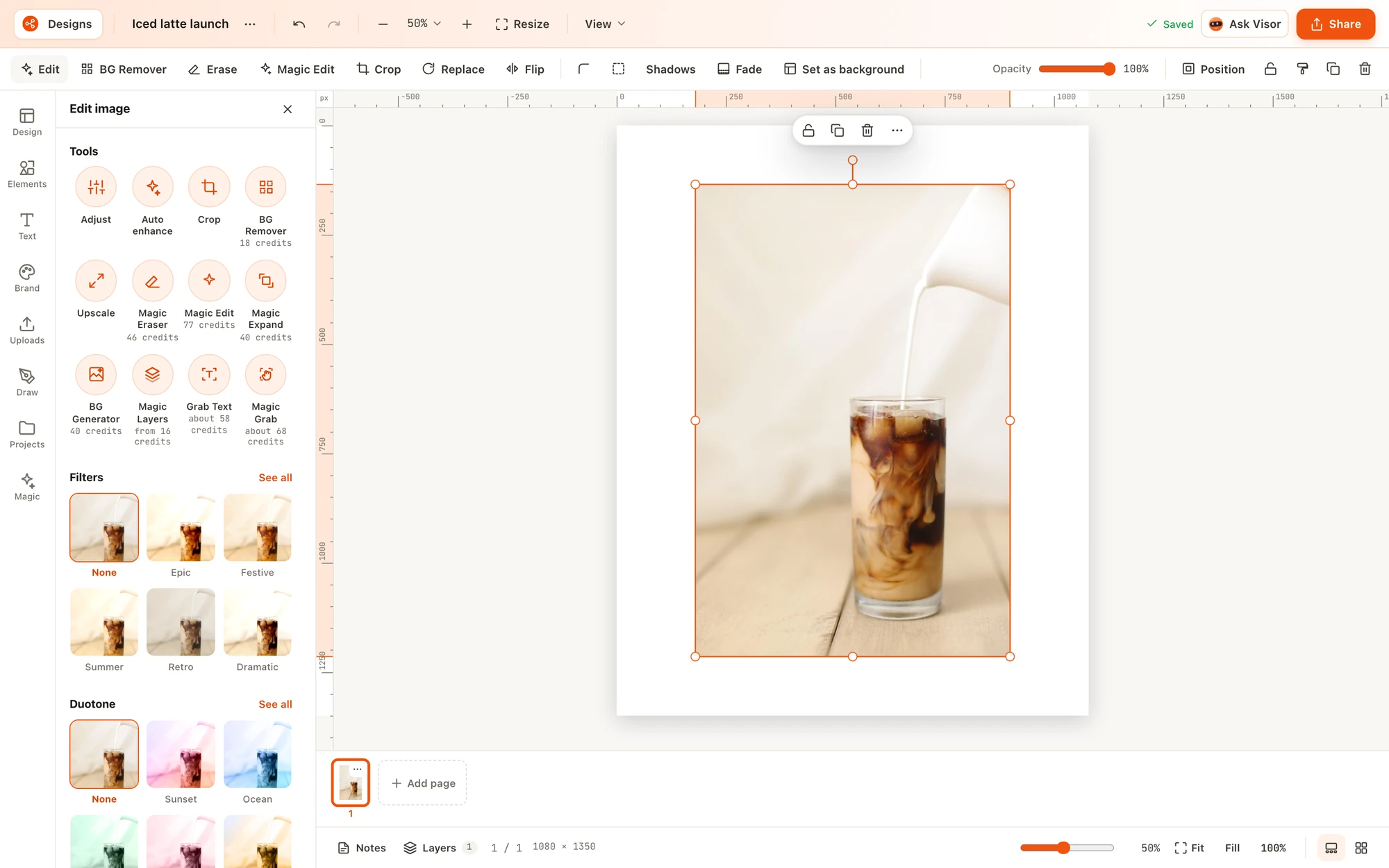
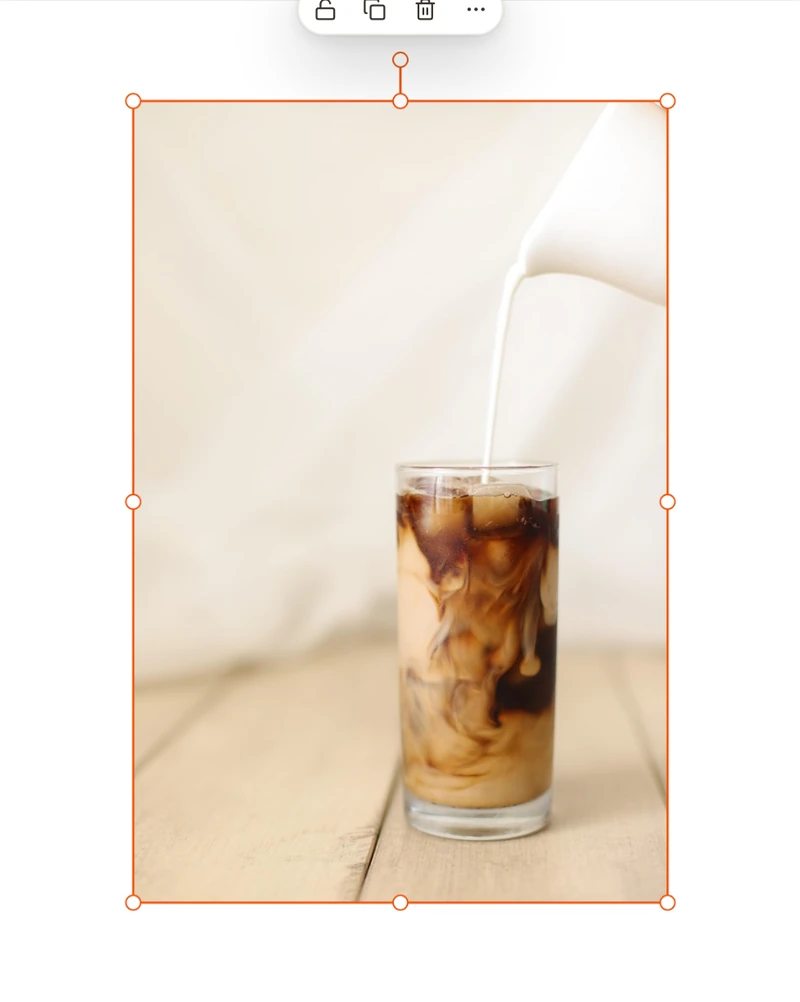
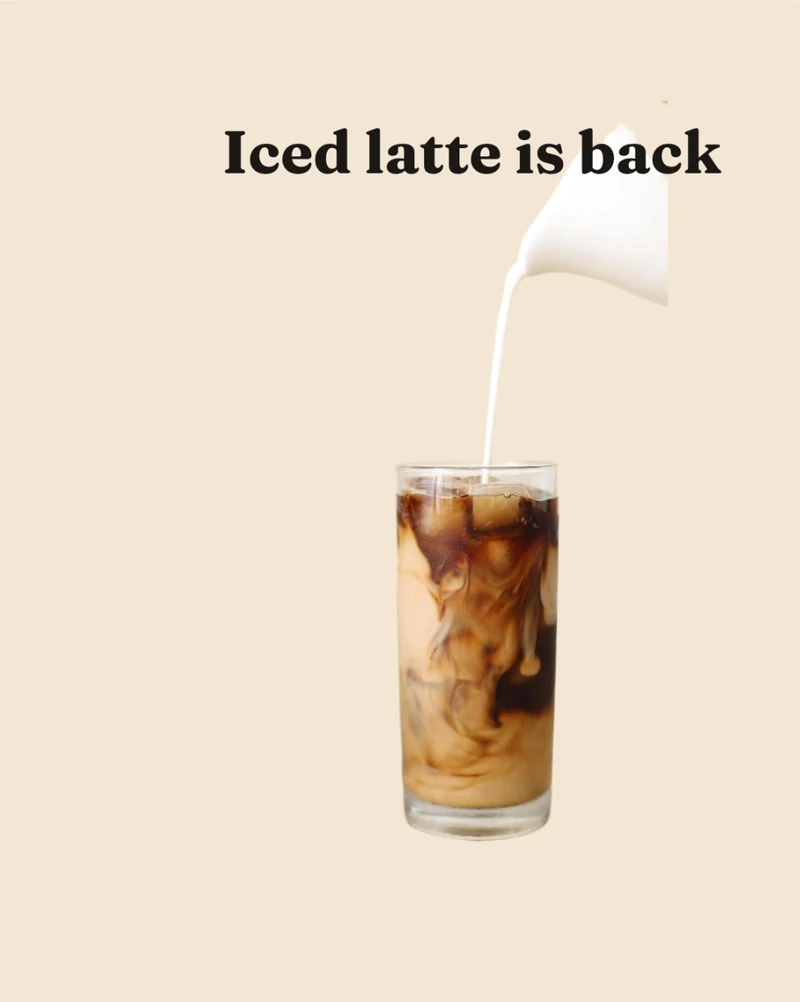
BG Remover, before and after
A stock photo, one click on BG Remover, a brand colour behind it and a headline on top.
Magic Layers: turn a flat picture back into a design
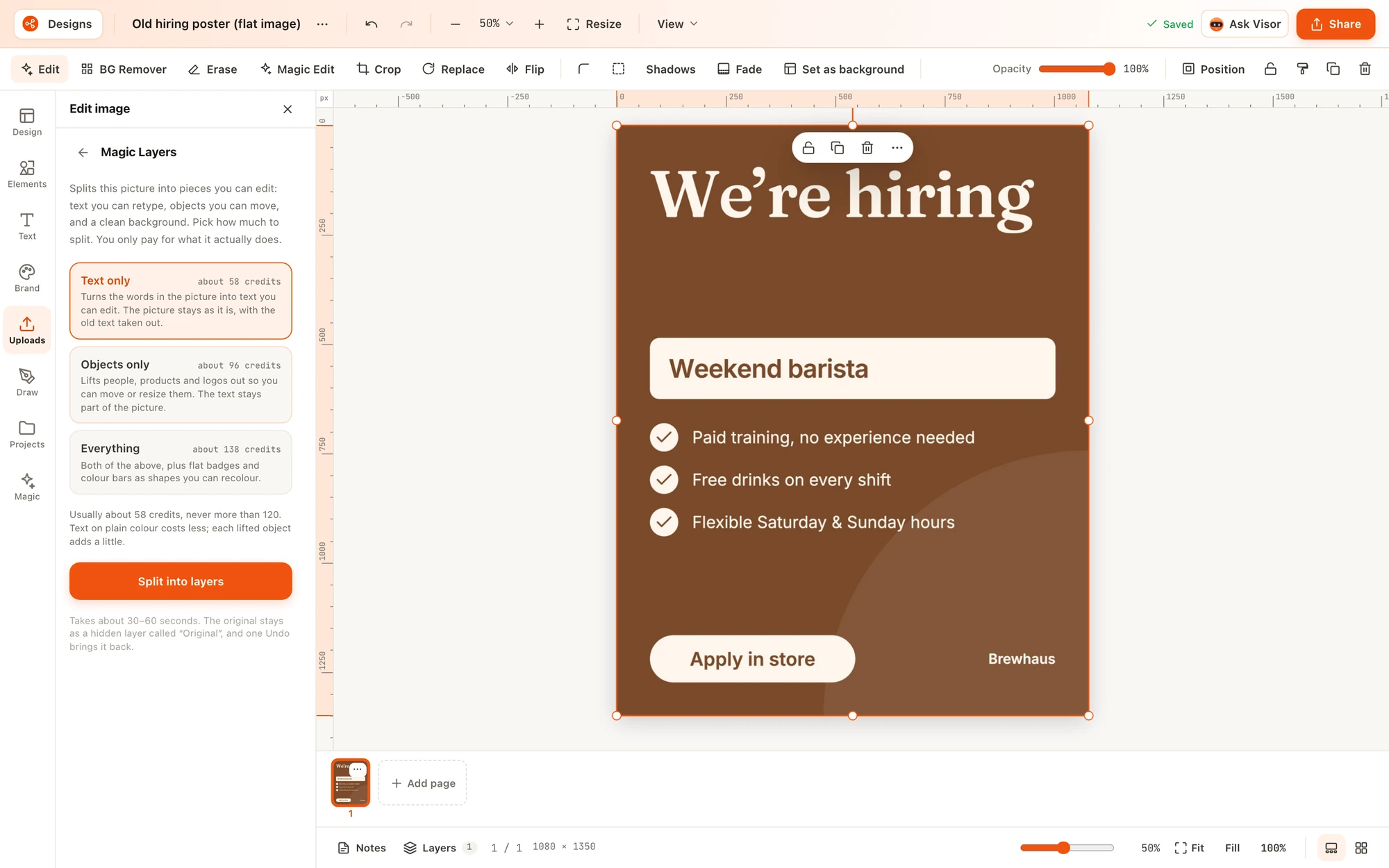
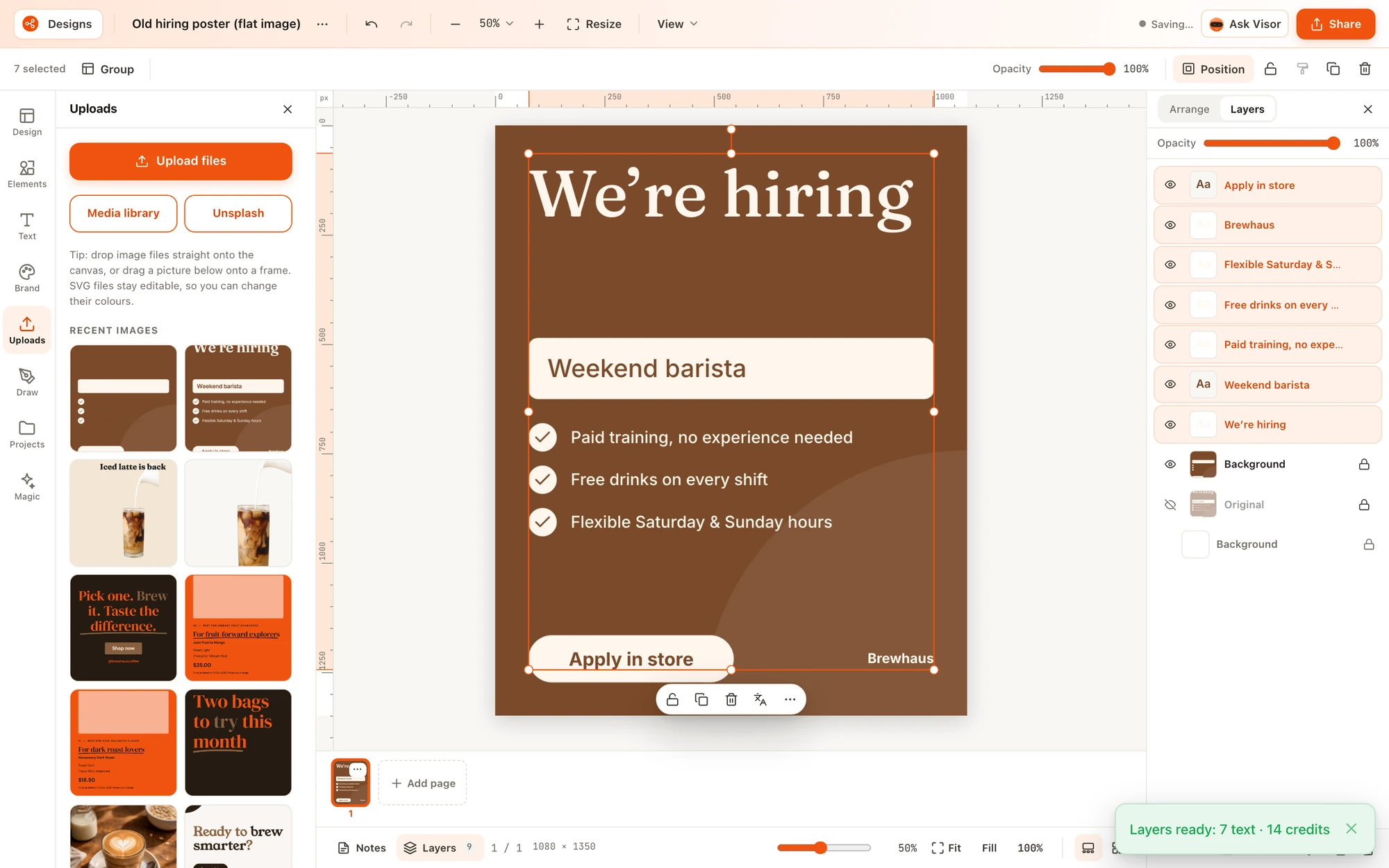
Have an old poster or a screenshot with no source file? Magic Layers splits it into text you can retype, objects you can move and a clean background. The original stays as a hidden layer, so one undo brings it back.
Brand kits
Every graphic on brand, for every channel
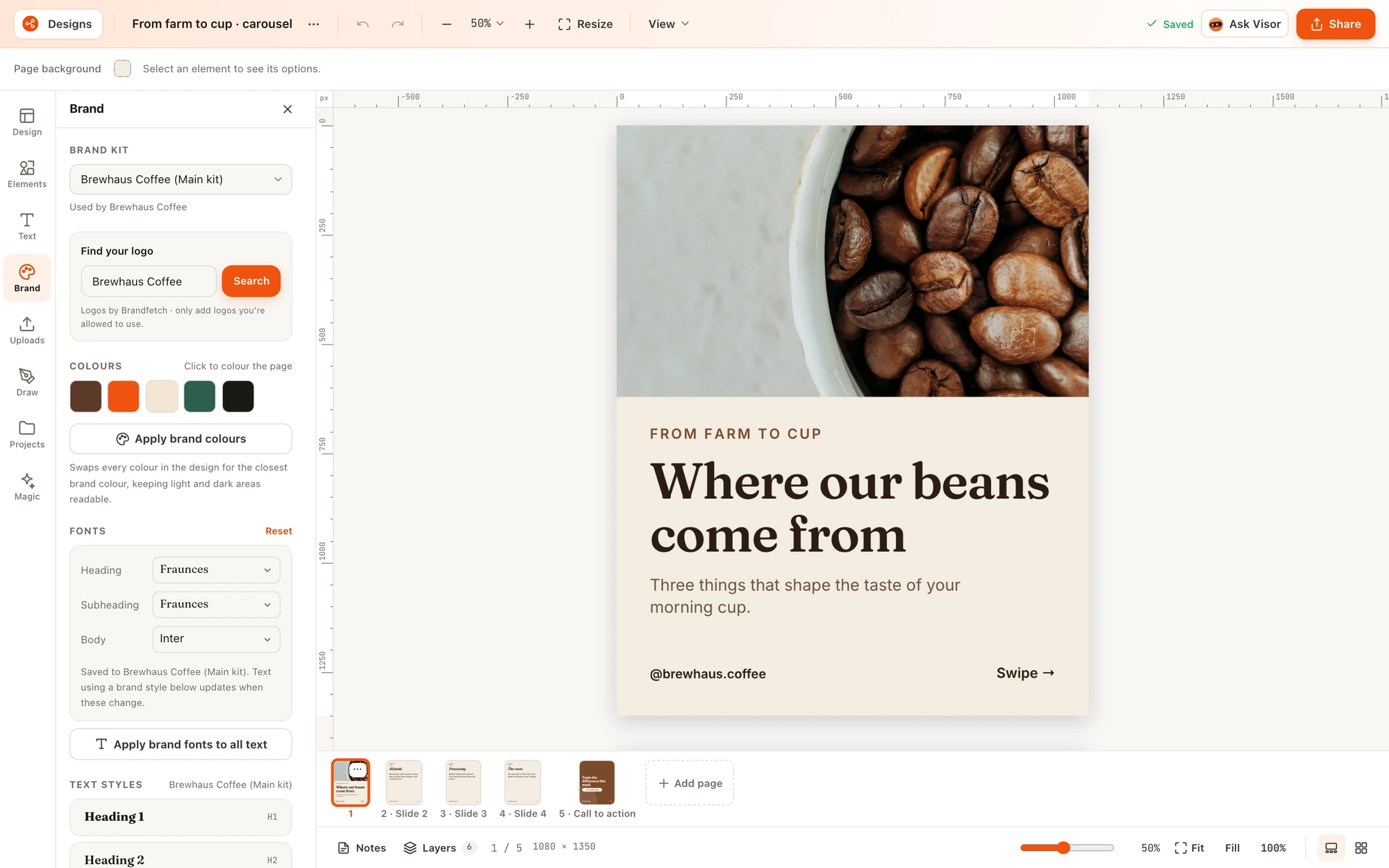
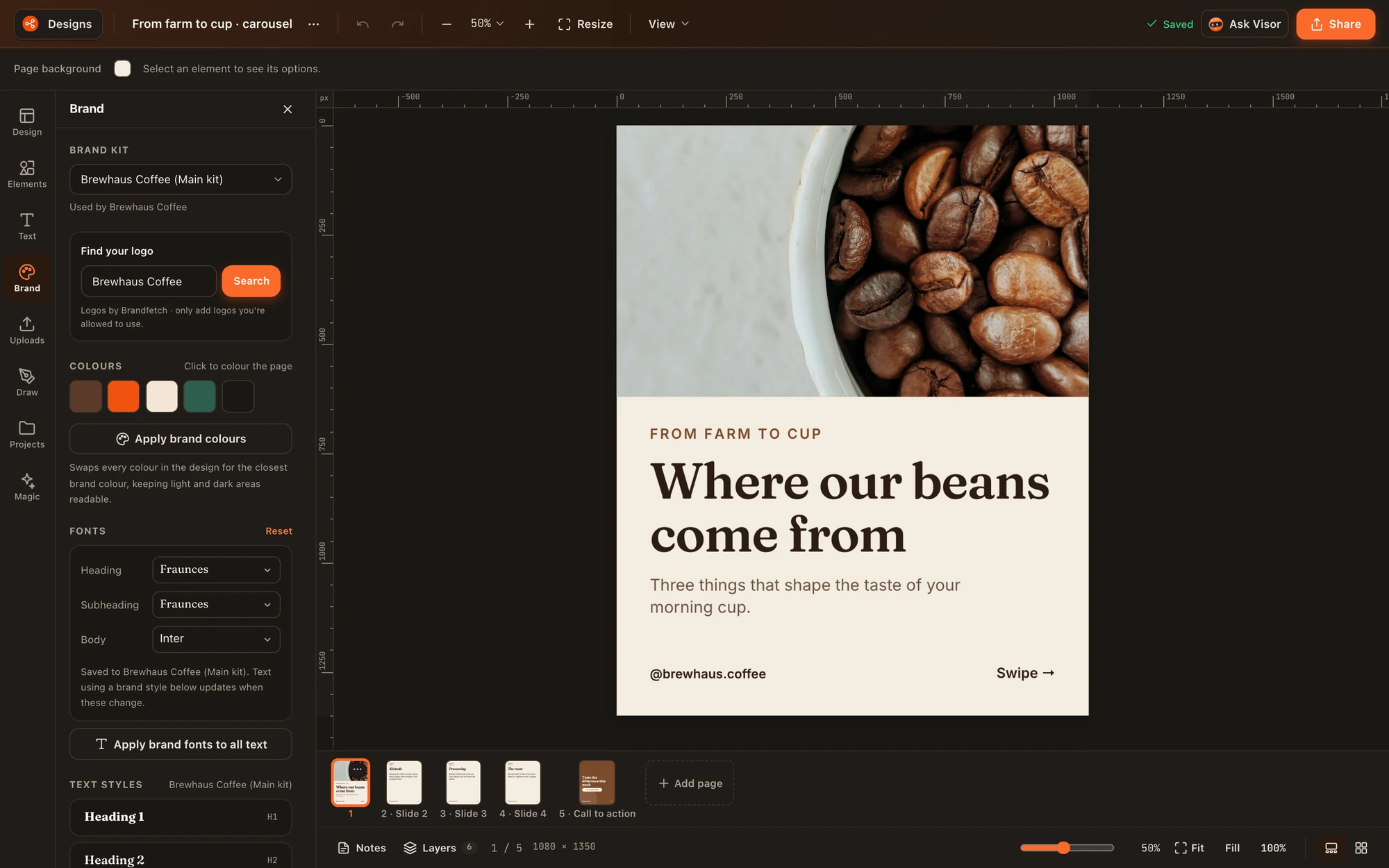
Brand kits hold your logo, colours, fonts and guidelines. Run more than one brand or sub-brand? Give each its own kit and choose which kit each channel uses.
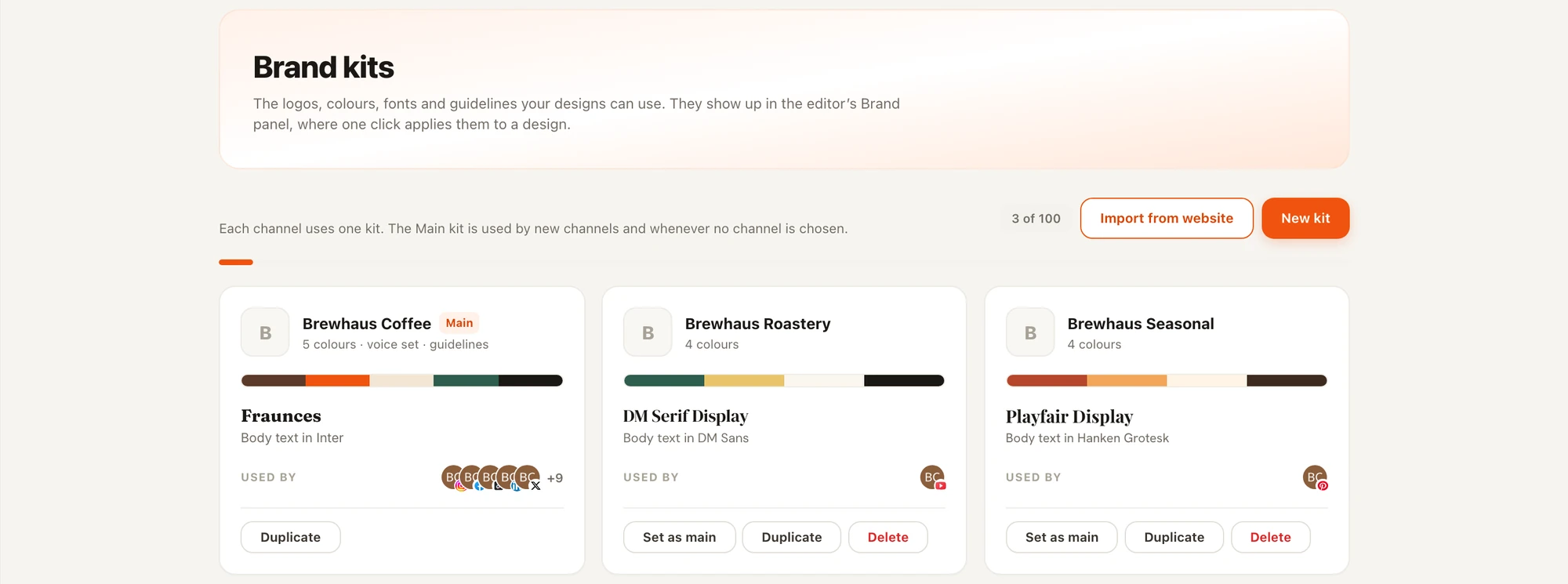
Several kits
One workspace can hold kits for different brands, locations or seasons.
A kit per channel
Each channel uses its own kit; the Main kit covers new channels and anything without one.
Import from your website
Start a kit from your site instead of typing hex codes. AI import is on paid plans.
One-click apply
In the editor, apply brand colours or brand fonts to the whole design at once. Custom fonts on paid plans.
Export & publish
Download it, or send it straight into a post
Design is part of Nimply, so a finished graphic does not have to leave the app. Use in post opens the composer with your pages attached. You pick the channels and the time; nothing publishes on its own.
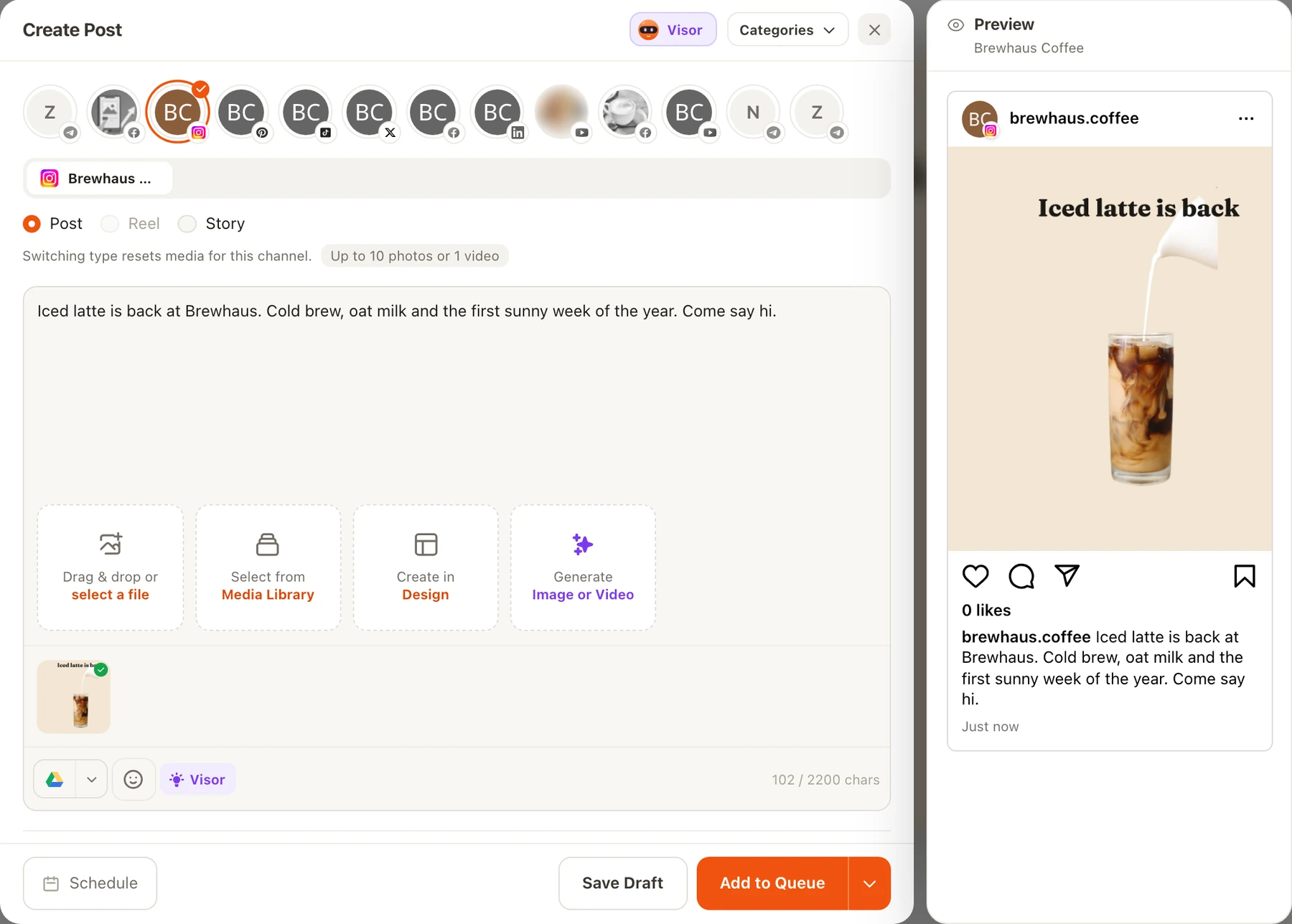
Drafts first
Use in post starts a draft. If your workspace uses approvals, it waits for sign-off before it reaches the calendar. Design never publishes anything by itself.
Agents stay on the rails
The Designer agent leaves an editable design and a draft post for your approval. Nothing it makes goes out until you say so.
One media library
Exports can be saved to your Nimply media library, so the graphics for a campaign live next to the rest of your content.
See how posts move through planning and approvals and the scheduling calendar.
Designer agent
Or let the Designer make the first draft, and watch it work
The Designer is one of Nimply's AI agents. Give it a topic and it plans the copy and layout, applies your brand kit, checks its own work and leaves an editable design in Design, with a draft post waiting for your approval.
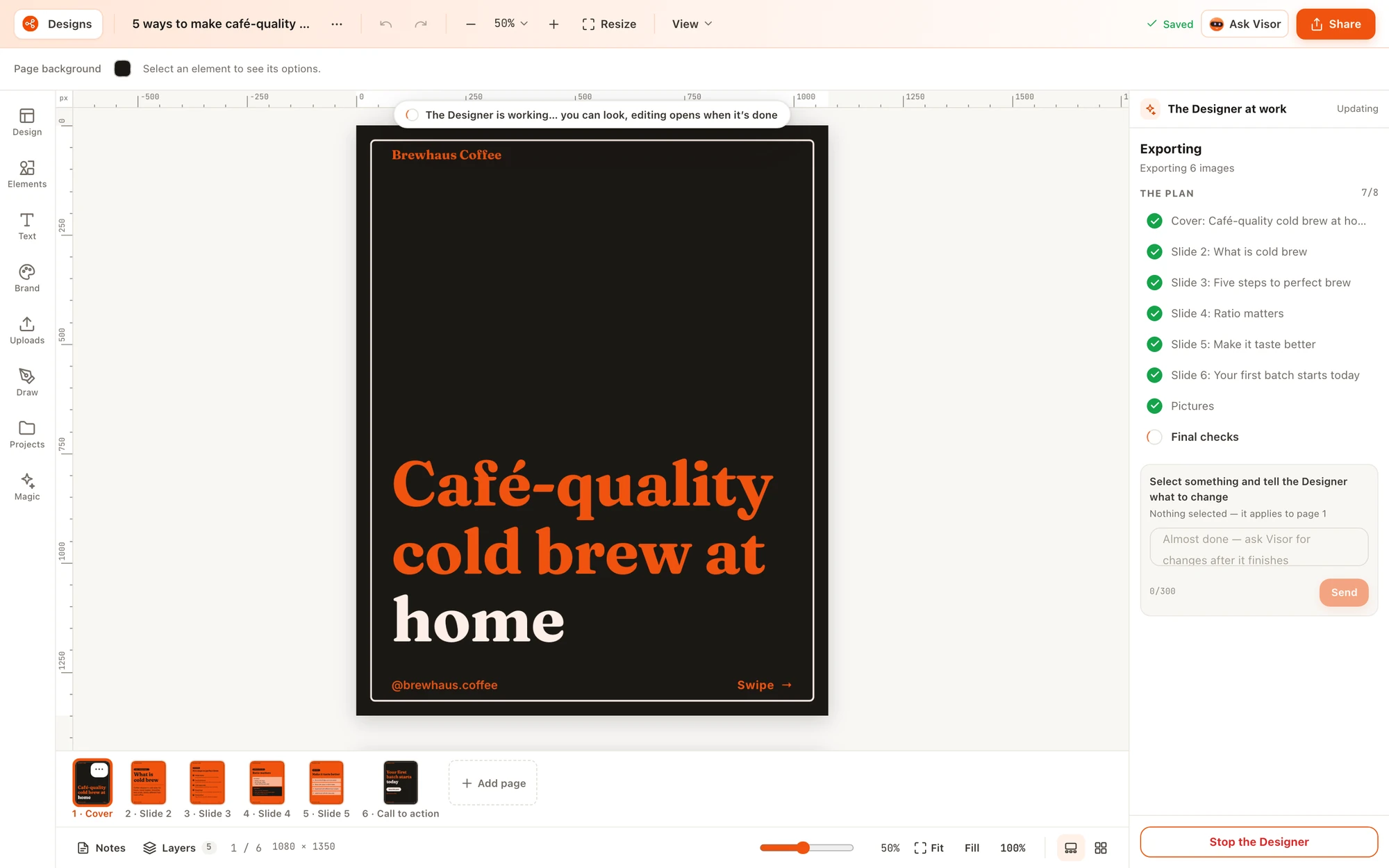
Carousels, images, pins, stories, thumbnails and covers
Pick the design type when you run it, or let the agent use its default.
Carousel Designer and Thumbnail Director presets
Ready-made setups for multi-slide carousels and video thumbnails.
Let me pick from options
Ask for a few versions and keep only the one you like.
Ask for changes
Leave a note on the draft and the Designer redoes only what you mention.
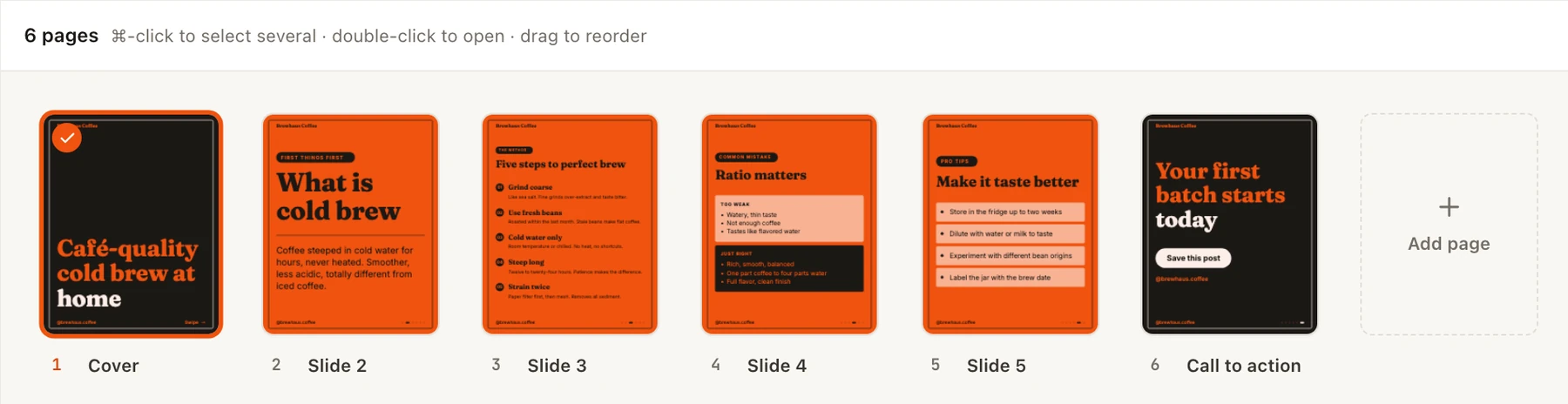
Read more about the Carousel Designer and Thumbnail Director presets. Agent runs use AI credits, and each run shows what it used.
Everything in Design
The full feature list
Sizes & resize
40 platform sizes, custom sizes, and Copy & resize to make versions for other platforms in one go.
Templates
440+ templates with format, industry and use-case filters, Favourites, Recently used, Trending and Coming up.
Your own templates
Save any design as a template your whole workspace can reuse. Only your workspace sees it.
Text
Nearly 2,000 Google Fonts, 2,600+ font pairings, text effects, curved and warped text, and text on a path.
Elements
Shapes, lines, frames, grids, icons, stickers, emoji, mockups, QR codes and stock photos.
Charts & tables
13 chart types and editable tables for stats posts and comparisons.
Draw
Pen, marker and highlighter for quick hand-drawn notes and arrows.
Layers & alignment
A layers panel, smart guides, snapping, align and space evenly, rulers and platform safe areas.
Pages & carousels
Up to 100 pages per design, with a page strip, grid view and notes.
AI photo tools
BG Remover, Upscale, Magic Eraser, Magic Edit, Magic Expand, BG Generator, Magic Layers, Grab Text and Magic Grab.
Writing help
Magic Write drafts and rewrites copy on the page; Translate turns a design into another language.
Visor in Design
Ask Visor, Nimply's assistant, to restyle, resize or add a page. Every change is one undo step.
Brand kits
Several kits per workspace, one per channel, brand import from your website, and custom fonts.
Import
Bring in images, SVGs you can recolour, and Photoshop (PSD) files with their layers.
Export
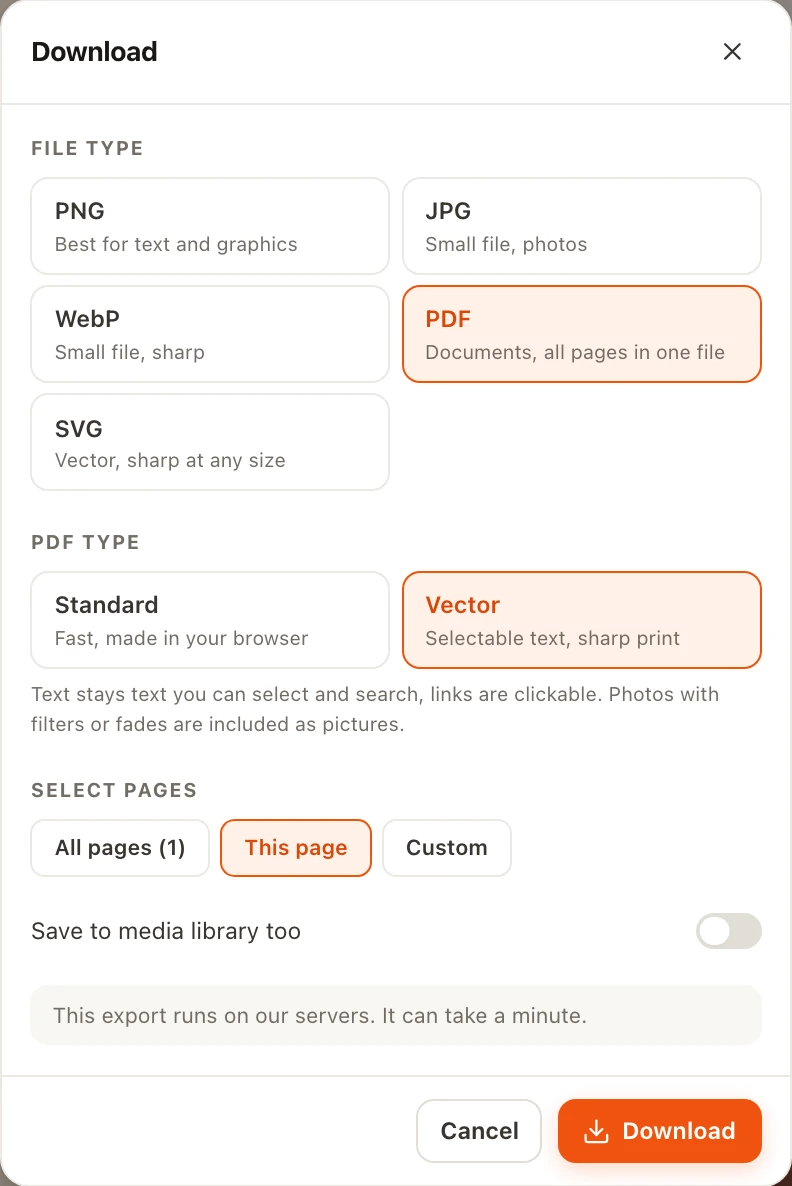
PNG, JPG, WebP, PDF (standard or vector) and SVG, with transparent backgrounds and page selection.
Projects
Folders, Starred and Trash, plus version history inside every design.
Use in post
Send pages straight into the post composer, then through approval and scheduling.
Designer agent
An AI agent that designs carousels, thumbnails and more on your brand, and lets you watch it work.
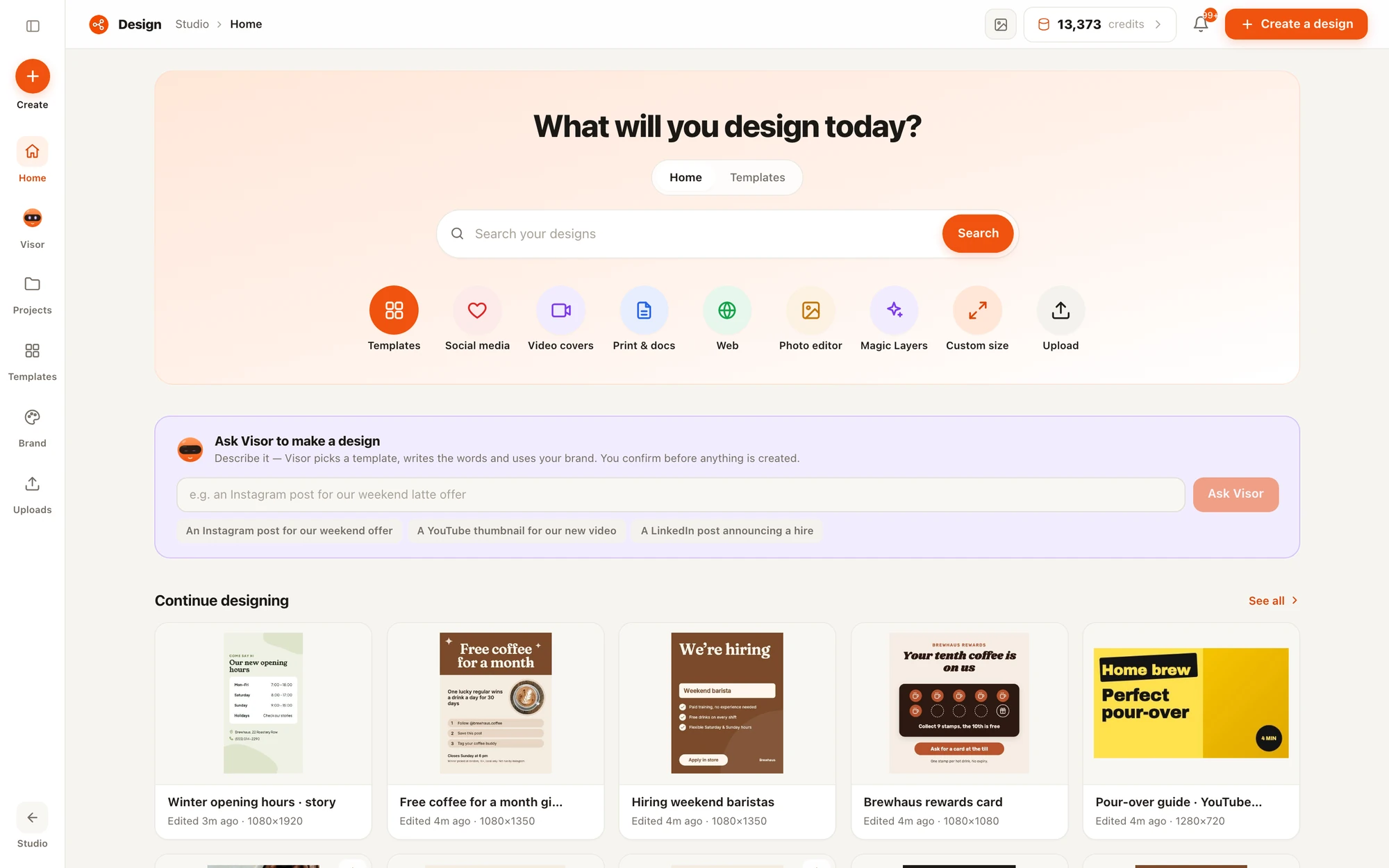
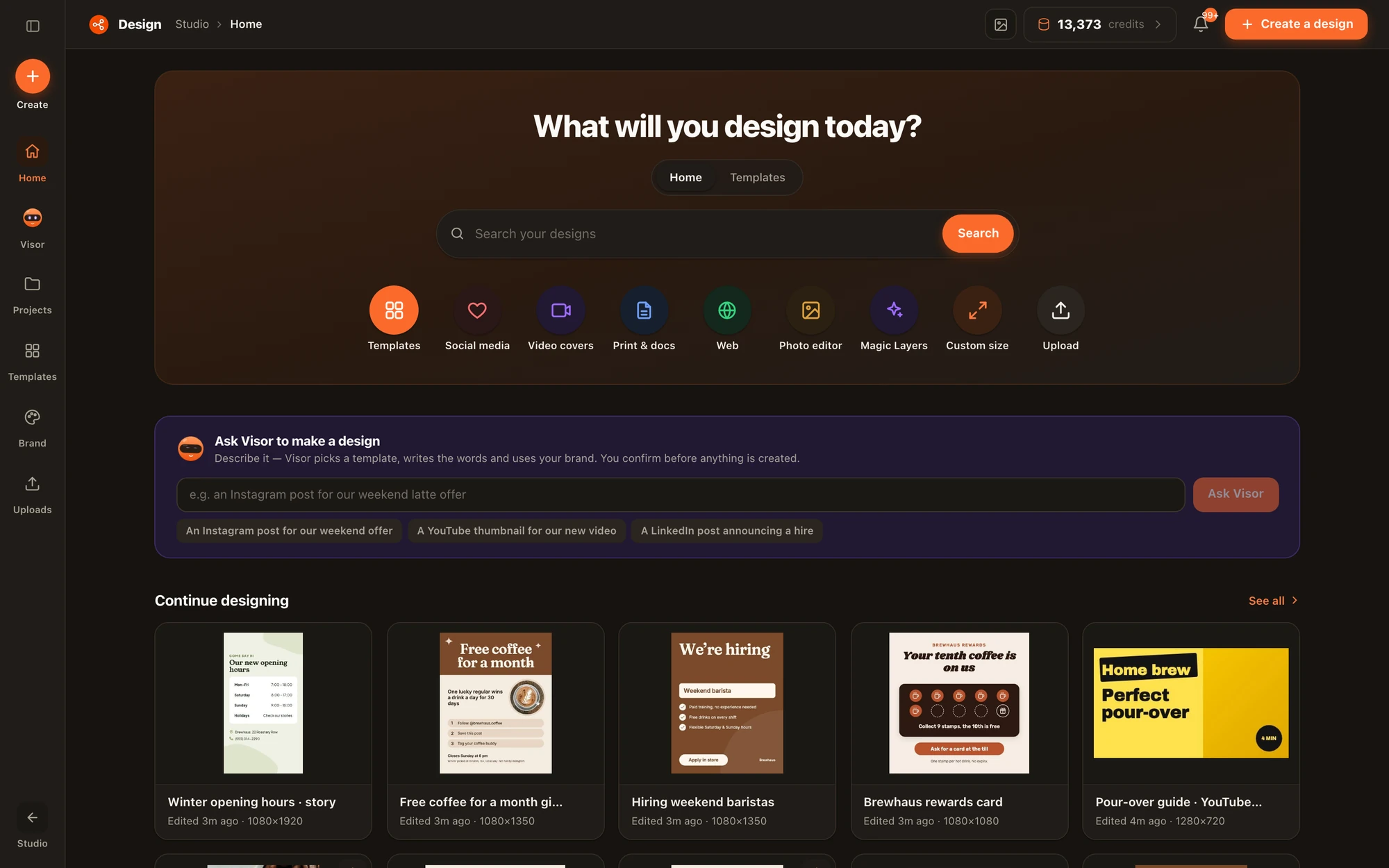
Credits, plainly
What uses AI credits
- No credits: designing, templates, fonts, elements, brand kits and normal downloads. Design is part of every plan, including Free.
- AI tools: BG Remover, Upscale, Magic Eraser, Magic Edit, Magic Expand, BG Generator, Magic Layers, Grab Text, Magic Grab, Translate, Magic Write and Visor use AI credits. The AI photo tools are part of the paid plans. Each photo tool shows its cost before you run it, and a failed run gives the credits back.
- Very large exports: any side above 2160 pixels or more than 2x scale is rendered on our servers for about 1 credit per page. The download dialog says so before you confirm.
- Designer agent: each run uses credits for the work it does and shows the total when it finishes.
See how many credits each plan includes on the pricing page.
Frequently asked questions
What does Design cost? Do downloads use AI credits?
Design is part of every Nimply plan, including Free. Normal downloads use no AI credits. Very large exports, meaning any side above 2160 pixels or more than 2x scale, are rendered on our servers for about 1 AI credit per page, and the download dialog tells you before you confirm. AI tools such as BG Remover, Magic Layers, Magic Write and Translate use AI credits, and the AI photo tools are part of the paid plans.
How do I know what an AI photo tool will cost?
Each AI photo tool shows its credit cost on its button before you run it. Tools that do a variable amount of work, like Magic Layers, show an estimate and a maximum, and you are charged for what the tool actually did. If a run fails, the credits come back.
Which sizes and templates can I start from?
There are 40 ready-made sizes covering Instagram, Facebook, LinkedIn, X, TikTok, YouTube, Pinterest, Threads, web and print, plus any custom size. The template gallery has more than 440 templates you can filter by format, industry and use case. Coming up suggests templates for upcoming dates on the social calendar, and you can star favourites.
Can I use my own brand and fonts?
Yes. Brand kits hold your logo, colours, fonts and guidelines. A workspace can have several kits and each channel can use its own. You can import a kit from your website and upload your own font files on paid plans. In the editor, one click applies your brand colours or fonts to the whole design.
Can I edit a flat image, like an old poster or screenshot?
Yes. Magic Layers splits a flat picture into editable text, movable objects and a clean background. Grab Text turns only the words into editable text, and Magic Grab lifts out a single object. The original picture is kept as a hidden layer, so one undo brings it back.
What is the Designer agent?
The Designer is one of Nimply's AI agents. Give it a topic and it plans the copy and layout, applies your brand kit, checks its own work and leaves an editable carousel, image, pin, story, thumbnail or cover in Design, with a draft post for your approval. You can watch it design live and ask for changes as it works.
Which file formats can I import and export?
You can import images, SVG files and Photoshop (PSD) files with their layers. You can export PNG, JPG, WebP, PDF (standard, or vector with selectable text) and SVG. Design makes still images; it does not export video or animated GIFs.
Design it, approve it, schedule it
Open Design inside Nimply Studio and make your next post in the size it needs, with your brand already loaded.