

Comment “GUIDE” → DM the guide
New comment → Reply & DM by keyword
Someone comments your keyword on a post, they instantly get the link in their DMs — plus an optional public reply. Keyword rules can be scoped to a single post.
Automations
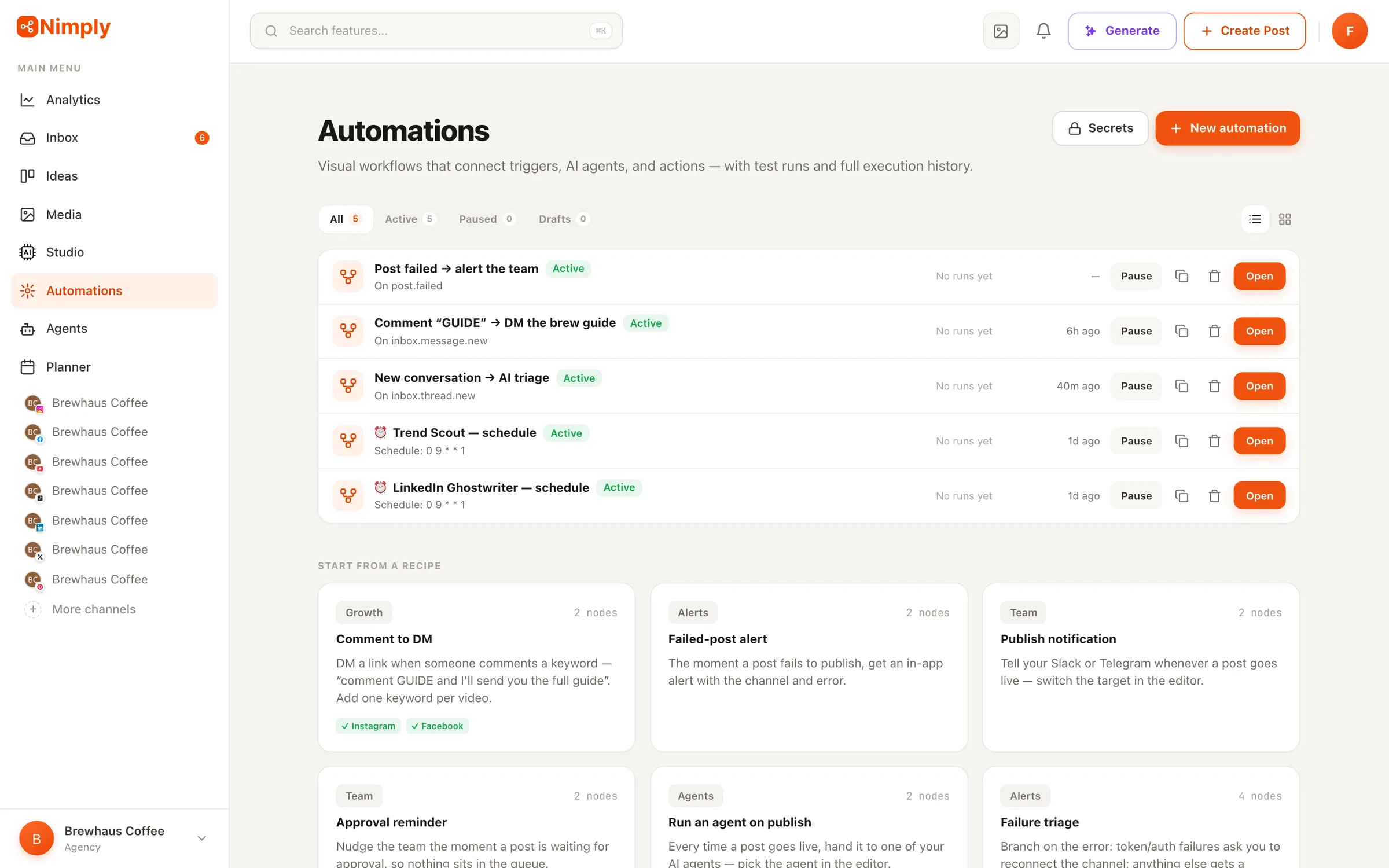
Build workflows on a visual canvas — the way n8n works, but living inside your social media workspace. A comment triggers a DM, a new conversation gets AI-triaged, a failed post pings your Slack. Test every flow on sample data first; nothing ever publishes without your approval.
The building blocks
Every workflow is one trigger, any number of actions, and logic in between. These are the actual nodes on the canvas — not a roadmap.
Post published, failed, approved or rejected, channel connected, new inbox conversation, agent run finished — react to anything that happens in your workspace.
Fires when someone comments on your Instagram or Facebook content — the trigger behind comment-to-DM flows.
Runs on a recurring cron schedule — every Monday at 9:00, first of the month, whatever cadence you set.
Starts only when you press Run — for on-demand workflows and quick experiments.
Runs one of your configured AI agents and passes its output to later nodes.
Creates a draft post that enters your normal approval workflow — never publishes directly.
Sends a message to Slack, Telegram, or Nimply's in-app notifications, with trigger data interpolated in.
Calls any external URL — an outgoing webhook to your own systems — and exposes the response to later steps.
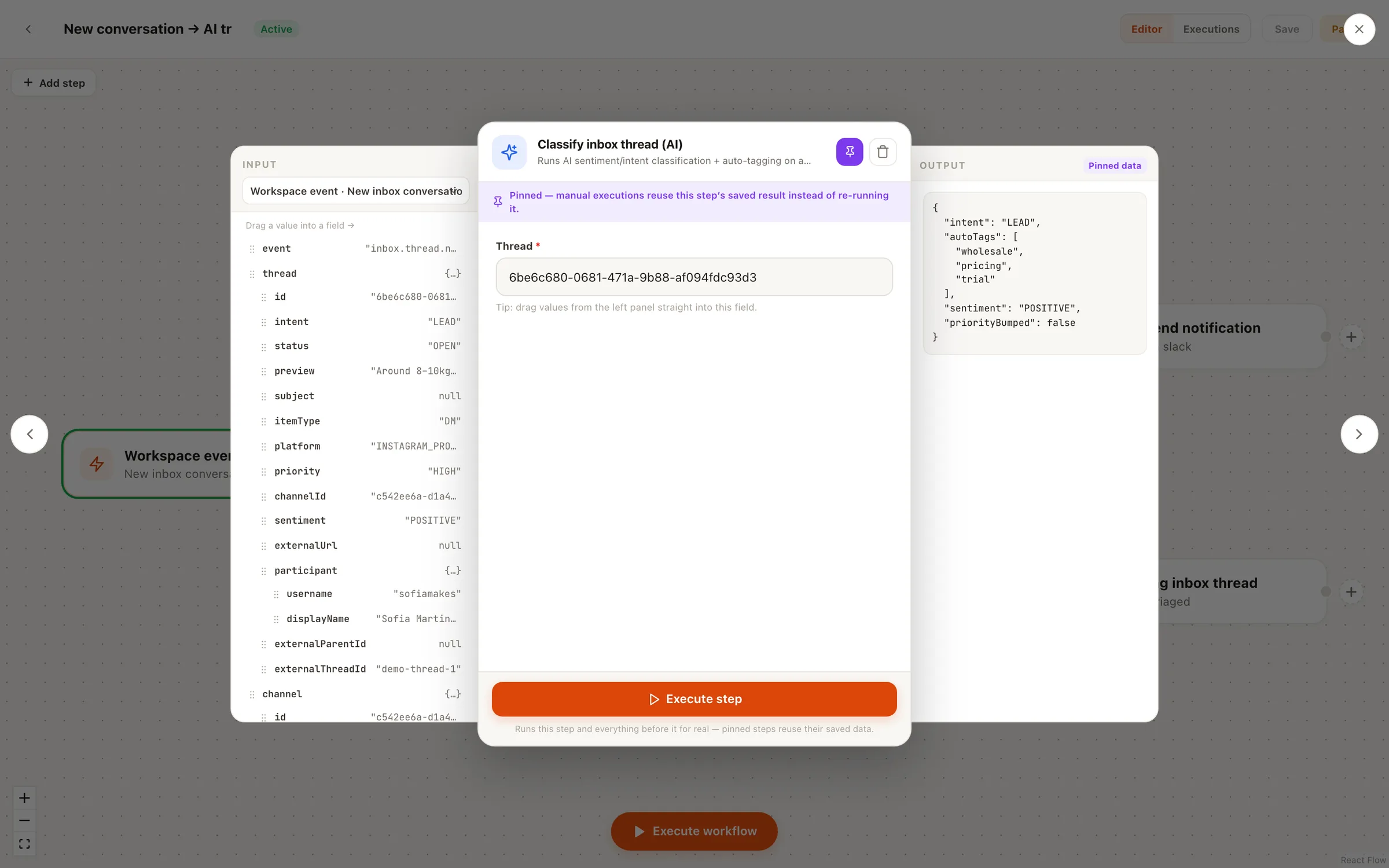
Runs AI triage on an inbox conversation — sentiment, intent, priority — so the flow can branch on the result.
Reply in a thread, assign a teammate, add a tag, or change status and priority — the whole inbox, scriptable.
The comment-to-DM engine: when a comment matches a keyword, DM the commenter and optionally reply publicly.
Branches into a true and a false path — compare any value from the trigger or a previous node.
Pauses a branch for minutes, hours, or days, then continues. Test runs skip the wait.
Reference trigger data anywhere with {{expressions}} — a failed post’s title in your Slack message, a commenter’s name in their DM.
Recipes
The recipe gallery drops a pre-wired flow onto the canvas — you fill in keywords, channels, and messages, test it, and go live.
New comment → Reply & DM by keyword
Someone comments your keyword on a post, they instantly get the link in their DMs — plus an optional public reply. Keyword rules can be scoped to a single post.
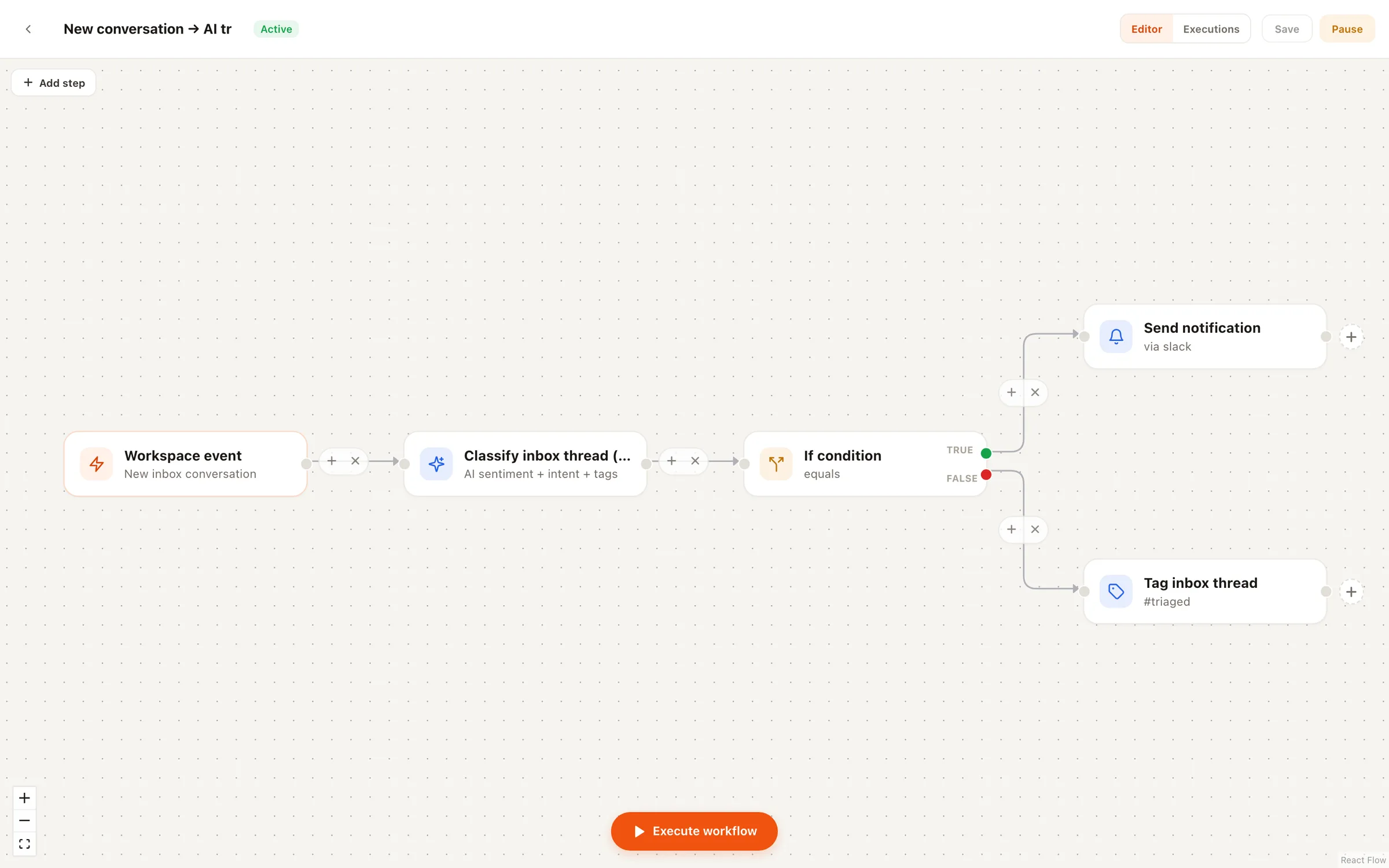
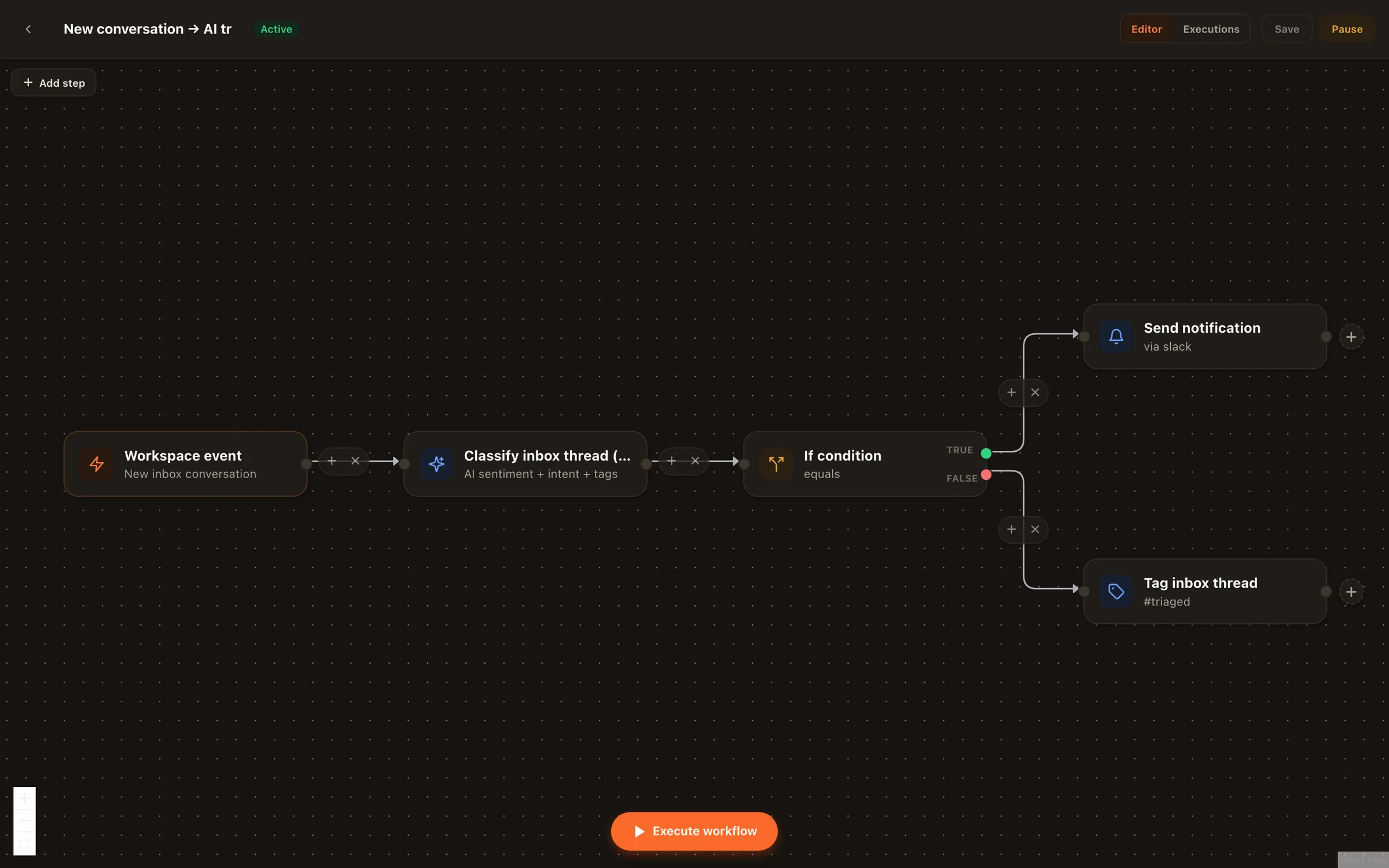
New inbox conversation → AI classify → If → Slack alert / auto-tag
Every new DM or comment thread gets classified on arrival. Complaints and urgent messages ping your Slack; everything else is tagged and prioritized automatically.
Workspace event (post failed) → Notify Slack
A publish fails, your team hears about it in seconds — with the post and channel interpolated into the message — instead of discovering it a day later.
Schedule → Run agent → Create draft
When you give an agent a schedule in the agent wizard — a ghostwriter posting weekly, say — it appears here as a real automation you can open, inspect, and extend with extra steps.
The rails
The scary part of automated social media posting is the “automated” part. Nimply’s answer is rails you can’t take off —
Test runs execute the whole flow on sample data without touching your platforms — no DMs, no posts, no side effects — and show each node's outcome on the canvas.
The create-draft action produces drafts that enter your normal approval pipeline. There is no node that publishes directly to a channel.
Full execution history with per-node results painted on the canvas — what fired, what each step received, produced, and decided.
Schedules created in the agent wizard show up here as real automations — nothing runs on a hidden timer you can't open and inspect.
Inside a step
Every step opens into an n8n-style editor: the input data arriving from the trigger on the left, the step’s configuration in the middle, and its real output on the right. Hit Execute step and the node runs for real — below, the AI classify step reads an incoming message and returns intent LEAD, auto-tags, and a positive sentiment. Pin a step and later edits reuse the saved data instead of re-running it.
It's a visual, node-based workflow builder inside your social media workspace — the way tools like n8n work, but with native access to your posts, channels, inbox, approvals, and AI agents. You drag a trigger onto a canvas (a workspace event, a new comment, a schedule, or a manual button), then chain actions like creating draft posts, running an agent, DMing a commenter, or alerting Slack — with if-conditions and waits to shape the flow.
No — by design. The create-draft action only ever produces drafts that enter your normal approval workflow, and there is no publish action to add. This is a deliberate safety rail: no automation can push content to your channels unreviewed.
Run it in test mode. A test run executes the whole flow on sample data without touching your platforms — no DMs sent, no posts created, no credits wasted — and paints each node's result directly on the canvas so you can see exactly what would have happened. When it looks right, activate it.
Nimply automations run inside your workspace with your posts, inbox threads, and agents as first-class citizens — no connector setup, no extra subscription, and safety rails a generic tool can't enforce (like draft-only posting). For flows that span other products, Nimply also offers Zapier, Make, and n8n integrations via its public API, and the HTTP node can call any external service directly.
No. A recipe gallery gives you one-click starting points — comment-to-DM, AI inbox triage, failed-post alerts, and more — that land on the canvas pre-wired so you only fill in your keywords, channels, and messages. And when an AI agent is set up with a schedule, that schedule appears as a visible automation you can extend.
Every execution is recorded in a full run history: which trigger fired, what data it carried, and each node's input, output, and outcome. Results are painted on the canvas per node, so debugging a flow means looking at it, not digging through logs.
Start free, pick a recipe or drag a trigger onto the canvas, test it on sample data, and switch it on.