

Design templates
Gift certificate template designs you can edit online
Choose a gift certificate template, add your business name, amount and terms, and download it when it looks right. Each design is made for a different kind of shop or service, so you can start close to what you need and change colours, fonts and photos in the Nimply editor.
8 templates · free to edit in Nimply Design
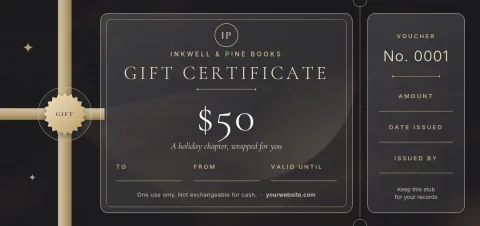
Dark luxe salon voucher
Gift voucher
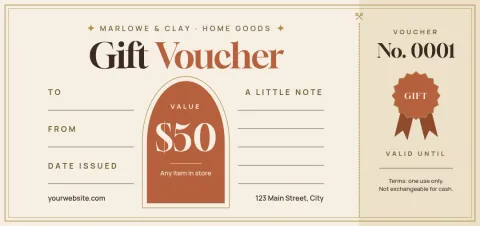
Cream and gold classic certificate
Gift voucher
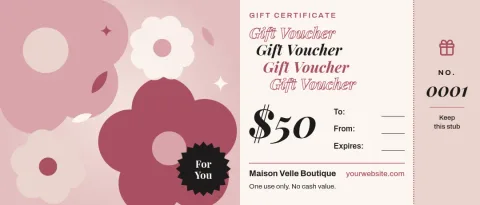
Photo-led boutique voucher
Gift voucher
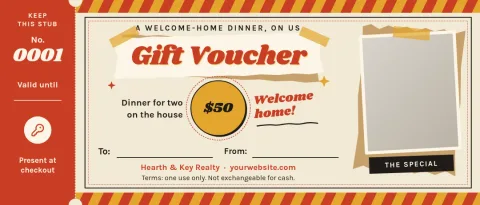
Retro diner meal voucher
Gift voucher
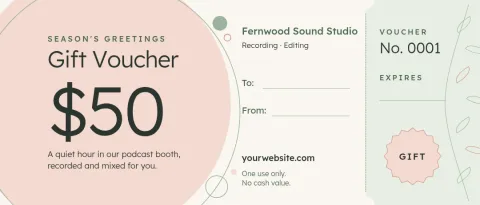
Soft botanical spa voucher
Gift voucher
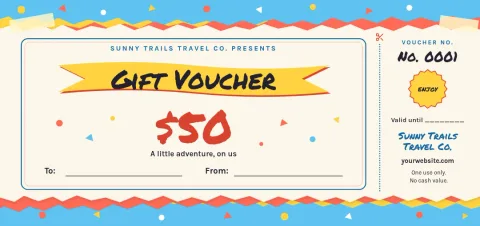
Playful kids party voucher
Gift voucher
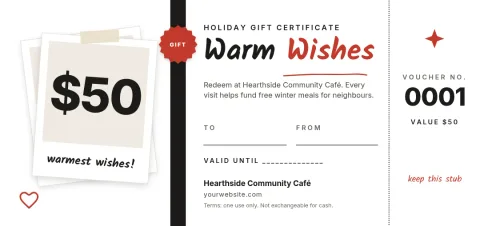
Minimal black and white voucher
Gift voucher
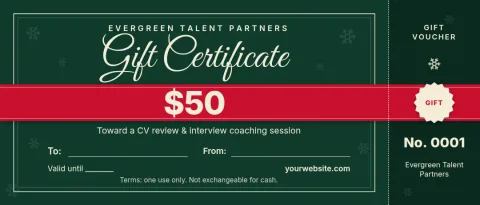
Holiday ribbon gift certificate
Gift voucher
How to make a gift certificate from a template
Open a template in Nimply Design and replace the sample text with your own: business name, value or service, recipient line, expiry date and how to redeem. Swap the photo, adjust the colours to match your brand, and move any element where you want it. When you are happy, download the file or send it into a Nimply post.
Choosing a style that fits your business
A spa or salon usually suits soft colours and plenty of space. A café or restaurant can carry bolder type and warm tones. Shops often do best with a photo of their products. Pick the layout closest to your brand, then set your fonts and logo so every certificate looks like it came from you.
What to put on a gift certificate
Keep the essentials easy to read: who it is from, who it is for, the amount or service, an expiry date if you use one, and a short redemption note such as where to book. Leave a blank line for a code or signature if you track certificates by hand.
Download formats
You can download your design as PNG, JPG, WebP, PDF (standard or vector) or SVG. Use PNG or JPG to share a certificate online, and PDF when you need a document file. Downloading a template does not use AI credits.
Frequently asked questions
Is the gift certificate template free to use?
Nimply Design is part of every Nimply plan, including Free. You can open a template, edit it and download it without using AI credits. AI photo tools such as the background remover do use credits.
Can I change the colours and fonts?
Yes. You can edit the text, fonts, colours, photos and layout. If you set up a brand kit, it keeps your colours, fonts and logo ready to apply to each certificate.
Which file formats can I download?
PNG, JPG, WebP, PDF (standard or vector) and SVG. Pick PNG or JPG for sharing on screen and PDF when you want a document file.
Can I send the certificate on social media?
Yes. You can send the design straight into a Nimply post, where it goes through approval and scheduling like any other post.
What size are these templates?
They use the gift voucher sizes in Nimply Design, including a standard voucher and a wider 7x3 shape. You can pick the one that suits how you plan to share it.
More template collections
Make it yours in minutes
Open any template in Nimply Design, add your brand in one click, and send it straight into a post for approval and scheduling.