

Personal email signature template designs you can edit
Choose a personal email signature template that fits how you want to sign off. Change the name, contact details, colours, fonts and photo in your browser, then download the finished signature as an image. Nimply Design is included in every plan, including Free.
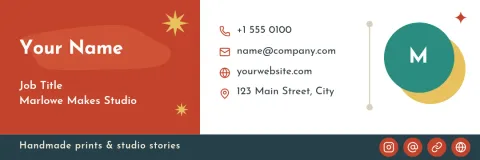
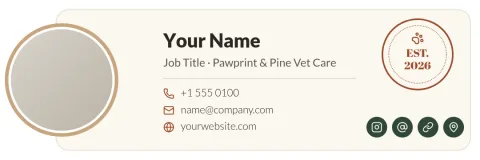


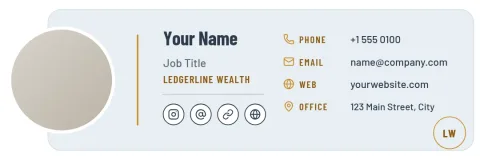
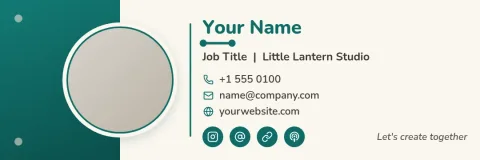

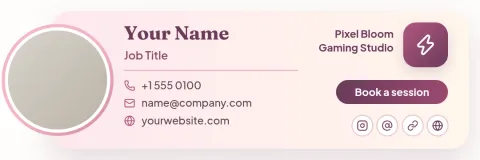
Start with the look you want
Each template here is a different style: quiet and minimal, friendly with a round photo, dark and modern, or bold with colour blocks. Pick the one closest to how you want to come across, then adjust it. You are changing text, shapes and photos, so there is nothing to learn before you begin.
What you can change
Edit your name, title, phone, website and any other line. Swap fonts and colours, replace the photo placeholder with your own picture, and move things around until the layout feels right. If you use a brand kit, your colours, fonts and logo are ready to apply, so the signature matches your other designs.
Keep it short and readable
A good personal signature is small. Stick to your name, one line about what you do, and one or two ways to reach you. Use a clear font size and enough contrast so it reads well on phones. Leave out long quotes and lots of icons, which crowd the message above.
Download and use it
When you are happy, download your signature as PNG, JPG, WebP, PDF or SVG. PNG and JPG are the usual choices for an image signature. You can edit the design again later if your number, title or photo changes. Downloading a template does not use AI credits.
Frequently asked questions
Is the personal email signature template free to use?
Nimply Design is part of every Nimply plan, including Free, so you can open a template, edit it and download it without paying. AI photo tools such as the background remover use AI credits, but downloading a template does not.
What should a personal email signature include?
Keep it simple: your full name, a short line about what you do or study, and one or two contact details such as a phone number or website. Add a photo or logo only if it helps people recognise you.
Which file format should I download?
PNG is a good default for an image signature because it keeps text sharp. JPG gives a smaller file if you use a photo. You can also download WebP, PDF or SVG if you need them for other uses.
Can I use my own photo and colours?
Yes. Replace the photo placeholder with your own picture and change any colour or font. If you have a brand kit, you can apply your saved colours, fonts and logo to the template.
Can I change the signature later?
Yes. Open the design again, update your title, phone number or photo, and download a new copy. Your original template stays available to start from again.
Make it yours in minutes
Open any template in Nimply Design, add your brand in one click, and send it straight into a post for approval and scheduling.