

Templates
Prompt templates that make the AI write it right
The gap between a mediocre AI draft and a great one is usually the prompt. Nimply’s template gallery gives you proven prompt structures for social posts, ads, scripts, and more — fill in your specifics, preview live, generate.
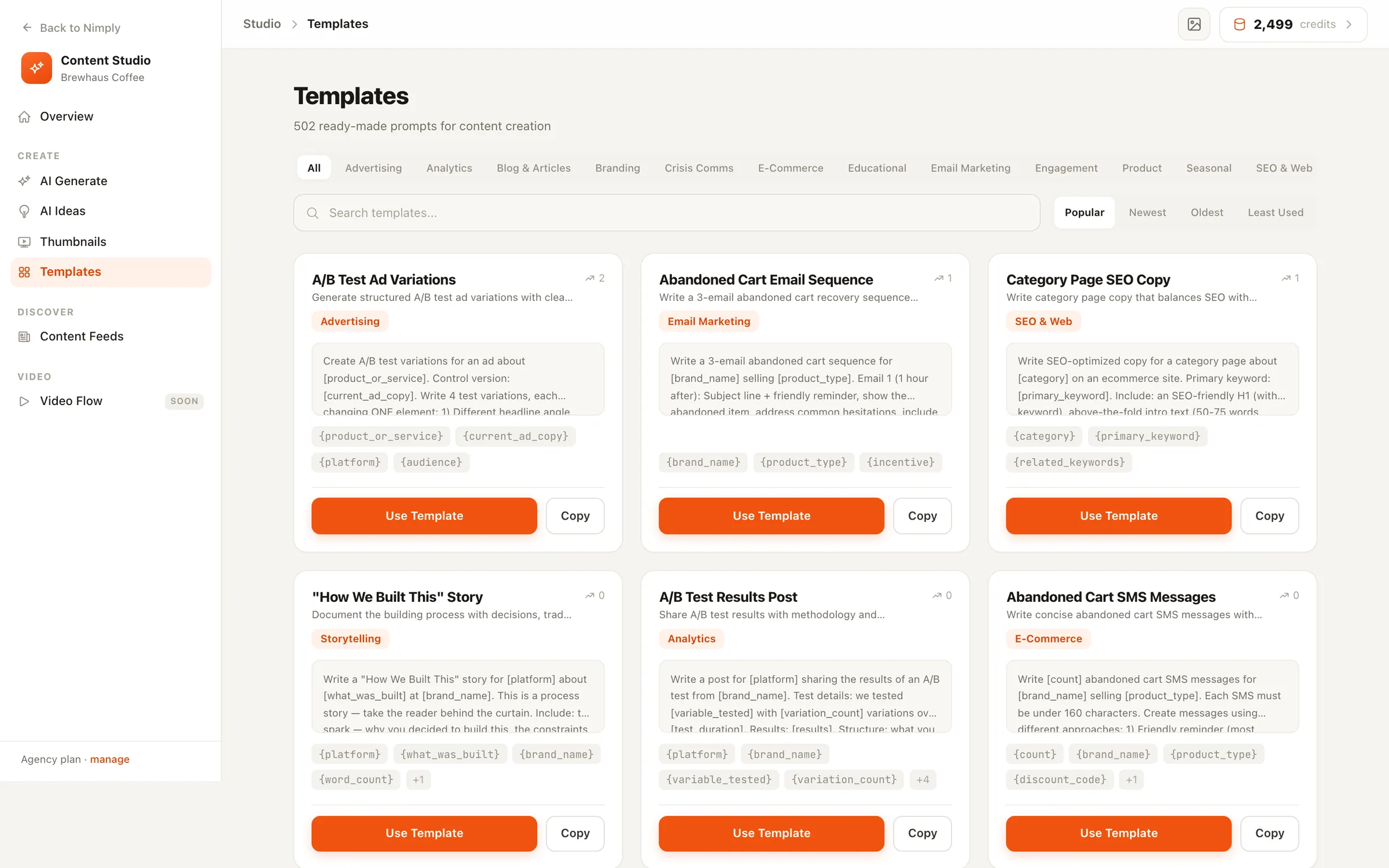
15 categories · fill-in variables with live preview · copy any prompt, no lock-in
How it works
From template to written content in three moves
- 01
Browse or search
Filter by category, search by keyword, and sort by popularity — every template shows a live usage count, so you can see which prompts other teams actually reach for.
- 02
Fill in the blanks
Templates carry bracketed variables — your product, audience, or topic. A fill-in form previews the completed prompt live as you type, so you see exactly what the AI will be asked.
- 03
Generate with AI
One click sends the finished prompt into the AI Ideas generator, which writes the content — or copy the prompt to your clipboard and use it anywhere you like.
What’s covered
Fifteen categories, one gallery
Social content is the core, but the gallery reaches everywhere a marketing prompt is useful — from ad copy to seasonal campaigns to the crisis post you hope you never need.
Want to read every prompt before you sign up? The full library is published at nimply.io/templates — all 502 templates, complete with their variables.
Generated content flows into the composer and onto your calendar — see multi-platform scheduling for what happens next.
Templates — FAQ
What kind of templates are these?
Prompt templates: proven, reusable instructions for AI content generation — social posts, ad copy, video scripts, email subject lines, engagement questions, and more. They're the difference between typing “write me a post” and giving the AI a structure that reliably works.
How do the variables work?
Templates include bracketed placeholders like [product] or [target audience]. Clicking Use Template opens a small form with one field per variable and a live preview of the completed prompt — fill in your specifics and generate.
What happens when I click “Use Template”?
Your filled-in prompt lands in the Studio's AI Ideas generator and the content is written there — streamed live, ready to send into the post composer. Templates and generation are two halves of one flow, not separate tools.
Can I use a template outside Nimply?
Yes — every template has a Copy button that puts the raw prompt on your clipboard, brackets and all. No lock-in on the prompts themselves.
How do I find the right template?
Fifteen categories, full-text search, and four sort orders including most-popular. Usage counts on every card show what's working for other workspaces, which is usually the fastest filter of all.
Do templates cost anything to use?
Browsing, filling in, and copying templates is free. Credits only come into play when you generate content from one — the same AI text generation that powers the rest of the Studio.
Stop reinventing the same prompt every week
Start free, pick a proven template, fill in your specifics, and let the AI write from a structure that works.