

AI Ideas
An AI content ideas generator that ends the blank page
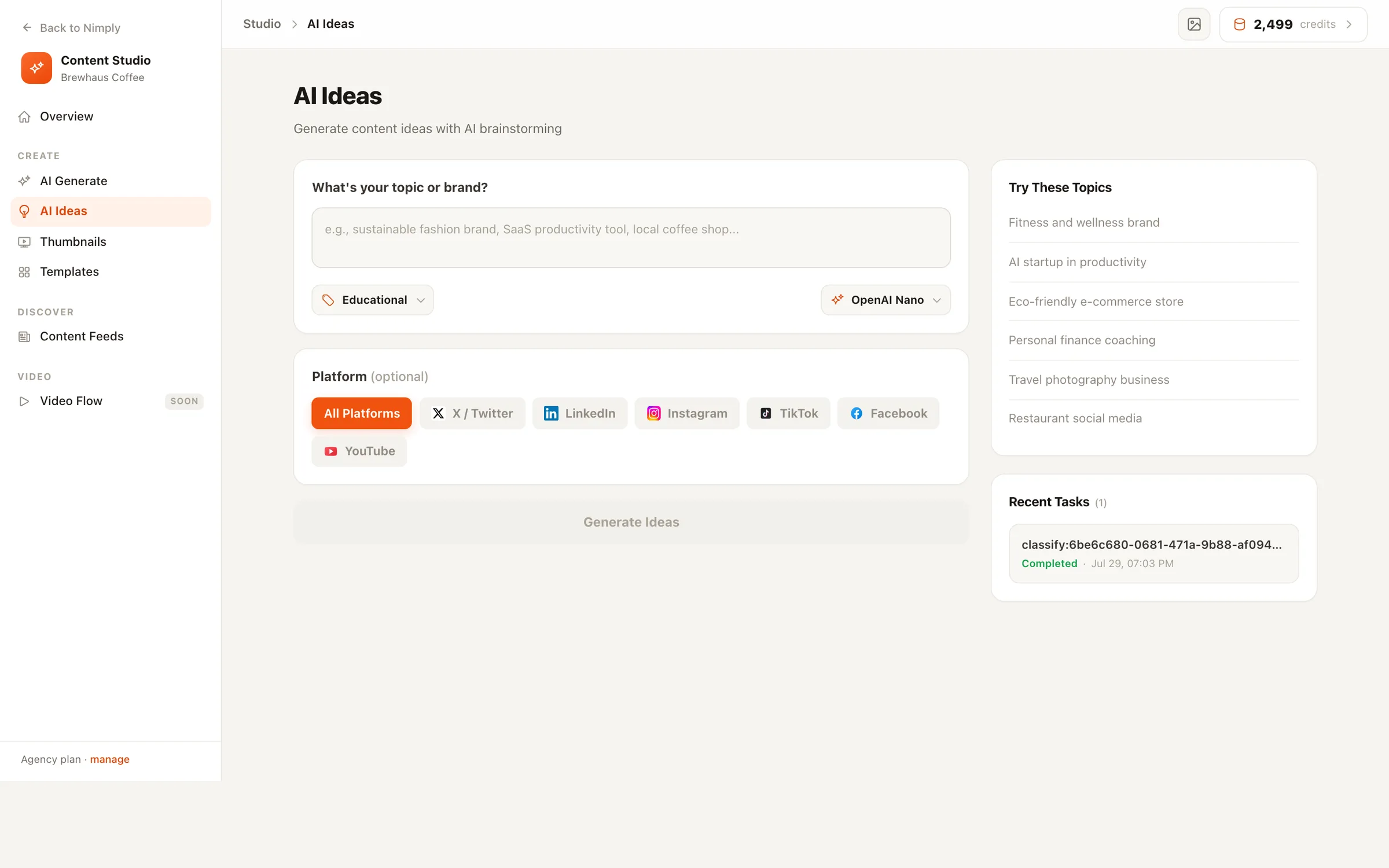
Type your topic or brand — “local coffee shop”, “SaaS productivity tool” — and get five worked content ideas, each with a hook, a description, and hashtags. Then send the one you like straight into the composer.
Point it, don’t prompt it
Steer the ideas without writing a prompt
You shouldn’t need prompt-engineering skills to brainstorm Tuesday’s post. Pick a content category, optionally aim at one platform, choose your model — the tool builds the prompt.
Six content categories
Educational, Entertainment, Tips & Tricks, Product Showcase, Behind the Scenes, Promotional — pick the shape of post you need this week.
Platform targeting (optional)
Aim the ideas at one network or keep them platform-neutral. A LinkedIn idea and a TikTok idea for the same topic shouldn't look alike.
Your choice of AI model
A model picker in the topic card lets you choose from the text models on your plan, per generation.
The dials
Category
Platform (optional)
From idea to calendar
An idea is only useful if it becomes a post
That’s why the generator lives inside your scheduler, not in a separate brainstorming app.
- 01
Pick the winner
Read the five ideas as they stream in. Re-run with a different category or platform until one clicks.
- 02
Create Post
One click opens the channel picker, then the composer with the content pre-filled — trim it to the idea you're running with.
- 03
Add a visual, schedule
Pair it with an image from AI Generate or your media library, then schedule it across channels like any other post.
Stuck before the topic box? Start from a ready-made template or pull inspiration from the content feeds.
AI content ideas — FAQ
What do I actually get from one generation?
Five ideas for your topic, each with a catchy title or hook, a two-to-three sentence description of the post, and suggested hashtags — streamed onto the screen as they're written, so you can start reading before the last one lands.
Can I steer the kind of ideas it generates?
Yes, twice over. Pick one of six content categories — Educational, Entertainment, Tips & Tricks, Product Showcase, Behind the Scenes, or Promotional — and optionally target one platform so the ideas fit how that network actually works.
How do I turn an idea into a real post?
Click Create Post under the results: pick your channels, and the composer opens with the content pre-filled. Edit it down to the idea you want, attach a visual, and schedule — your normal approval workflow applies as usual.
Can I choose which AI model writes the ideas?
Yes. A model picker sits right in the topic card — choose from the text models available on your plan per generation, the same way you would in a chat app.
What if I don't even know what topic to type?
The tool ships with one-click starter topics, and the Studio's template gallery pre-fills the topic box with proven prompt structures — pick a template, fill in the blanks, and it lands here ready to generate.
Where do my past generations go?
Every run is kept in a recent-tasks list beside the generator. Click any past run to bring its ideas back — nothing you generated gets lost when you close the tab.
Five post ideas before your coffee cools
Start free, type your topic, and turn the best idea into a scheduled post — all inside Nimply.