

Summary + link
A tight summary of the article with the link — the classic curation post, written for you.
Content Feeds
Sharing what’s happening in your industry is the easiest content you’re not posting. Nimply’s feeds bring 2,000+ curated industry articles into your workspace — and one click turns any of them into a drafted post with the caption and image already handled.
2,000+ curated articles · save for later · “Used” badges so you never double-post
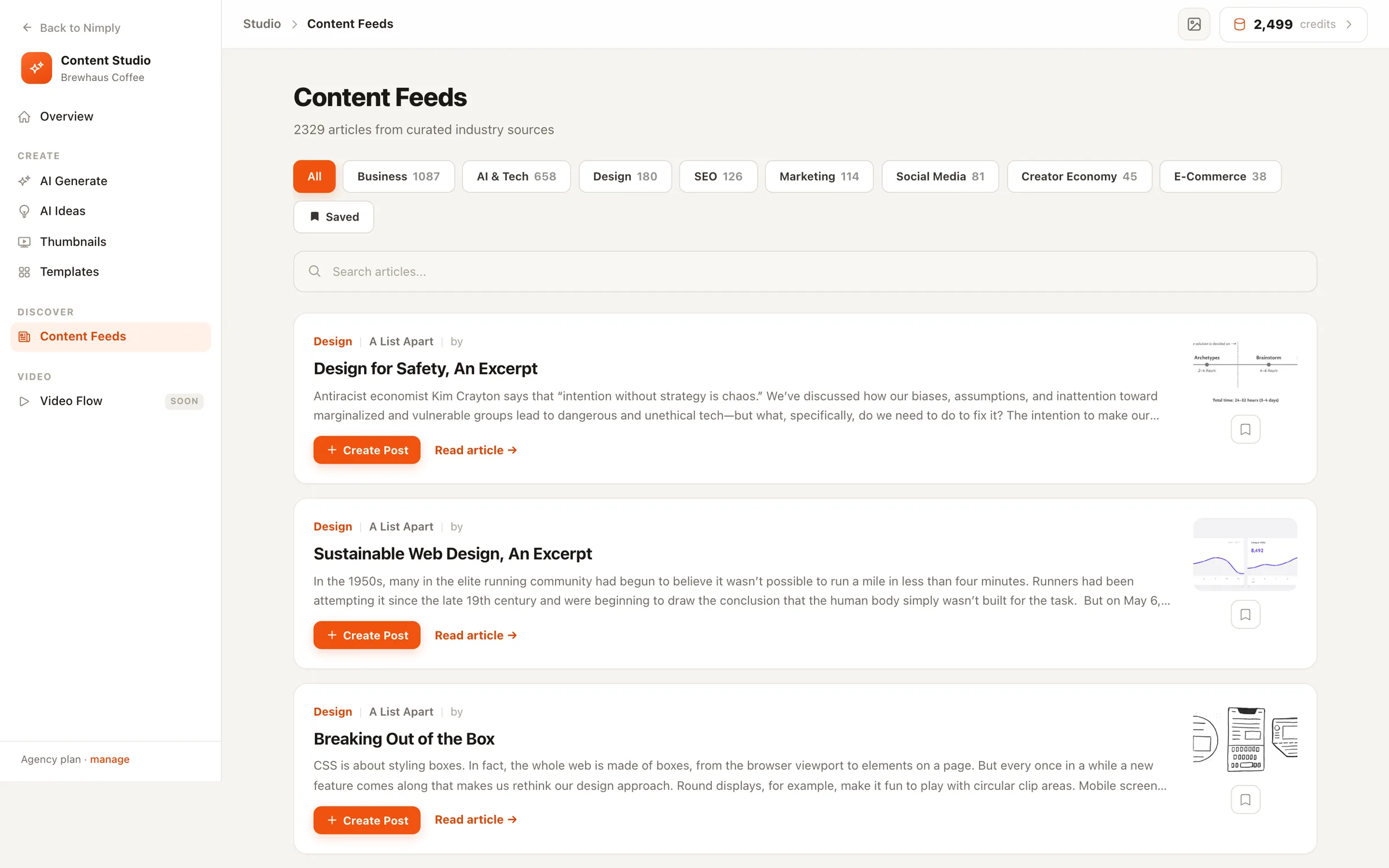
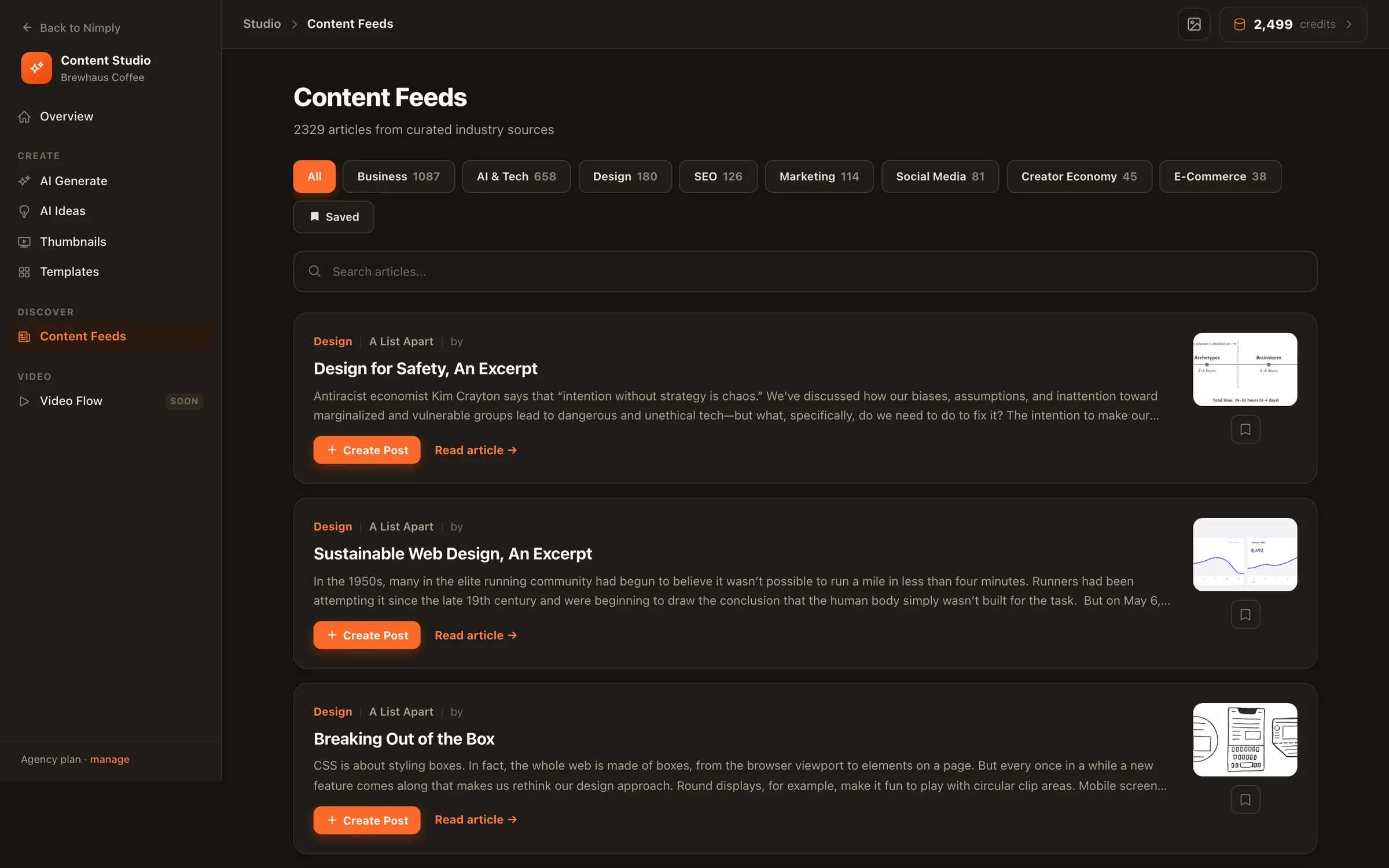
The one-click flow
Article on one side, your post taking shape on the other: pick an angle, set the tone, choose the image, and the caption streams in — editable the whole way.
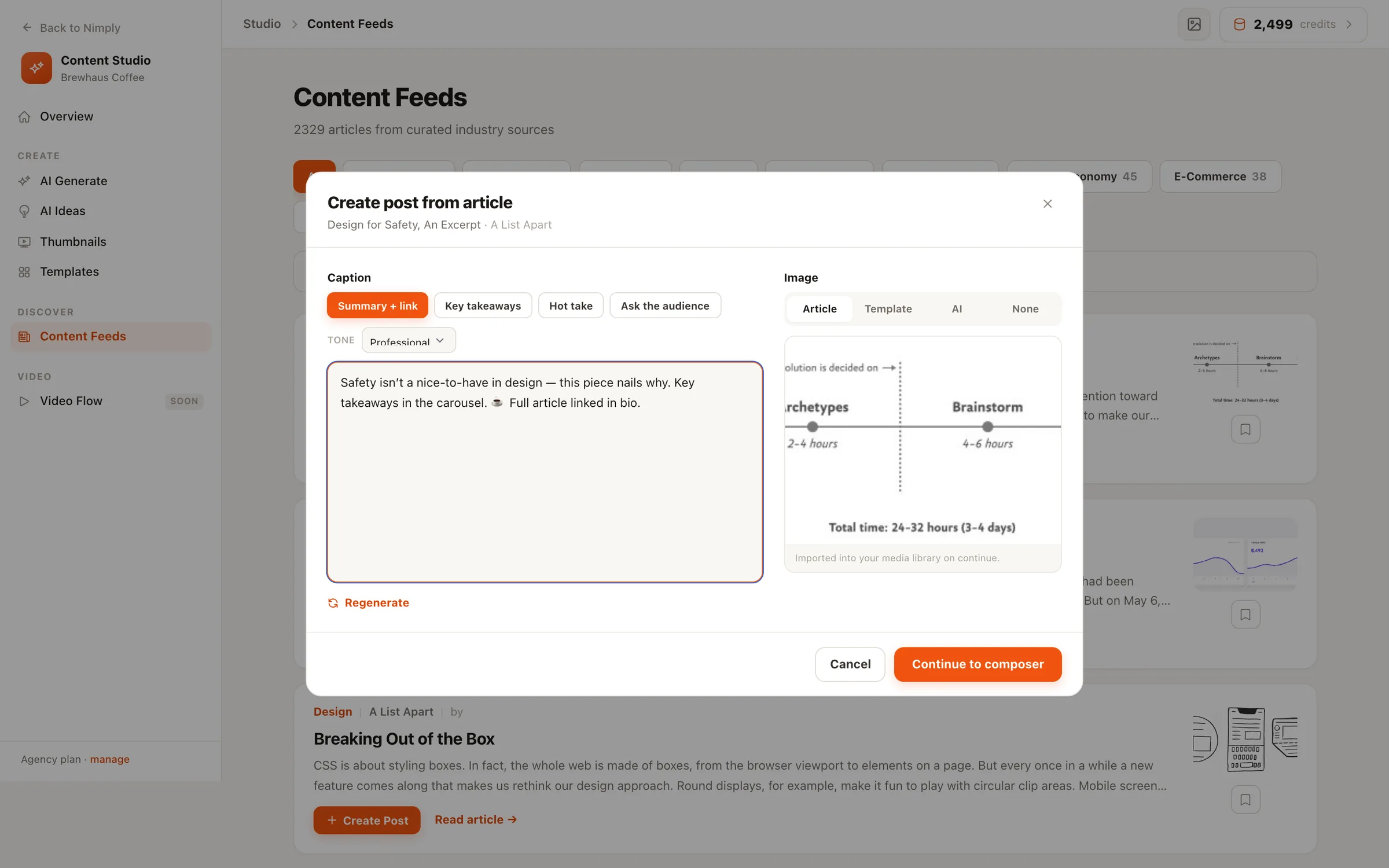
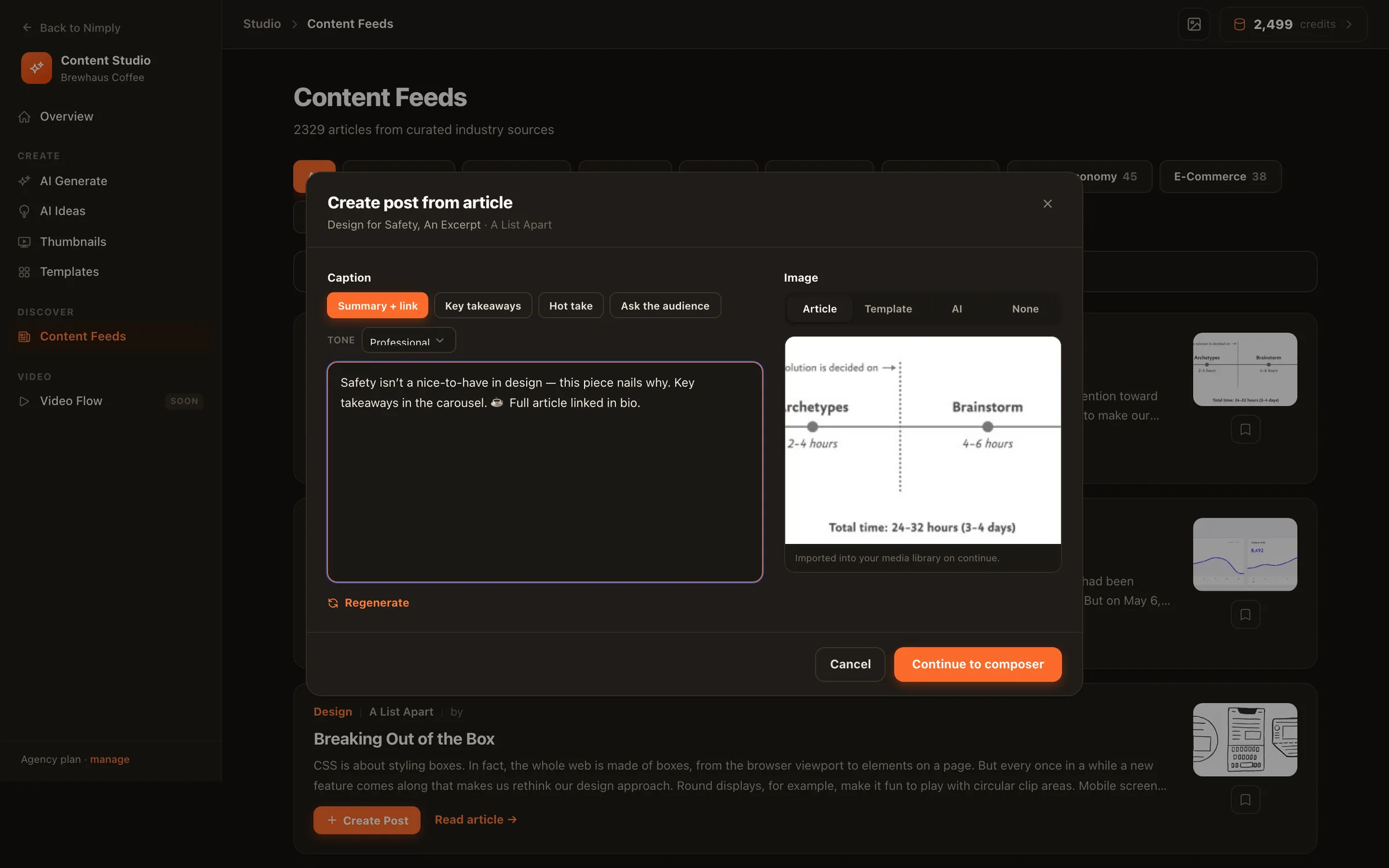
Inside the modal
Four caption angles
Summary + link, Key takeaways, Hot take, or Ask the audience — same article, four different posts.
Six tones
Professional, Casual, Humorous, Inspirational, Educational, or Urgent — and it remembers your usual pick.
Your choice of image
The article’s own image, a branded template, an AI-generated visual, or none at all.
Continue to composer
Caption and media arrive pre-filled — edit, pick channels, schedule. Nothing publishes without you.
A tight summary of the article with the link — the classic curation post, written for you.
The three or four most valuable points, formatted as short scannable lines your feed can skim.
An opinionated angle on the article's topic — the post that starts replies instead of just likes.
One line of context, then a thought-provoking question drawn from the article. Engagement bait, the honest kind.
The reading room
Eight categories, full-text search, and a save-for-later bookmark on every article. Stories you’ve already turned into posts carry a “Used” badge, so the whole team can see what’s been covered.
Want industry monitoring done for you? The Trend Scout agent watches feeds and sources on a schedule and files post ideas while you sleep.
From a set of curated industry sources — 2,000+ articles across eight categories including Social Media, Marketing, AI & Tech, Design, Business, SEO, Creator Economy, and E-Commerce. Each card shows the source, author, and publish time, and always links to the original.
A modal opens with the AI caption on the left and the image choice on the right. Pick one of four caption angles — Summary + link, Key takeaways, Hot take, or Ask the audience — and one of six tones; the caption streams in and stays fully editable. Choose an image source, then continue to the composer with everything pre-filled.
Four: import the article's own image, render a branded template, generate an image with AI, or go text-only with no image at all. Whatever you pick arrives in the composer already attached.
Yes — your last angle and tone are remembered, and captions you've already generated for an article are restored instantly when you flip back to that combination, instead of regenerating and re-spending.
No. The flow always ends in your composer, where you edit, pick channels, and schedule like any other post — your team's approval workflow included. Articles you've turned into posts get a “Used” badge in the feed so you never double-post a story.
Browsing the feeds, searching, and saving articles for later is available to every workspace. Creating posts from articles — the AI caption and image flow — is included with paid plans.
Start free, browse 2,000+ curated industry articles, and turn the good ones into posts in one click.