

🤝 Nimply for Nonprofits
Social media for nonprofits doing five-person jobs with a team of two
You know the pattern. The giving-day campaign gets everything — then the account goes quiet for six weeks because the same two people also run programs, events, and the newsletter. Social media for nonprofits fails between campaigns, not during them. Nimply’s answer is an AI staff that keeps drafting when your capacity runs out — and a rule that nothing publishes without your approval.
The shape of a campaign
A giving day is a three-week arc, not a Tuesday
The organizations that raise well treat the countdown and the thank-you week as seriously as the day itself. That’s easy to say and brutal to execute with two people — unless the whole arc is drafted, approved, and scheduled before it starts.
Countdown · Days −14 to −1
Build the case
- Story posts: one beneficiary, one program, one number that matters
- Match-goal announcements bulk-scheduled across platforms
- Volunteer and board shares drafted in advance
Day of · Hour by hour
Run the day, not the tools
- Milestone posts pre-drafted, ready to approve and publish as totals climb
- Donor questions in DMs get drafted answers from your FAQ
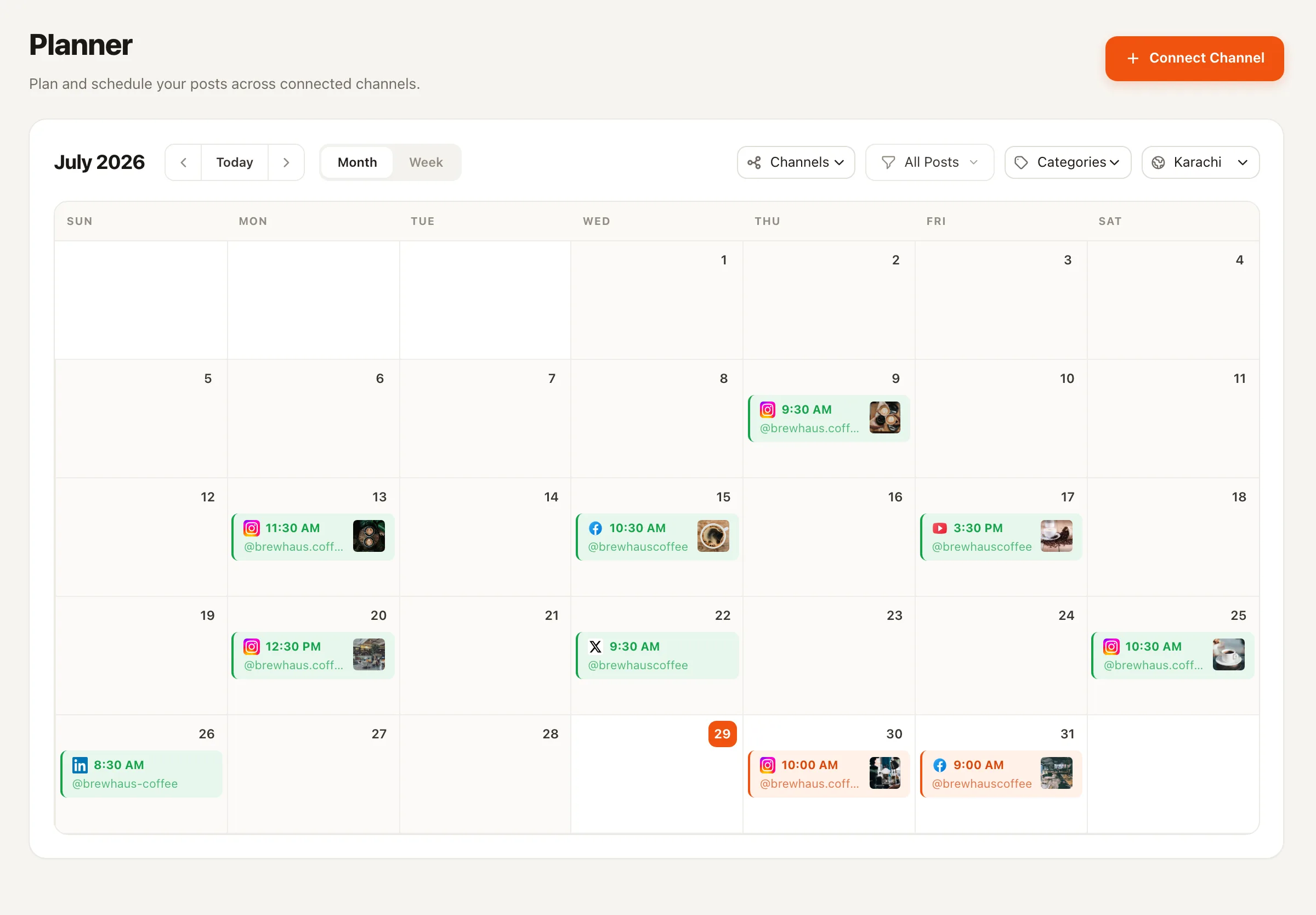
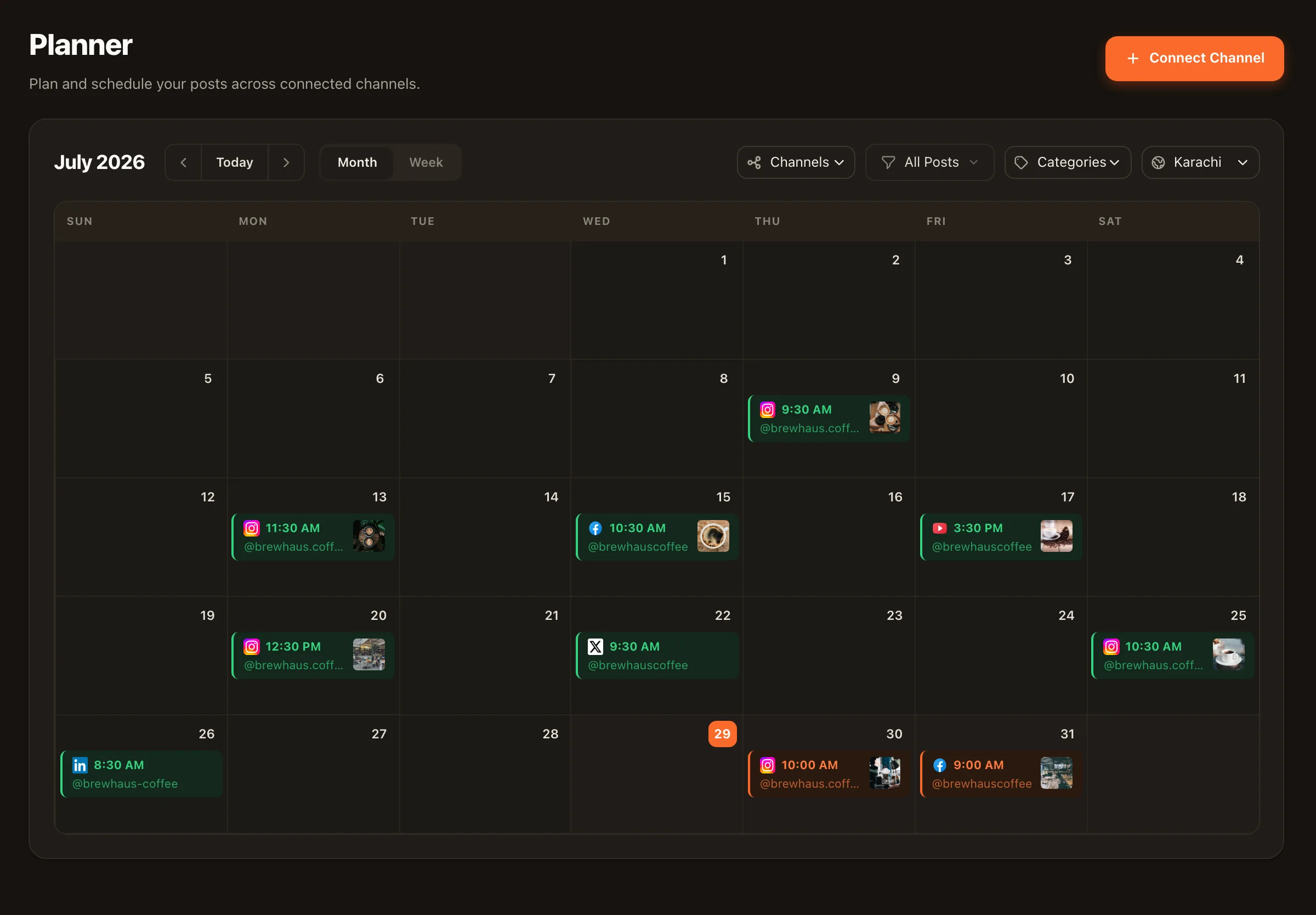
- Your team watches one calendar, not five open tabs
Thank-you week · Days +1 to +7
The part everyone skips
- Gratitude posts scheduled before the campaign even started
- Impact recap repurposed from the day's results
- The arc closes warm — donors remember it next year
The mechanics are unglamorous and decisive: build the arc as a content calendar, then bulk-schedule the posts you can write in advance — which is most of them. On the day, your job shrinks to approving milestone updates and being human in the comments.
Between campaigns
Your impact report is a month of posts wearing a PDF costume
Somebody on your team spent weeks on that report. Then forty people downloaded it. The Content Repurposer rebuilds it natively for each platform — an outcome thread for X, a single-story Instagram caption, a funder-facing LinkedIn post — with lineage tracking so you always know which source each draft came from. Every draft waits for approval; nothing self-publishes.
And when even the source material runs dry, Trend Scout watches sector news across 2,000+ curated industry articles and files 3-5 sourced post angles on your Ideas board — each one traceable to a real article, so your take on a sector conversation starts from something true.
The inbox nobody owns
“How do I volunteer?” deserves an answer today, not Thursday
Donor and volunteer questions arrive on Facebook and Instagram at all hours, and unanswered DMs are quietly expensive — a would-be volunteer who waits four days usually doesn’t write back. The Customer Support Agent answers from the business profile and FAQ you write: donation links, volunteer onboarding steps, event logistics. Run it draft-first so a human approves each reply, or let it answer the routine ones and escalate everything else to your team. It can even pull live details through MCP connections you configure. Inbox features are opt-in per channel.
Picture an animal rescue’s adoption-event month
A fictional rescue, a familiar month. Two staff, forty animals, one big adoption weekend. The countdown arc — meet- the-animals posts, sponsor thank-yous, logistics — was drafted in one Tuesday session and bulk-scheduled. All month, “is Biscuit still available?” DMs get drafted replies from the FAQ, with anything medical or complicated escalated to a human. After the weekend, the thank-you week runs on schedule: adopter spotlights, a numbers recap repurposed from the event summary, and a volunteer-crew photo. The two humans spent the month with the animals, not the apps.
Illustrative scenario — not a customer story. Every step is shipped functionality.
Social media for nonprofits — FAQ
Is there nonprofit pricing?
There's a free tier you can genuinely run on while you evaluate, and paid plans are priced for small teams rather than enterprise marketing departments — see the pricing page for current numbers. AI agent runs use transparent per-run credits, so you can see exactly what an agent costs before you rely on it, which matters when every line item faces a board.
Can volunteers draft posts without being able to publish?
Yes — that's what workspace roles are for. Add a volunteer as an Editor: they can draft the event recap or the adoption spotlight, and the post waits in pending approval until your communications lead signs it off and schedules it. Nothing a volunteer (or an AI agent) writes reaches your channels without that approval.
How does 'one impact report becomes a month of posts' actually work?
You give the Content Repurposer your long-form piece — the annual report, a program update, a grant narrative. It rebuilds the substance natively for each platform: a thread of key outcomes, an Instagram caption around one story, a LinkedIn post for institutional funders. Each version is a draft with lineage tracking back to the source, and each waits for your approval before scheduling.
Will an AI agent ever solicit donations on our behalf?
Agents only do what you configure and only share links you've configured. The Customer Support Agent answers questions from the FAQ and business profile you write — how to donate, volunteer onboarding, event details — and escalates anything outside it to your team. Run it draft-first if you want a human eye on every reply. It works on Facebook Pages and Instagram professional accounts, and inbox features are opt-in per channel.
We only have capacity to post during campaigns. Does this help between them?
That's the exact gap this is built for. The quiet months are when the Content Repurposer stretches existing material and Trend Scout keeps filing sourced post angles from sector news onto your Ideas board — so 'what should we even post?' stops being the blocker. You approve a light-but-steady calendar in one short session a week instead of going dark until the next campaign.
Which platforms can we manage from one place?
Facebook, Instagram, LinkedIn, YouTube, TikTok, X (Twitter), Pinterest, Threads, and Telegram — one composer, per-platform captions, one calendar. Most nonprofits lead with Facebook for community and events, Instagram for storytelling, and LinkedIn for grants, partners, and board visibility.
Mission first. Posting handled.
Start free, connect your channels, and plan your next campaign arc — countdown to thank-you week — in one sitting.