

🔁 The whole loop
A social media workflow that runs as one system
A social media workflow isn’t a to-do list — it’s a loop. Ideas become drafts, drafts pass review, approved posts get scheduled and published, the audience responds, and what you learn feeds the next round of ideas. Break any link and the whole thing runs on heroics. Here’s the loop, and where each piece of Nimply sits in it.
Ideas
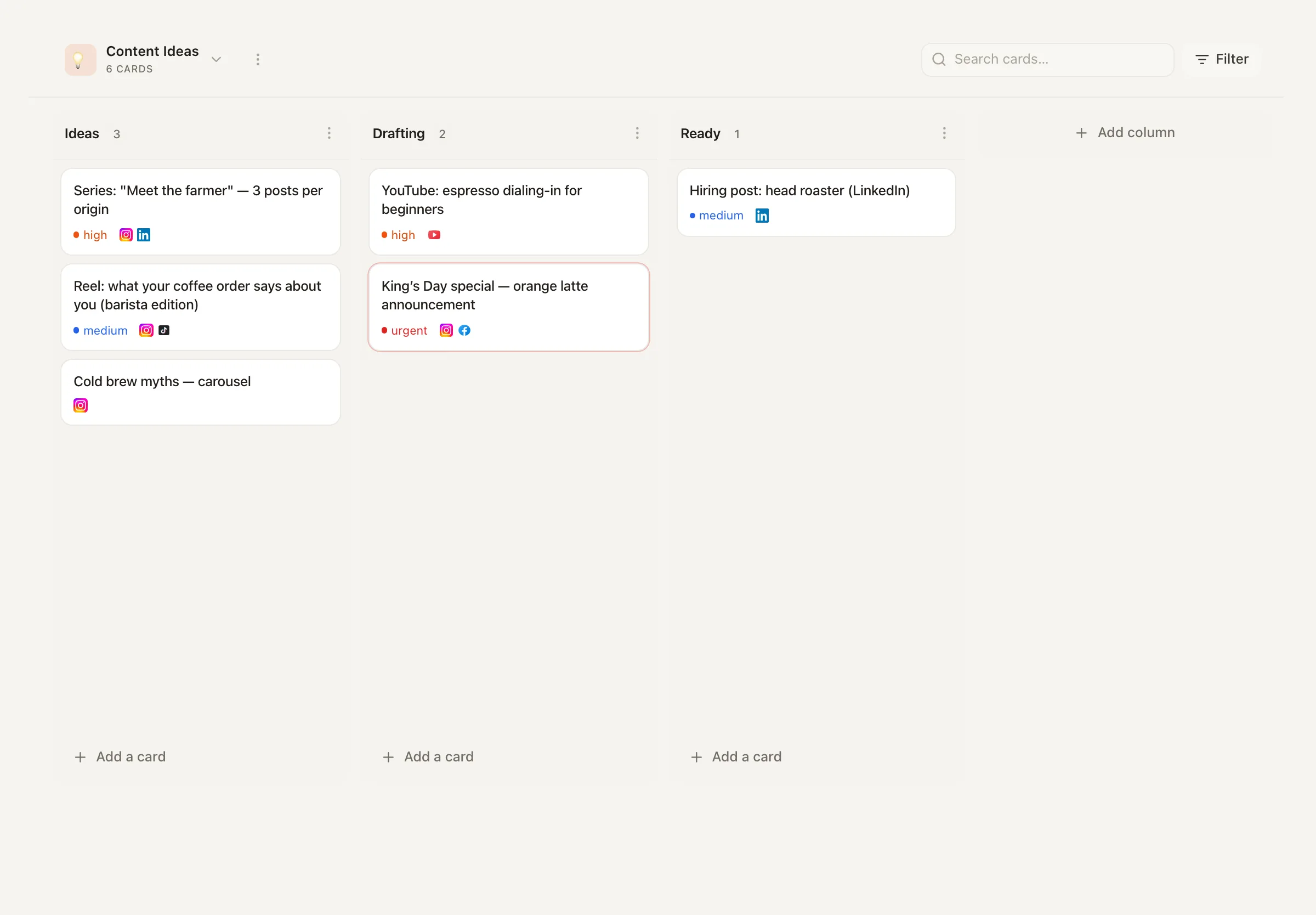
Kanban boards fed by Feeds, Trend Scout, and repurpose flows
Draft
You write — or an AI agent drafts into the same pipeline
Approve
Drafts wait for role-gated sign-off; nothing skips review
Schedule
Approved posts land on the calendar and best-time queues
Publish
Posts go out automatically across your channels
Engage
Facebook & Instagram comments, DMs, and mentions — plus YouTube comments — in one inbox
Learn
Analytics show what worked — findings become new idea cards
The idea
A system, not a longer to-do list
Most teams don’t lack effort — they lack hand-offs. The ideas live in someone’s notes app, drafts in a doc, approval in a Slack thread, the schedule in one tool, the inbox in five native apps, and the analytics in a report nobody opens twice. Each gap between stages is a place where work stalls, context evaporates, and consistency quietly dies.
A workflow becomes a system when every stage hands off to the next inside the same environment. In Nimply an idea card opens into Create Post; the draft carries its own approval status; approval drops the post onto the calendar; the calendar publishes; responses land in the inbox; and the review of what happened becomes next week’s cards. Nothing is re-entered, so nothing is lost in translation.
The parts
Where each Nimply piece sits in the loop
Front of the loop — deciding what to make
Ideas boards collect angles from Feeds’ 2,000+ curated industry articles, Trend Scout’s sourced cards, and repurpose flows. Cards open straight into Create Post, then drafts run the approval workflow before landing on the content calendar.
Back of the loop — publishing and responding
The calendar publishes on schedule; responses flow into the unified inbox for one daily working session instead of constant app-hopping.
Connective tissue — automations and agents
Automations wire the stages together — Slack, Telegram, or in-app notifications when something needs a human — and AI agents accelerate drafting inside the same rails: they file drafts, never publish.
An operating rhythm
One illustrative week on the loop
The system carries the load; you show up on a rhythm. A structure like this — illustrative, adjust the numbers to your team — keeps the whole loop turning in a few focused blocks a week.
Monday · 60 min
Planning block
Sweep the Ideas board, promote the best cards to drafts, submit for approval, and fill the week's calendar slots. The week's shape is decided once, on purpose.
Daily · 20 min
Inbox block
One pass through the unified inbox: answer DMs and comments, tag anything that needs escalation, done. Batched engagement beats all-day platform-hopping.
Friday · 30 min
Review block
Check analytics and inbox patterns: what earned attention, what fell flat, what questions kept repeating. File the takeaways as cards — Monday's planning starts pre-loaded.
Social media workflow — FAQ
What should a social media workflow actually include?
Seven connected stages: capturing ideas, drafting content, reviewing it, scheduling it, publishing it, engaging with the responses, and feeding what you learned back into the next round of ideas. Most teams have tools for two or three of those stages and gaps — usually spreadsheets and memory — between the rest. The gaps are where consistency dies.
Where do ideas come from in Nimply?
The Ideas kanban boards. Cards arrive from three directions: Feeds (a stream of 2,000+ curated industry articles you can pull angles from), the Trend Scout agent filing sourced post angles on a schedule, and repurpose flows that turn existing content into new card ideas. Every card can be opened straight into Create Post, so an idea is one step from being a draft.
How does the approval stage work?
Every post carries a status: DRAFT, PENDING_APPROVAL, SCHEDULED, then PUBLISHED. Drafts — from your team or from AI agents — are submitted for review and wait until a workspace member with approval rights signs off. Agents never publish directly; they enter the pipeline at DRAFT like everyone else.
What does the engagement stage look like?
Published posts generate comments, DMs, and mentions. Nimply's unified inbox gathers Facebook and Instagram comments, DMs, and mentions of your account, plus YouTube comments, into one queue. Working that inbox in a daily block — rather than platform-hopping all day — is the single biggest time win in most teams' workflows.
How do learnings loop back into planning?
Through analytics (YouTube-first today, with more platforms following) and what you observe in the inbox. The workflow closes when review findings become cards on the Ideas board — double down on what worked, retire what didn't — so next week's plan starts from evidence, not vibes.
Can parts of the workflow run automatically?
Yes — the connective tissue is Nimply's automations canvas. Notifications to Slack, Telegram, or in-app when something needs attention, plus AI agents drafting inside the same approval rails. Automation accelerates stages; the review gate stays human.
Close the loop this week
Connect your channels, put your first ideas on the board, and let one pipeline carry them from card to published post — and back.