

🎬 Use case · TikTok
Schedule TikTok posts — film in batches, publish on a drumbeat
That video is done: captioned, toggles set, approved, and waiting for Thursday 19:00. When you schedule TikTok posts in Nimply, one filming afternoon turns into two weeks of showing up — each video published automatically from the same composer that runs your other channels.
Direct auto-publish · captions & toggles set in advance · approval-first for teams
3 things I wish I knew before batch-filming
One of a batch — the rest are queued behind it.
The manual version
Batch-filming solved your content problem. Now you have a posting problem.
Every TikTok creator learns to film in batches — eight videos on a good afternoon. But the posting stays manual: transfer the file, rewrite the caption you drafted somewhere else, set the toggles, hit post at the “right” time. Do that daily and the drumbeat depends on you remembering, every single day, forever. That’s the fragile part — not the filming.
The whole batch, scheduled in one sitting
Upload every video from filming day, caption each one, and spread them across two weeks on the calendar.
Captions and toggles decided once
Set them in the composer when you schedule — not re-decided in the app at 6:59pm.
A drumbeat that survives your busy weeks
Videos publish automatically at their slots whether or not you opened TikTok that day.
Same calendar as everything else
TikTok stops being a separate chore — it's one more row on the planner next to Instagram and YouTube.
Inside Nimply
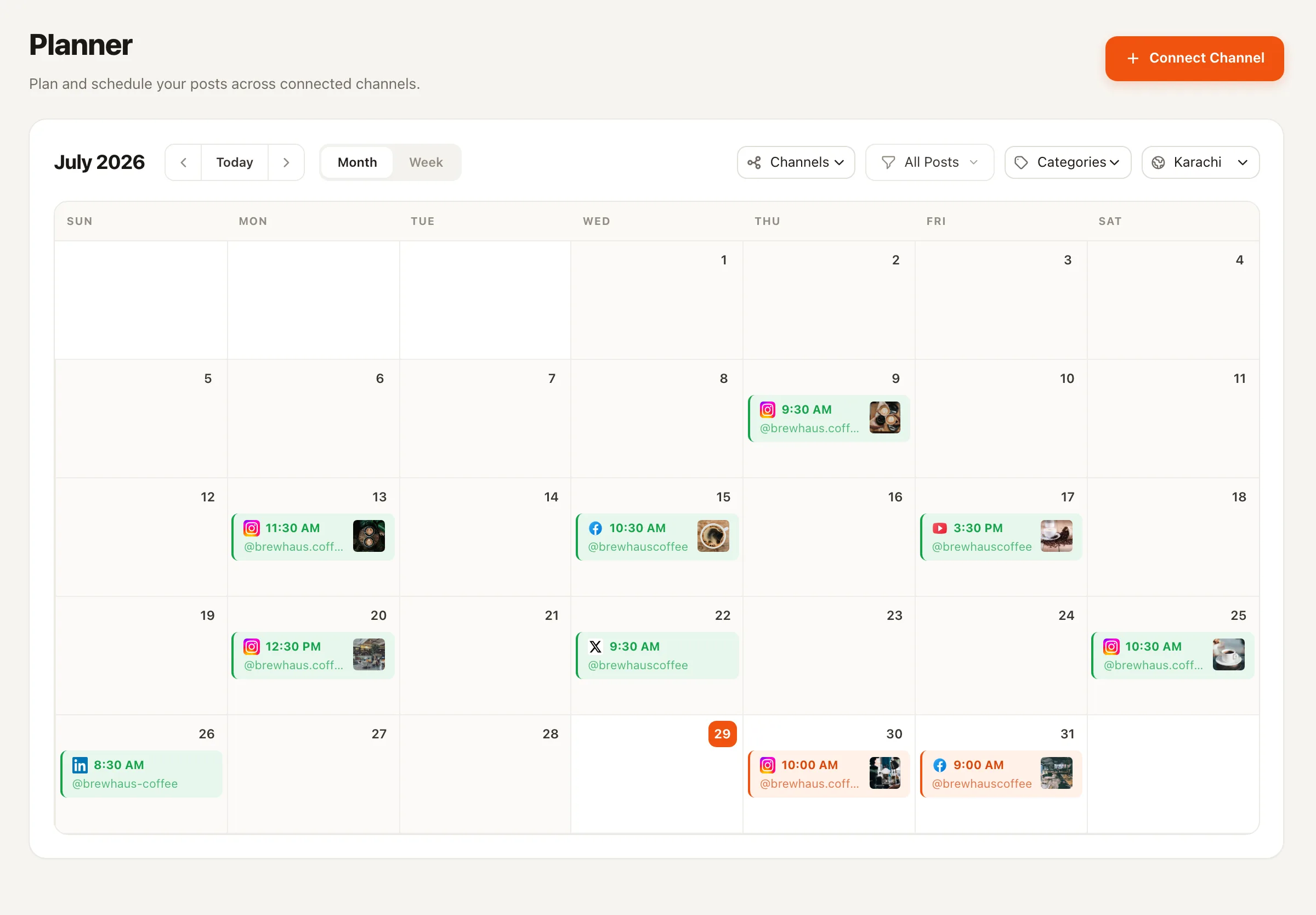
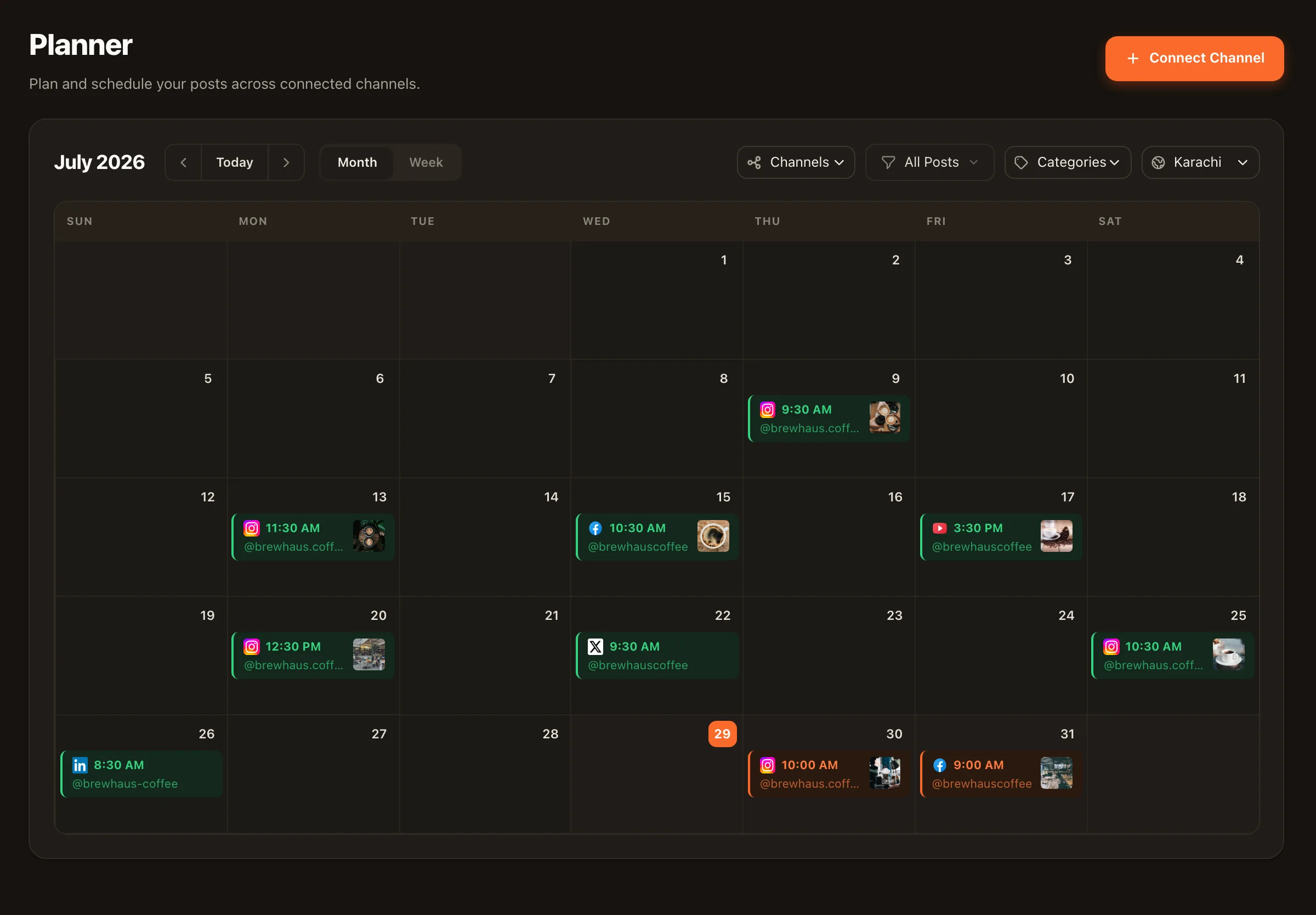
Two weeks of TikTok, visible on one calendar
The planner is Nimply’s social media scheduling tool — month and week views, drag to reschedule, color-coded categories, approval states at a glance. Your batch stops being a folder of files and becomes a plan you can actually see.
Setup
Filming day to publish day, in five honest steps
- 1
Connect TikTok
One OAuth flow adds your TikTok account as a channel next to everything else you run.
- 2
Upload a batch of videos
The whole filming-day haul goes into Nimply at once — each video becomes its own draft post.
- 3
Caption and configure each one
Write the caption (or let the AI assistant draft it in your voice) and set TikTok's publish toggles per video, right in the composer.
- 4
Spread them across the calendar
Give each video a slot — or let a best-time queue place them — so one filming day becomes two weeks of presence.
- 5
Publish hands-free
Each video goes out automatically at its time. Drag any of them to a new day when priorities shift.
Platform notes
Nimply schedules TikTok video posts with their captions and publish toggles — set at scheduling time, applied at publish time. We don’t claim features TikTok doesn’t offer schedulers: what you configure in the composer is exactly what goes out.
Short-form, everywhere
The same batch can feed more than one platform
▶️ Schedule YouTube Shorts
Your vertical videos have a second home — batch-upload Shorts and drip them out on the same calendar.
🔁 Repurpose YouTube videos
Going the other direction? Turn long-form videos into platform-native posts, lineage tracked.
♻️ Evergreen Recycler agent
An agent that re-drafts your best-performing posts and files them for approval — it never publishes on its own.
Scheduling TikTok posts — FAQ
Does Nimply actually post to TikTok, or do I get a reminder?
It posts. Connect your TikTok account and scheduled videos publish automatically at their scheduled time — the caption and publish toggles you set in the composer go with them. No notification asking you to finish the job on your phone.
What can I set on a scheduled TikTok video?
The video itself, the caption, and TikTok's publish toggles — configured in the composer when you schedule, applied when the video goes out. What you see in the scheduled post preview is what publishes.
Can I schedule TikTok alongside my other platforms?
That's the point of doing it in Nimply rather than a TikTok-only tool: the same composer and calendar handle Facebook, Instagram, LinkedIn, YouTube (including Shorts), Pinterest, Threads, X, and Telegram. One planning session covers everything.
Is there a best-time queue for TikTok?
Yes. Define preset posting slots for your TikTok channel and add videos to the queue — each one takes the next open slot. It turns 'when should this go out?' into a decision you made once.
Can my editor upload and someone else approve?
Yes — that's the approval workflow. A scheduled video can sit as a draft until someone with approval rights signs off; only then does it move to scheduled. Nothing publishes unreviewed.
Can AI help with TikTok captions?
The AI assistant in the composer drafts captions in your brand voice (it runs on AI credits). Generate, tweak the hook, schedule — all without leaving the post you're working on.
Film Saturday. Post every day. Open the app when you feel like it.
Connect TikTok free, schedule your first batch, and let the drumbeat run itself.