

Schedule Pinterest pins weeks ahead — the platform that pays you back for it
Pinterest is the slowest-burning platform you post to — pins keep surfacing in search long after a feed post would be forgotten. That makes it the best candidate there is for scheduling Pinterest pins in advance: plan a month of pins to the right boards in one sitting, and let Nimply publish each one automatically.
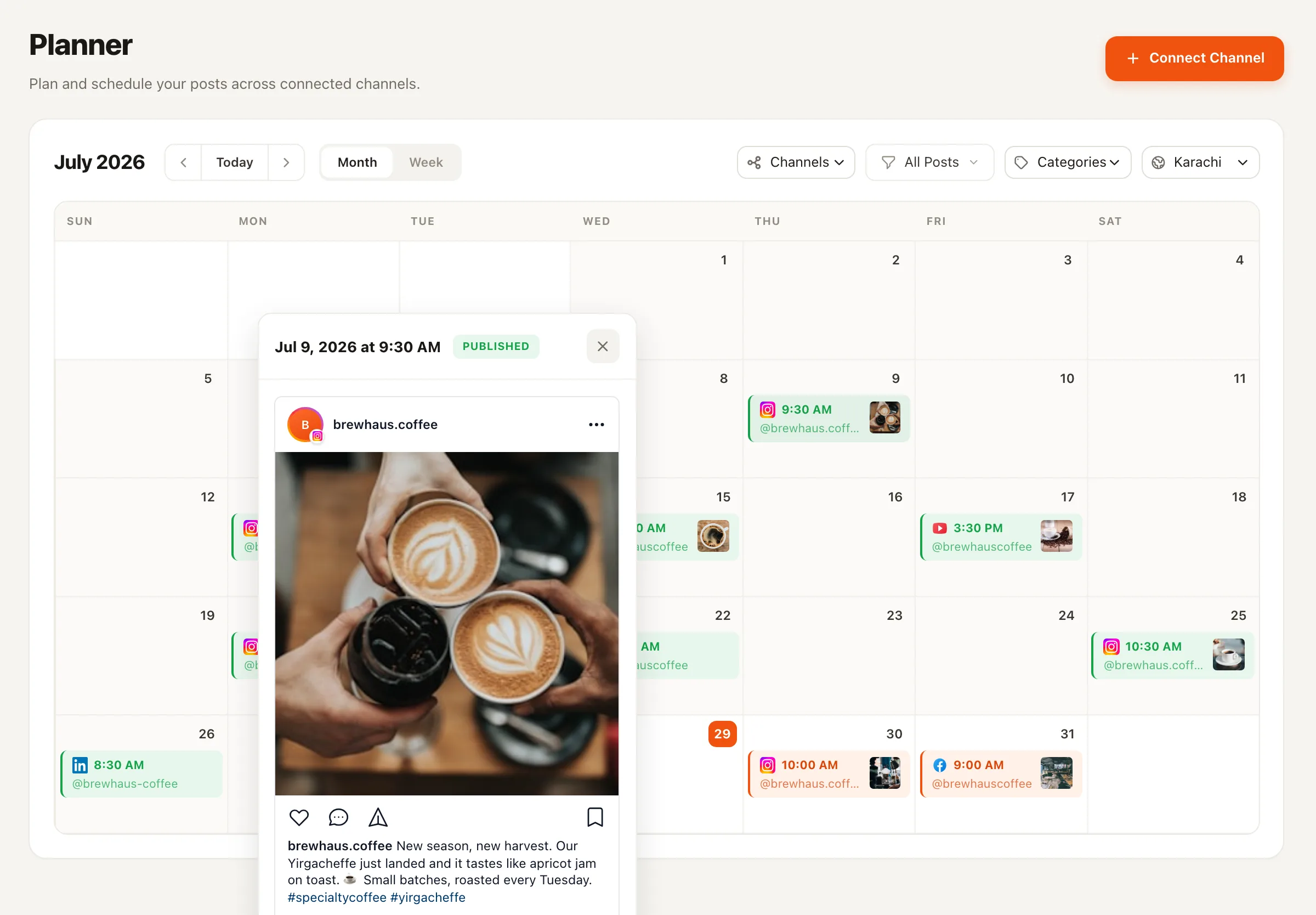
The workflow
One planning session, a month of pinning
Here’s the honest version of what setting this up looks like — it’s a batch session, not magic, and then it runs itself.
- 1
Connect Pinterest
Link your Pinterest account to Nimply. Your boards come with it, so every pin you schedule can target the board you choose.
- 2
Load your designs
Upload the batch of pin graphics you've designed. Add each pin's title, description, and destination link in the composer.
- 3
Aim each pin at a board
A pin without the right board is a pin nobody finds. Pick the destination board per pin — recipes to Recipes, products to the catalog board.
- 4
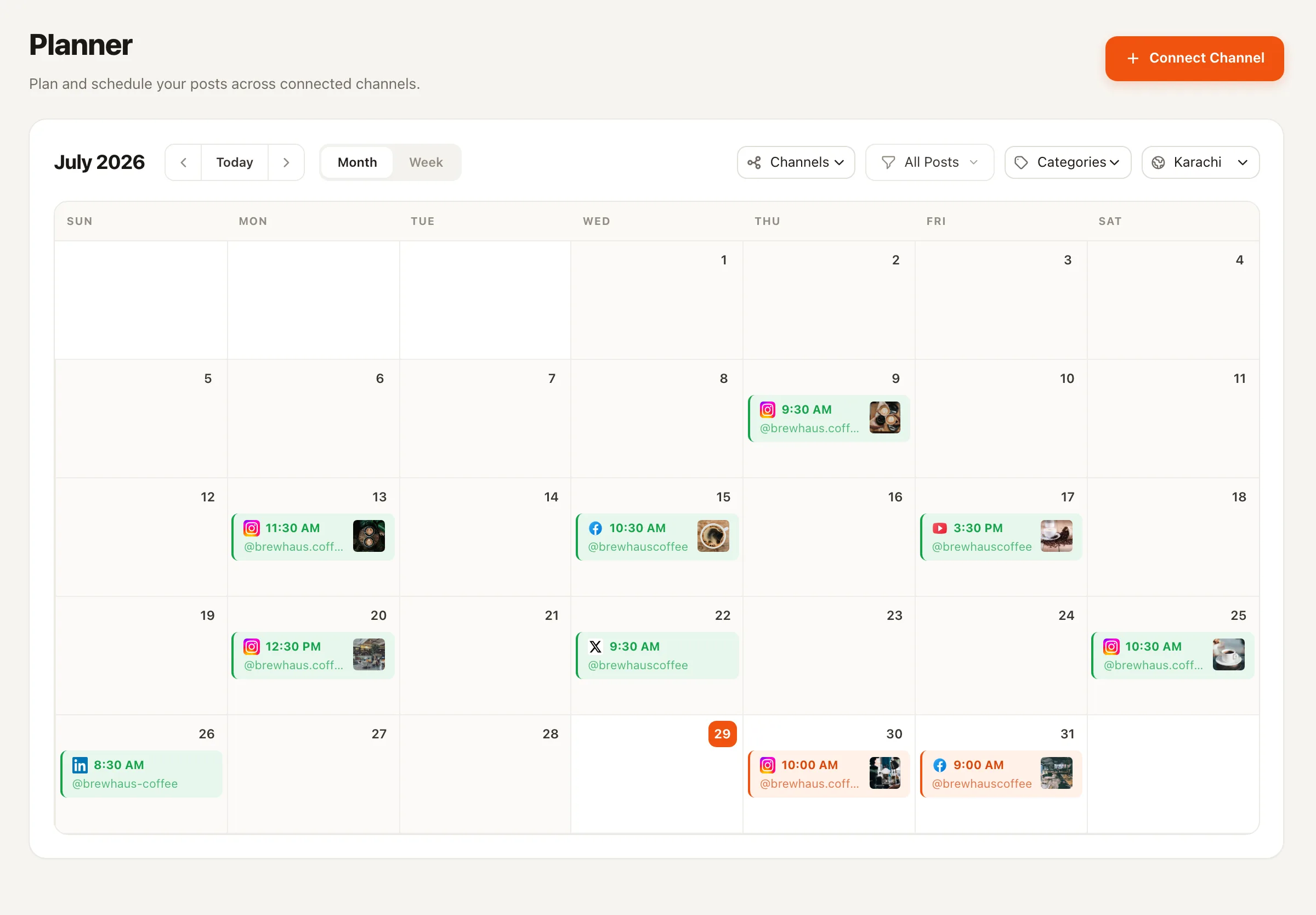
Spread them across the calendar
Drop pins onto the month view by hand, let a best-time queue fill your preset slots automatically, or import the whole plan at once with bulk CSV upload.
- 5
Let it run — and re-run
Nimply publishes each pin automatically at its time. Want durable pins back later? The Evergreen Recycler agent re-drafts proven performers and files them for your approval.
Why it works here
Pinterest rewards the steady pinner, not the sprinter
Because pins are discovered through search and recommendations over weeks and months, a steady drip of pins gives Pinterest a constant stream of fresh content to surface — while a burst of twenty pins in one evening mostly competes with itself. A schedule is the difference, and it’s the part humans are worst at sustaining by hand.
This is also where evergreen recycling earns its name: pin content rarely expires, so your best performers can keep working. The Evergreen Recycler agent does the resurfacing — ranking proven posts by real engagement and re-drafting them fresh, with every draft still going through draft, approval, and schedule before anything publishes. And if a spreadsheet is how you plan, bulk scheduling via CSV turns the sheet straight into a calendar. Both are part of the same social media scheduling foundation that runs your other eight platforms — including the evergreen recycling workflow itself.
Platform notes — the honest fine print
- · Every pin carries a pin title, description, and destination link — all set once in the composer, so the pin arrives search-ready.
- · The destination board is chosen at scheduling time, per pin — recipes to Recipes, products to the catalog board.
- · Pins publish automatically at their scheduled time — no reminder-notification workarounds.
Keep going
📋 Bulk scheduling
Turn a spreadsheet of pins into a fully scheduled calendar with one CSV import.
♻️ Evergreen content recycling
How the Recycler agent re-drafts your proven performers — approval-first, never verbatim.
🕑 Best time to post
Define preset slots once and let the queue place each pin instead of guessing times.
Scheduling Pinterest pins — FAQ
Can I choose which board each pin goes to?
Yes. When you schedule a pin in Nimply you pick the destination board on your connected Pinterest account, so a recipe pin, a product shot, and a blog graphic can each land where they belong.
Does Nimply publish the pin itself, or send me a reminder?
It publishes. At the scheduled time Nimply posts the pin to your chosen board automatically. There are no reminder-style workarounds — the pin goes live whether you're at your desk or not.
How do I schedule a whole month of pins without a month of clicking?
Two ways. Bulk CSV upload lets you prepare pins in a spreadsheet and import them in one pass. Or use a best-time queue: define your preferred time slots once, then add pins to the queue and Nimply fills the next open slots automatically.
Can old pins get a second run?
Yes — through the Evergreen Recycler agent. It ranks your published back catalog by real engagement, re-drafts the winners fresh rather than repeating them verbatim, respects recycle cooldowns, and files each re-draft into your approval queue. Pinterest content tends to stay relevant far longer than a feed post, which makes it a natural fit.
Can I attach the link and description in advance?
Yes. Each scheduled pin carries its title, description, and destination link. Nimply's built-in link shortener applies short links at publish time if you use it.
Does Pinterest sit on the same calendar as my other platforms?
Same calendar, same composer. Pins are one lane of Nimply's planner alongside Instagram, Facebook, LinkedIn, TikTok, YouTube, Threads, X, and Telegram — with categories, drag-to-reschedule, and the approval workflow shared across all of them.
Give Pinterest the consistency it keeps asking for
Connect your account, load a batch of pins, and let the queue do the daily showing-up — free to start.