

Feed posts
Single images, on schedule
Caption, media, hashtag set — assembled once in the composer and published automatically at the time you chose.
Feed · planned ahead
9 posts readyPublished tiles, plus the queued slots that fill them in — Reels and carousels included.
📸 Use case · Instagram
Schedule Instagram posts once a week and Nimply auto publishes to Instagram at each scheduled time — feed posts, Reels, and image carousels, each with its hashtag set attached. The grid keeps growing on the days you never opened the app.
Professional accounts · true auto-publish · hashtag sets & AI captions
What you can schedule
The nightly ritual — export to phone, paste caption, hunt for hashtags in your notes app, then finally hit post — is four errands pretending to be one. In Nimply it’s one composer pass, then the publish happens without you.
Feed posts
Caption, media, hashtag set — assembled once in the composer and published automatically at the time you chose.
Reels
Upload the video, write the caption, schedule it like anything else. Batch a week of Reels in one editing session and drip them out.
Carousels
Order the slides in the composer and the carousel publishes intact. Need slide ideas? See Instagram carousel ideas.
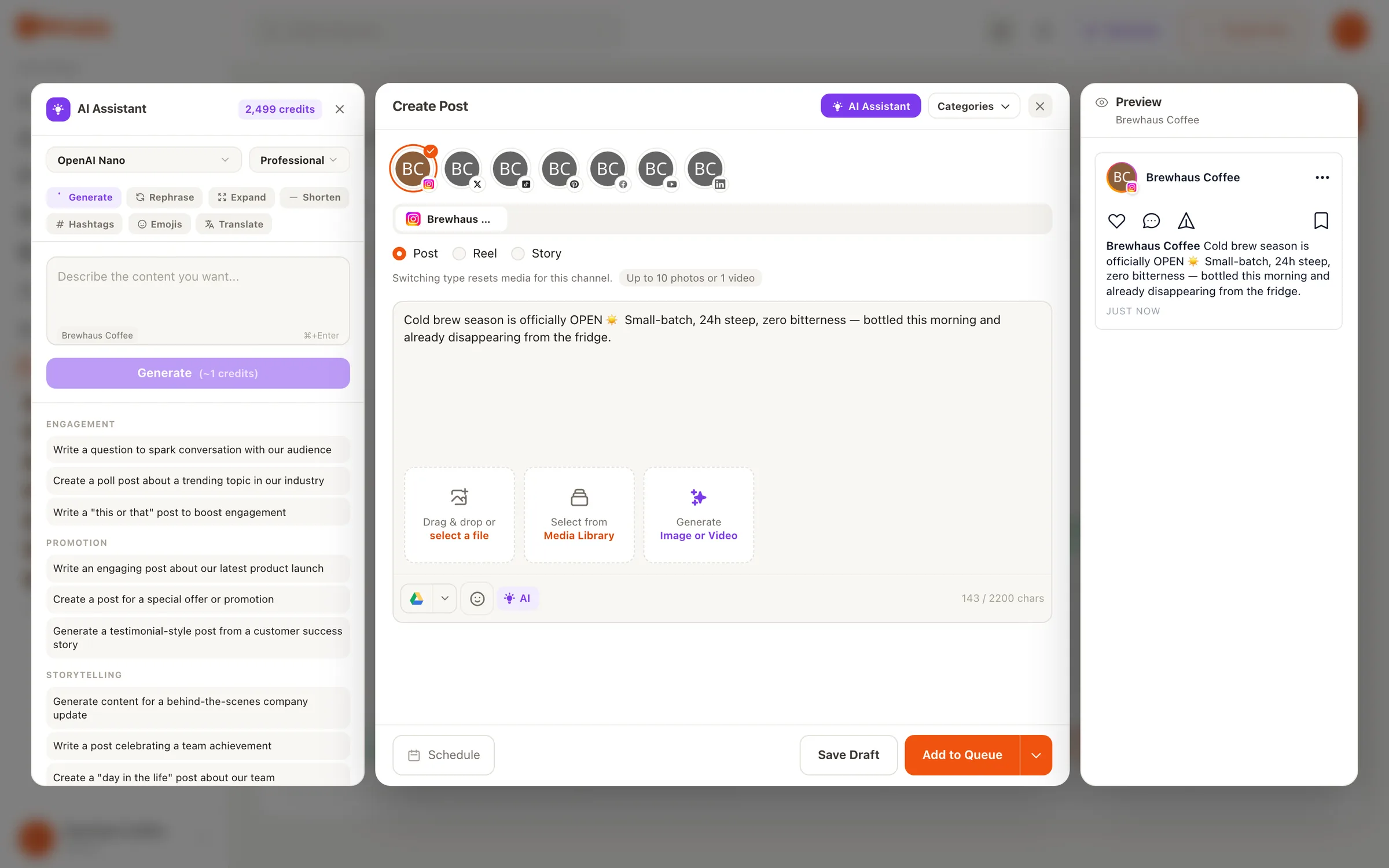
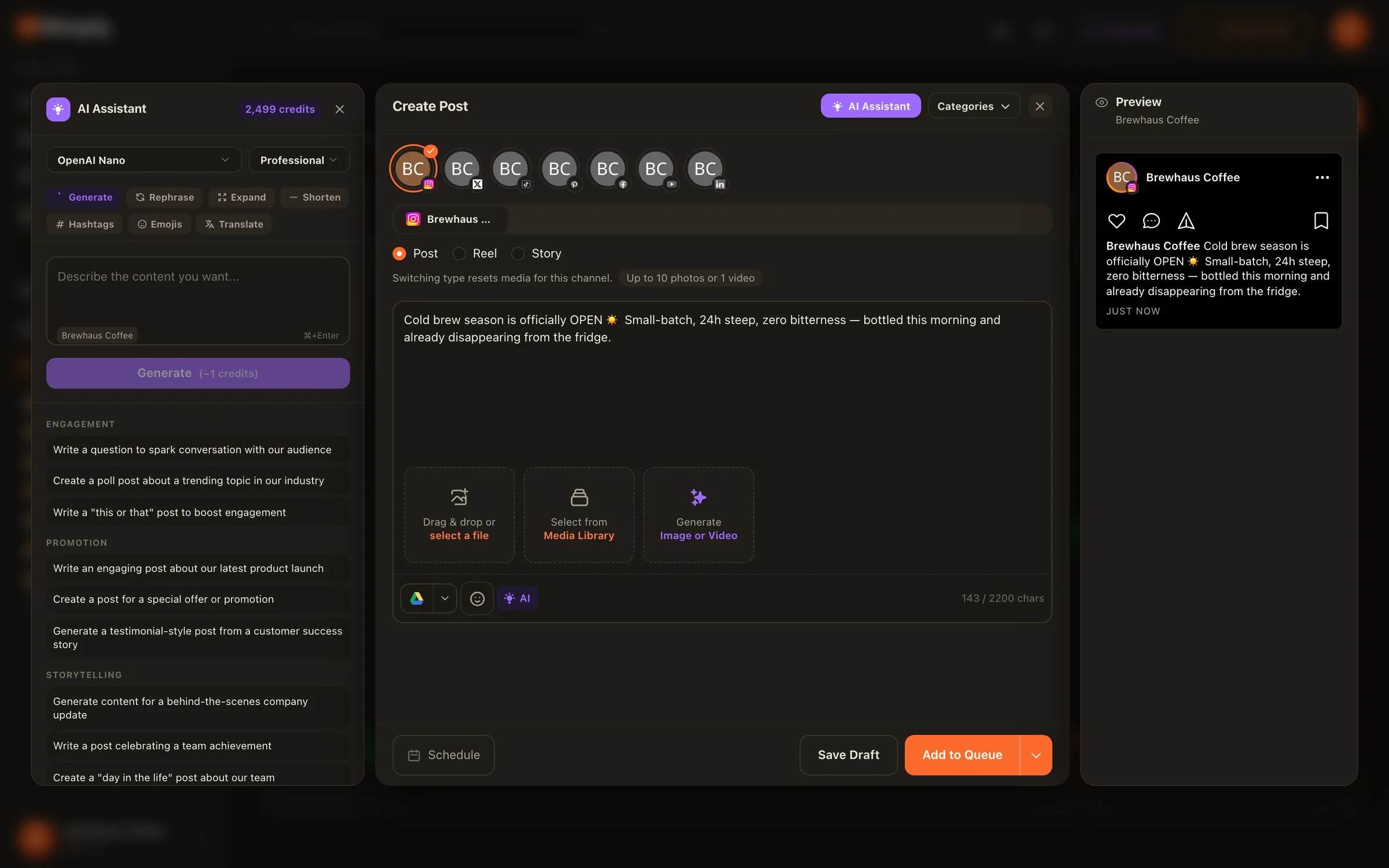
Captions included
The AI assistant lives inside the composer and drafts captions in your brand voice — not a generic bot voice — using AI credits. You edit, attach a hashtag set, and schedule. It’s part of the same social media scheduling tool that runs all your channels, so an Instagram-first plan still covers Facebook, LinkedIn, and TikTok from one calendar.
And when comments and DMs pick up because you’re finally posting consistently, Instagram DM automation is its own use case — deliberately kept off this page.
Setup
Business or Creator accounts connect in one OAuth flow and unlock direct auto-publishing.
Save the groups you already use — per topic, per campaign — so attaching them becomes one click forever after.
Feed post, Reel, or image carousel: attach media, write the caption (or let the AI assistant draft it in your voice), and attach a hashtag set in a click.
Pick an exact time, or drop it into a best-time queue with preset slots and let the calendar place it.
Drafts wait for approval before they can be scheduled — useful for teams, essential for agencies.
At the scheduled time the post goes out automatically. Drag it to another day if plans change.
Keep going
Let best-time queues fill preset slots instead of guessing when your audience is awake.
Save proven hashtag groups by content category and attach one in a click in the composer.
An agent that re-drafts your best performers and files them for approval — never publishing on its own.
It auto publishes. Connect an Instagram professional account and scheduled feed posts, Reels, and image carousels go out directly at their scheduled time — no phone notification, no midnight copy-paste.
Instagram professional accounts — that is, Business or Creator accounts. If you're on a personal account, switching to a professional account is a free setting inside Instagram and unlocks scheduled auto-publishing.
Yes — feed posts, Reels, and image carousels all schedule from the same composer. You pick the format, attach the media, and the post publishes in that format at its scheduled time.
No — Nimply doesn't schedule Stories, and we'd rather say that plainly than surprise you after signup. Scheduling covers feed posts, Reels, and image carousels.
Save your winning hashtag groups as reusable hashtag sets — organized by topic or campaign — and attach one in a click instead of pasting from a notes app. The set lands in the caption exactly as you saved it, every time.
The AI assistant in the composer generates captions in your brand voice — it runs on AI credits, and you edit or regenerate until it sounds like you. Nothing publishes without you scheduling it.
Connect your Instagram professional account free and schedule your first week of feed posts, Reels, and carousels today.