

🗂️ For virtual assistants
The social media virtual assistant who supervises an AI staff wins the client
Two social media virtual assistants pitch the same client. One promises to personally type every reply and fill every calendar slot by hand. The other shows up with a team of draft-first AI agents, a unified inbox that never buries a message, and their own judgment as the final gate on everything. Same hours in the day — very different capacity.
The delegation board
Move the repetitive cards off your column
Picture your weekly task board. Most of what’s on it isn’t judgment work — it’s repetition. Those cards move to agent columns. What stays in yours is the work clients actually pay a person for.
You keep
- Client strategy calls
- Voice & taste decisions
- Final approval on every draft
- The tricky, human replies
Customer Support agent
- Draft replies to DMs & comments
- FAQ answers, escalated when unsure
Drafts only — you approve
Evergreen Recycler
- Refill calendar gaps
- Re-queue proven posts
Drafts only — you approve
Community Moderator
- Log / hide spam
- Audit note per action
Drafts only — you approve
Every agent is draft-first by design: nothing publishes or sends without passing your review, and each run shows its credit cost.
Your service menu, upgraded
The three things every client hires a VA for
A virtual assistant’s social media retainer usually comes down to three promises. Here’s how each one gets an AI staff behind it.
Daily engagement, without living in five apps
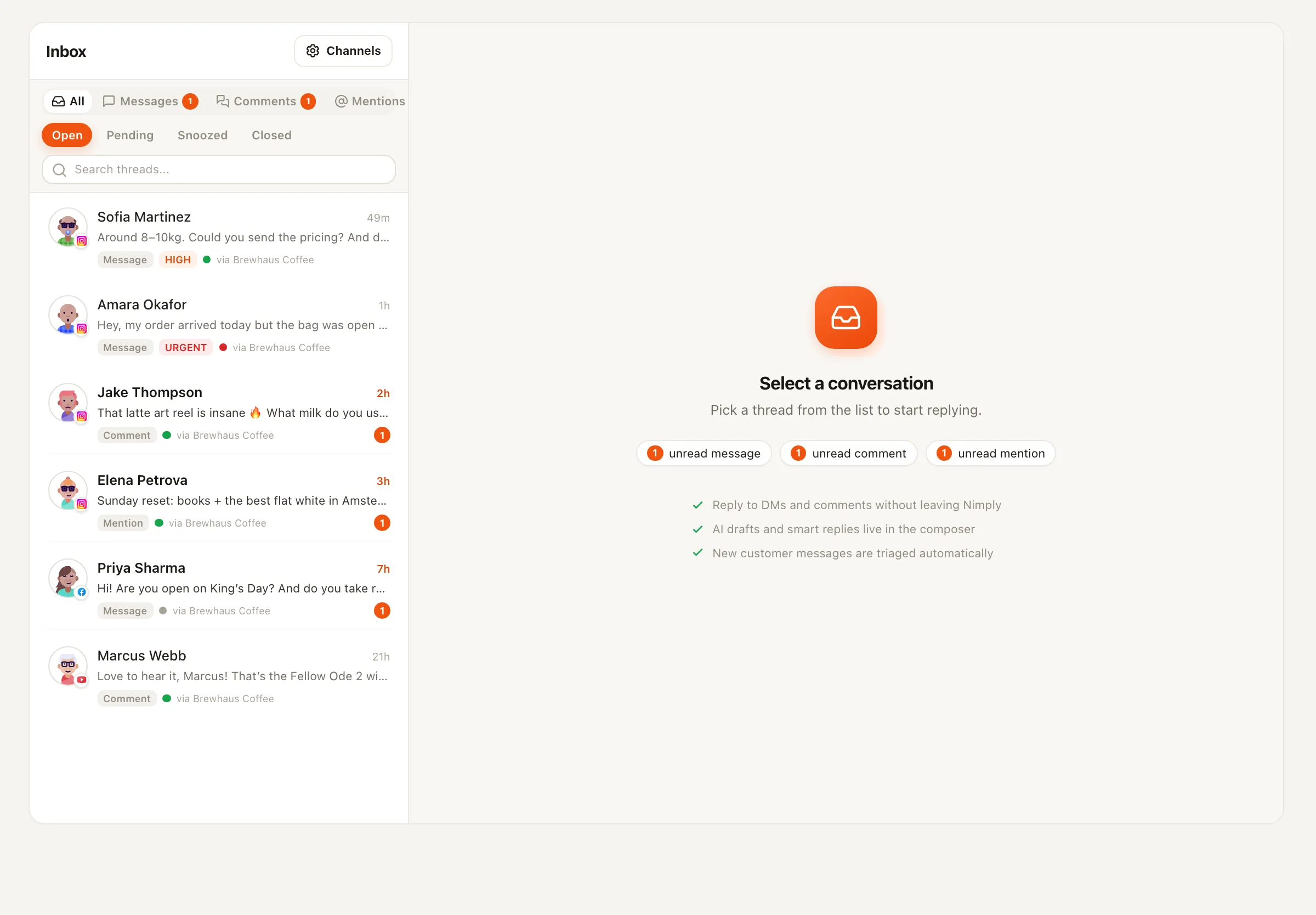
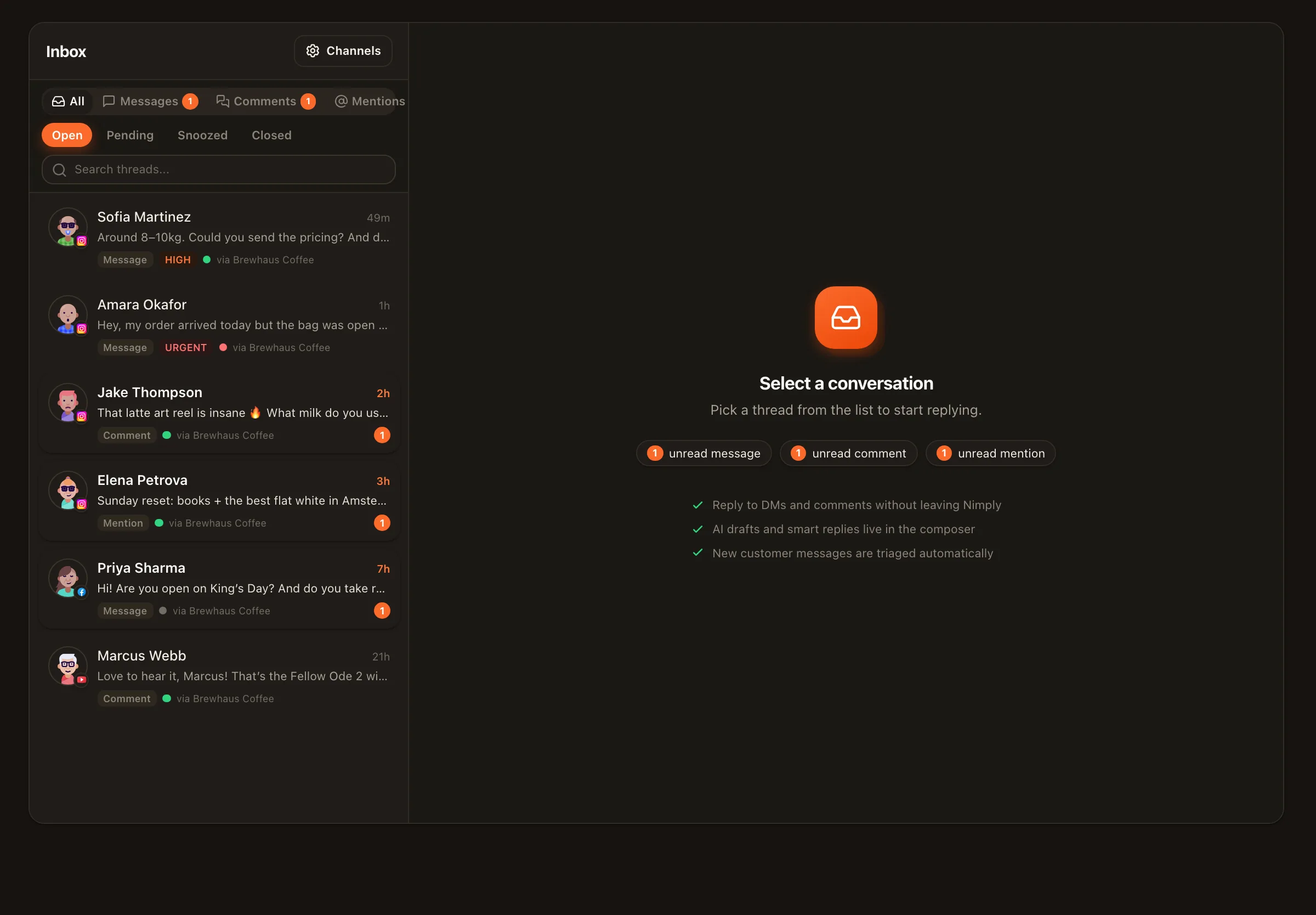
Facebook and Instagram comments and DMs plus YouTube comments land in one inbox with AI triage by sentiment and intent. The Customer Support agent drafts replies from the client's business profile and FAQ; you review, tweak, send.
Calendar upkeep that never shows a gap
Month and week planner views, categories, best-time queues, and the Evergreen Recycler resurfacing proven posts mean the calendar a client opens is always full — and everything still passed an approval gate.
Inbox zero as a deliverable
Saved replies capture the answers you type most, translations handle multilingual audiences, and the Community Moderator keeps spam out of comment sections with an audit note for every action it takes.
One workspace per client
Clients stay sealed off from each other
Each client lives in their own workspace — their channels, their calendar, their inbox, their agents. Invite the client in as a VIEWER to watch, or an EDITOR to contribute, and give them the approval seat so publishing always ends with their yes. When you grow into a full freelance social media manager practice, the structure is already there.
Honest reporting
Tell clients exactly what the AI did
Transparency is a selling point, not a confession. Every agent run has a visible credit cost, every moderation action carries an audit note, and every published post passed a human approval. Show clients the drafts you reviewed and the judgment calls you made — that’s the part of the retainer no software replaces. Pair it with saved replies so your best answers become reusable assets per client.
A morning across three clients
What supervision actually looks like
An illustrative pass through the workday — the point is that every step is a review, not a rebuild.
1 · Open the inbox
Per client workspace, triage has already sorted conversations by intent and sentiment. The Customer Support agent's draft replies sit waiting — approve, edit, or take over the thread yourself (the agent pauses per thread when you do).
2 · Sweep moderation
The Community Moderator logged or hid what crossed the line, with a note per action. Criticism is always left up by design — you only review the edge cases.
3 · Check the calendar
The recycler proposed drafts for empty slots; best-time queues placed them. Approve what fits, adjust what doesn't, and the schedule fills itself forward.
4 · Report with receipts
Wrap with a client note: what went out, what the agents drafted, what you approved and why. Every claim has a trail behind it.
Virtual assistants — FAQ
Does this replace virtual assistants?
No — and we won't pretend otherwise. Agents draft; they never publish, and they can't decide what a client should sound like or which comment deserves a personal touch. What Nimply changes is what a VA sells: instead of billing raw hours for typing replies and filling calendar slots, you bill for supervision and judgment across more accounts. The VA is still the one the client trusts.
Can I keep each client's account fully separate?
Yes. Nimply supports multiple workspaces per user, so each client gets their own workspace with its own connected channels, posts, inbox, agents, and members. Nothing bleeds between clients, and you can hand a client VIEWER or EDITOR access to their own workspace without exposing anyone else's.
What if a client wants to sign off before anything goes live?
That's the default posture. Agents always stop at a draft, and the planner has a built-in approval workflow — posts move draft, then pending approval, then scheduled. You can loop the client in as an approver so nothing publishes until a human said yes.
How do I explain agent costs to a client honestly?
Every agent run shows its credit cost transparently, so you can see exactly what the AI work consumed per workspace. That makes honest client conversations easy: here's what the agents did, here's what it cost, here's what I reviewed and approved on top.
Which agents matter most for VA work?
For most VA service menus: the Customer Support agent for drafting replies to business DMs and comments from the client's profile and FAQ, the Evergreen Recycler for keeping calendars full from proven content, and the Community Moderator for keeping comment sections clean with a full audit note per action. Add the Carousel Designer or Content Repurposer for content-heavy clients.
Do I need each client to hand over their passwords?
No. Clients connect their social accounts to their workspace through each platform's official authorization flow — no shared passwords. You work inside the workspace with the role they (or you) assign.
Sell supervision and judgment, not raw hours
Set up your first client workspace free, hire the agents that fit your service menu, and keep every approval in your hands.