

Guide 3 · Unified Inbox
Master the unified inbox
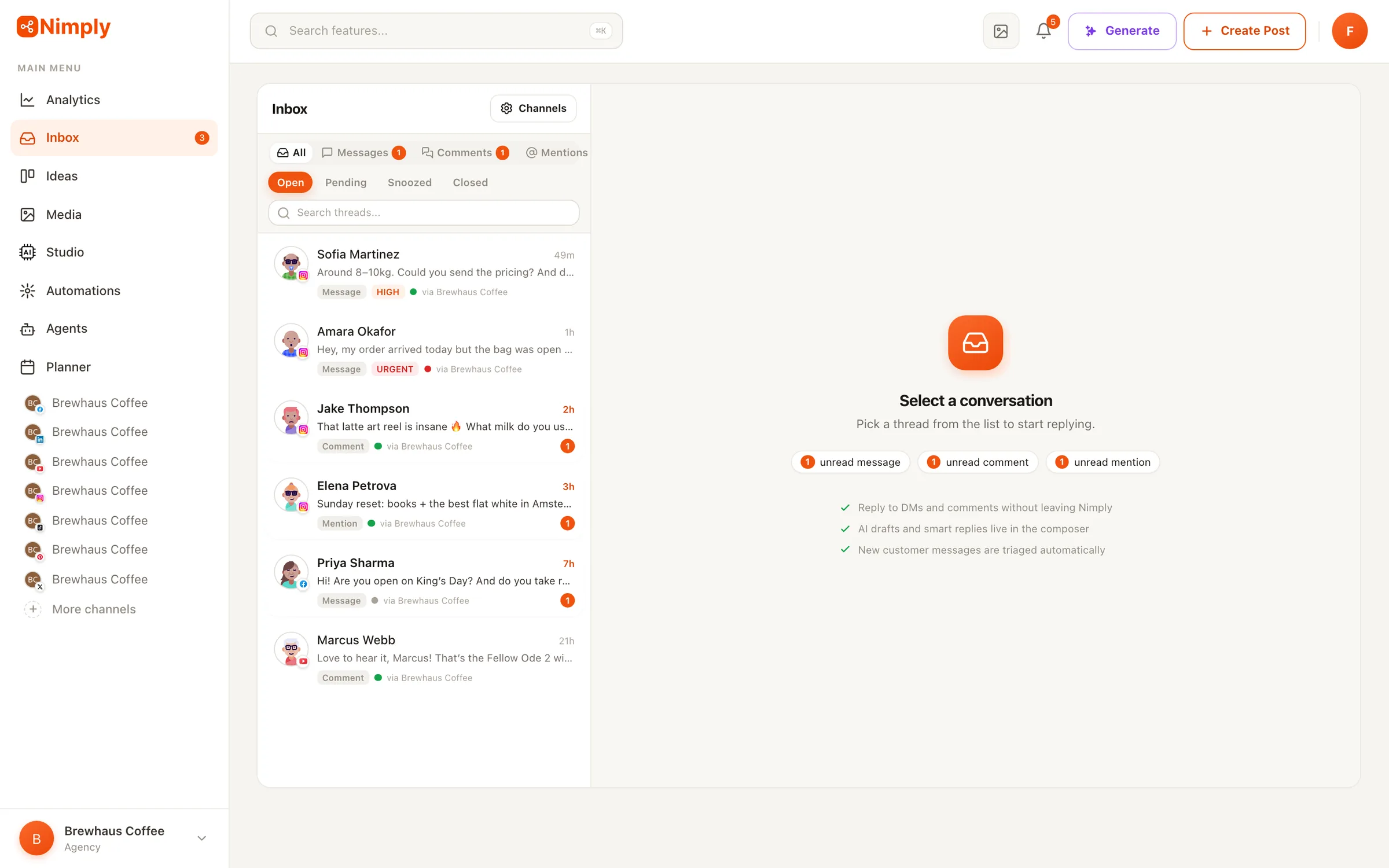
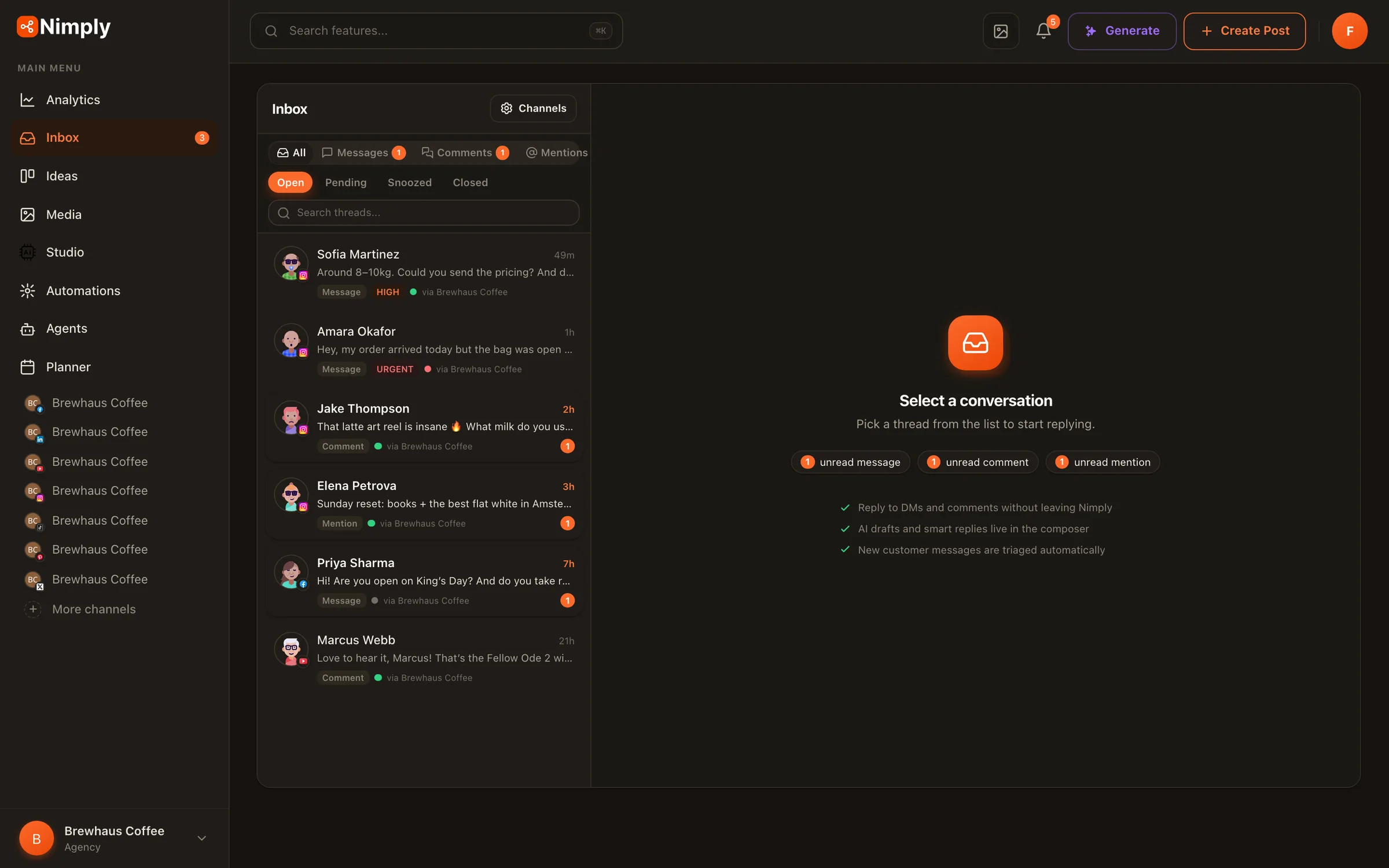
The inbox collects DMs, comments, and mentions from your connected channels into shared, prioritized threads — with AI triage on arrival and your team's whole reply workflow in one place. This guide covers turning it on, working the queue, and putting agents on your busiest channels.
Switch the inbox on, per channel
The inbox is opt-in by design: connecting a channel for publishing never starts message collection. Nimply doesn’t ingest a single message until you explicitly switch that channel’s inbox on — and switching it off unsubscribes the platform webhook and stops ingestion. Enable it only where you actually want to manage conversations.
One honest note on coverage: inbox support rolls out per network as platforms grant API access. WhatsApp Business chats, Facebook Page DMs and comments, X DMs and mentions, YouTube and TikTok comments, Threads replies, and Telegram comments, reactions, and DMs are live today; Instagram DMs and comments are in Meta’s review now. Publishing works on every network regardless — details on the Unified Inbox page.
Let AI triage sort the queue
The moment a conversation arrives, AI classifies its sentiment, its intent — question, complaint, praise, lead, support, spam — and adjusts its priority. The result is a queue where complaints and hot leads float to the top instead of drowning under mentions, and every thread carries its tags before anyone has read it.
Work top-down and trust the ordering for a few days before customizing anything. Filters let you slice by channel, status, intent, or assignee when you need a narrower view. The same classifications are available to automations — a workflow can watch for complaint-intent conversations and ping your Slack the moment one lands, which is exactly the flow built in the automation guide.
Reply faster without sounding canned
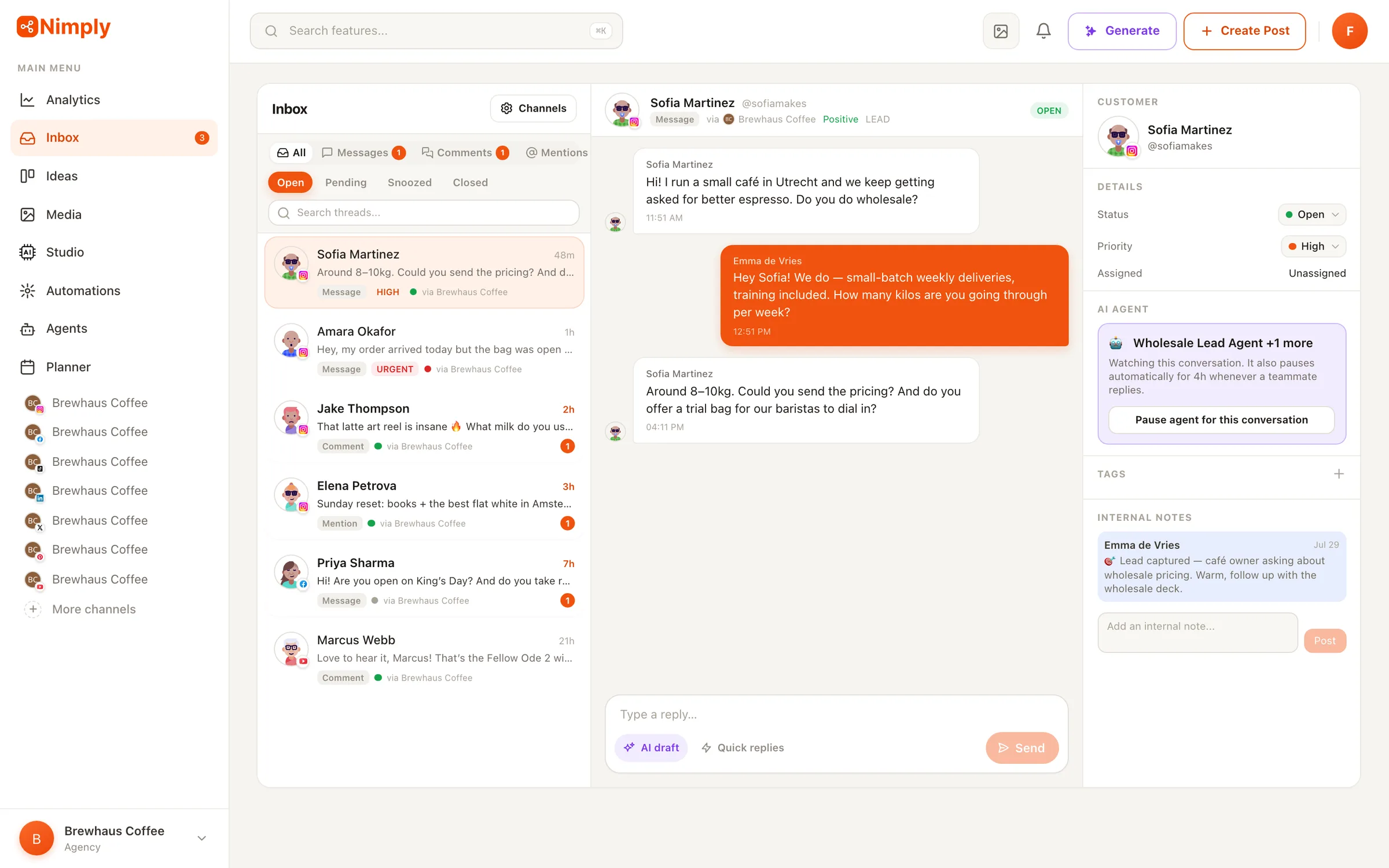
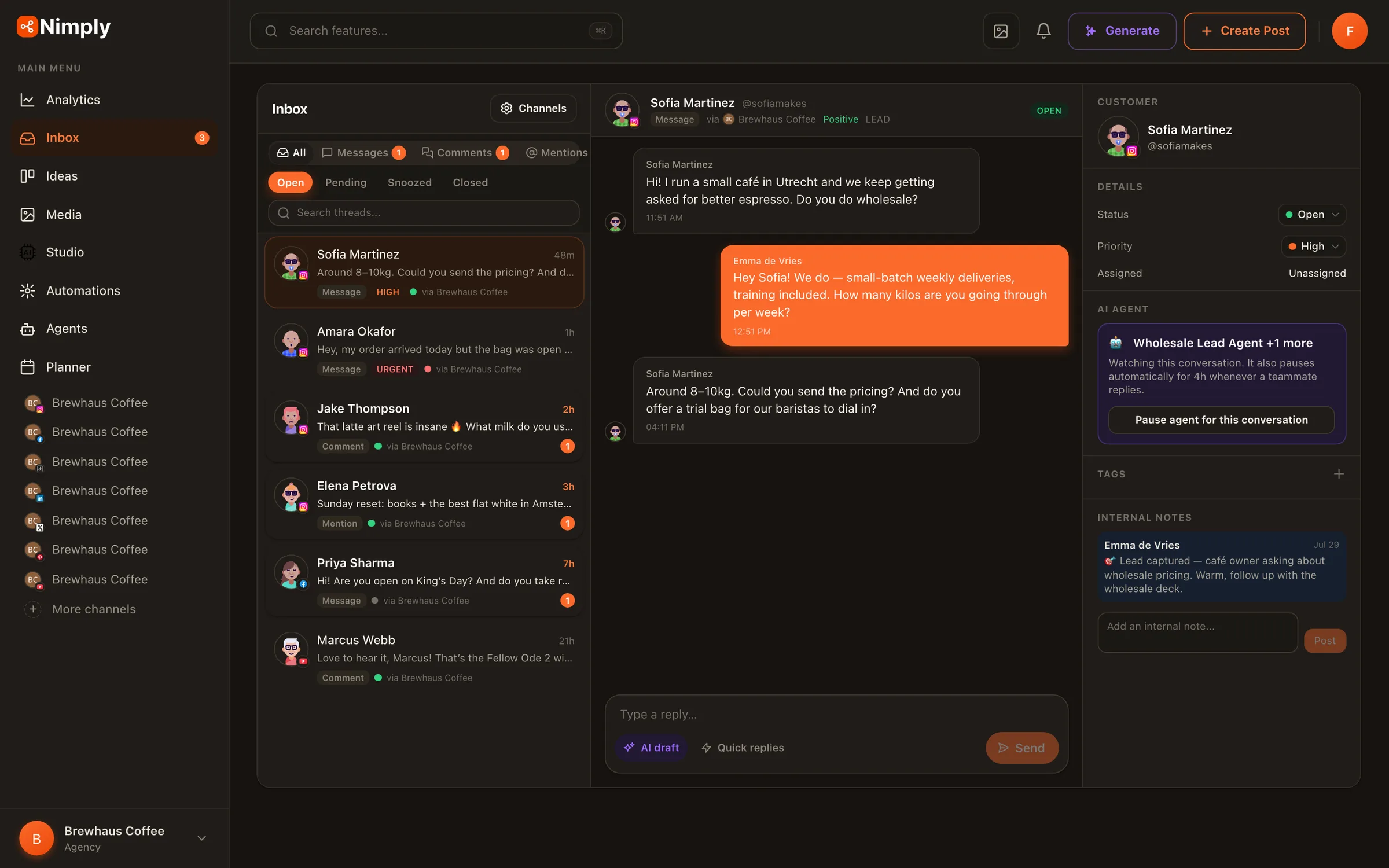
Open a thread and you get the full history, the sender’s profile, and the reply box in one view. Three tools speed up the actual writing: saved replies with shortcuts for the answers you type every week, an AI draft button that writes a reply for the conversation you’re looking at, and translations when a customer writes in another language.
Statuses — open, pending, snoozed, closed — keep the queue honest: close what’s done, snooze what’s waiting on someone else, and the unread counts stay meaningful.
Bring in your team
For teams, the inbox is a shared workspace: assign conversations to the right person (or let assignment rules route them), leave internal notes with @mentions that the customer never sees, and set SLA policies with first-response and resolution timers so nothing quietly ages out. Each member gets their own unread counts, and agencies keep a separate inbox per client workspace.
A workable division of labor for a small team: one person owns complaints and anything the SLA timer flags, another owns leads and sales questions, and everything tagged praise or general gets batch-answered once a day with saved replies. Because assignment, intent, and status are all visible on the thread list, nobody has to ask “who’s got this?” in a side channel.
Put agents on your busiest channels
Once the manual workflow feels solid, attach a Customer Support or Sales & Lead agent to a channel. In draft mode the agent reads each new conversation and attaches a suggested reply as an internal note; auto mode is opt-in, rate-limited, and pauses whenever a teammate takes over. Any thread can mute its agent with one click — for the tricky customer or the conversation you want to own yourself.
The combination is the point: triage prioritizes, agents draft, humans decide. If you haven’t hired an agent yet, the previous guide walks through it.
One inbox for every conversation
Switch a channel on, let triage sort the queue, and see how much faster replies get.