Gym social media marketing for the 5am-to-9pm coaching day
You open the box before sunrise and lock it after the evening class. Gym social media marketing dies in exactly those weeks — the opening-shift weeks — because posting is the first thing to go when you’re coaching back-to-back. Nimply turns your class schedule into a content plan and puts AI agents on the repetitive work, so the feed stays alive when you can’t.
Agents draft, you approve, the planner publishes · nothing goes out without your sign-off
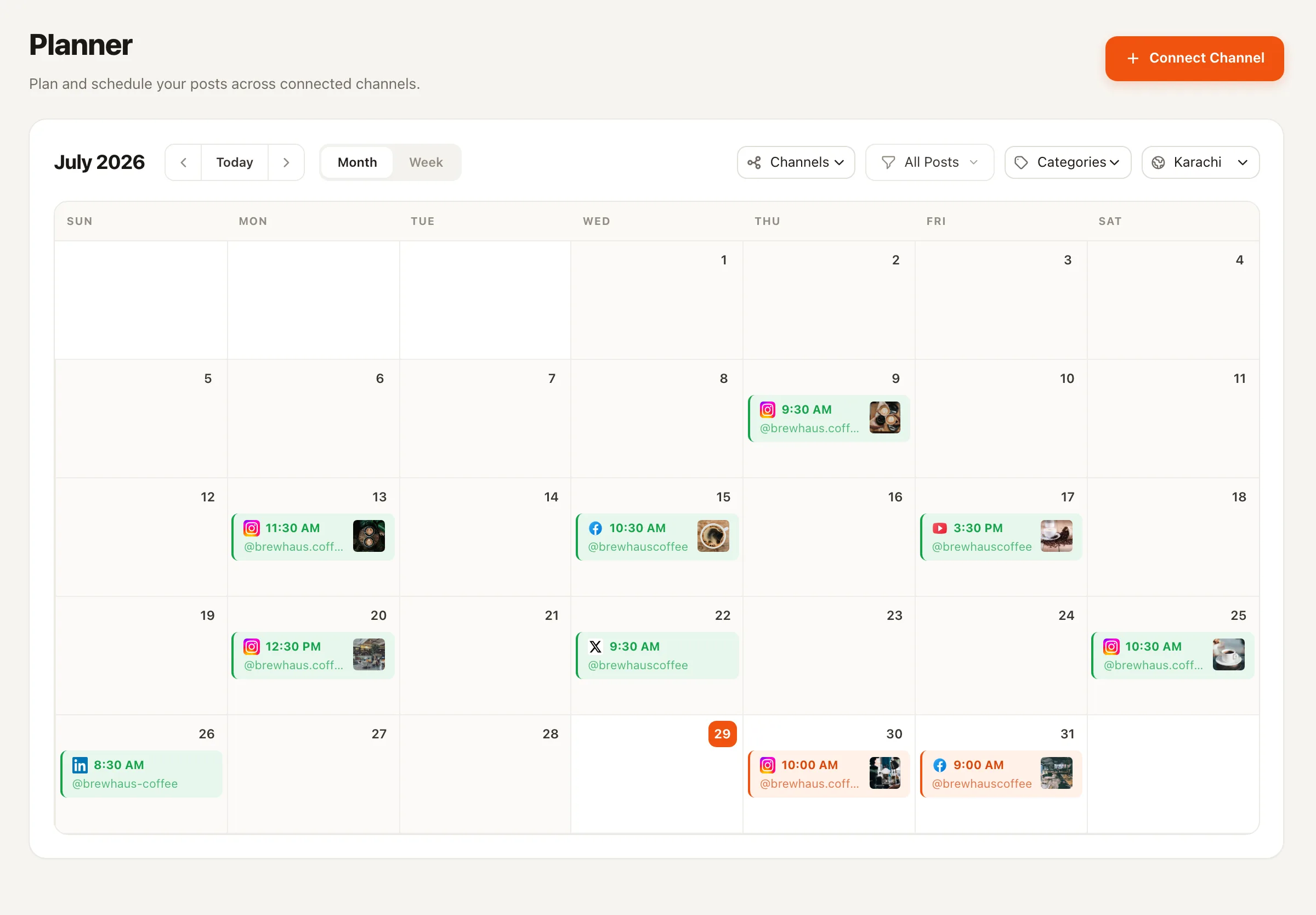
One Sunday planning session, one approved week — the calendar publishes while you coach.
The class-week grid
Your schedule board is already a content calendar
Gyms don’t have a content problem — they have a translation problem. Every slot on the whiteboard maps to a post type. Fill the grid once, and schedule each one for the time your members actually scroll — usually not while they’re in class.
Mon
6am HIIT
Class highlight
One clip from the floor, captioned and queued.
Tue
Open gym
Form tip
A coaching cue you repeat daily anyway — now it's a post.
Wed
Strength
Member spotlight
A member's story, told as a branded carousel.
Thu
Mobility
Coach Q&A
The question you answered three times at the desk.
Fri
Team WOD
Transformation carousel
A member's journey in their own words — with their permission.
Sat
Community
Event post
Bring-a-friend Saturday, announced on Tuesday.
Sun
Closed
Week ahead
Next week's class schedule, posted while you rest.
This is a workflow, not a promise — no post format grows a gym by itself. What the grid does is remove the daily decision of what to post, which is where consistency actually breaks.
Hand it a member spotlight or a five-point form tip and it returns a branded carousel in your colors — Instagram image slides or a LinkedIn PDF. The Wednesday and Friday slots of the grid, designed without opening a design tool.
Form tips don’t expire — a squat cue from March is just as true in November. The recycler finds your best old posts by real engagement, rewrites them fresh, and respects cooldowns. See how evergreen recycling works.
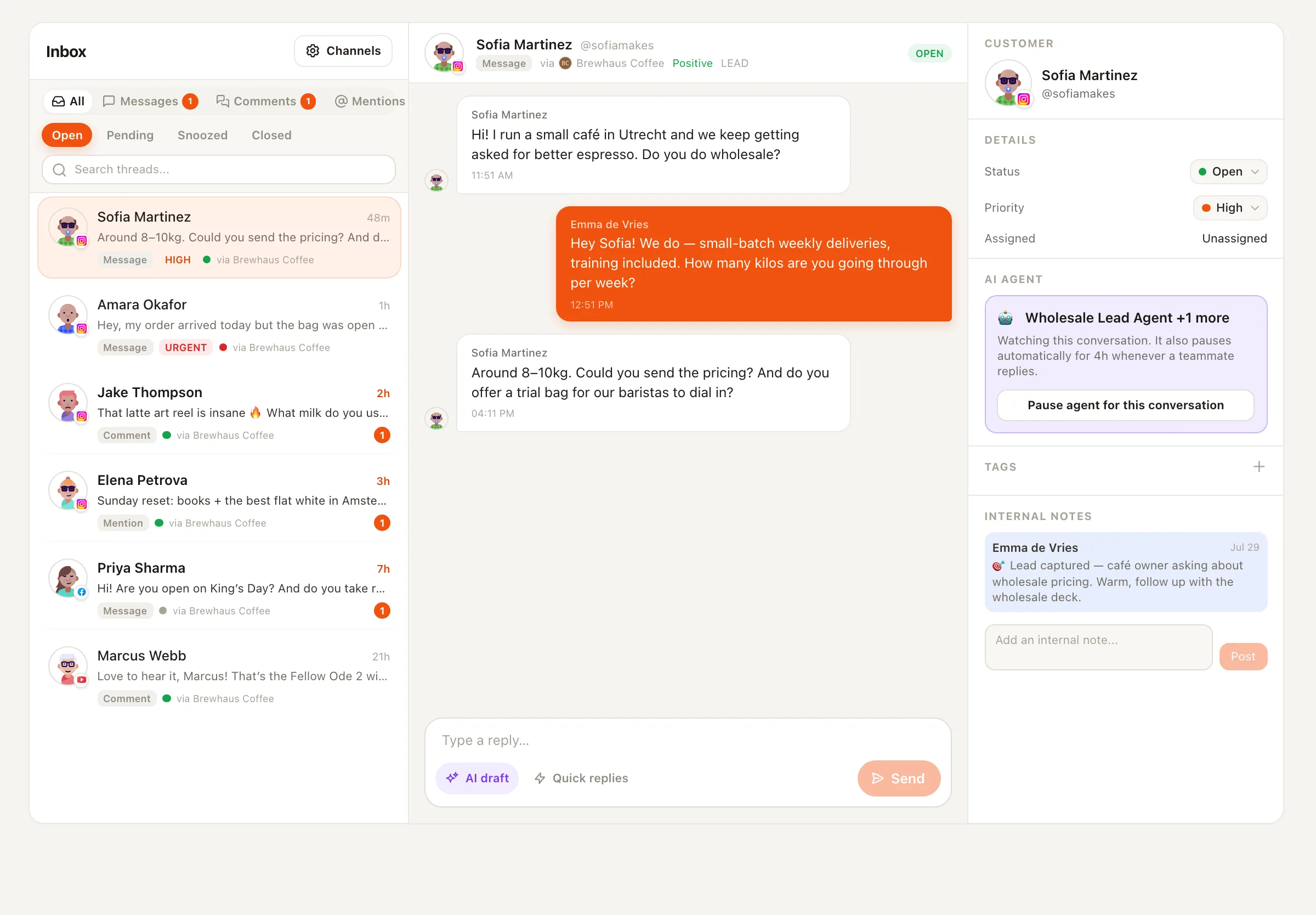
“How much is membership?” arrives at 9pm, every night. This agent answers DMs and comments from your configured pricing and FAQ — on Facebook Pages and Instagram professional accounts — in draft-first or auto mode, and escalates anything it can’t answer.
An illustration — not a case study
Picture a CrossFit box in January
A fictional example to make the workflow concrete. It’s the resolution wave: intro classes are full, the DMs are a wall of “do you have beginner sessions?”, and both coaches are on the floor from open to close. Here’s what the January week looks like with the AI staff in place.
Sunday, 40 minutes
The head coach fills the class-week grid in the Planner: two class highlights, a form-tip post, an onboarding-week spotlight carousel drafted by the Carousel Designer. Approves the lot.
All week, unattended
Posts publish on schedule. The Evergreen Recycler resurfaces last year's best 'first week at the box' post, rewritten fresh — approved with one tap between classes.
Every evening, automatically
The Customer Support Agent answers pricing and beginner-class DMs from the configured FAQ. A question about an injury? Escalated straight to a human coach.
Membership questions land in the unified inbox — the support agent drafts the answer from your configured pricing.
Gym social media — FAQ
Can an AI agent really answer “how much is membership?” DMs?
Yes — from information you configure, not guesswork. The Customer Support Agent answers DMs and comments using your business profile and FAQ: pricing, class times, drop-in policy, parking. It works on Facebook Pages and Instagram professional accounts, with inbox access opt-in per channel. You choose draft-first mode (it writes, you send) or auto-reply, and anything it can't answer gets escalated to you.
Will anything post while I'm mid-class without my sign-off?
No agent on Nimply publishes directly — ever. Everything an agent produces lands as a draft, waits for your approval, and only then gets scheduled. What does go out mid-class is content you already approved: the queue publishes on schedule whether you're coaching, programming, or asleep before the 5am shift.
What happens to posting during opening-shift weeks?
That's the point of the class-week grid: you batch a week of posts in one planning session — Sunday afternoon works for most gym owners — approve them, and the Planner publishes on schedule. The Evergreen Recycler keeps a second lane running by resurfacing your best-performing form tips and rewriting them fresh, with cooldowns so nothing repeats too soon.
Do transformation posts mean Nimply writes results claims?
No. A transformation carousel here is a post format — a member's story told across slides, with their permission, in their words. Nimply's Carousel Designer handles the design and structure; it doesn't invent numbers, and neither should your captions. Real member stories carry more weight than any claim you could fabricate.
Which platforms matter most for a gym?
For most gyms and studios, Instagram carries discovery and Facebook carries community and DMs — both are fully supported, including the AI inbox agents. Nimply also publishes to TikTok, YouTube, LinkedIn, Threads, Pinterest, X, and Telegram, so class clips can go wherever your members actually are, from one calendar.
I'm a solo coach, not a gym. Does this still fit?
Yes — the same setup works as social media for fitness coaches running their own client roster. The grid shrinks to your coaching week, the Customer Support Agent fields “do you do online programming?” DMs from your configured services, and the Carousel Designer turns your training philosophy into shareable slides. Everything still waits for your approval.
Keep the feed alive through opening-shift weeks
Set up the class-week grid, hire the agents free, and approve a week of gym content in one sitting — then go coach.