

Front-load the tension
A hook earns the tap by opening a loop — a claim, a number, a confession — that the body resolves. “We almost scrapped this product” beats “New product alert!” every time.
✍️ AI Content Studio
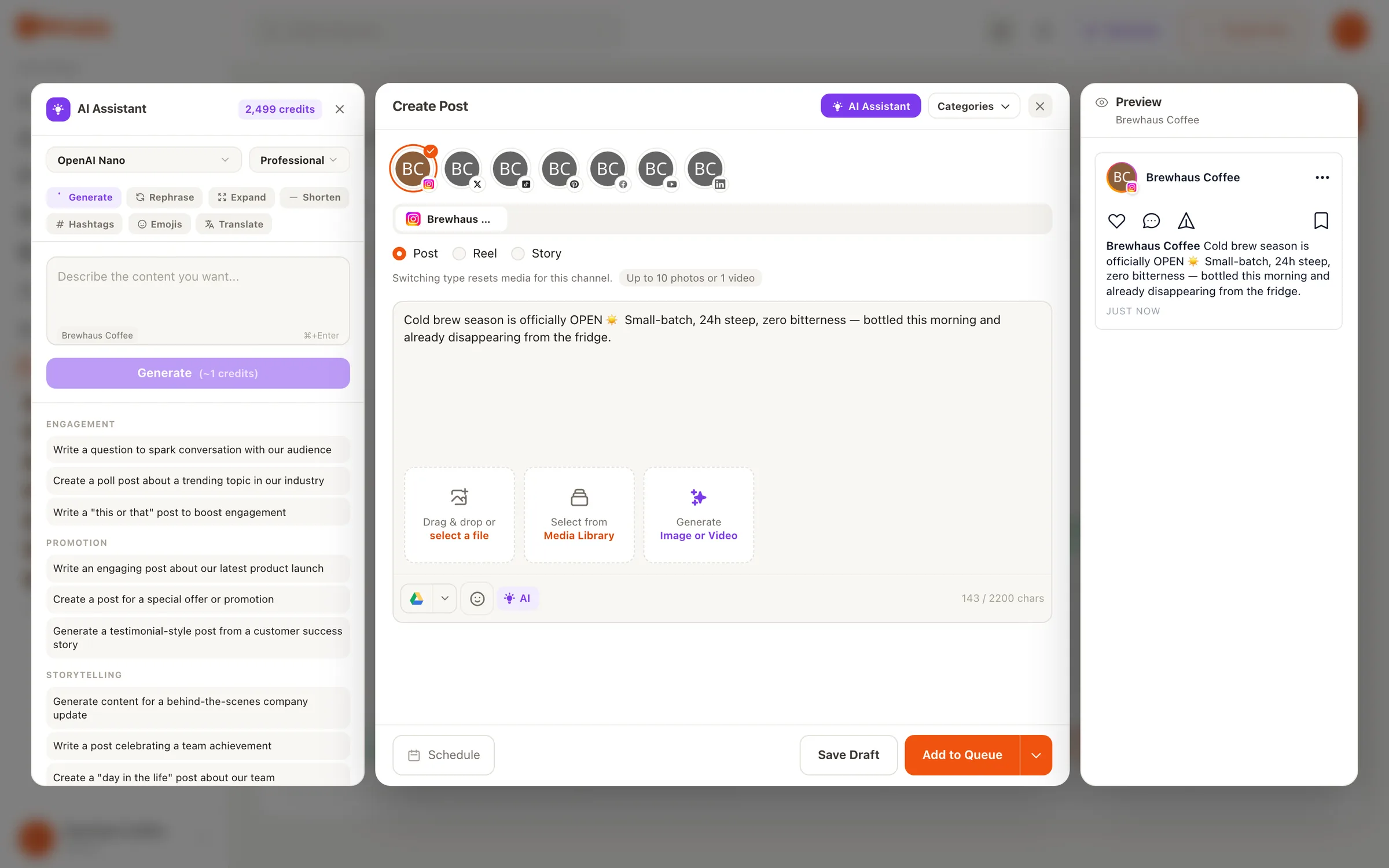
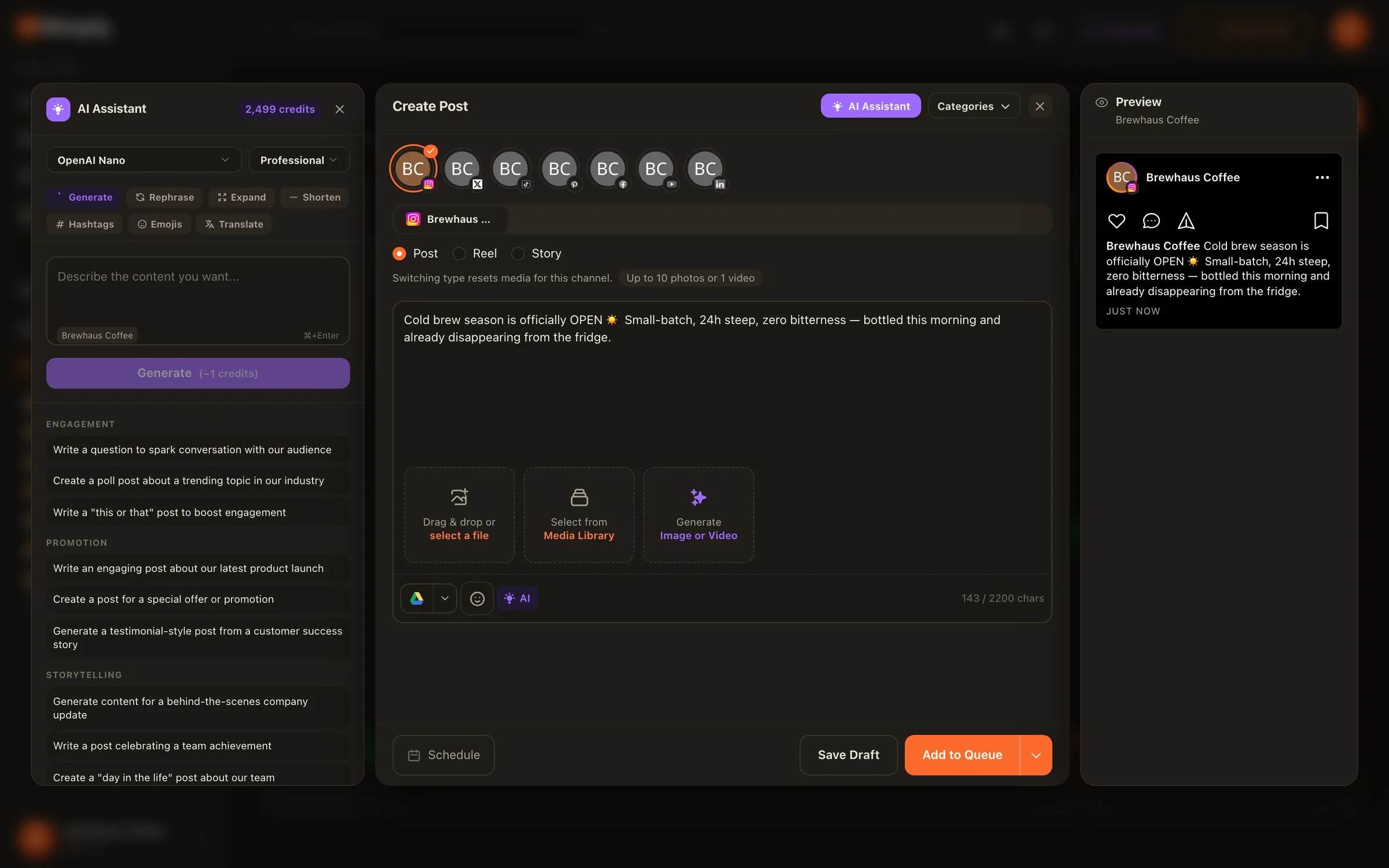
Most AI caption generator tools produce the same chirpy, exclamation-heavy voice for everyone. Nimply’s Instagram caption generator is conditioned on your brand voice — so the draft that comes back has your cadence, your vocabulary, and a structure worth keeping: hook, body, CTA, hashtags. You edit, approve, and schedule. It never posts on its own.
You give it
“Flat-lay of our new ceramic mug line on the workbench, glaze still drying. Launching Friday.”
You get back — a draft, labeled
The glaze isn't even dry and we already can't stop staring.
Eighteen months of test firings went into this mug line — every curve argued over at this exact workbench.
They land Friday. Want first pick? Turn on notifications.
#ceramicstudio #handmademugs #makersgonnamake
Illustrative example — every draft is yours to edit before it goes anywhere near the schedule.
The problem
A blank chatbot has never read your posts. It defaults to the statistical average of every caption on the internet — which is exactly why AI captions are so easy to spot. The fix isn’t a better prompt you retype every time; it’s conditioning. Nimply’s generator starts from a brand voice you define once — how you talk, who you talk to, what you’d never say — and applies it to every draft.
Describe your tone, audience, and no-go phrases in the AI Content Studio. Every caption draft is generated against it — no re-prompting.
Drafts come back with a working hook, a body that earns the read, a clear CTA, and hashtags — parts you can keep, swap, or cut.
Generation runs on a visible credits wallet, so you always know what a draft costs. No surprise metering.
The craft
Instagram truncates captions after roughly the first line and a half — everything after “more” is only read by people your hook already won. That’s why the generator treats the hook as its own job, not the first sentence of a paragraph.
A hook earns the tap by opening a loop — a claim, a number, a confession — that the body resolves. “We almost scrapped this product” beats “New product alert!” every time.
If the truncation point lands mid-cliché, you've lost the tap. The generator drafts hooks short enough to survive the fold intact; your edit makes them specific.
CTAs at the top read as ads. Drafts put the ask after the value — and if the caption needs a hashtag block, the last line carries it without stealing the hook.
The human layer
A good caption workflow isn’t “generate and post.” It’s generate, then add the one detail only you know: the real number, the thing that went wrong, the opinion your audience follows you for. The generator handles structure and speed; you handle truth and taste. From there the draft flows into the same planner as everything else — attach a saved hashtag set in a click and schedule into a best-time queue.
Want prompts to riff from instead of a blank field? The social caption templates library gives you proven structures to feed the generator. And captions are just one output — the full AI Content Studio also generates whole post drafts, images, thumbnails, and carousels against the same brand voice.
The whole loop
A general chatbot starts from zero every time — it doesn't know how you talk, what you sell, or what you'd never say. Nimply's caption generator lives inside the AI Content Studio and is conditioned on your brand voice, so drafts arrive sounding like a rough version of you instead of a polished version of everyone.
No. Everything it produces is a draft. You edit it, attach media, approve it, and schedule it through the planner like any other post. AI in Nimply never publishes directly — draft, approval, schedule is the rail everything runs on.
Yes — and you can go further. The planner supports saved hashtag sets, so you can keep proven groups organized by content category and attach one in a click instead of pasting tags from a notes app.
Caption generation draws from your AI credits wallet, and usage is transparent — you can see what each generation costs before and after you run it. No hidden metering.
Yes. The same generator drafts captions for any channel you've connected, and the composer lets you tailor the copy per platform — shorter for X, more searchable for TikTok, more professional for LinkedIn — before scheduling.
That's what the editing pass is for. The generator gets you a structured first draft fast; you supply the detail only you know — the specific number, the behind-the-scenes moment, the opinion. Draft plus human edit is the whole workflow, on purpose.
Define your brand voice once, and every caption draft starts sounding like you. Free to try — drafts only publish when you say so.